


Better Zone Map
- By
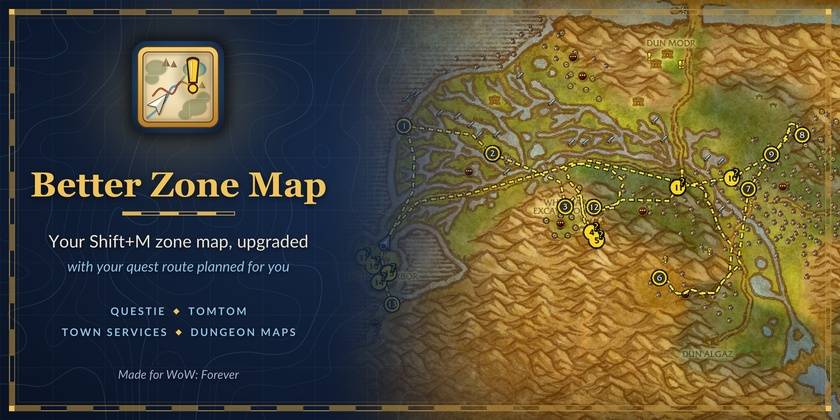
Your Shift+M zone map, upgraded: quests, waypoints, town services and addon markers on the small map you glance at while you play. With Questie, it also plans your quest route.
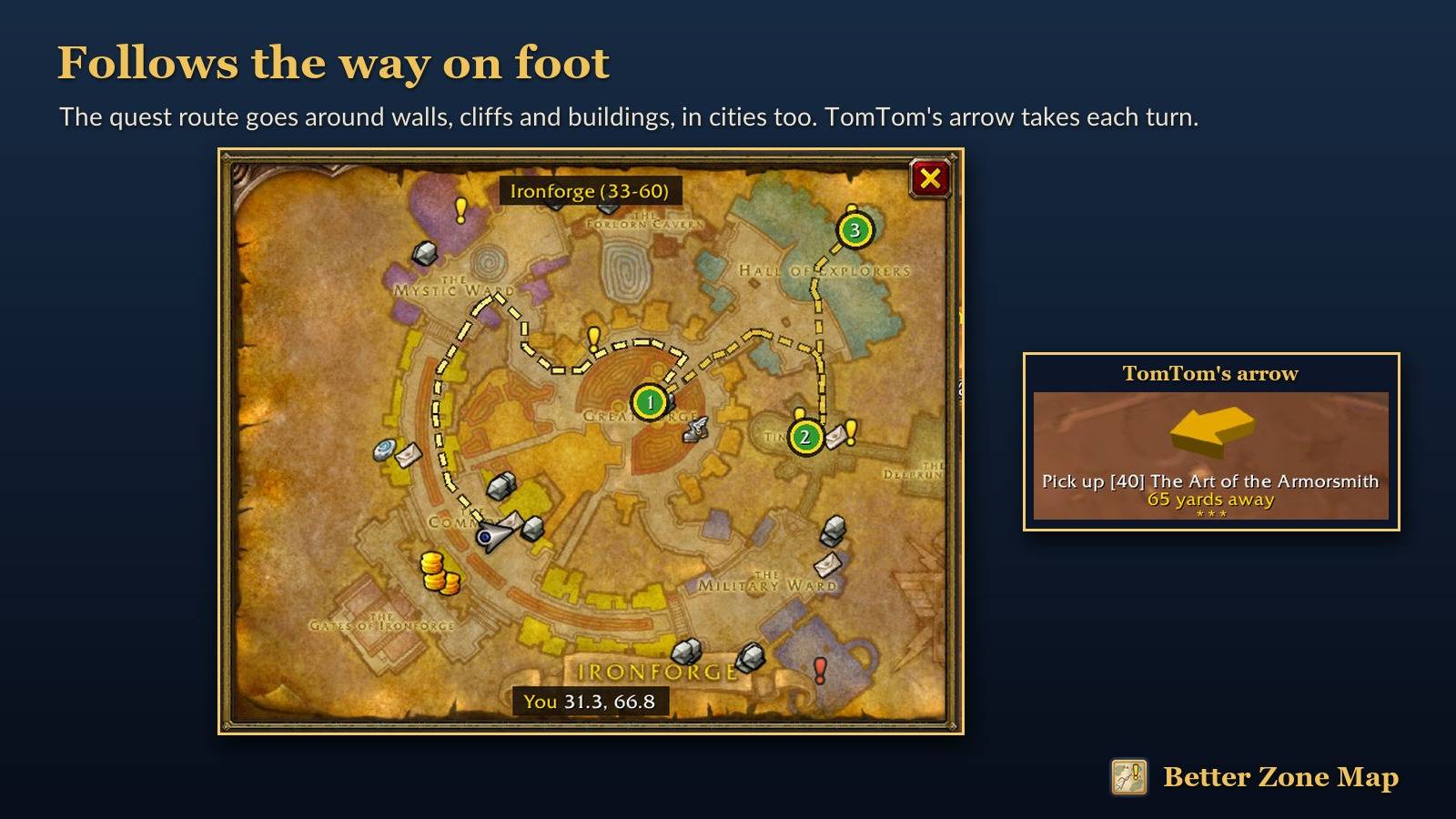
The quest route's line goes around walls, cliffs, canals and buildings instead of straight through them, in cities too. With TomTom, its arrow points at each turn of the way.
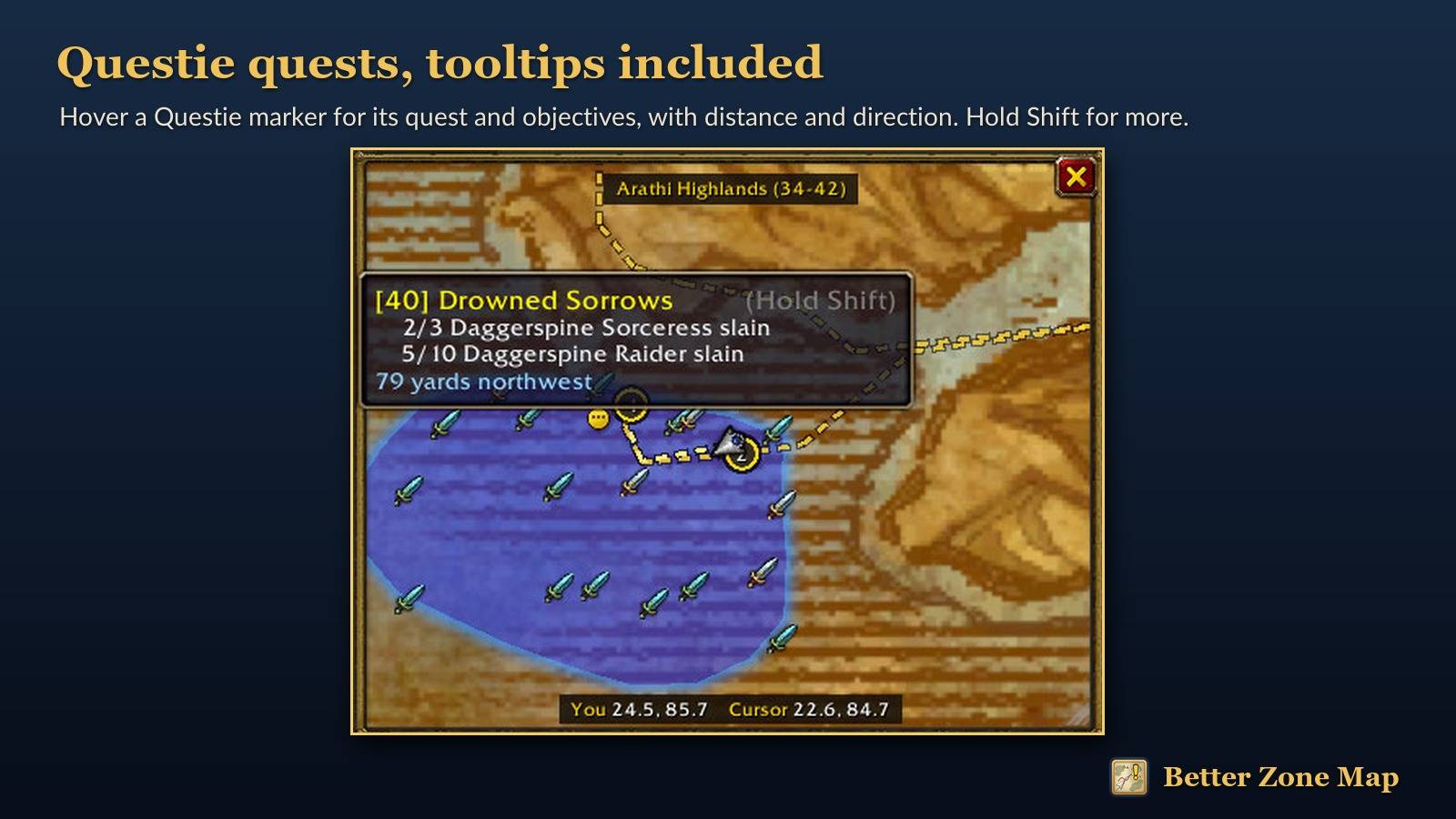
Hover a Questie marker on the zone map for its quest and objectives, with distance and direction. Hold Shift for full details, just like on the world map.
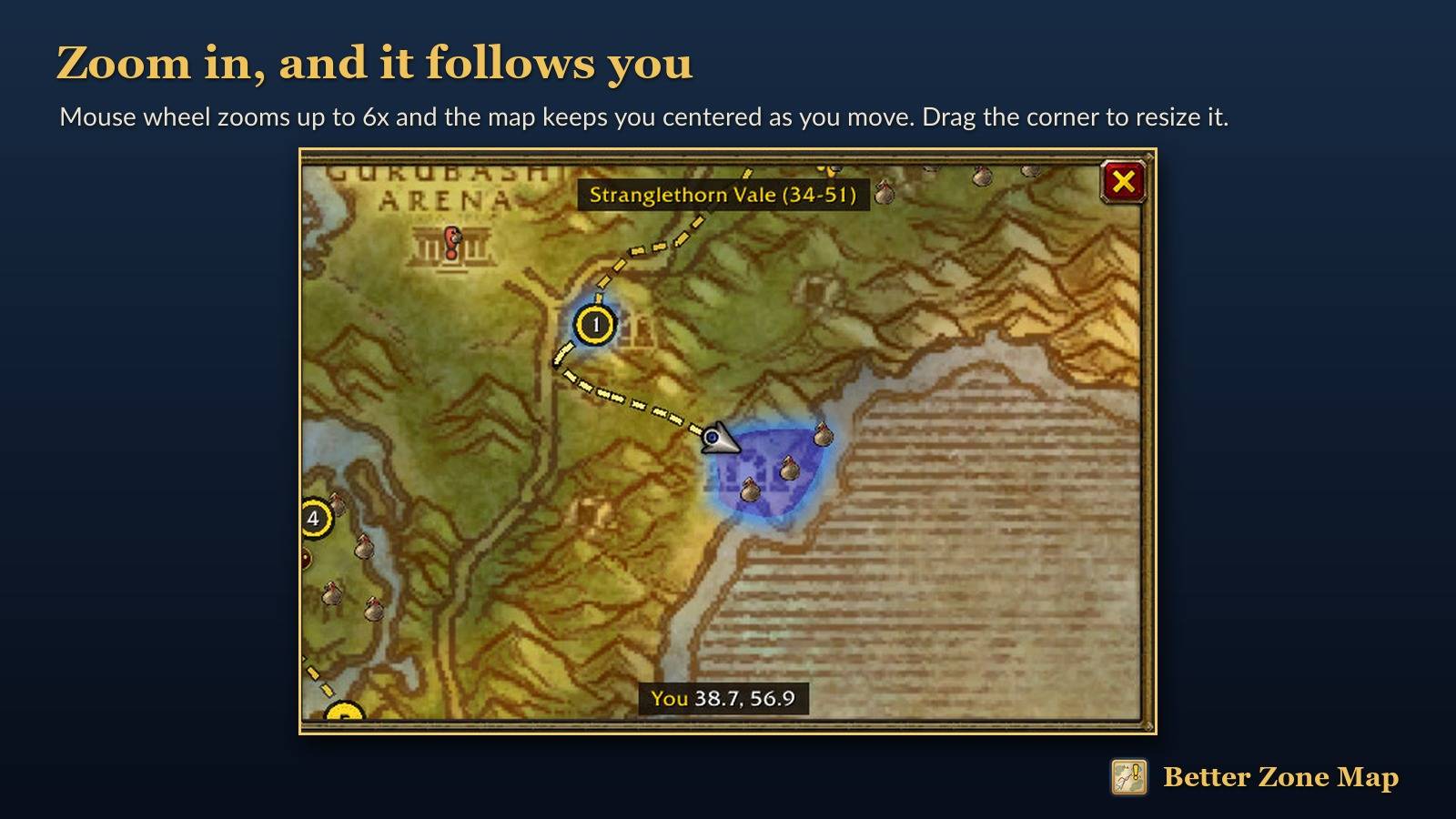
Zoom in up to 6x with the mouse wheel and the map keeps you centered as you move. Drag the corner grip to make the map any size you like.
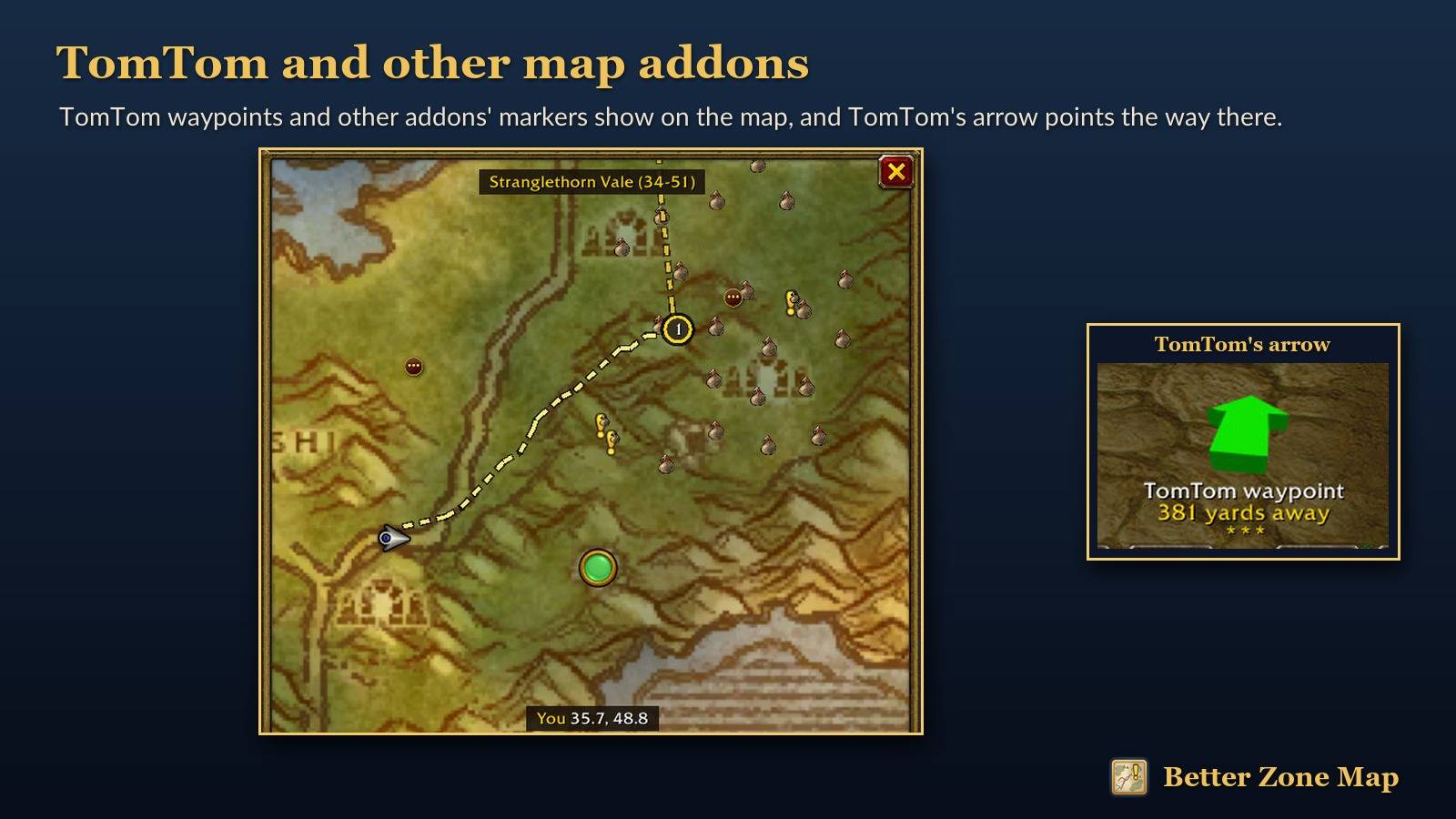
TomTom waypoints and other map addons' markers show up too, with their own tooltips and right-click menus. TomTom's arrow points the way to your waypoint, or to the quest route's next stop.
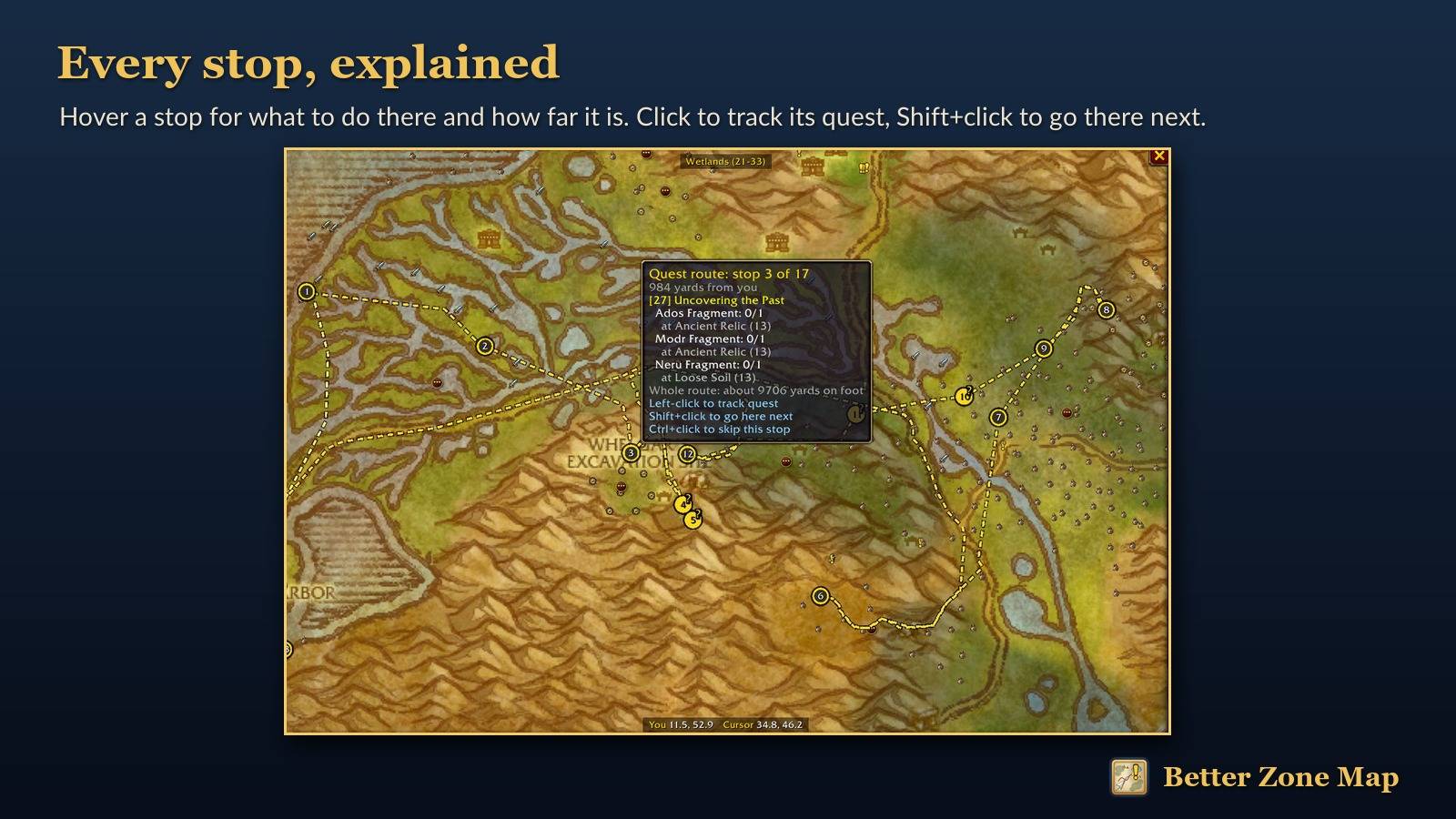
Hover a stop for what to do there and how far it is. Click it to track its quest, or Shift+click it to go there next.
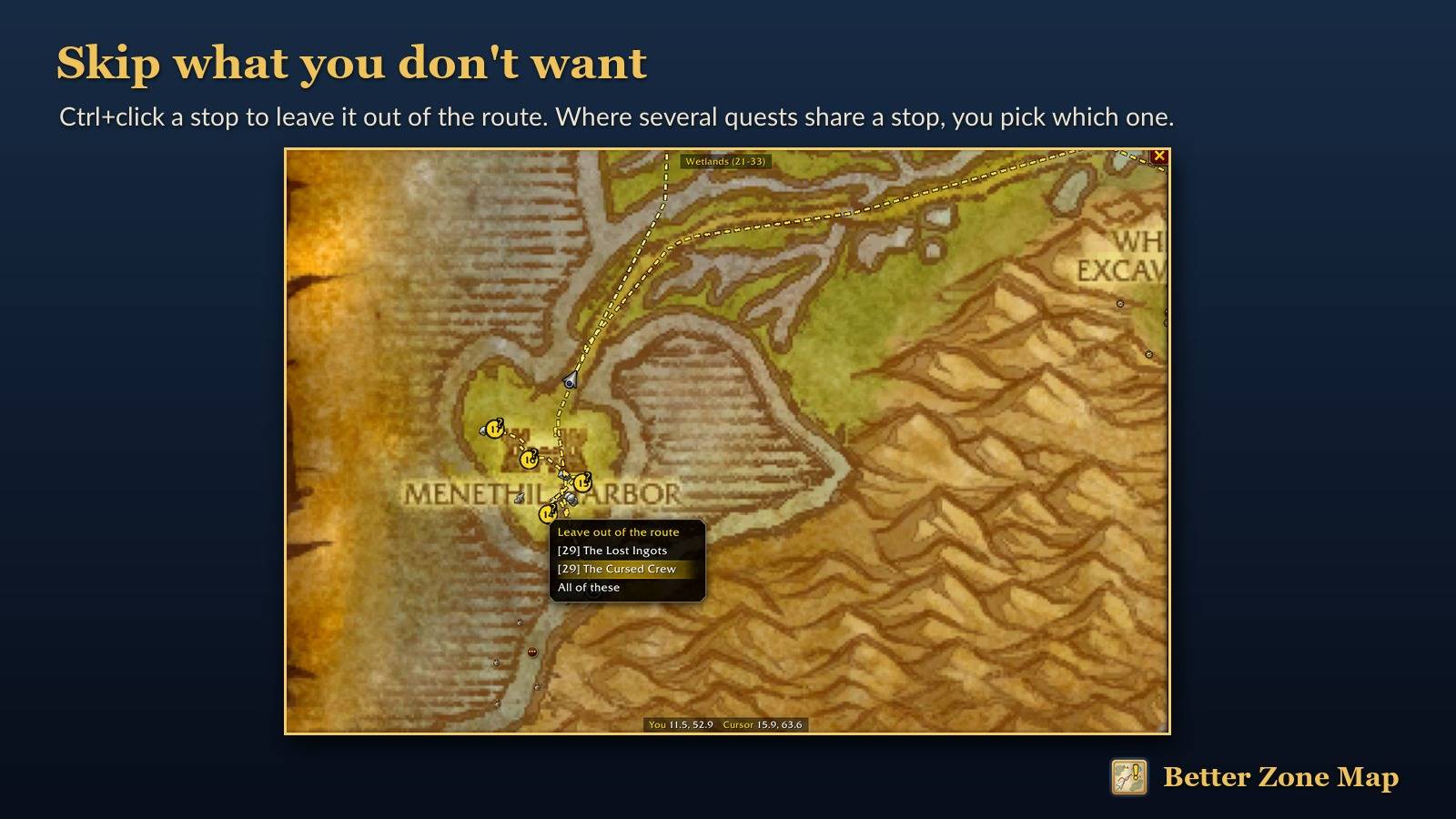
Ctrl+click a stop to leave it out of the route. Where several quests share a stop, you pick which one.
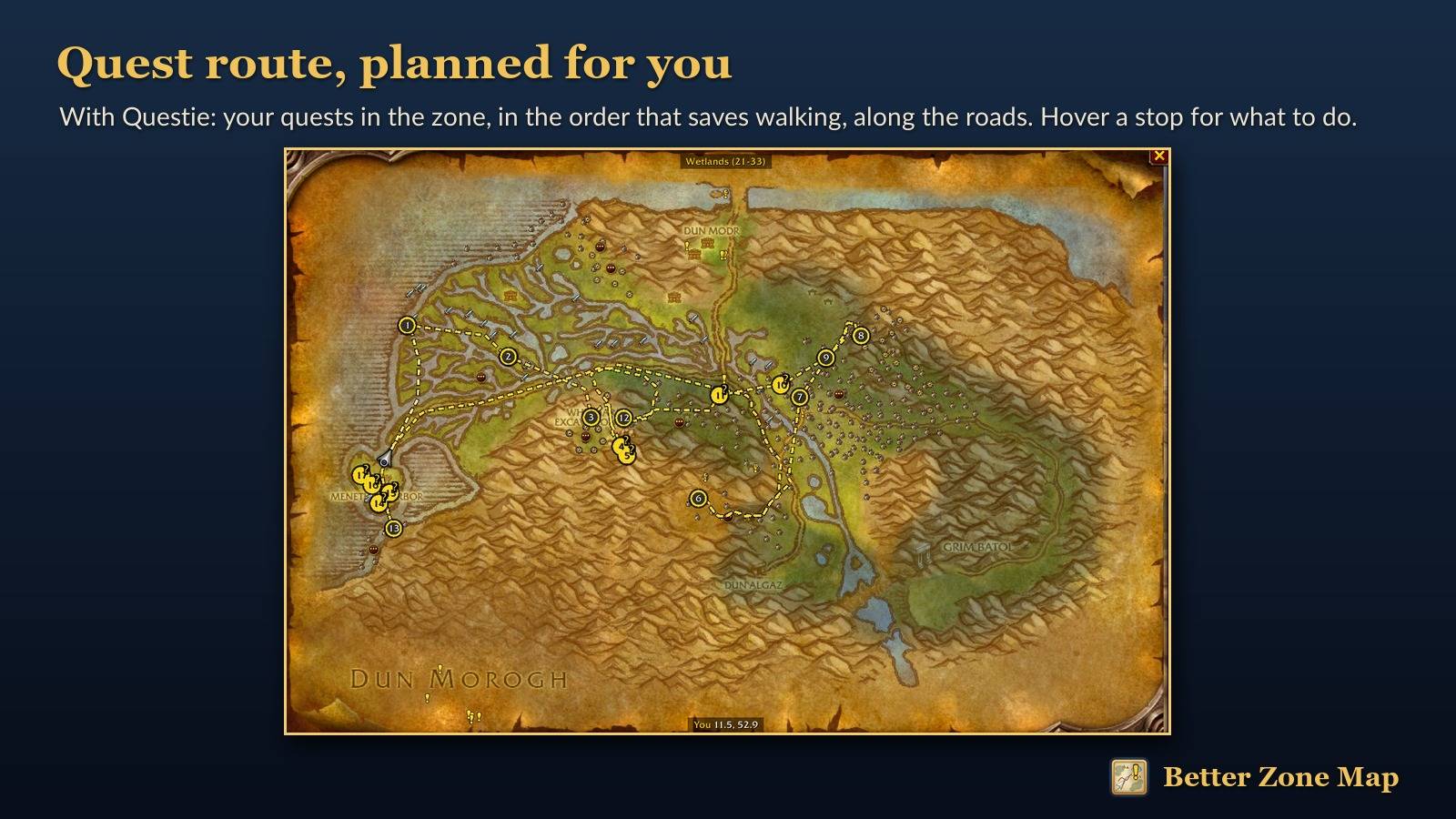
With Questie, the quests you're on in this zone in the order that saves the most walking, along the roads, with new quests picked up on the way.
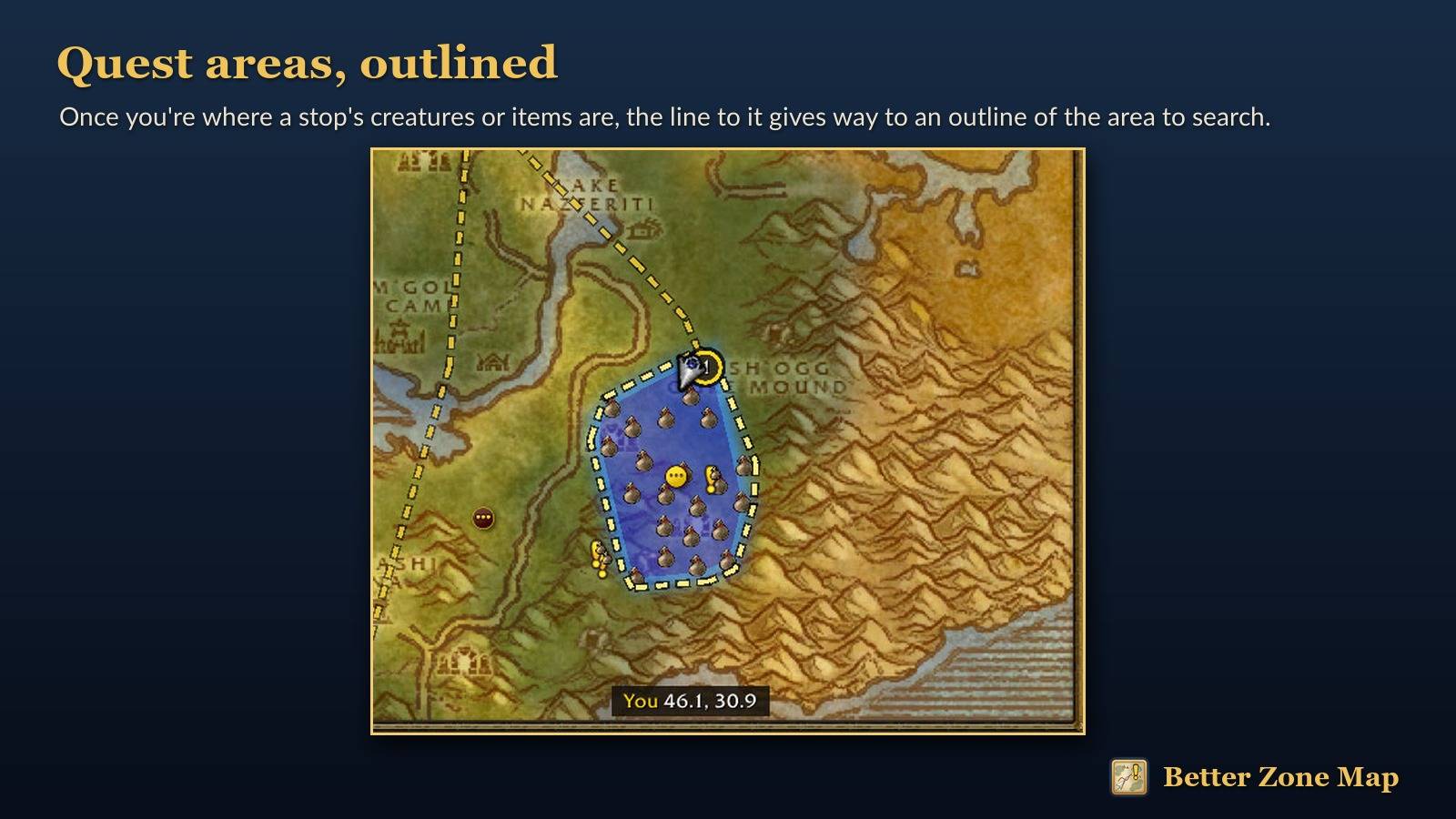
Once you're where a stop's creatures or items are, the line to the stop gives way to an outline of the area to search. It comes back when you leave.
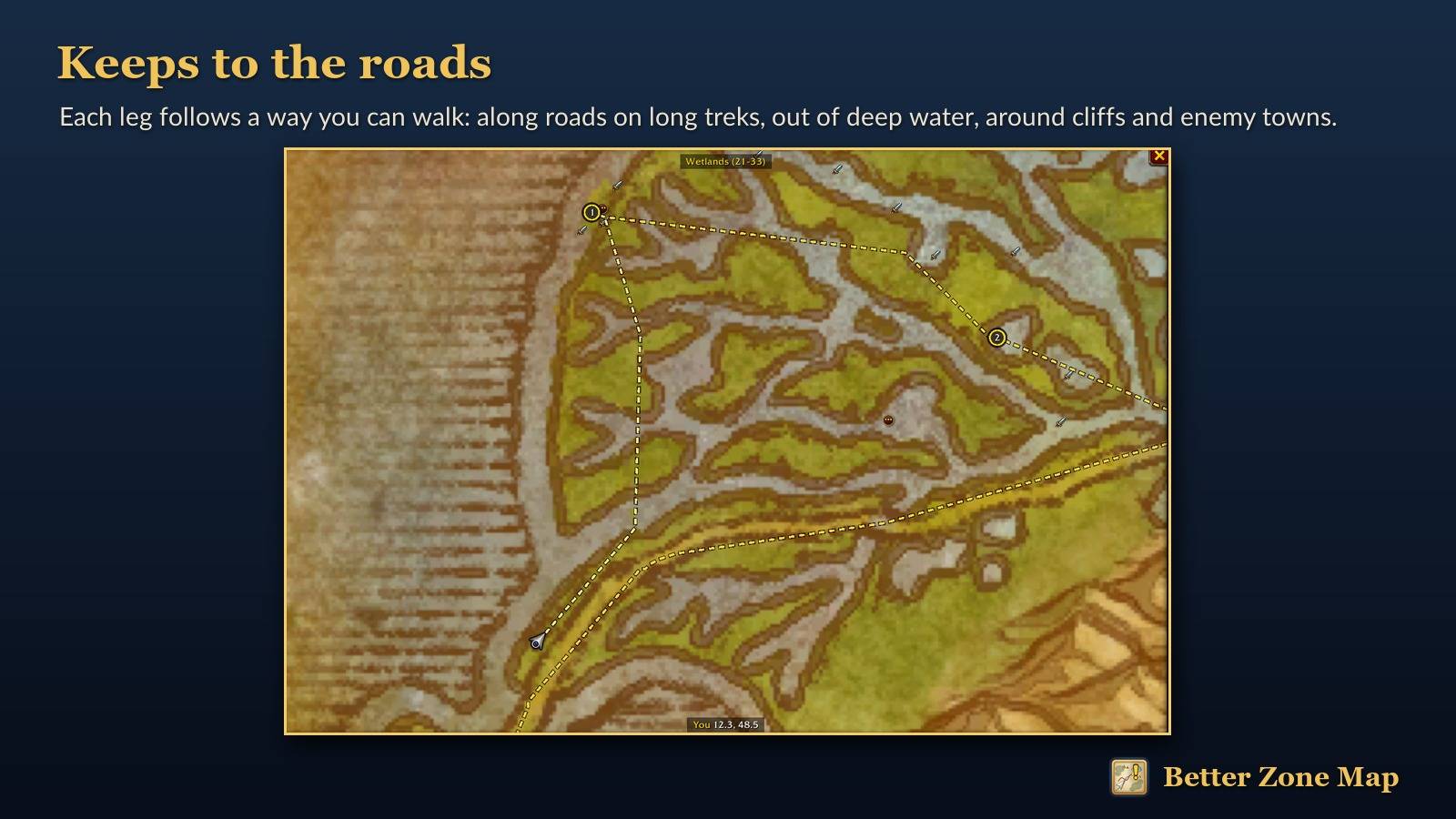
Each leg follows a way you can walk: along roads on long treks, out of deep water, around cliffs and enemy towns.
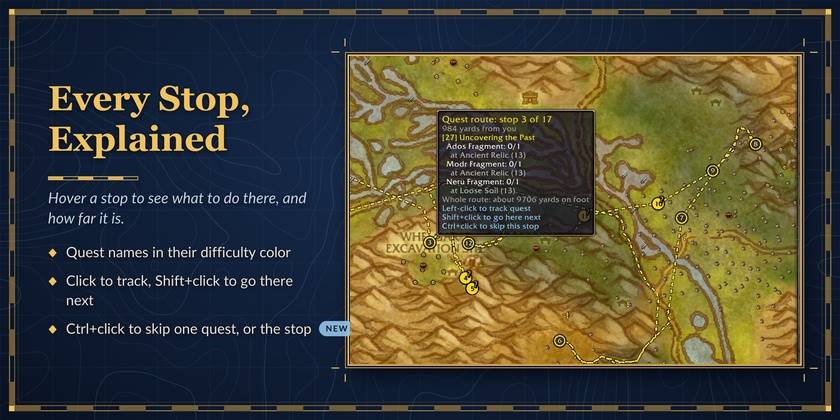
Hover a stop to see what to do there. Click to track, Shift+click to go there next, Ctrl+click to skip. (Shown on the project page.)
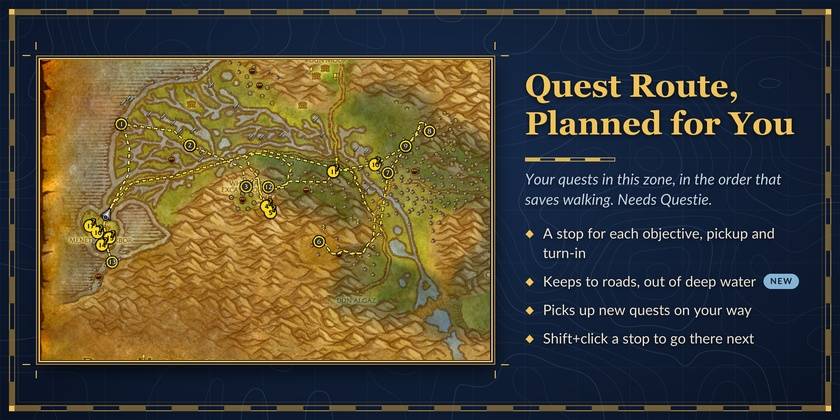
Your quests in this zone, in the order that saves walking. Needs Questie. (Shown on the project page.)
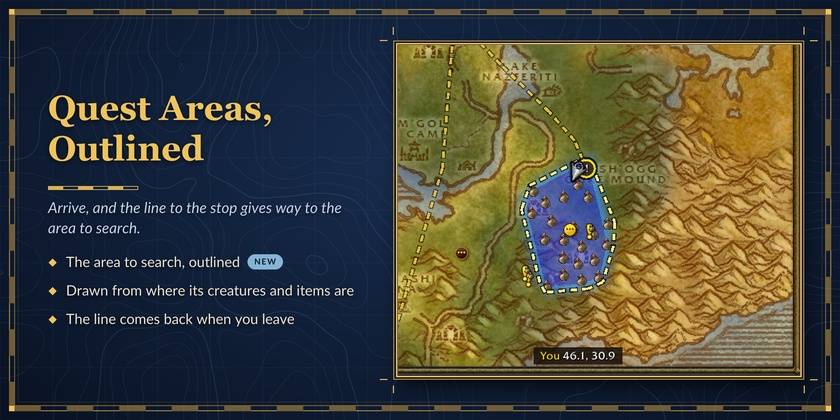
Arrive, and the line to the stop gives way to the area to search. (Shown on the project page.)
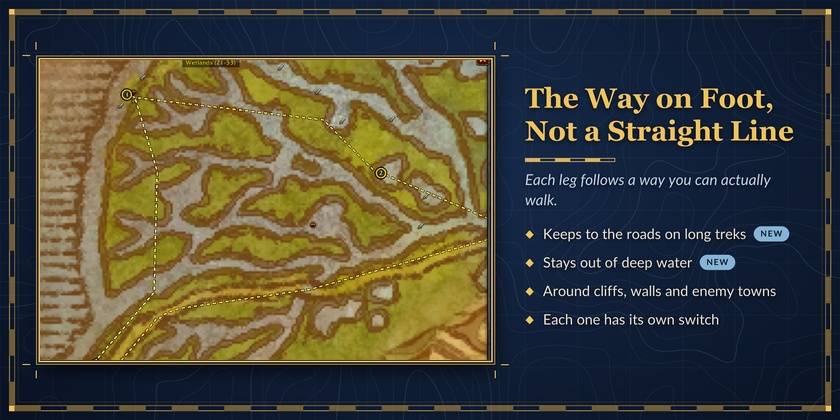
Each leg follows a way you can actually walk: along roads, out of deep water, around cliffs and enemy towns. (Shown on the project page.)
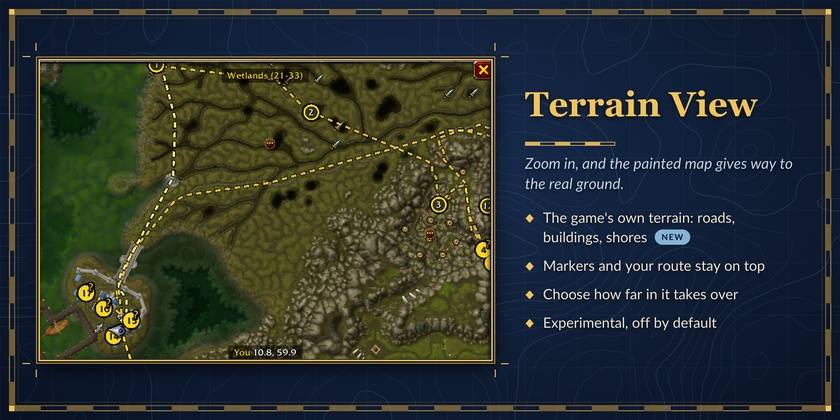
Zoom in, and the painted map gives way to the real ground. Experimental, off by default. (Shown on the project page.)
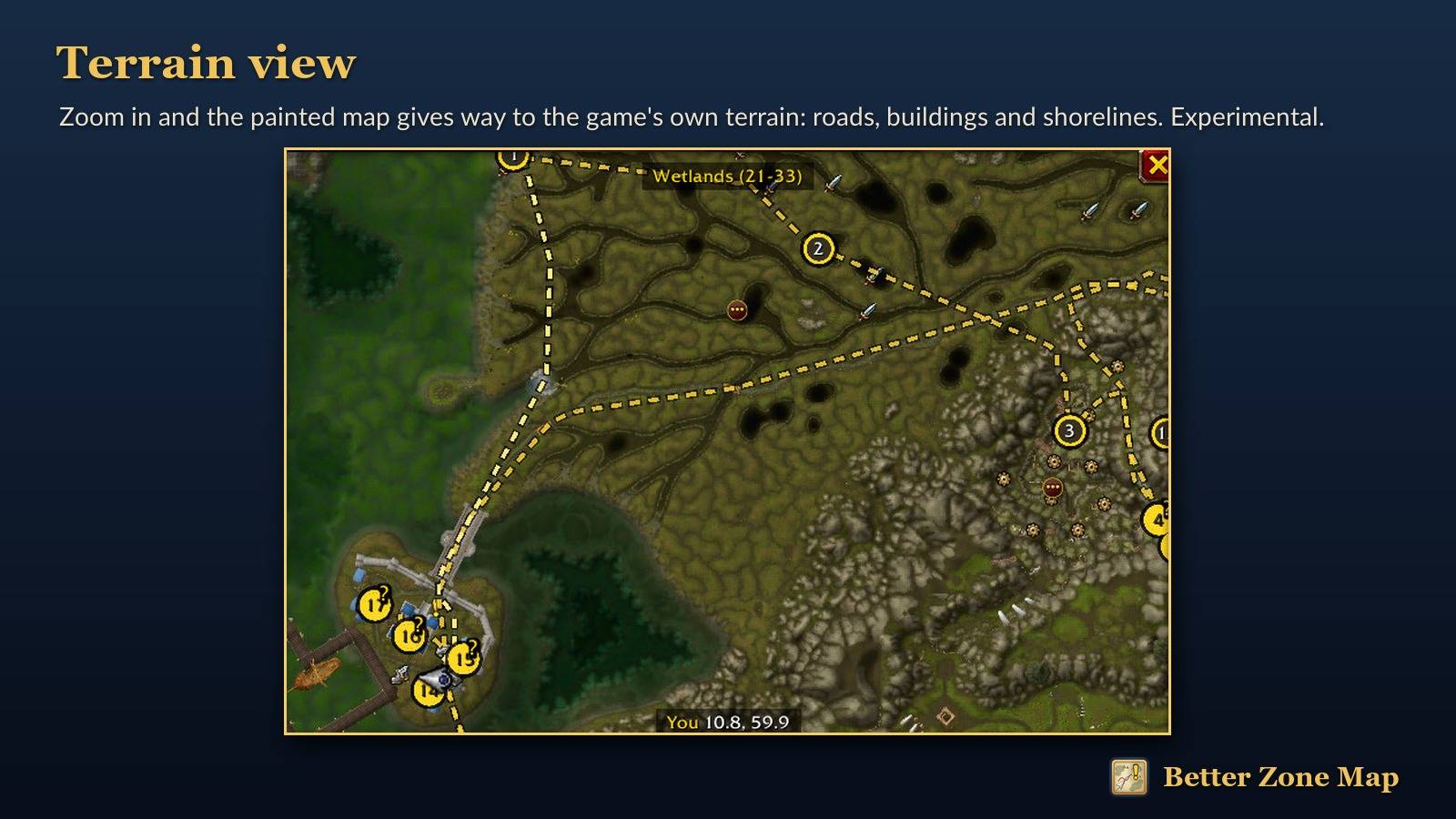
Zoom in and the painted map gives way to the game's own terrain: roads, buildings and shorelines. Experimental, and off until you turn it on.