Better Zone Map
- By
Better Zone Map turns the Shift+M zone map into a resizable, zoomable map that shows your quest objectives, waypoints and markers from addons like Questie and TomTom.
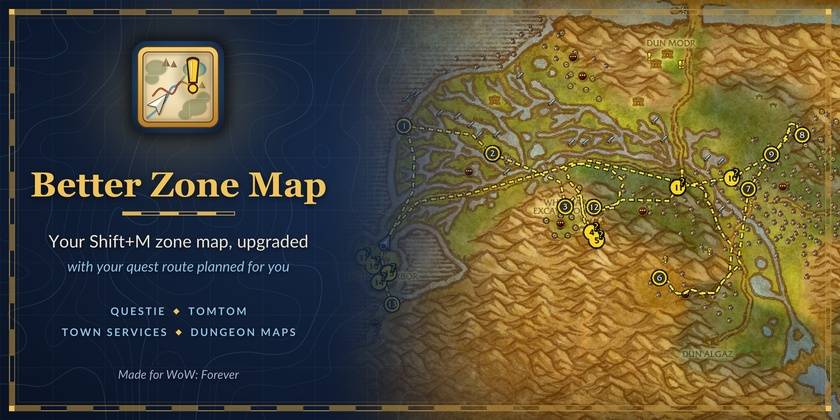
Your Shift+M zone map, upgraded: quests, waypoints, town services and addon markers on the small map you glance at while you play. With Questie, it also plans your quest route.
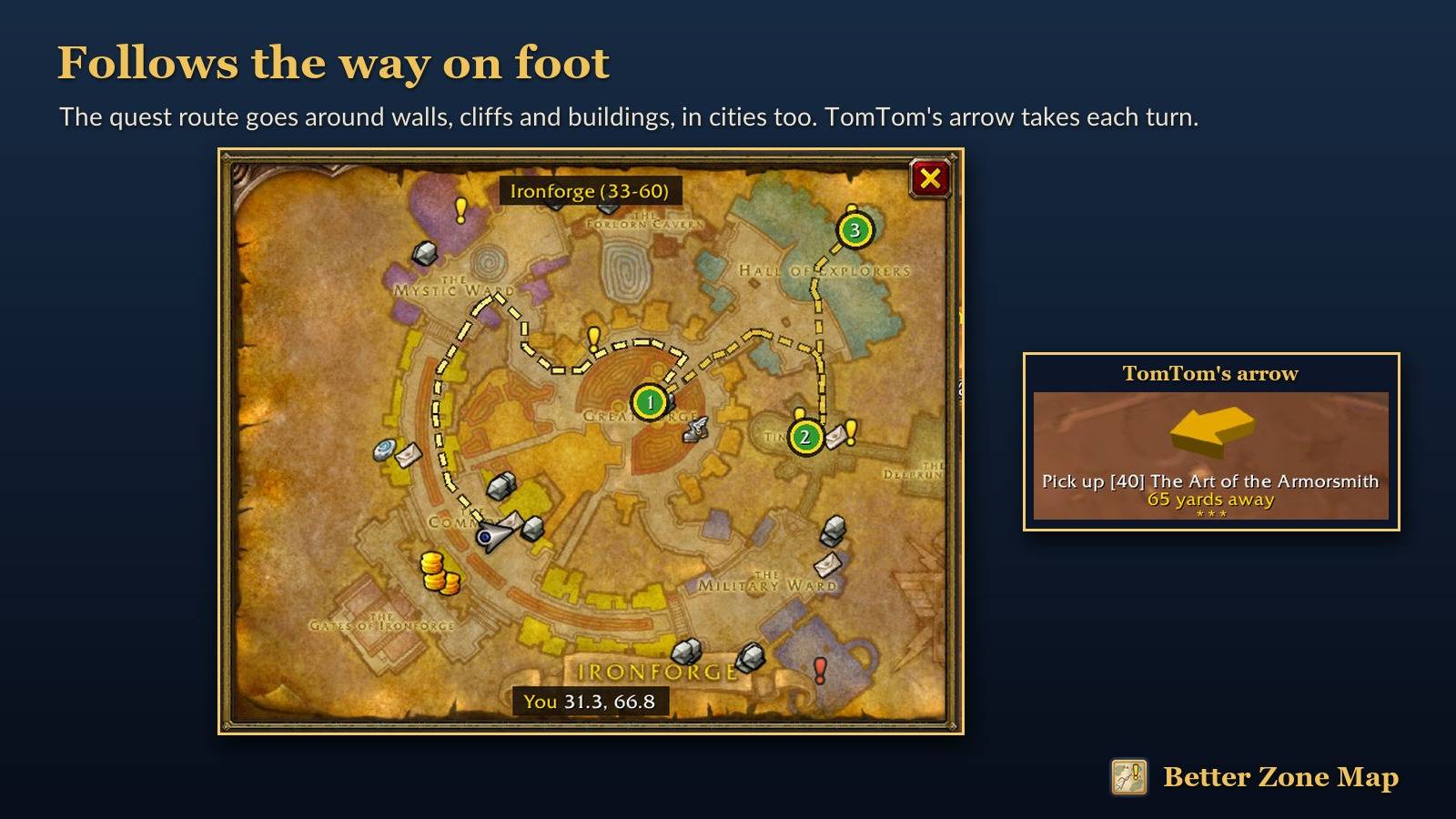
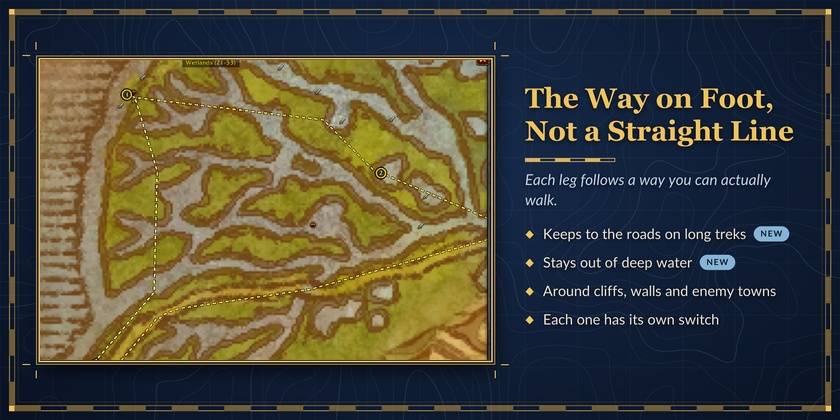
The quest route's line goes around walls, cliffs, canals and buildings instead of straight through them, in cities too. With TomTom, its arrow points at each turn of the way.
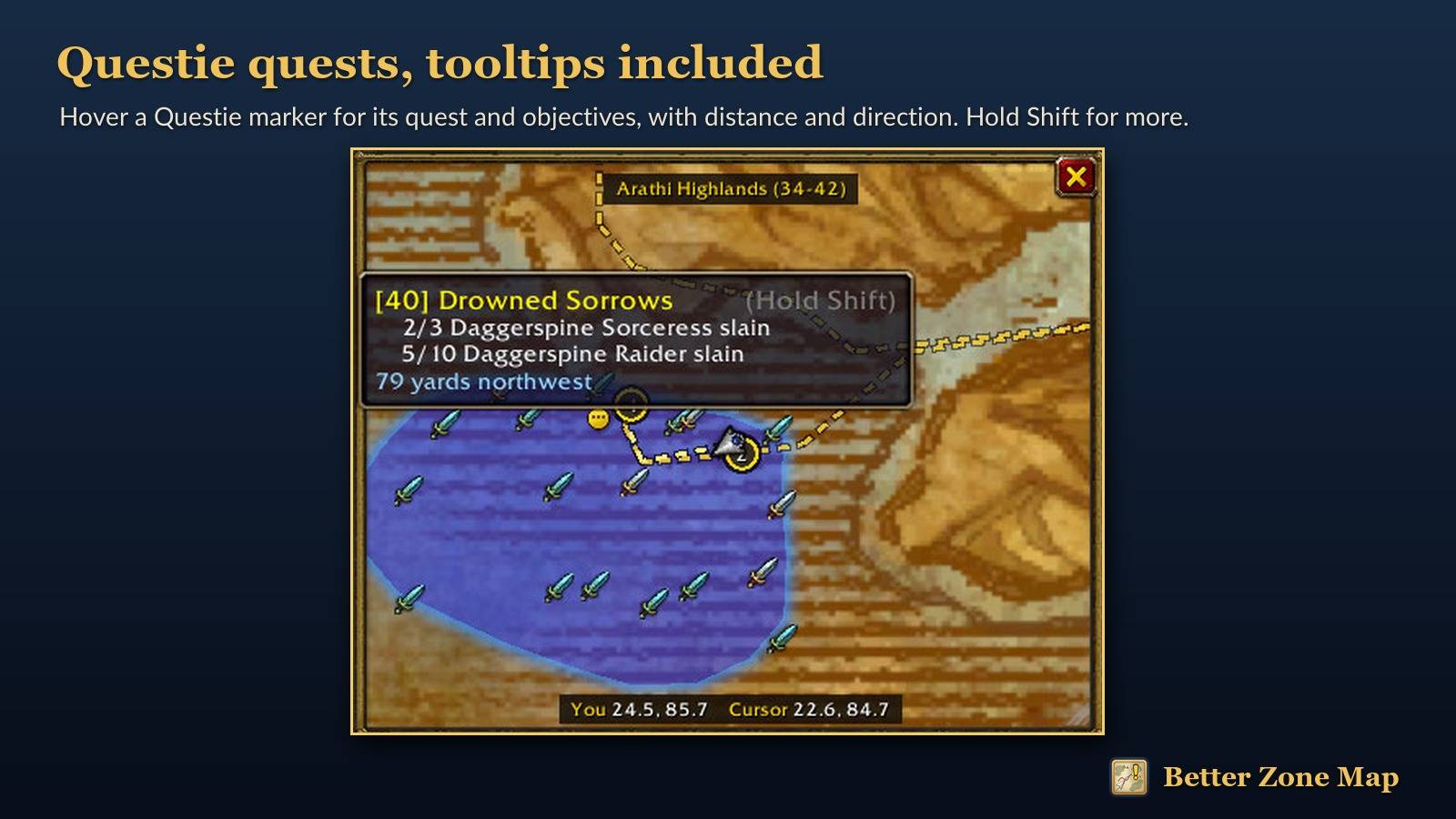
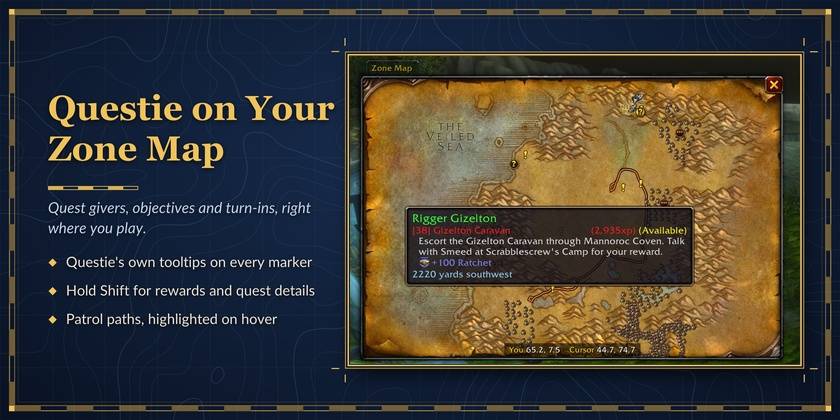
Hover a Questie marker on the zone map for its quest and objectives, with distance and direction. Hold Shift for full details, just like on the world map.
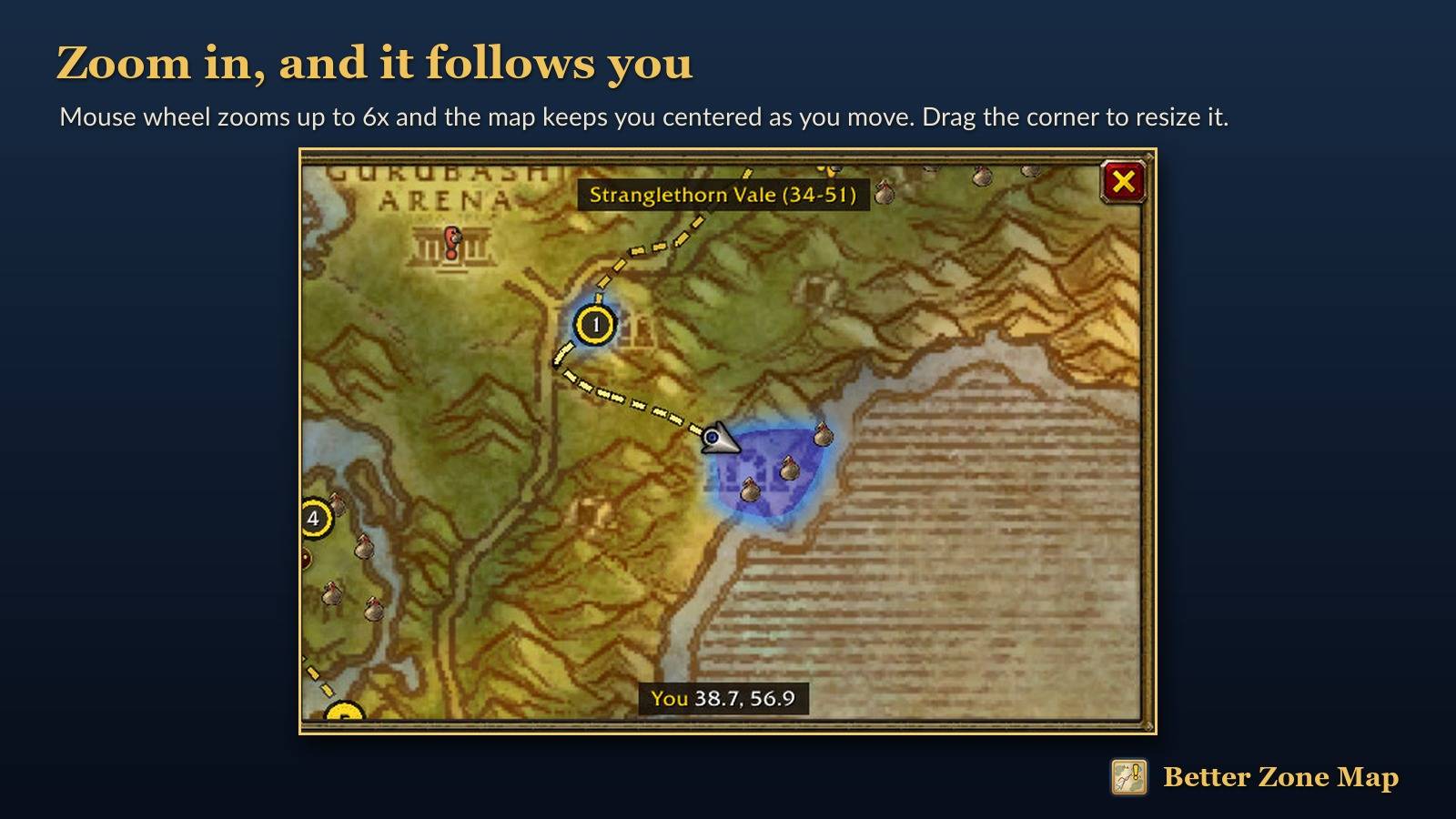
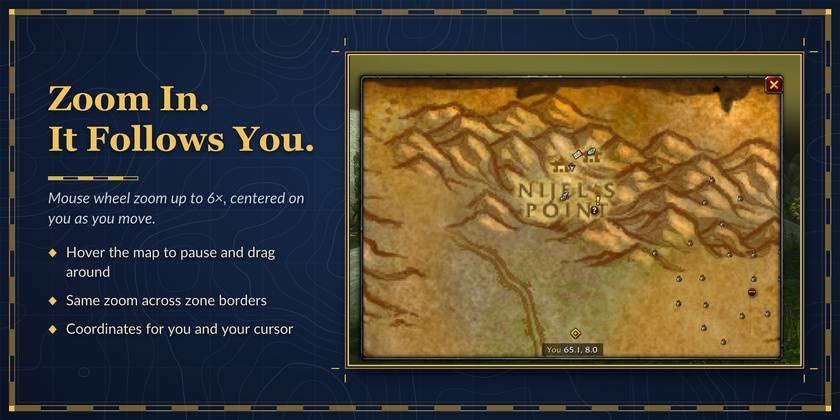
Zoom in up to 6x with the mouse wheel and the map keeps you centered as you move. Drag the corner grip to make the map any size you like.
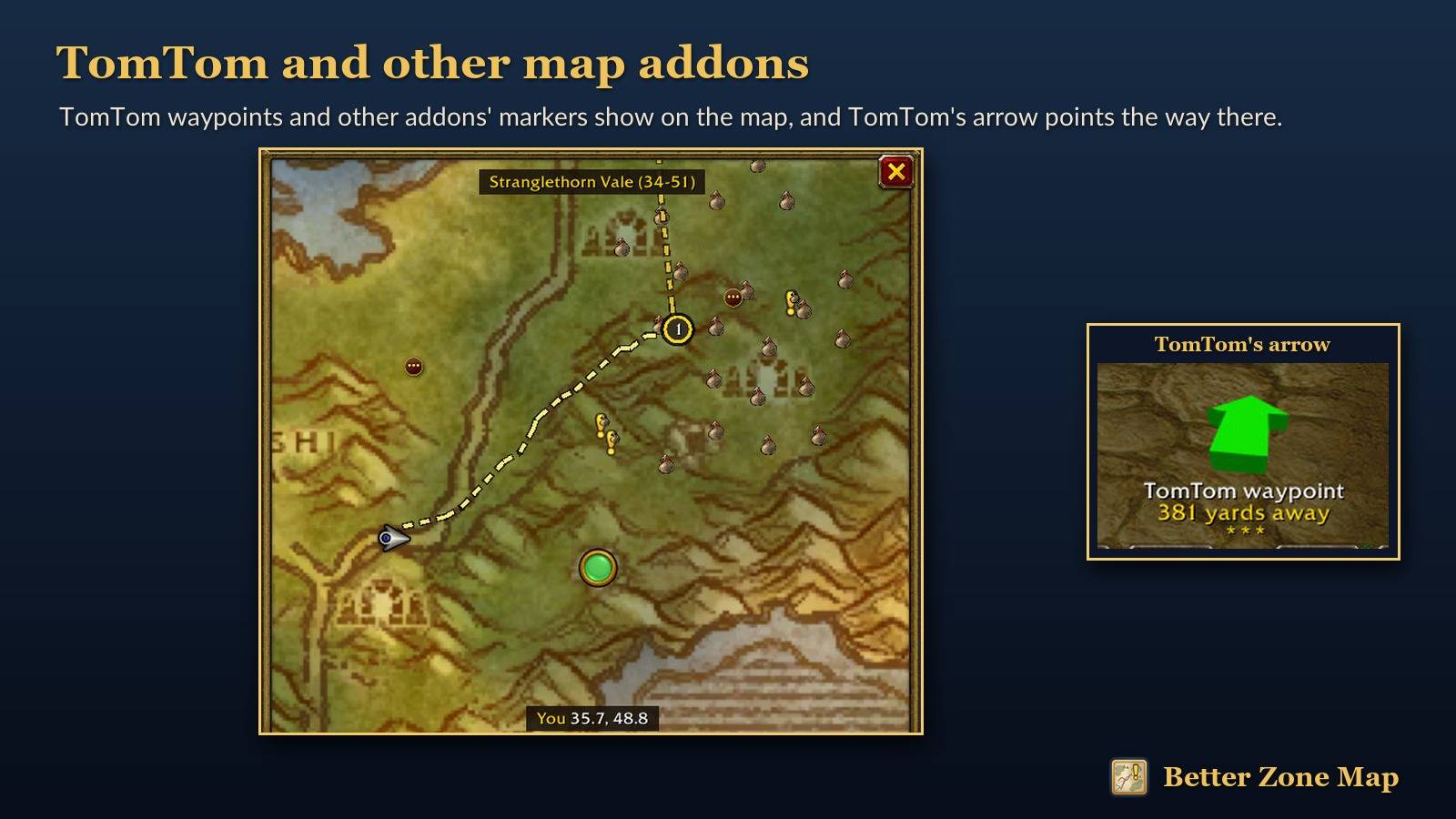
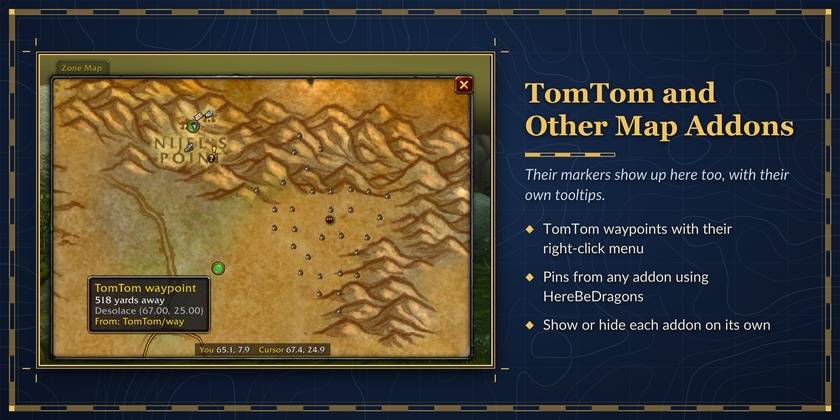
TomTom waypoints and other map addons' markers show up too, with their own tooltips and right-click menus. TomTom's arrow points the way to your waypoint, or to the quest route's next stop.
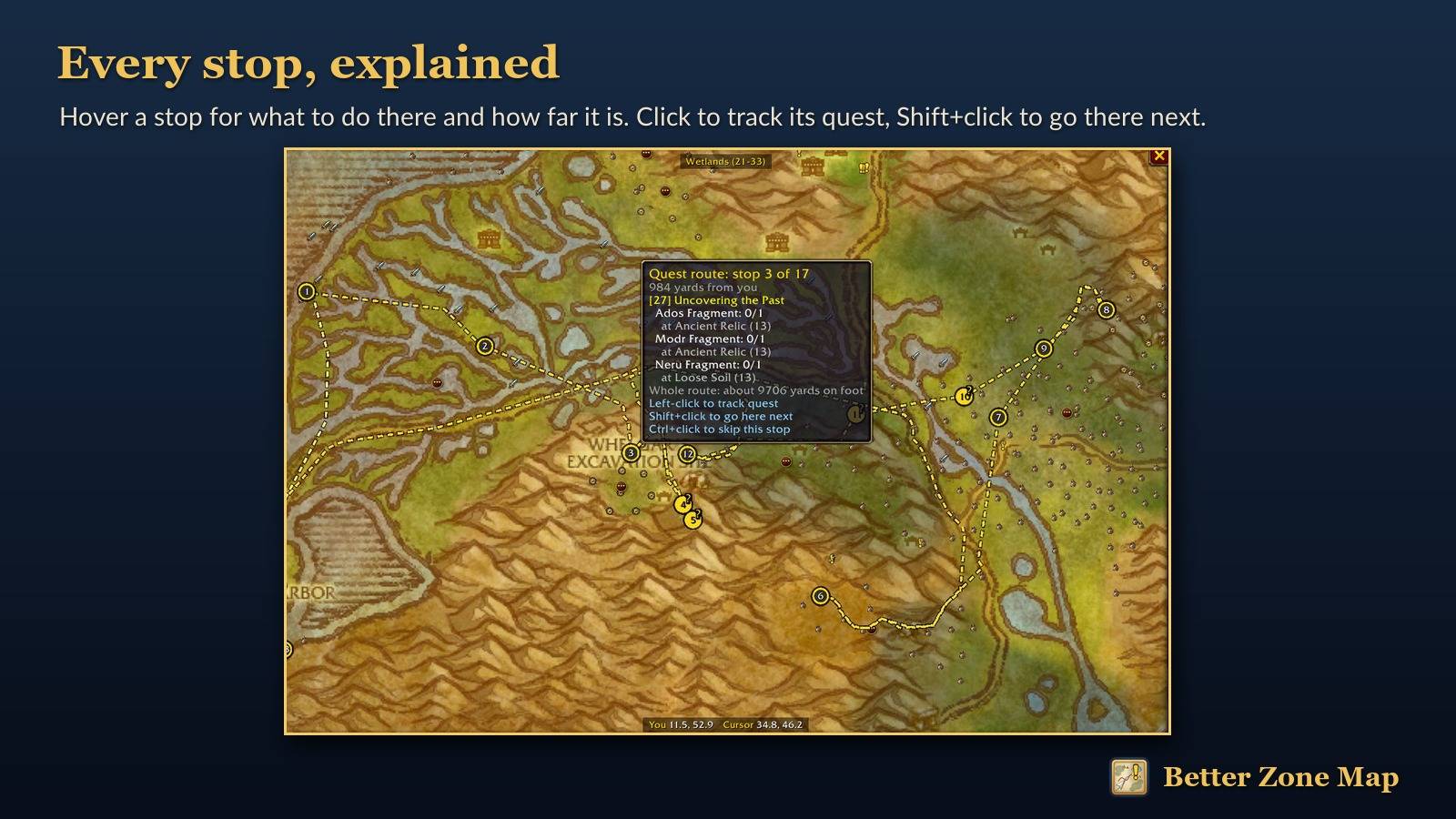
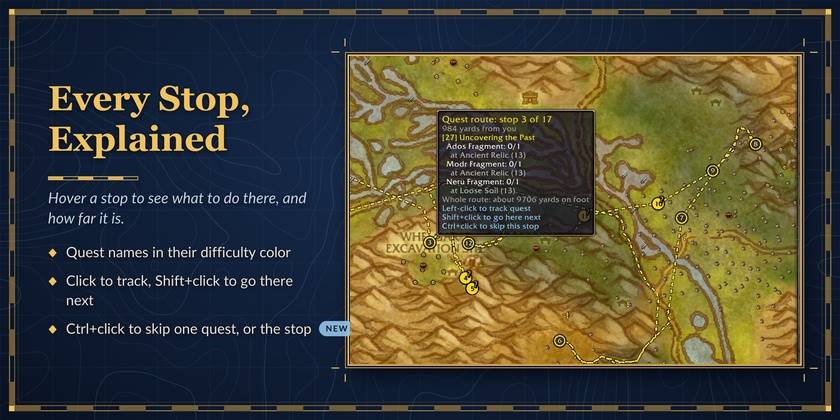
Hover a stop for what to do there and how far it is. Click it to track its quest, or Shift+click it to go there next.
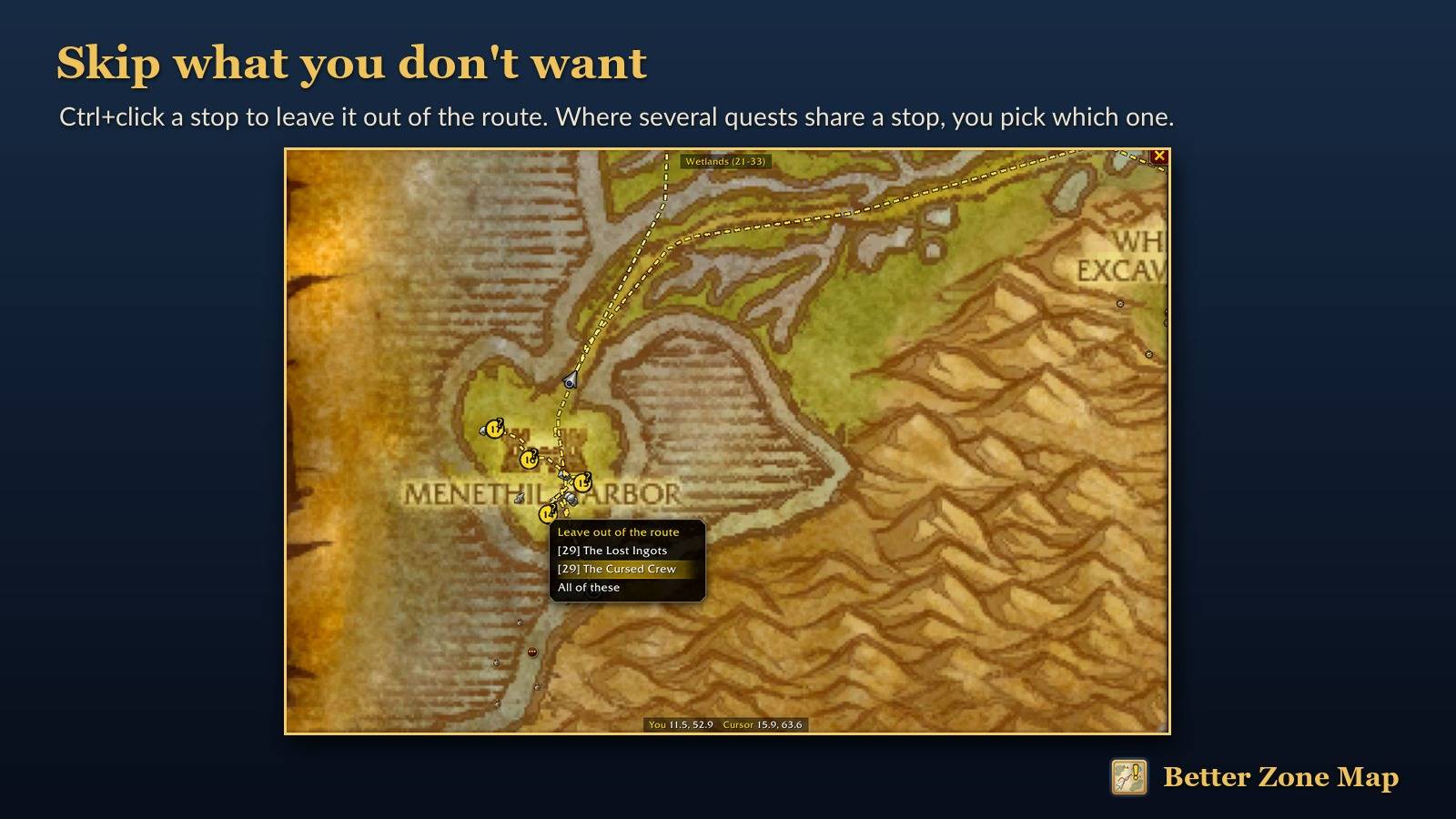
Ctrl+click a stop to leave it out of the route. Where several quests share a stop, you pick which one.
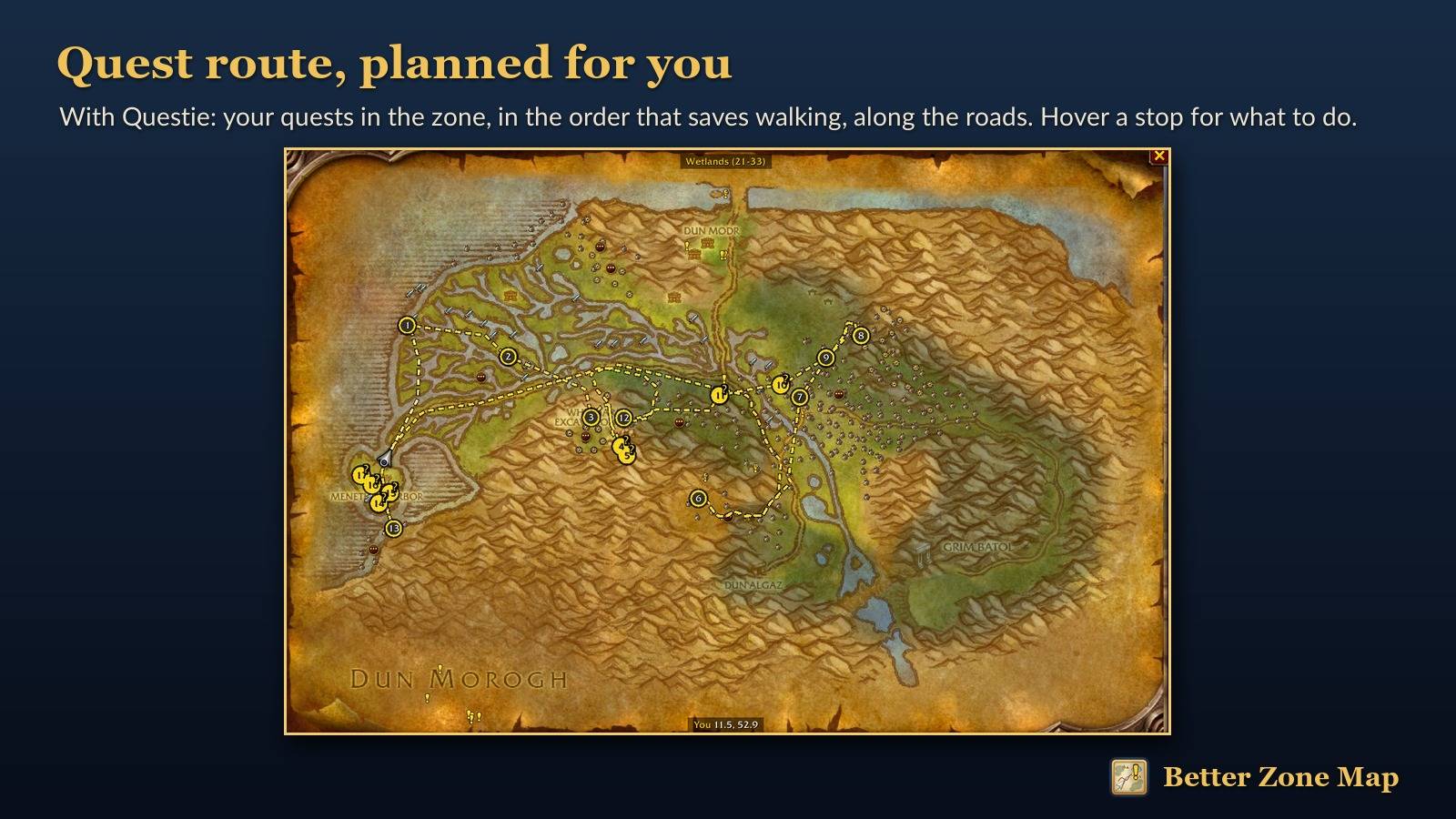
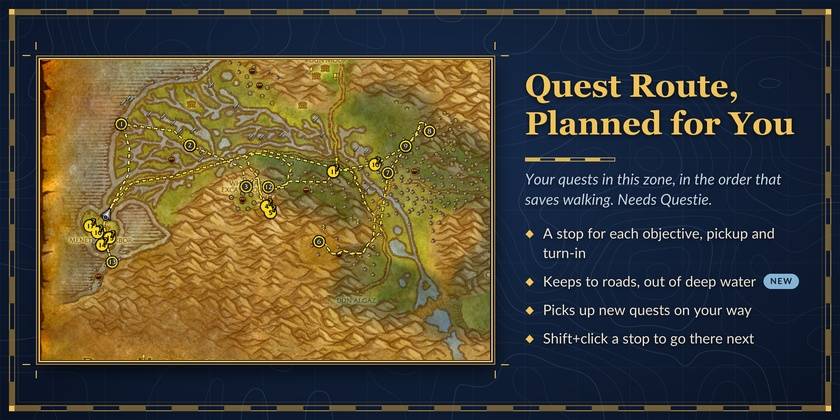
With Questie, the quests you're on in this zone in the order that saves the most walking, along the roads, with new quests picked up on the way.
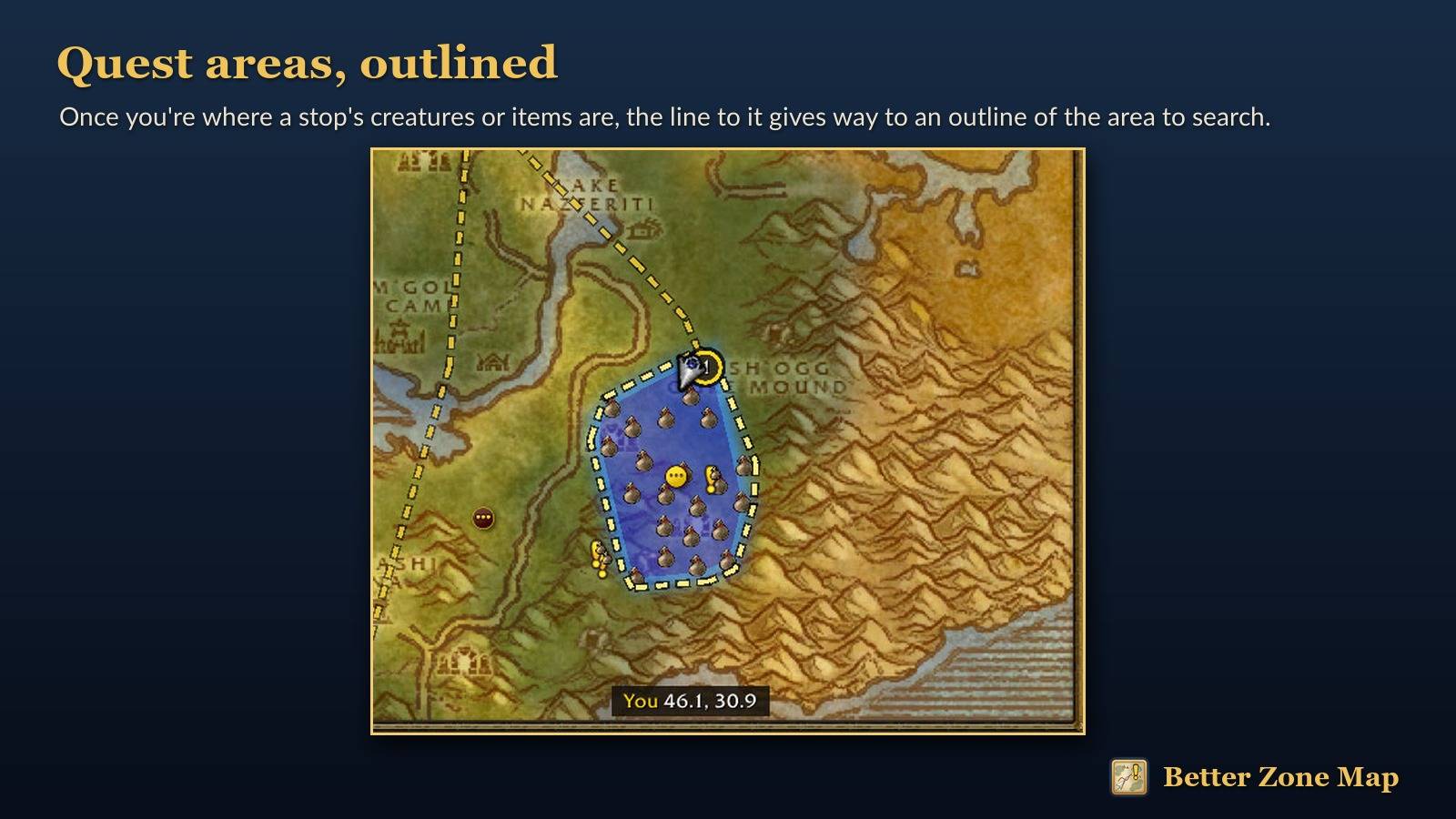
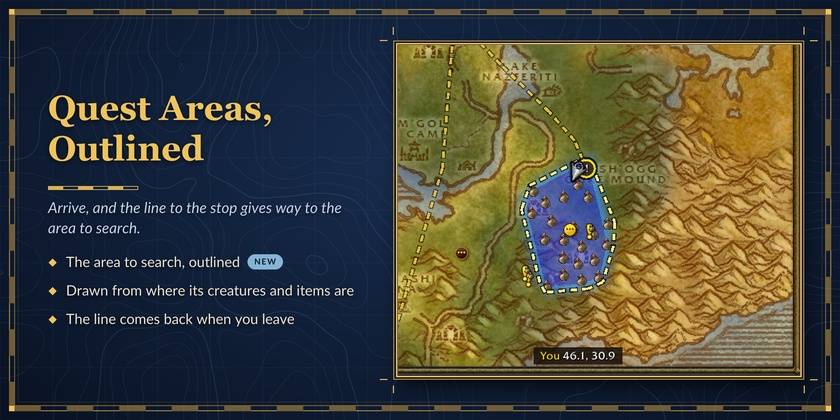
Once you're where a stop's creatures or items are, the line to the stop gives way to an outline of the area to search. It comes back when you leave.
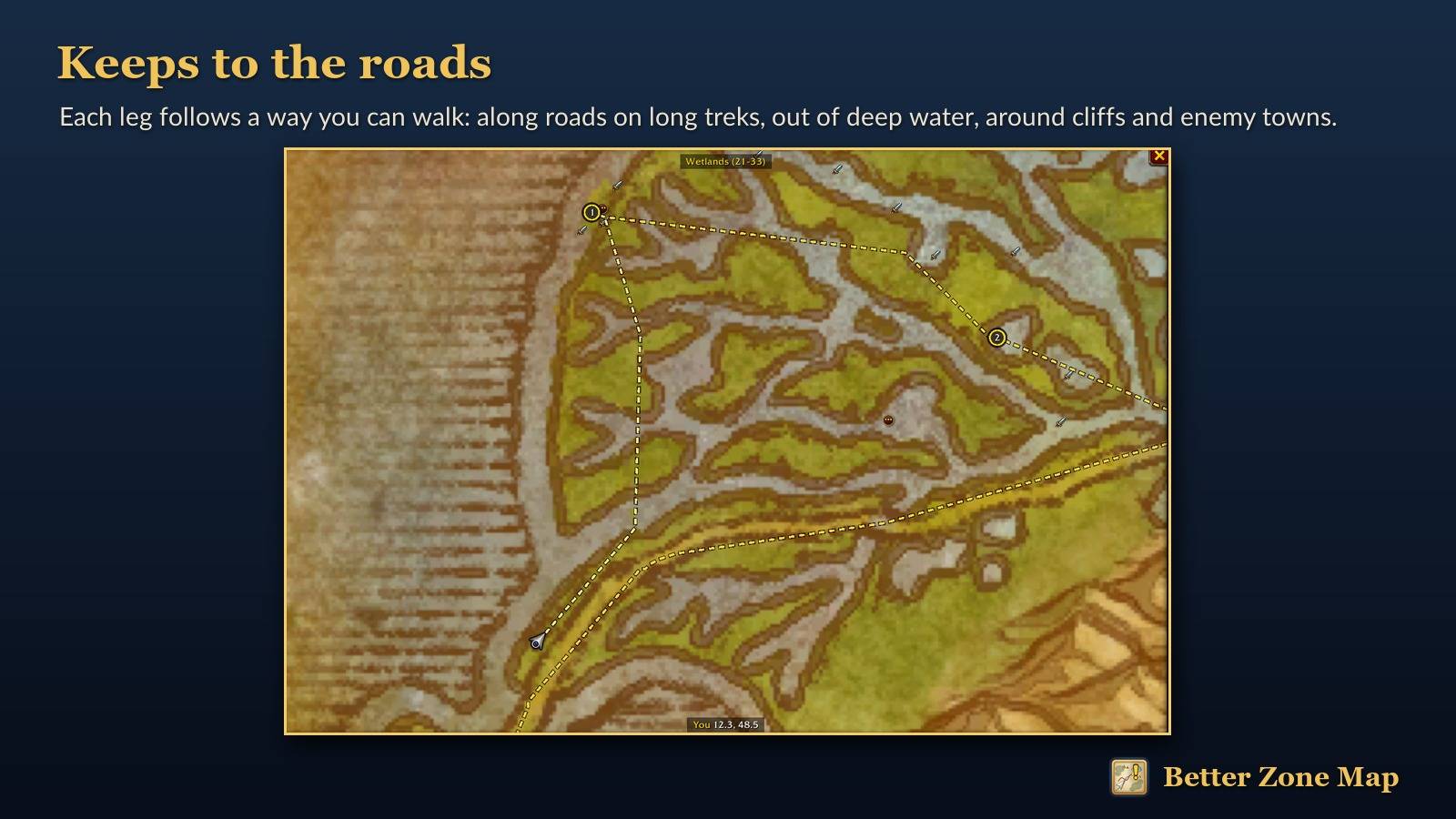
Each leg follows a way you can walk: along roads on long treks, out of deep water, around cliffs and enemy towns.
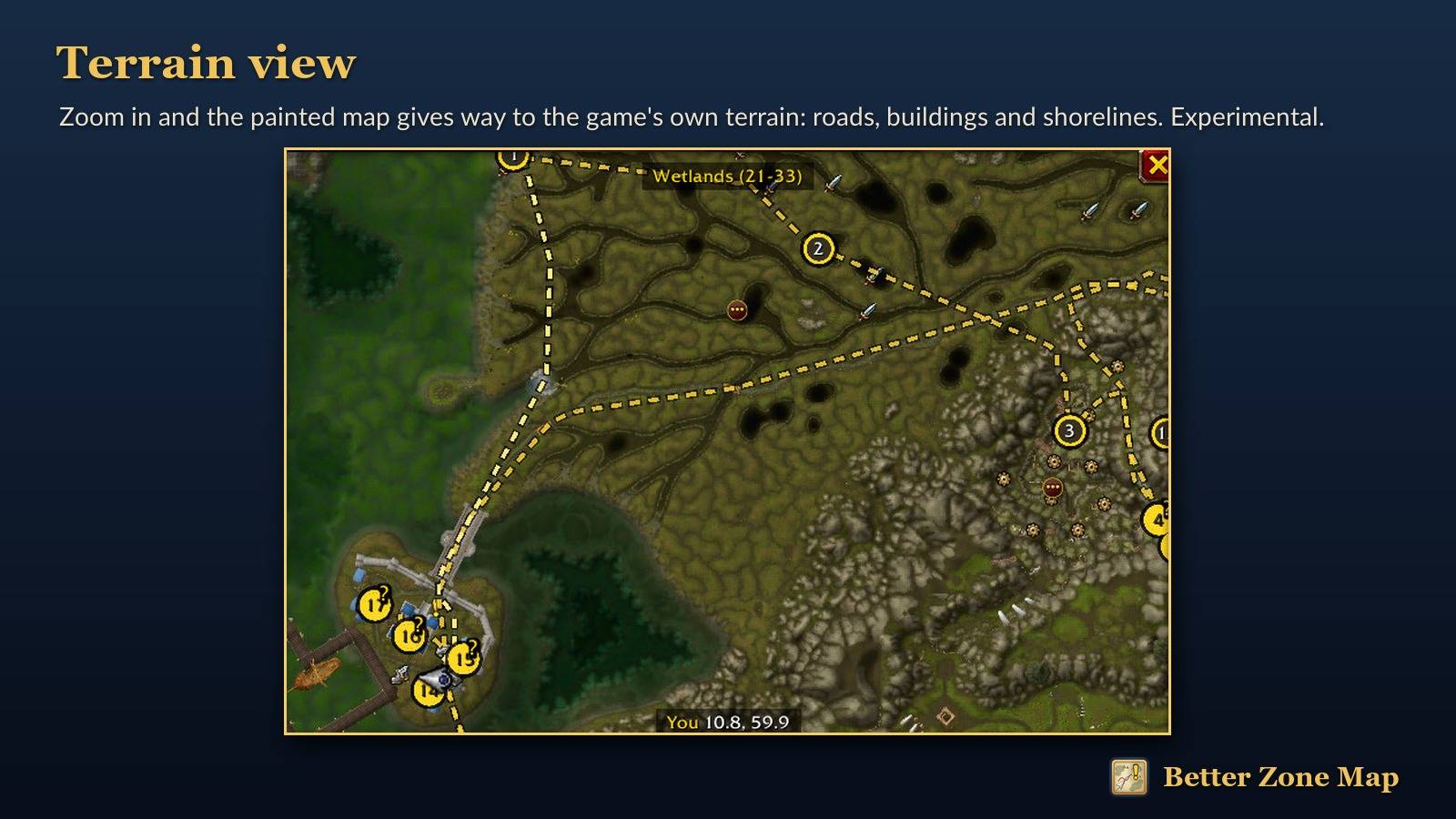
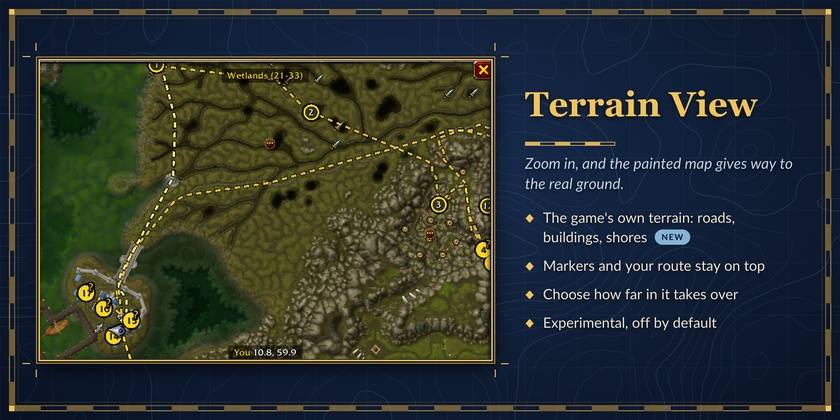
Zoom in and the painted map gives way to the game's own terrain: roads, buildings and shorelines. Experimental, and off until you turn it on.
Description
Better Zone Map turns the small Shift+M zone map into a live, minimap-style map of your zone. Quest givers, objectives, waypoints, town services and addon markers sit right on the map you glance at while you play, so you don't have to open the full world map.
With Questie it also plans your route: the quests you're on in the zone, in the order that saves the most walking, with new quests picked up on the way. The route's line follows the way you can actually walk: along the roads, around cliffs and walls, out of deep water and clear of enemy towns. With TomTom, its arrow points you to the next stop.
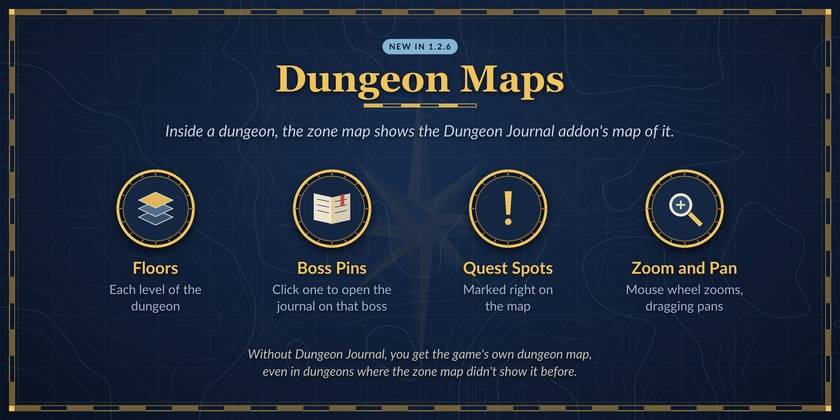
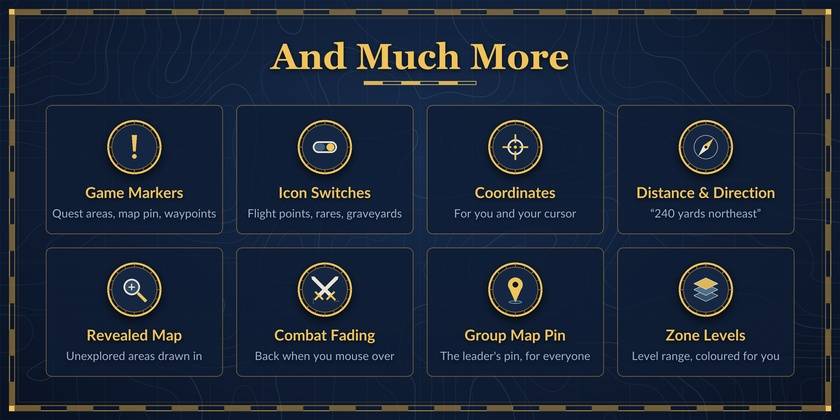
It works on its own, and Questie, TomTom and Dungeon Journal add more when they're installed. Every kind of marker has its own switch, so you only see what you want to see.
GETTING STARTED
On first install the zone map opens by itself and a short guide prints in chat.
- Shift+M opens and closes the zone map.
- Alt+drag anywhere on the map to move it. The map's tab shows when your mouse is just above the map, and you can drag that too.
- Drag the corner grip to resize it. Hold Shift while dragging to give it any shape.
- Mouse wheel zooms in, up to 6×. While zoomed in, the map keeps you centered.
- Quest route (with Questie): hover a stop to see what to do there, with each quest's name in its difficulty color. Click a stop to track its quest, Shift+click it to go there next, Ctrl+click it to leave it out (on a stop several quests share, you pick which). New quests to pick up are light with a "!", objectives dark, turn-ins gold with a "?".
- Walking path: just want a line to where you're going, without the quest route? Turn on "Walking path to where I'm headed" in the settings, or type
/bzm walk. A light blue line leads on foot to the waypoint TomTom's arrow points at (your own, or one a guide addon set), else your map pin, else the quest you're tracking. It follows roads and goes around cliffs, deep water and enemy towns. - Quest areas: once you're where a stop's creatures or items are, the line to the stop gives way to an outline of that area. What you're after is somewhere inside it.
- New quests by level (with Questie): the route picks up new quests that are green for you or harder, up to 3 levels above you. Its settings change that: set both limits to 2 levels for yellow quests only.
- Terrain view (experimental): turn it on in the settings or with
/bzm terrain, and once you zoom in, the painted map gives way to the game's own terrain: roads, buildings and shorelines. Markers and your route stay on top. - Indoor view: step into a building, cave or tunnel and the rooms around you show in a corner of the map, drawn from the same pictures as the game's minimap, with you in the middle. It follows you up and down stairs, floor buttons (B, G, 2) pick a floor yourself, and nearby Questie and TomTom markers show in it too. Zoom it with the mouse wheel or its + and - buttons, and close it with its x until you next go indoors. Your minimap stays where it is.
- Map themes: pick a look for the map's frame: Blizzard, Stone, Midnight, Ember, Slate or Clear.
- Map opacity: make the whole map more solid or more see-through with the Map opacity slider, or
/bzm opacity. - Right-click the map's tab for quick on/off switches.
- Options → AddOns → Better Zone Map has every setting, or type
/bzm. - Tips: each time you log in or reload, one line in chat points out a feature or setting you might have missed. Each tip shows once.
/bzm tipshows the next one now, and/bzm tipsturns them off.
SLASH COMMANDS
| Command | What it does |
|---|---|
/bzm |
Open settings |
/bzm list |
List addons drawing markers and whether each is shown |
/bzm toggle <addon> |
Show or hide one addon's markers |
/bzm questie, paths, route, quests, givers, waypoints |
Toggle a marker type |
/bzm distance, follow, coords, reveal, tint, levels, fade, sync, terrain, indoors, walk |
Toggle a feature |
/bzm route reset |
Bring back every quest route stop you left out |
/bzm route why |
List the new quests in the zone that aren't on the route, and why |
/bzm sharepin, leaderpin, pinreport |
Share your map pin as group leader, take the leader's, list who got yours |
/bzm theme <name> |
The map's look: blizzard, stone, midnight, ember, slate or clear |
/bzm scale <0.5-2> |
Size of addon markers |
/bzm arrow <1-3> |
Size of your player arrow |
/bzm opacity <10-100> |
How solid the whole map is |
/bzm radius <yards> or off |
How far around you town services show |
/bzm lock |
Lock or unlock the map's position |
/bzm resetsize |
Put the map back to its normal size and shape |
/bzm intro |
Show the welcome guide again |
/bzm resetall |
Put every setting back to how a new install has it |
/bzm tip |
Show the next tip now |
/bzm tips |
Turn the tip in chat when you log in on or off |
/bzm status |
Show what's on the zone map, for troubleshooting |
/bzm blocked |
List addons the game blamed for "Interface action failed" since login |
FAQ
Do I need Questie or TomTom?
No. Better Zone Map works on its own with the game's own markers. Questie, TomTom and Dungeon Journal are optional, and their markers and maps appear automatically when they're installed.
Where does the quest route come from?
From Questie: where your quests' targets, quest givers and turn-ins are. It needs Questie installed, and follows Questie's settings for which new quests are on offer. Hover a stop to see what's there, and use /bzm route why to see why a new quest isn't on the route.
Can the route skip quests that are too easy or too hard?
Yes. In the quest route's settings, "New quests up to" and "New quests down to" set how far above and below your level a new quest may be for the route to pick it up. To start with it takes green quests and harder, up to 3 levels above you, and leaves gray ones. With both at 2 levels it only picks up yellow quests. Quests already in your log stay on the route; Ctrl+click a stop to leave one out.
Why does the route go the long way round?
It keeps to roads on long treks, stays out of water deep enough to swim, and goes around towns of the other faction and Gurubashi Arena, because the shortest line is rarely the quickest or the safest. Each of those has its own switch in the quest route's settings.
Why does a quest in my log have no stop?
A failed quest (a timed one that ran out, say) isn't on the route: it's marked with a red X instead. A stop you Ctrl+clicked away shows grayed with an x. Otherwise the quest's objectives are in another zone. /bzm route why lists the quests without a stop.
How do I turn off the tips in chat?
Type /bzm tips, or untick "A tip in chat when you log in" in the settings. Each tip only shows once, and they stop on their own once you've seen them all.
Does it change my world map?
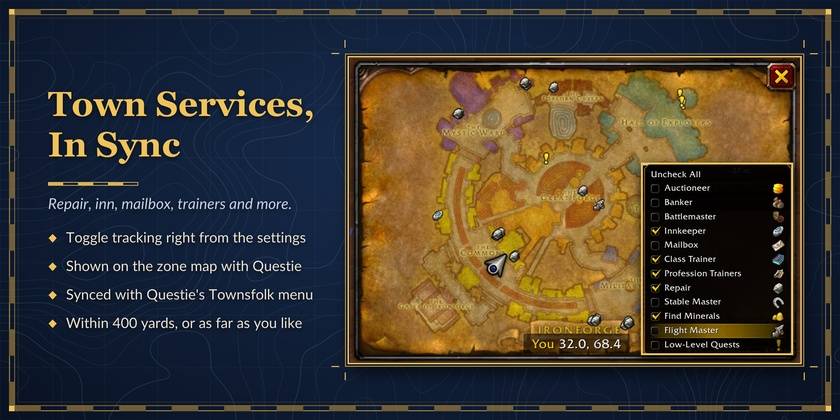
No, it works on the small Shift+M map and leaves your world map as it is. The one link: with Questie, the town services you track also show on the world map, through Questie's Townsfolk menu.
Can it show herb, ore and creature-tracking dots?
No. The game only draws those on the minimap and doesn't share their positions with addons. The same goes for the game's own town service dots (repair, inn, and so on), which is why the zone map shows town services through Questie.
Why don't some addons' markers show up?
Better Zone Map shows markers that addons place through the shared HereBeDragons library, the way TomTom does. Addons that draw their own layer on the world map instead, like RareScanner, don't appear on the zone map.
An addon is missing from the settings panel. Why?
Some addons are only seen for the first time partway through a session. They're in the map tab's right-click menu right away, and show up in the settings panel after a /reload.
Will it come to Retail or Classic?
Not for now. Better Zone Map is made for WoW: Forever.
FOUND A BUG OR HAVE AN IDEA? LEAVE A COMMENT!
Comments / Files & Changelog / Gallery
Better Zone Map Team