Better Ability Bars
- By
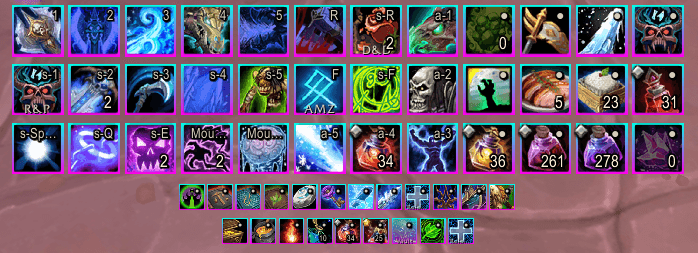
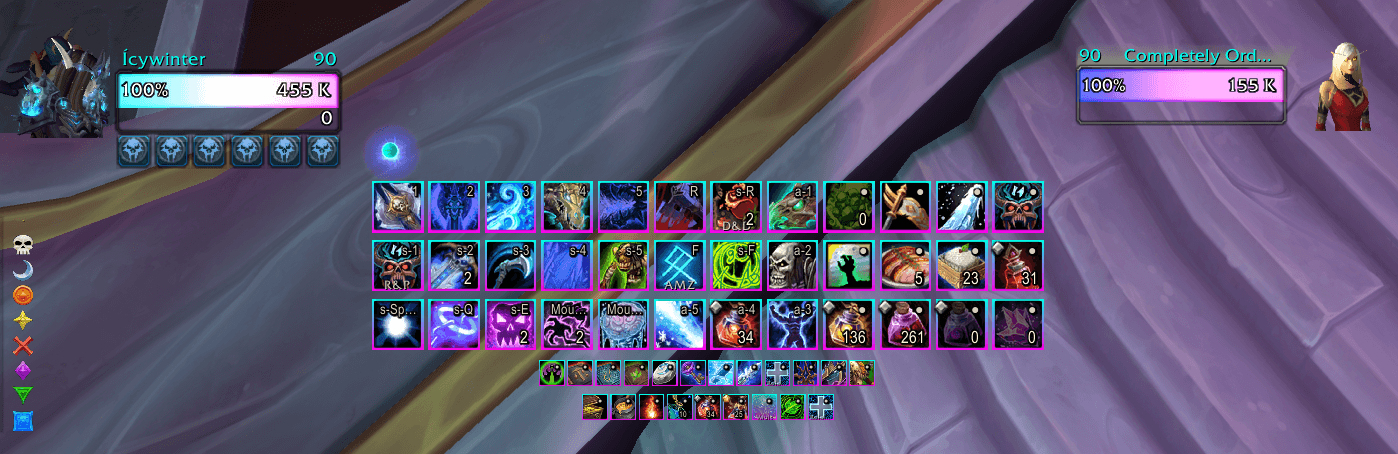
Lightweight visual styling for Blizzard's native ability bars — custom borders, fills, effects, and profiles without replacing a single frame.
BAB1.png
BAB.png
BaB O1.png
BaB O2.png
BaB O3.png
Description
Better Ability Bars
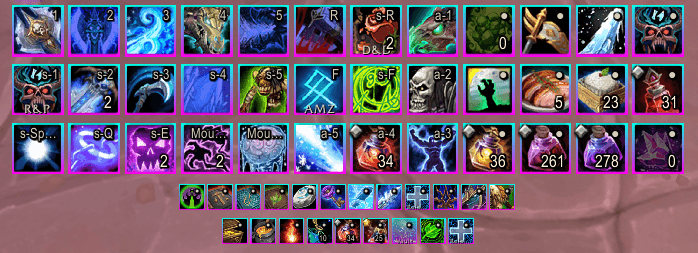
Better Ability Bars gives your action bars a polished look while staying 100% Blizzard-native. No frame replacements, no taints, no layout changes — use Edit Mode for positioning and Better Ability Bars for everything visual.
Features
Style Themes
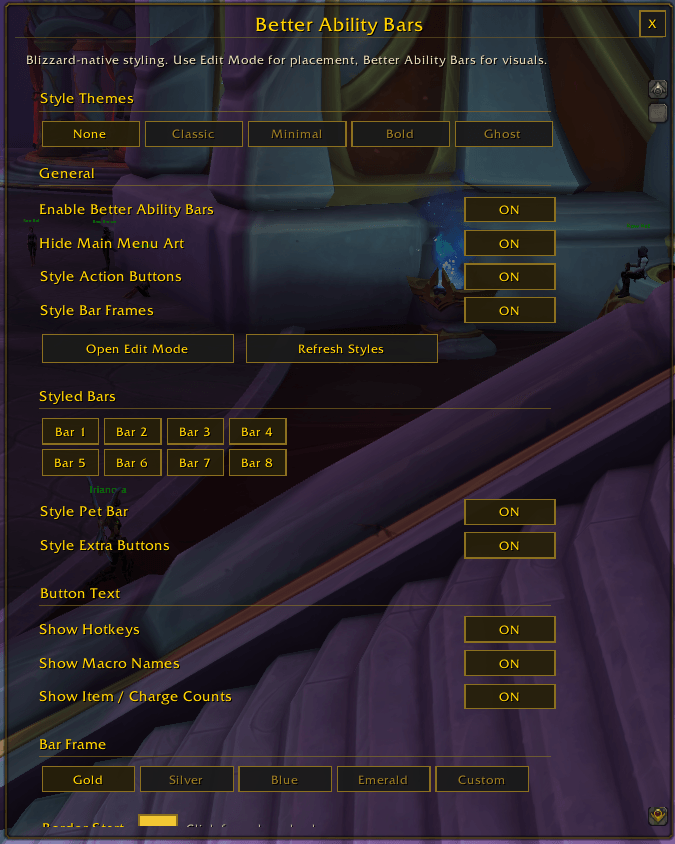
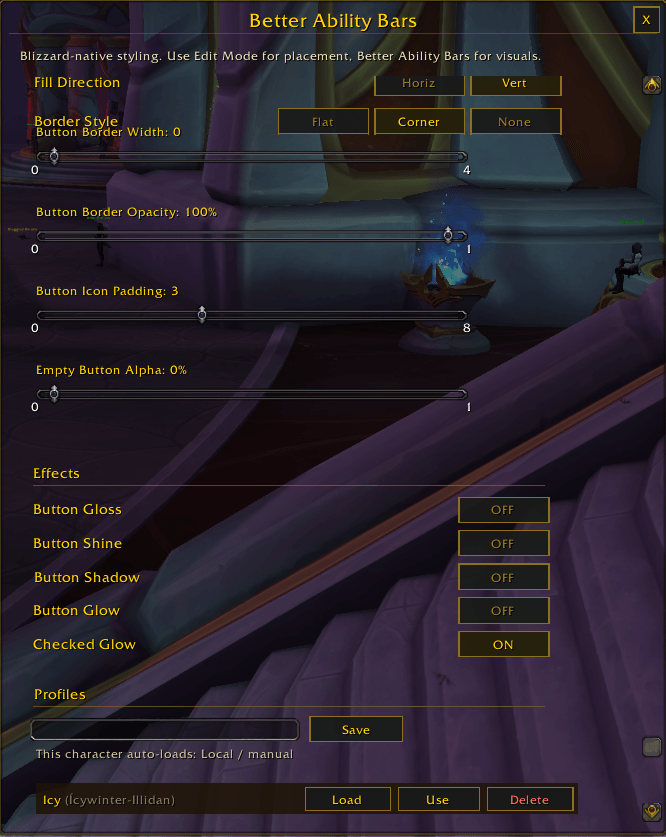
Jump-start your look with one-click presets: Classic (dark gold), Minimal (corner-only borders, no frame), and Bold (thick border, full effects). Switch to None any time to tune manually.
Bar & Button Skinning
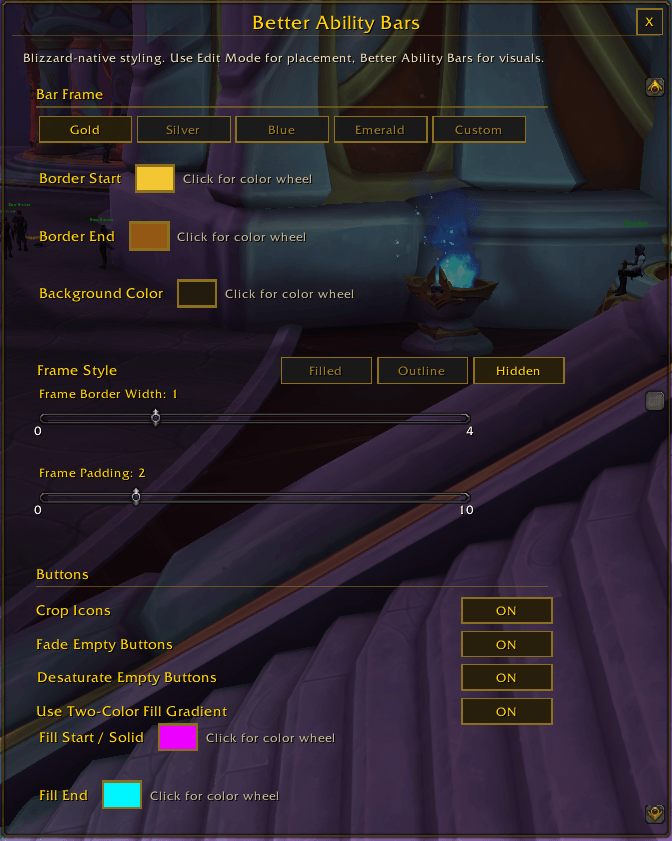
- Themed panel behind each bar group (Filled, Outline, or Hidden)
- Per-bar toggles for all 8 action bars, pet bar, stance bar, and extra/vehicle buttons
- Cropped icons, fade and desaturate empty buttons
- Custom button fill with a two-color gradient (horizontal or vertical)
Border Control
- Four border presets (Gold, Silver, Blue, Emerald) plus a fully custom gradient picker
- Three button border styles: Flat edge, Corner accents, or None
- Independent width and opacity sliders for bar frames and button borders
Effects
Gloss, Shine, Shadow, Glow, and Checked Glow — toggle each independently to get exactly the amount of visual flair you want.
Profiles
Save any combination of settings as a named profile. Assign a profile to a character so it auto-loads on login, or swap manually any time.
Usage
Open settings with `/bab` or through the Game Menu → Interface → AddOns.
- `/bab` — open settings
- `/bab reset` — restore all defaults
- `/bab refresh` — force a visual refresh
- `/bab edit` — open Blizzard Edit Mode
Better Ability Bars Team
Owner