Z-Guild Manager
- By
Manage your guild roster, profiles, events, signups, attendance, DKP, loot, wishlists, polls and bank snapshots. Members share updates automatically; admins assign helper permissions. Best used by the whole guild.
Screenshot 2026-10-08 184954.png
Screenshot 2026-10-08 184947.png
Screenshot 2026-10-08 185007.png
Screenshot 2026-10-08 185136.png
Description
Z-Guild Manager
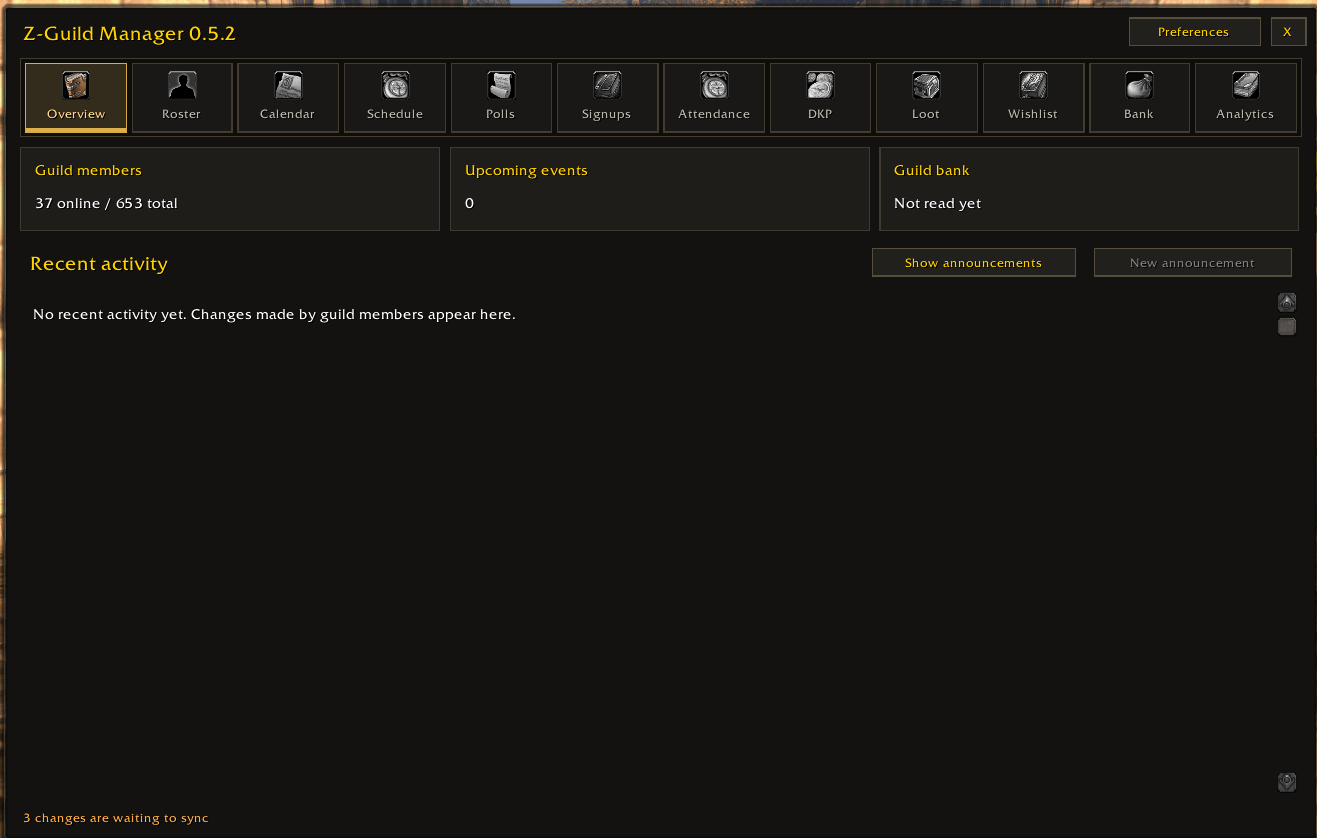
Z-Guild Manager combines your guild roster, member profiles, calendar, raid signups, attendance, DKP, loot, wishlists, polls and bank records in one in-game window.
Why everyone in the guild should install it
For the best coverage, guild members should install the same current version and keep it enabled on the characters they play. The addon window can stay closed.
Members with the addon share their own equipment and available character stats, receive shared guild updates, and submit their own signups, votes and wishlists. More active users improve coverage and help returning members catch up on saved records.
Members without the addon still appear in the roster. Leaders can record their attendance and DKP, and addon users can save available gear and honor through inspection. However, non-users cannot submit their own addon signups, votes or wishlists. One installed copy cannot track everything the whole guild does.
Features
- Overview: Guild announcements, upcoming events and recent recorded activity.
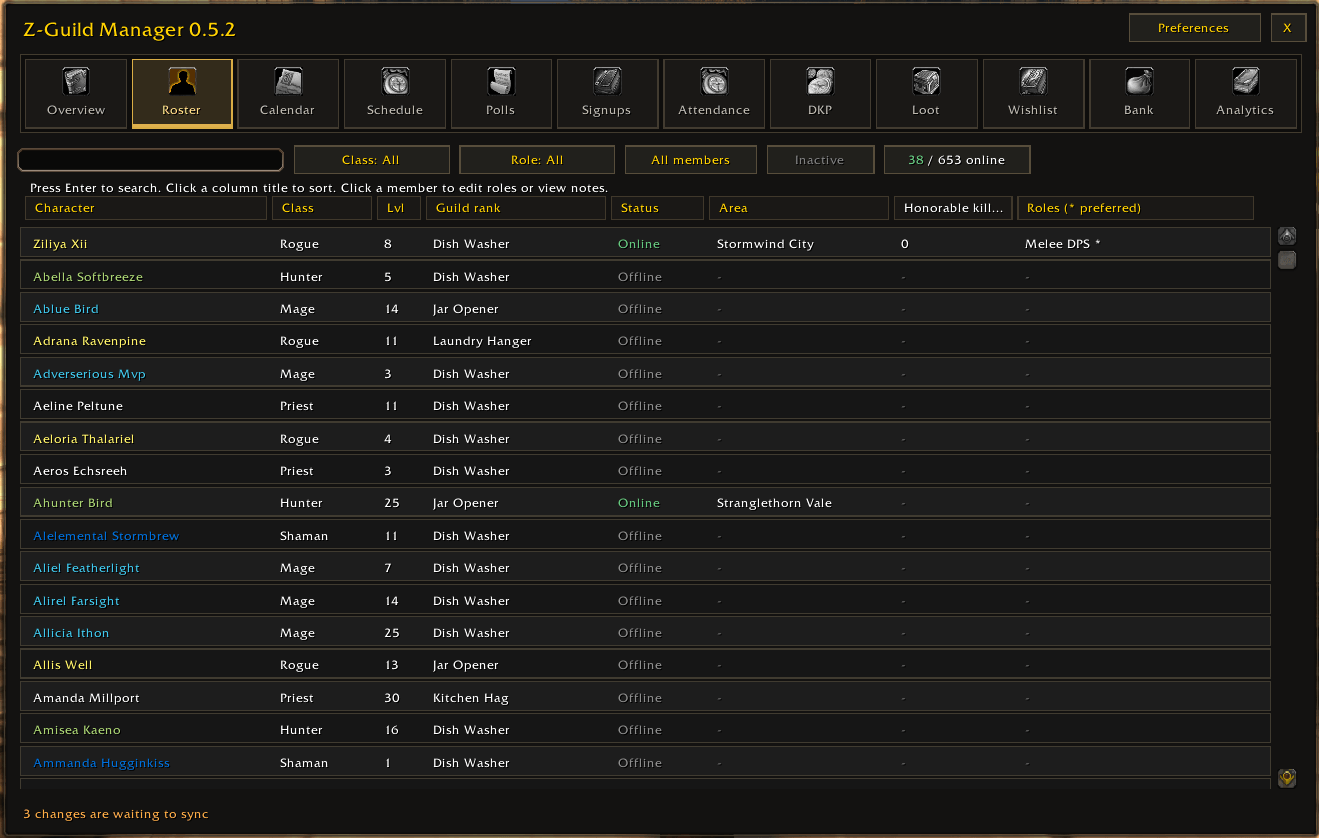
- Roster: Search, class and role filters, online filtering, sortable columns, rank, reported zone and honorable kills. Click a member for their profile; right-click to whisper or invite. Roster filters and sorting are saved across reloads.
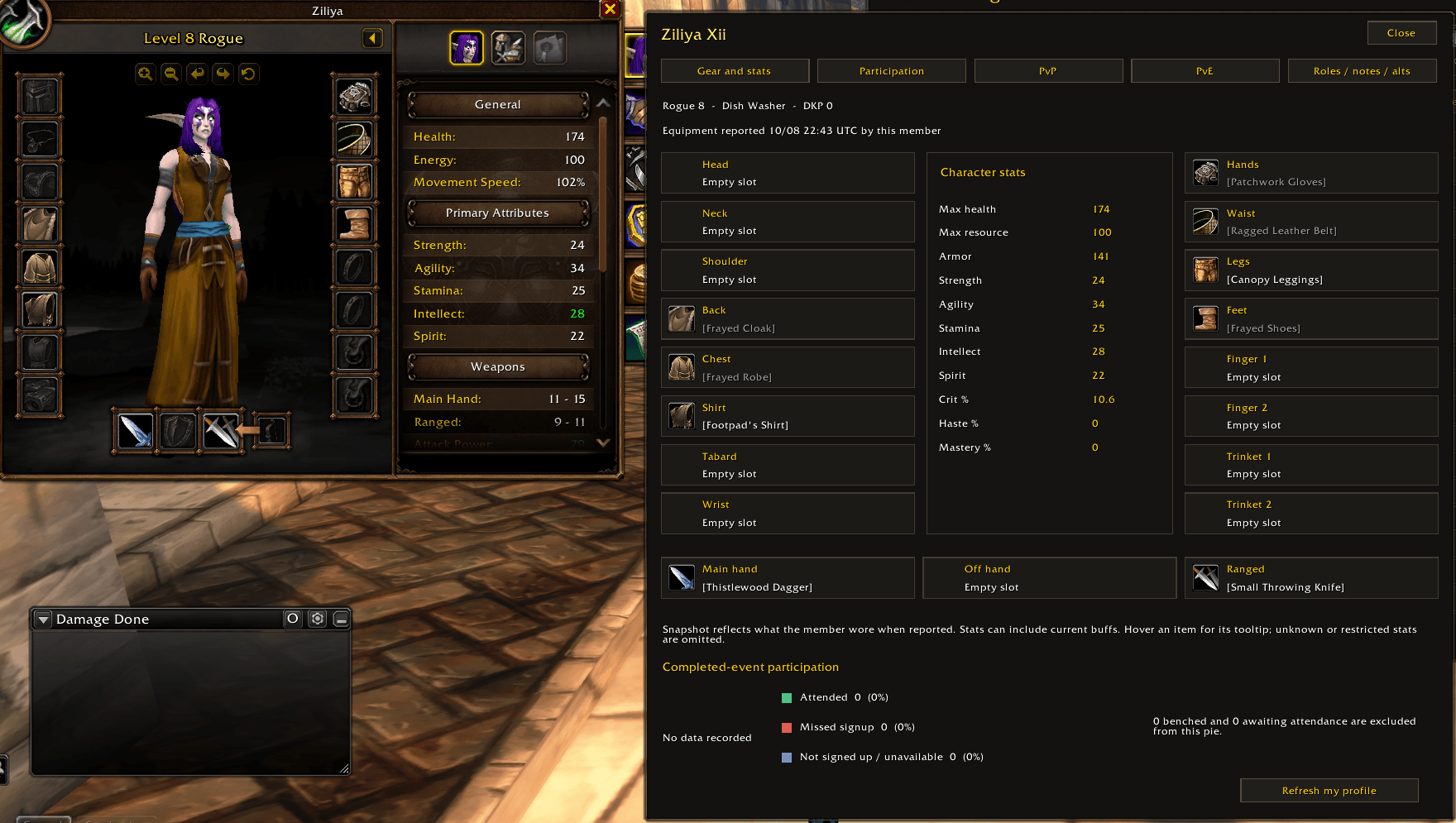
- Member profiles: Saved equipment, available stats, character previews, participation charts, PvP and PvE records, roles, notes and linked alts. Equipment and honor records remain available after a member leaves.
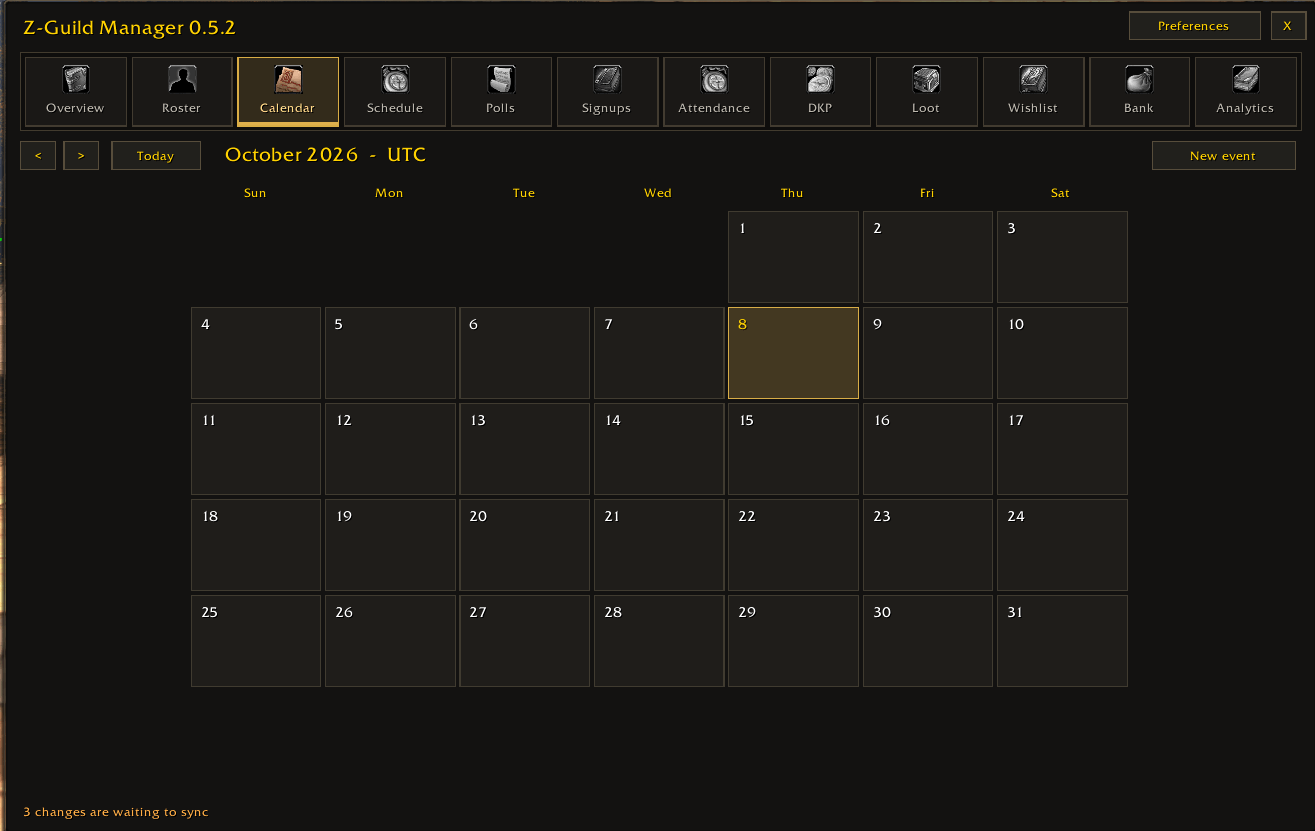
- Calendar and Schedule: Plan events with descriptions, start times, durations and role requirements. Event times use UTC. This calendar is separate from Blizzard's calendar. Passing the start time does not automatically cancel an event.
- Signups: Choose a role and respond Attending, Tentative or Not available. Change or withdraw your response. Event helpers manage confirmed and standby placements. A signup does not automatically record attendance or invite someone to a group.
- Attendance: Authorized helpers record and review Present, Late, Bench and Absent entries using the current party or raid. Participation charts compare attendance with signups. Benched members and events awaiting attendance are excluded from the attendance pie.
- DKP: Authorized managers award or spend points and review the ledger. Balances calculate from ledger entries; linked alts share their main's pool. Attendance awards cover Present and Late members and guard against repeat awards. Void incorrect entries to preserve history.
- Loot and Wishlist: Record eligible visible loot receipts. Members request items with notes and priorities. Leaders compare requests, DKP and attendance, then mark requests fulfilled. Loot capture does not automatically spend DKP; your guild decides its loot rules.
- Polls: Publish questions with a closing time. Members can vote, change their vote or withdraw it before closing.
- PvP, PvE and Analytics: Review reported honorable kills, observed raid kills and wipes, attendance and signup charts. Records reflect collected information, not activity nobody observed.
- Bank: Share readable bank snapshots and available money logs from visits. Reporting times show how current a snapshot is. The manual ledger records accounting entries without moving items or gold.
How syncing works
Changes save locally and queue for sharing. Catch-up checks run approximately every 30 seconds when communication is available and the queue is free. Checksums reduce repeated transfers of matching data. Communication uses addon guild messages and addon whispers, rather than ordinary private chat.
Offline members catch up from available online users. Combat, message limits and large histories can delay transfers, so updates are not guaranteed to reach everyone within 30 seconds. Some older management history may require an online admin.
Collecting profiles without the addon
Background inspection uses character references supplied by the game, including target, mouseover, focus and party or raid references. Simply standing beside someone does not always provide an inspectable reference.
Find guildmate targets one candidate in your reported zone per click. Keep the target until inspection finishes. Sharing a zone does not guarantee inspection range. The addon does not automatically cycle targets or force nameplates on.
Saved equipment and honor are retained. Animated previews depend on client support; exact appearance after reload is not guaranteed. A missing preview does not erase saved equipment. Some character stats require the member's own addon report.
Admins and helpers
The guild leader and next guild rank are admins by default. Only the leader changes the admin-rank cutoff. Admins assign separate helper permissions for Events and Polls, Attendance, DKP and Loot Costs, Announcements, and the Manual Bank Ledger.
Helpers receive their assigned tools. Ordinary members manage their own participation. Received changes are checked against permissions. Admins also manage shared notes, main and alt links, and recovery.
Getting started
- Extract the Z-GuildManager folder into your client's
Interface/AddOnsfolder, enable Z-Guild Manager, and restart the game after a new installation. - Open it with
/zgm, the round minimap icon or the Guild & Communities shortcut. - Set your roles, respond to events, vote and maintain your wishlist. Ask an admin to link your alts. Keep the addon enabled while playing.
- Leaders should assign helpers and explain the guild's scheduling, attendance, DKP and loot rules.
Preferences control reminders, loot capture, window scale and minimap visibility. Drag the minimap icon to reposition it. Use /zgm sync to request catch-up and /zgm check to compare peer data.
Updating from an earlier addon folder: Close the game, extract the new folder and run UpgradeSavedData.cmd inside it before the first login. It copies existing records and settings while preserving the original saved file. Remove the previous addon folder so both versions do not run together. Fresh installations do not need migration.
Z-Guild Manager Team


Owner