Beggar
- By
A lightweight WoW auto-loot-request addon for Mythic+ and raids, with wishlist tracking and smart upgrade detection.
download.png
Codex å¾å 2026å¹´9æ3æ¥ 13_05_18.png
A5C6D1CDC1D1CF97A6B48AC1DF8D24AA.png
Description
QFXBeggar
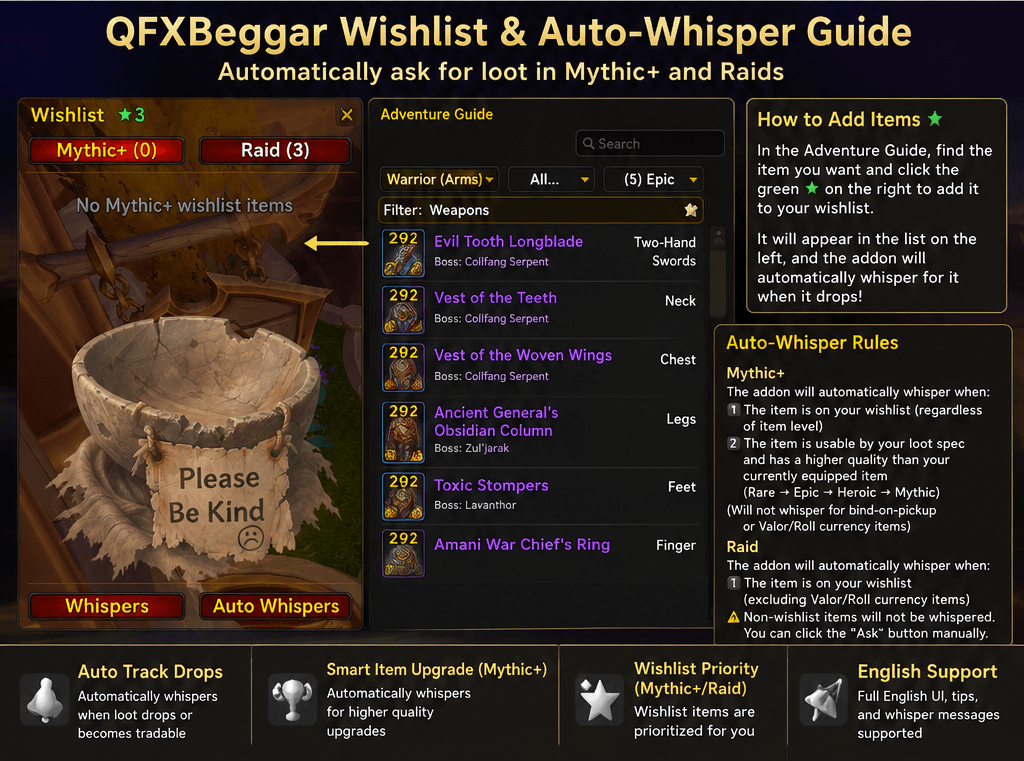
QFXBeggar is a lightweight World of Warcraft addon that helps you request useful loot from other players in Mythic+ and raids.
It combines a wishlist system, smart upgrade detection, and customizable whispers to make loot requesting faster and easier without adding unnecessary complexity.
Features
Wishlist support
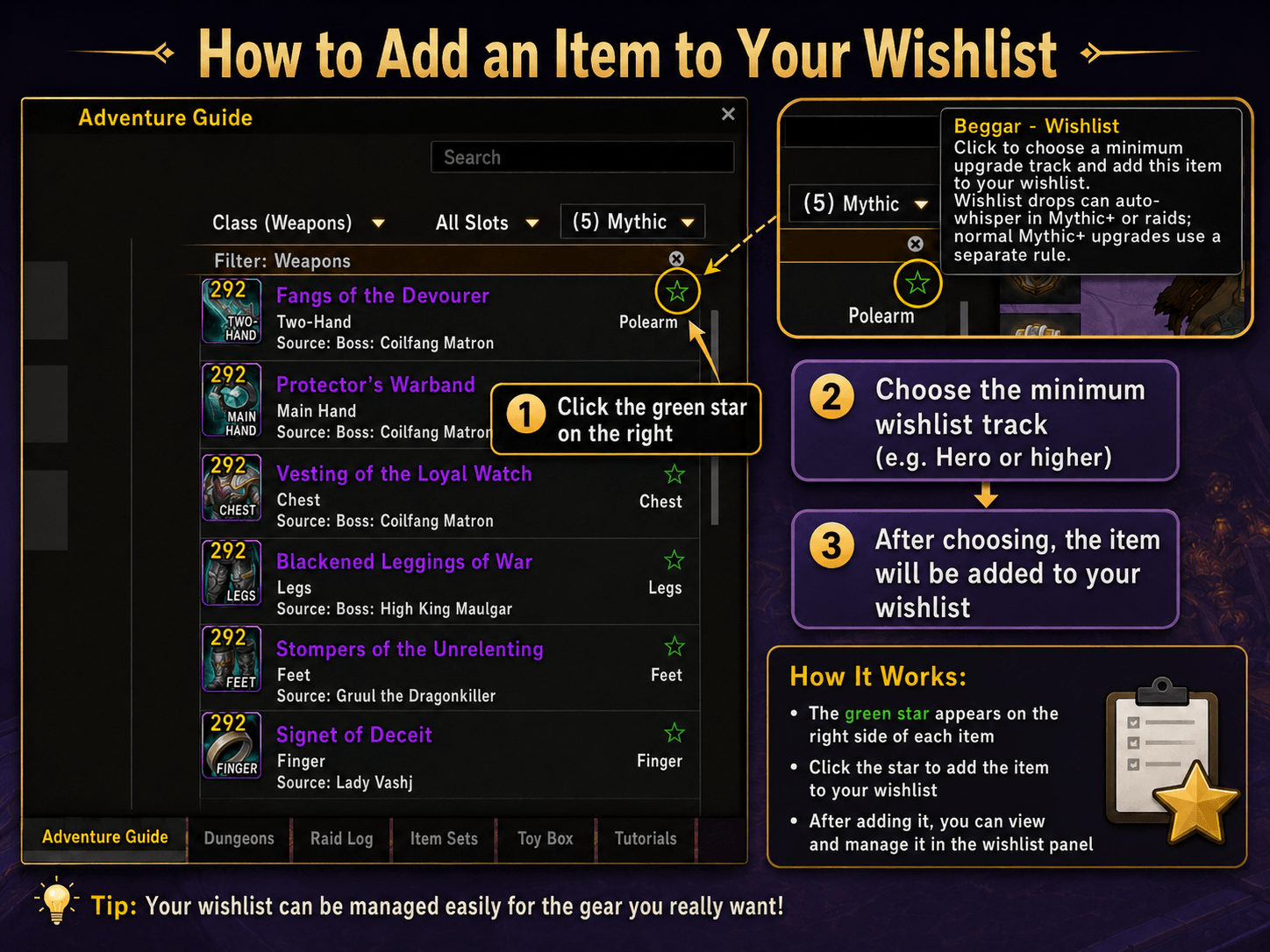
- Add items directly from the Adventure Guide.
- Choose a minimum upgrade track such as Hero, Myth, Champion, Veteran, or Adventurer.
- Wishlist items can be requested even if their item level is lower than your currently equipped gear.
Smart Mythic+ upgrade detection
- Detects whether a dropped item is usable by your current or loot specialization.
- Compares the dropped item level with your currently equipped item.
- Can automatically whisper the player if the item is an upgrade.
Raid loot requests
- Wishlist raid items can be whispered automatically.
- Other raid items can still be requested manually through an Ask button after the roll is finished.
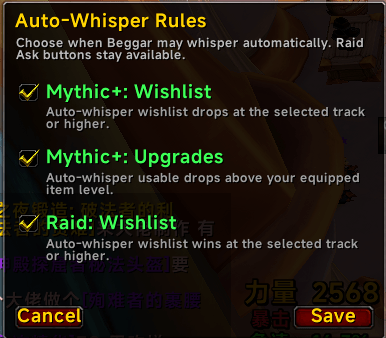
Independent auto-whisper rules
- Mythic+: Wishlist items
- Mythic+: Item-level upgrades
- Raid: Wishlist items
- Each rule can be enabled or disabled separately.
Custom whisper messages
- Separate whisper templates for Mythic+ and raids.
- Supports placeholders such as:
%item%— item link%player%— player name%track%— upgrade track
Loot safety filters
- Warbound and account-bound bonus items are ignored.
- Bonus Roll rewards are not automatically requested from other players.
- The addon avoids requesting loot that cannot normally be traded.
Localized UI
- Simplified Chinese
- Traditional Chinese
- English
How to Use
1. Add an item to your Wishlist
Open the Adventure Guide and browse dungeon or raid loot.
Each item has a green star on the right side.
Click the star and choose the minimum upgrade track you want, for example:
Hero+
After selecting a track, the item is added to your Wishlist.
2. Manage your Wishlist
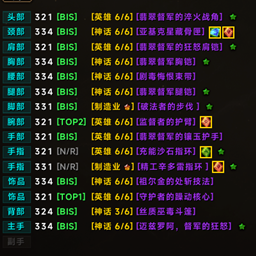
The Wishlist panel is attached to the Adventure Guide.
Items are automatically grouped by:
- Mythic+ — Dungeon
- Raid — Boss
Groups can be expanded or collapsed.
The Wishlist shows the item name, equipment slot, and selected minimum upgrade track.
3. Configure Auto Whispers
Click Auto Whispers in the Wishlist panel.
You can independently enable:
Mythic+: Wishlist
- Automatically whispers for Wishlist items that meet your selected track.
Mythic+: Upgrades
- Automatically whispers for non-Wishlist items that are usable by your spec and have a higher item level than your currently equipped item.
Raid: Wishlist
- Automatically whispers when another player wins a Wishlist item that meets your selected track.
If a rule is disabled, the addon will not automatically whisper for that type of loot.
4. Customize Whisper Messages
Click Whispers.
Mythic+ and Raid messages can be configured separately.
Example:
Hey %player%, do you need %item%? If not, mind trading it? Thanks!
Raid example:
Hey %player%, do you still need %item%? If not, I'd be happy to tip some gold for it. Thanks!
Available placeholders:
%player%%item%%track%
5. Request Raid Loot Manually
After a raid roll is completed, QFXBeggar can add an Ask button to the loot result.
Click Ask to send your Raid whisper manually.
This is useful for items that are not on your Wishlist.
QFXBeggar is designed to stay lightweight, simple, and unobtrusive while helping you catch more upgrade opportunities in group content.
Beggar Team