Before You Go
- By
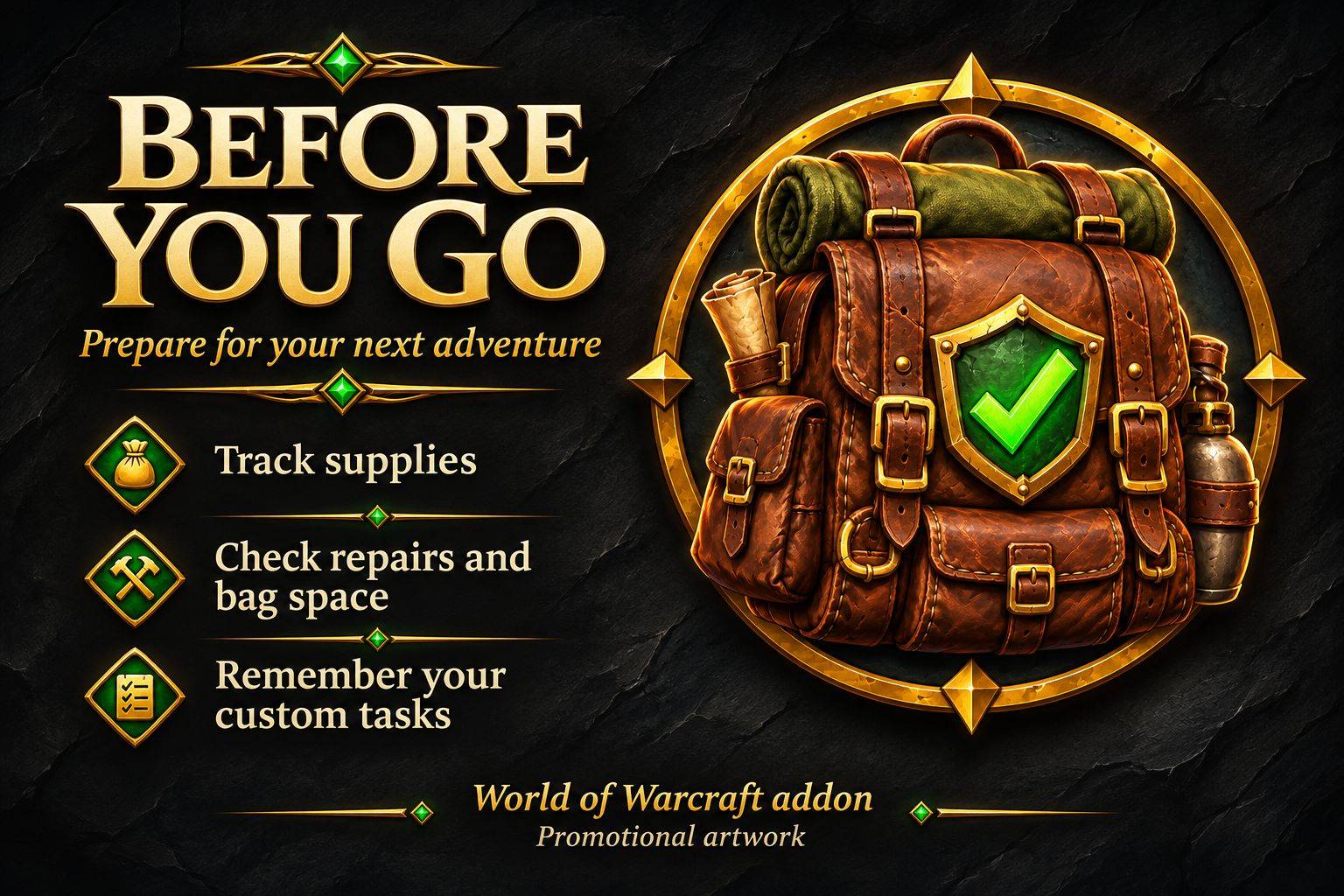
Before You Go is a preparation checklist addon for WoW Forever 1.60.1. It tracks supplies, equipment durability, bag space, and custom tasks across Leveling, Dungeon, and Gathering profiles.
342342432.jpg
Clipboard_11-11-2026_01.jpg
Description
Before You Go
Spend less time backtracking and more time adventuring.
Before You Go is a preparation checklist addon for World of Warcraft: Forever 1.60.1. Keep track of supplies, equipment repairs, bag space, and personal reminders before heading out to quest, gather, or run a dungeon.
Build your own checklists or start with optional class templates, then customize everything through the addon’s options window.
Prepare for every adventure
Three separate profiles keep your plans organized:
-
Leveling — food, drinks, reagents, and questing supplies.
-
Dungeon — consumables, class supplies, and preparation tasks.
-
Gathering — bag space, materials, and reminders for your next route.
Supply targets and tasks are saved separately for each profile and character.
Track supplies directly from your bags
Open Options → Supplies, then Shift-click an item in your bags to select it. Choose how many you want to carry and click Add / update supply.
Before You Go compares your carried quantity with your target and shows what is missing. Items stored in your bank do not count toward your carried supplies.
You can change quantities, remove supplies, or enter item IDs manually.
Check repairs and bag space
Automatic checks help you remember to:
-
Repair equipment below your chosen durability threshold.
-
Keep a minimum number of general-purpose bag slots free.
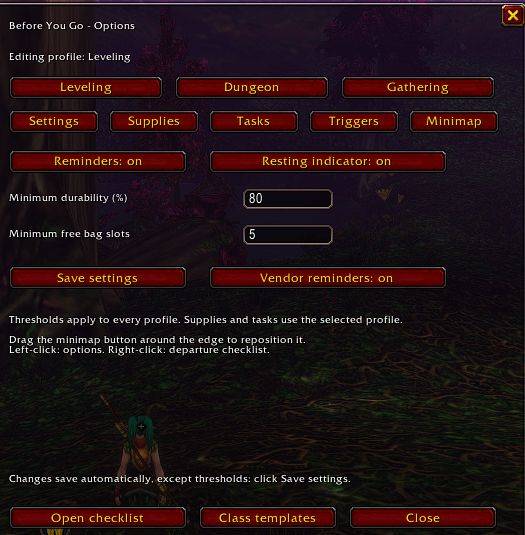
The default targets are 80% minimum equipment durability and 5 free bag slots. Both can be adjusted in Settings and apply across your character’s profiles.
Create your own tasks
Add reminders such as “Pick up dungeon quests,” “Bring camping materials,” or “Prepare poisons.”
In the Tasks panel, you can:
-
Rename tasks directly.
-
Drag tasks into order or use Up/Down buttons.
-
Mark tasks complete or undo completion.
-
Choose which tasks reset each trip.
-
Remove tasks you no longer need.
Tasks marked Reset each trip become incomplete when you return to a rested area after being outside one. You can also click New trip to reset those tasks manually. Tasks without that option keep their completion state.
Each profile supports up to 30 supplies and 30 custom tasks.
Get reminders that match your plans
Choose which profile to check for each event:
-
Leaving an inn or another rested area.
-
Joining a group.
-
Entering a dungeon or raid.
Each trigger can use Current, Leveling, Dungeon, Gathering, or Off.
A named profile becomes active when its reminder appears. Complete checklists do not produce an automatic reminder or change your active profile.
Reminders include a 90-second cooldown per profile, a ten-minute snooze, and an on/off switch. Automatic reminders are deferred during combat.
See what is missing before you leave
While resting, a small indicator shows your active profile’s preparation status:
“3 things missing”
or
“Ready to go”
The count updates as you repair equipment, change bag contents, complete tasks, or switch profiles.
-
Left-click to open the checklist.
-
Right-click to open options.
-
Hover to preview incomplete entries.
-
Drag to reposition it.
The resting indicator has its own on/off setting.
Make merchant visits more useful
A merchant reminder panel highlights missing supplies from your active profile, including:
-
How many more you need.
-
Your carried quantity and target.
-
Whether an item appears in the merchant’s current listing.
-
Whether a listed item is out of stock.
It also shows equipment repair needs, whether the merchant offers repairs, and repair costs when the client provides them.
The panel updates as you buy supplies or repair equipment. Dismiss it for the current visit or disable vendor reminders in Settings.
Purchases and repairs remain under your control. Before You Go does not automatically buy, sell, repair, or withdraw items.
Optional class starter templates
Browse starter suggestions for all nine classes:
Warrior, Paladin, Hunter, Rogue, Priest, Shaman, Mage, Warlock, and Druid.
Templates offer basic supplies, class reagent candidates, and editable preparation tasks. Nothing is selected or added automatically.
Review the suggestions, choose the entries you want, adjust their quantities or wording, and click Add selected. Existing supply targets and matching tasks are preserved.
Item candidates were cross-checked against Forever-specific sources. Before adding a selected supply, the addon also checks that the running Forever client can resolve its exact item ID.
Templates are starting points. Choose the items appropriate for your learned abilities, level, weapon, pet, and Legacy perks. In particular, Reagent Economy may remove the need for class reagents.
Easy access from the minimap
The round minimap button provides quick access:
-
Left-click: open or close options.
-
Right-click: open your checklist.
-
Drag: move the button around the minimap.
Under Options → Minimap, you can hide/show the button, adjust its size from 20–64, or reset its position.
If you hide it, type /byg minimap show to restore it.
Getting started
-
Install the BeforeYouGo folder in your Forever installation’s
Interface/AddOnsdirectory. -
Enable Before You Go in the character selection AddOns list.
-
Click the minimap button or type
/byg options. -
Choose a profile and add supplies or open Class templates.
-
Add personal tasks and configure your reminder triggers.
-
Type
/bygwhenever you want to review your checklist.
Useful commands
-
/byg— Open the checklist. -
/byg options— Open options. -
/byg help— List available commands. -
/byg profile Dungeon— Select a profile. -
/byg item ITEMID COUNT— Add or update a supply target. -
/byg remove ITEMID— Remove a tracked supply. -
/byg task TEXT— Add a custom task. -
/byg untask NUMBER— Remove a numbered task. -
/byg newtrip— Reset tasks marked Reset each trip. -
/byg reset— Reset all tasks in the active profile. -
/byg snooze— Snooze automatic reminders for ten minutes. -
/byg onor/byg off— Enable or disable automatic reminders. -
/byg minimap show— Restore the minimap button. -
/byg minimap hide— Hide the minimap button. -
/byg minimap reset— Reset its position. -
/byg minimap size 40— Change its size.
Compatibility status
Target client: WoW: Forever 1.60.1
Current version: 0.9.0
Dependencies: None
This release has passed simulated Lua tests, but live Forever compatibility and visual layout have not yet been verified in-game.
“Leaving an inn” is detected through the loss of rested status, so other rested areas also count. Dungeon reminders trigger on instance entry, not when you queue. Merchant availability reflects the listing returned by the client and may be affected by merchant filters.
If an inventory API is unavailable or returns protected data, the addon asks you to check the affected entry manually.
When reporting a problem, include your addon version, Forever client build, steps to reproduce it, and the full Lua error if one appears.
Before You Go Team