


BeebMod is a UI addon for WoW: Forever. It has five parts:
- Dock: a panel at the side of your screen with your minimap, XP, quests and stats
- Unit frames: new player, party, target and raid frames, plus nameplates
- Game frames: the game's own bars, bags, chat and tooltips, restyled to match
- Ravenholdt Ledger: a record of every player you meet
- Nesingwary's Expedition: a journal of every enemy you kill
Use all five or only the ones you like. On your first login BeebMod asks which ones you want. Anything you switch off goes back to the default UI.
If something breaks, please report it on GitHub (link at the bottom).
Features
Dock
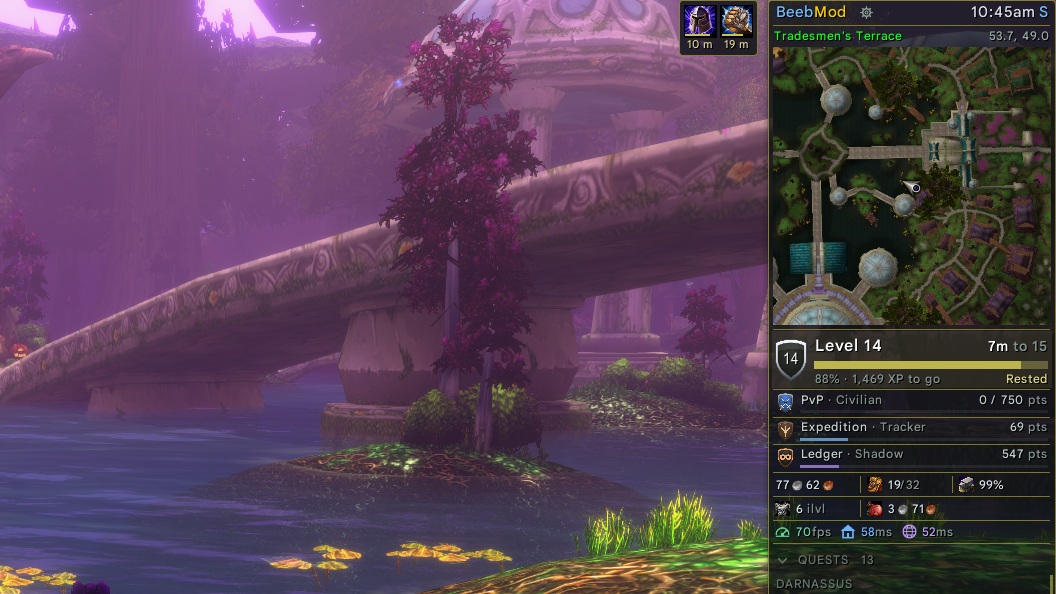
- Square minimap with coordinates
- Other addons' minimap buttons gathered in one row
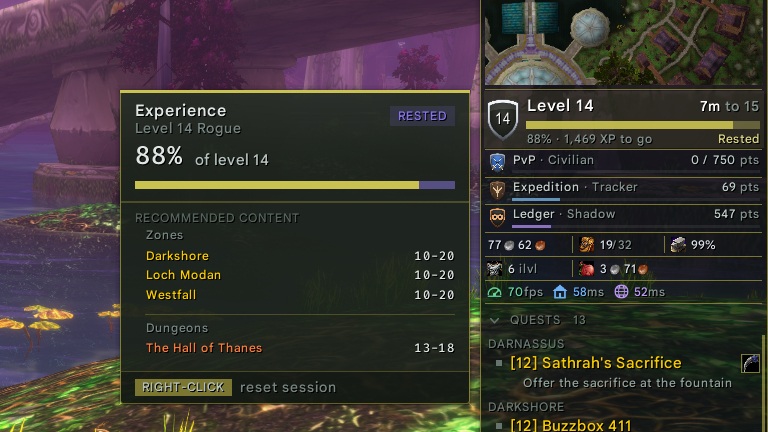
- XP bar with time to level at your current XP per hour
- Zones and dungeons for your level in the XP tooltip
- PvP rank, reputation and journal ranks
- Gold, bag space, durability, item level, speed, FPS and latency
- Quest list grouped by zone
- The game's menu buttons
- Drag the rows into any order you like
Unit frames
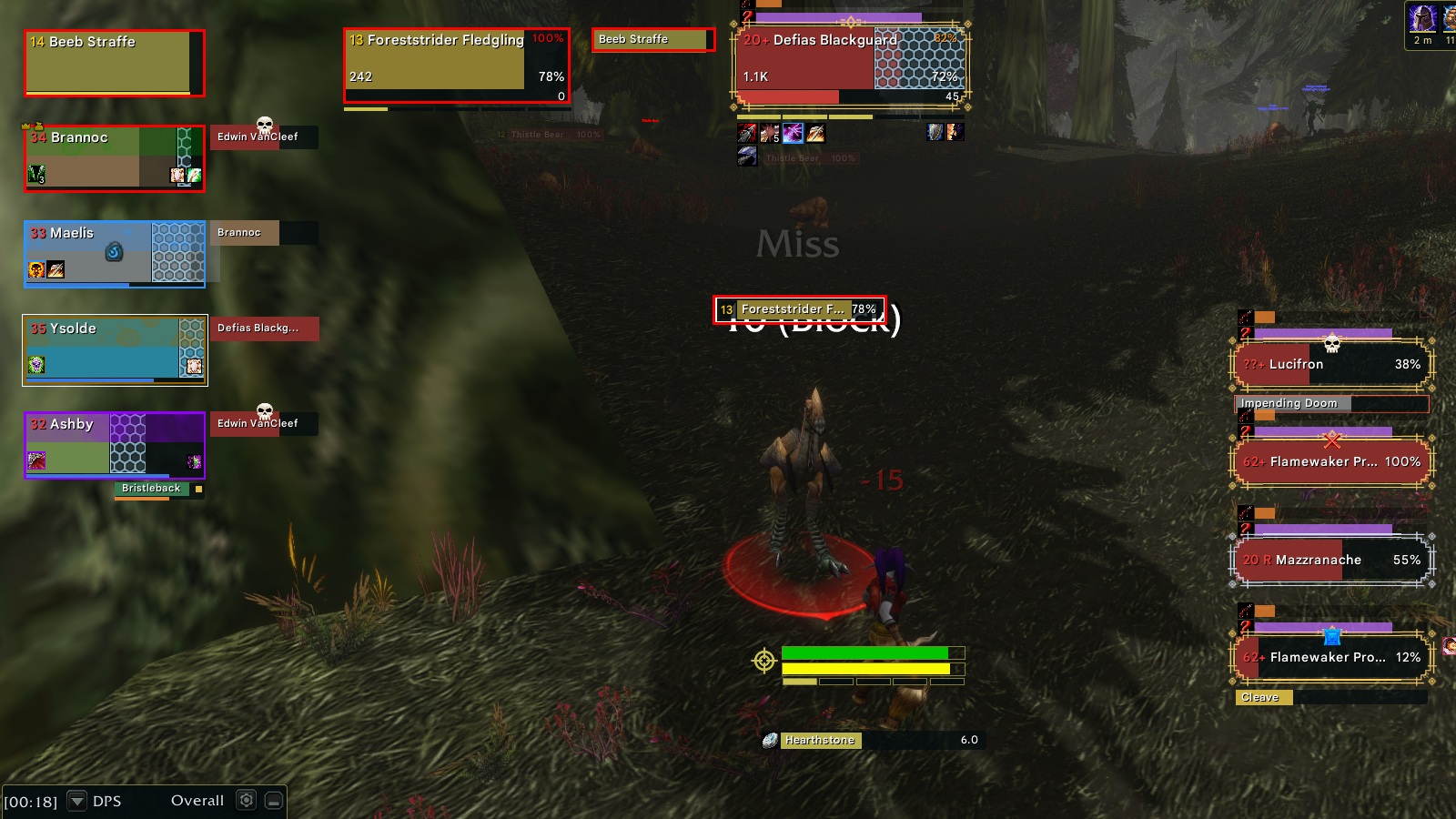
- Player, party, pet, target, focus, raid, main tank and boss frames
- Cast bar
- Positions come from Edit Mode, so you move them the same way you'd move the default frames
- Enemy nameplates with a red rim on casts you should interrupt
- Your DoTs shown above each nameplate
- Buff and debuff tray next to the dock
- Personal resource bar with a range icon:
- Crossed swords in melee range
- Green crosshair in range of your ranged attack or spells
- Red no-action sign in the dead zone
- Red crosshair out of range
Game frames
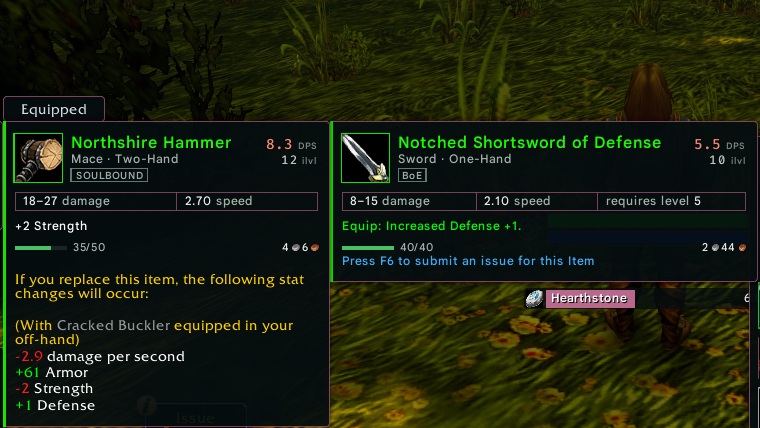
Action bars, bags, chat, character sheet, tooltips and menus, restyled to match. They're still the game's own frames, so every button works the same.
- Item tooltips with DPS and item level up top
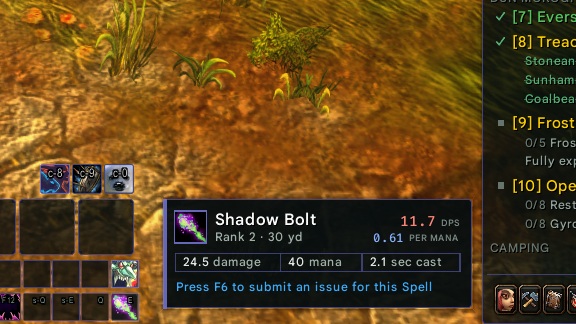
- Spell tooltips with DPS or HPS, plus damage per point of mana, energy or rage
- All your bags in one window
- Item level on every character sheet slot
- Clickable guild names and web links in chat
Ravenholdt Ledger
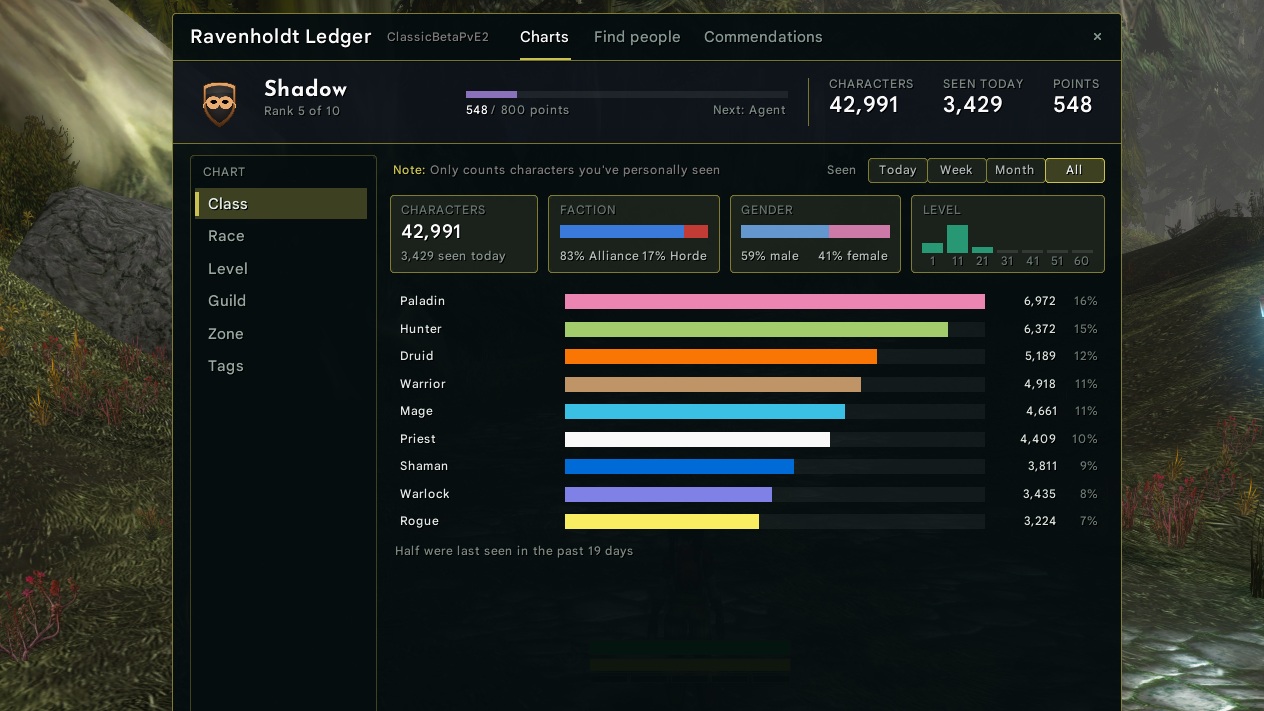
A record of every player you come across. It's saved on your computer only.
- Charts of your realm by class, race, level, guild and zone
- Search by name, guild or anything you wrote in a note
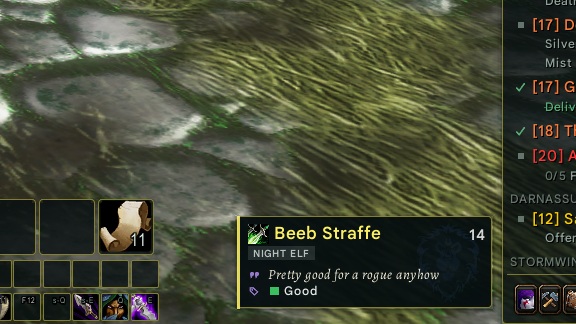
- Tags, ratings and notes from the right-click menu
- Your note shows in that player's tooltip
- Everyone you've grouped with
- Your duel record against each player
- Commendations and ranks, from Fledgling to Eye of Ravenholdt
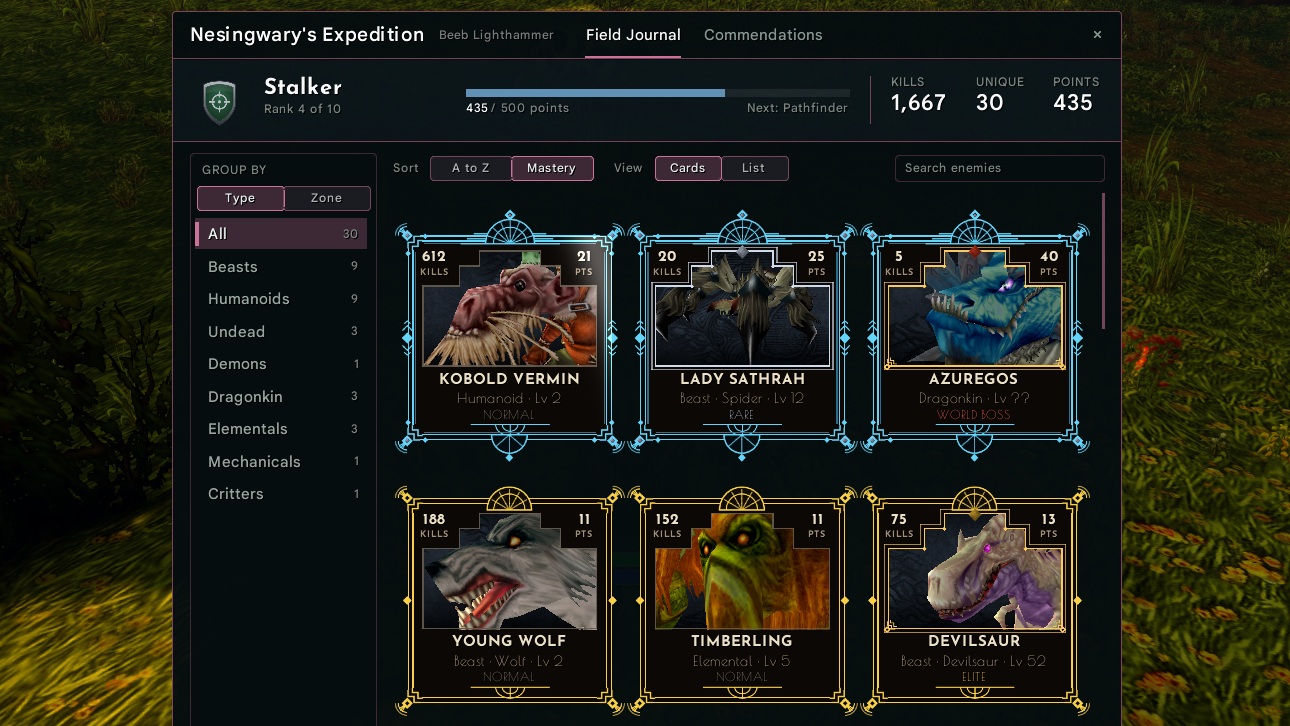
Nesingwary's Expedition
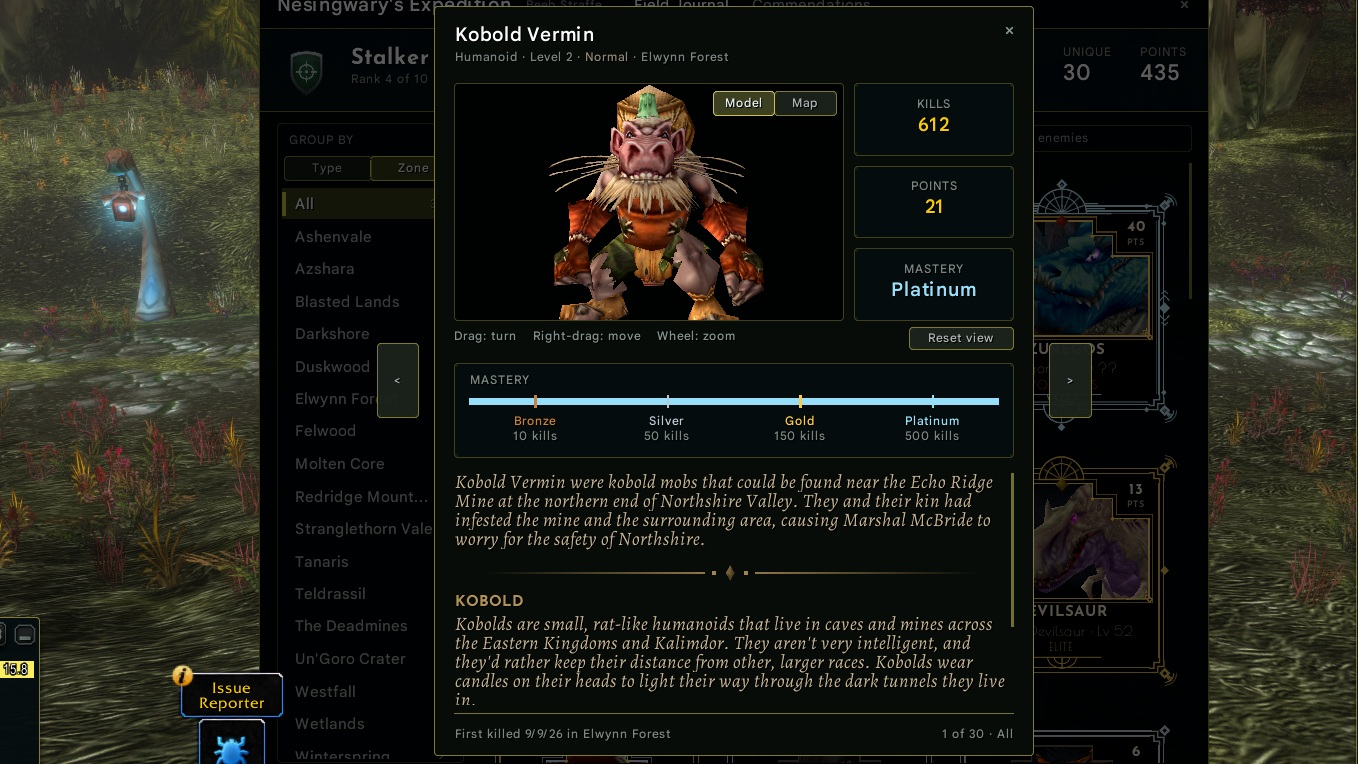
A bestiary that fills in as you play.
- A page for every enemy with its model, lore and abilities
- A map of where you killed it
- Bronze, Silver, Gold and Platinum mastery for each enemy at 10, 50, 150 and 500 kills (fewer for elites and rares)
- Commendations for kills, creature types, rares, elites, world bosses and zones
- Ranks from Greenhorn to Expedition Leader
How to use
Click the cog on the dock. Each feature has its own page. The search box at the top finds any setting by name.
FAQ
How do I move the unit frames?
Open Edit Mode and move the default frames. BeebMod's frames go wherever those go.
How do I move the dock?
Shift-drag the dock's name. Shift-drag also moves the bags, main tanks and character sheet.
Can I turn parts off?
Yes. Every feature has its own switch. So do most of the parts inside it. Whatever you switch off goes back to the default UI.
Does the Ledger share anything with other players?
No. It only saves what the game already shows you. Everything stays on your computer.
Does it work on Classic Era or Retail?
No. BeebMod is for WoW: Forever only.
Bugs and feedback
Report bugs and ideas on GitHub: https://github.com/Rathe001/BeebMod/issues
If the game showed an error, please paste the whole text.
Credits
- Enemy lore from the Warcraft Wiki
- Enemy abilities from the VMaNGOS database
- Built with Claude Code
BeebMod Team

