BazUI
- By
One addon for your whole interface: bags, action bars, unit frames, nameplates, chat, minimap and a notification centre, sharing one look and one settings panel.
BazUI
A complete interface for World of Warcraft: Forever, with a consistent look and one place to configure it.
BazUI brings the Baz Suite together in a single addon. Customize your bars, bags, chat, minimap and more with shared styling, character profiles and flexible layouts.
Features
| Module | What it does |
|---|---|
| Action Bars | Create custom bars for spells, items, macros, mounts and equipment sets, with flyouts and keybinds. |
| Unit Frames | Arrange health, power and cast bars into your own layout. Float them independently or dock them to action bars and other unit bars. |
| Nameplates | Consistent styling for overhead unit bars, with colors that distinguish friendly, neutral and hostile units. |
| Auras | Dock buff and debuff rows to your bars, with adjustable icon sizes, growth directions and display limits. |
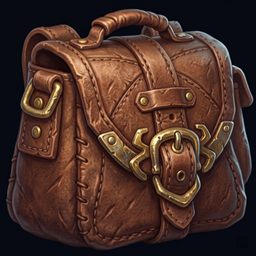
| Bags | Bring your bags together in one panel with categories, pinned items and search. |
| Chat | Organize conversations with tabs, channel filters, timestamps, history and text copying. |
| Minimap & Drawers | A brass-framed minimap, collected addon buttons and dockable widgets for coordinates, gold, durability, bag space, quests, notes, LibDataBroker feeds and more. |
| Notifications | Toasts and a history panel for loot, mail, reputation, quests, level-ups and friends coming online. |
| Codex | Track lockouts, reputations, goals, items and your wishlist. |
| Micro Menu | Keep Blizzard’s micro menu buttons together on a movable bar. |
| Tooltip | Matching tooltip styling with adjustable positioning and simple visibility controls. |
| Quality of Life | Optional conveniences including instant quest text, automatic repairs, selling gray items and declining duels. Disabled by default. |
Build Your Layout
Dock supported bars together to create a layout that moves as one.
Drag a bar near another and a guide shows where it will attach. Place health beneath an action bar, power beneath health and buffs below that. Two half-width bars can share a row, and precise offsets let you fine-tune the spacing.
Make It Yours
- Choose your modules. Enable the features you want and disable the rest.
- Control Blizzard’s frames. Individual visibility settings let you choose which stock elements to keep.
- Use character profiles. Share a default layout or configure characters individually.
- Keep your settings. Updates preserve your saved configuration.
Getting Started
Type /bazui to open the settings. Use BazUI Edit Mode to move and arrange your interface.
A fresh install provides a starting layout: player bars above the action bars, target bars near the top, bags on the right, chat at the bottom left and the minimap on the right.
Drag your abilities onto the BazUI action bars, then adjust the layout to suit your playstyle.
Development & Feedback
BazUI is in active development for World of Warcraft: Forever.
Bug reports and suggestions are welcome through the project’s issue tracker. When reporting a problem, please include your addon version, steps to reproduce it and any Lua errors or screenshots.
The BazUI Team