Battle Buddy - Forever Planner
- By
Profession routes, a dungeon guide and upgrade tooltips for WoW Forever, built for returning players.
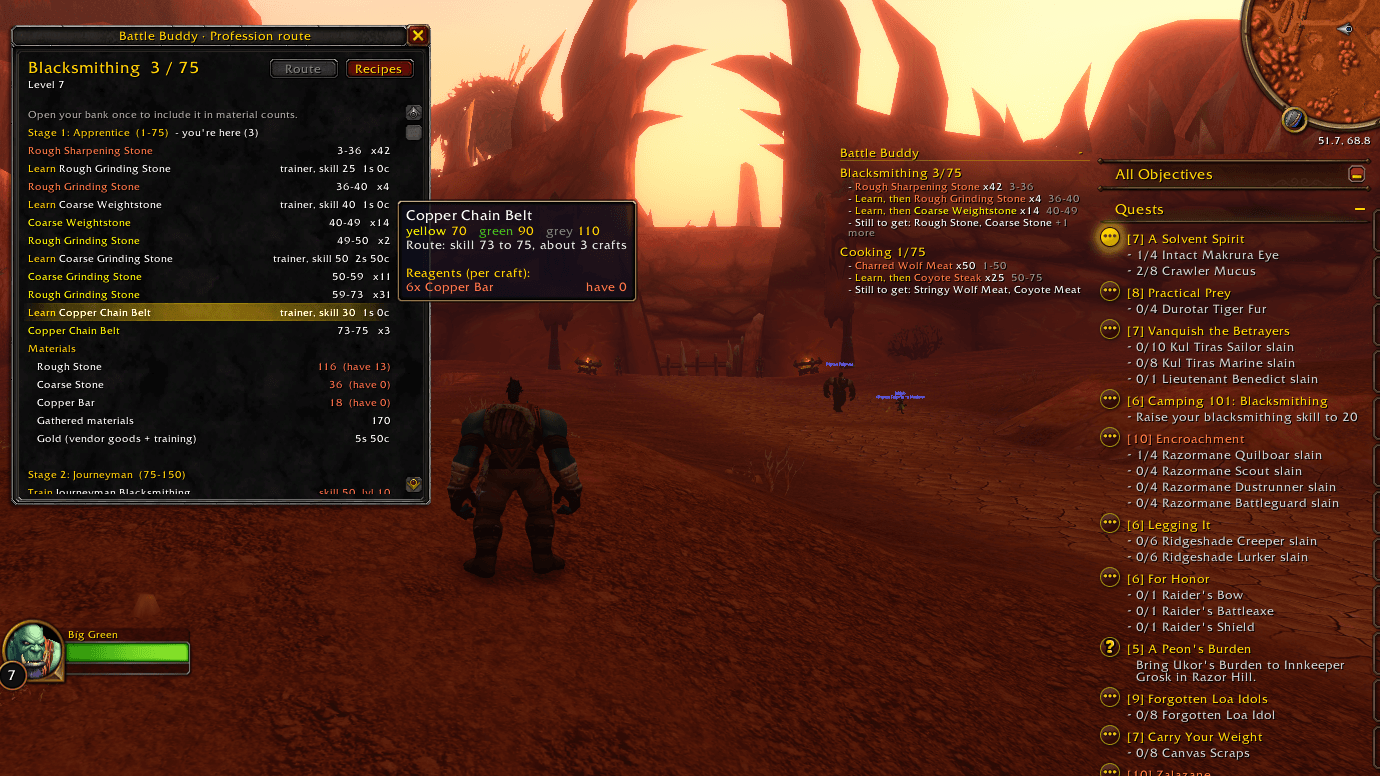
01-plan.png
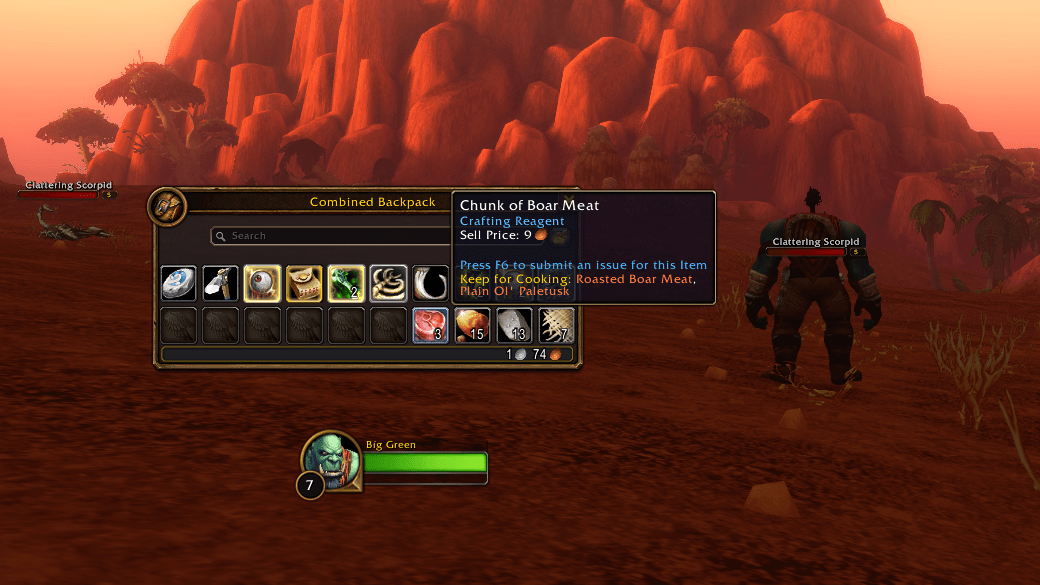
03-keep-for-cooking.png
04-trainer-tour.png
06-macros.png
08-characters.png
Description
Back in Azeroth after years away? Battle Buddy remembers what you've forgotten: which trainer teaches your next rank, what to craft at every skill level, and where each of your characters left off. Make the most of that one hour you have after the kids go to bed. Free, and made only for World of Warcraft: Forever.
Not a shortcut. A way back.
What it does
Profession routes
- What to craft at every skill level, from 1 up, with the materials you need for each step
- Built from what your character already has in bags and bank, so you farm less
- Alchemy, Blacksmithing, Cooking, Enchanting, Engineering, First Aid, Leatherworking and Tailoring
Explore: dungeons and raids
- Every dungeon and raid, with the ones that suit your level first
- Each boss with the loot they drop, and the quests that send you there
- A waypoint to the entrance in one click
Trainer tours
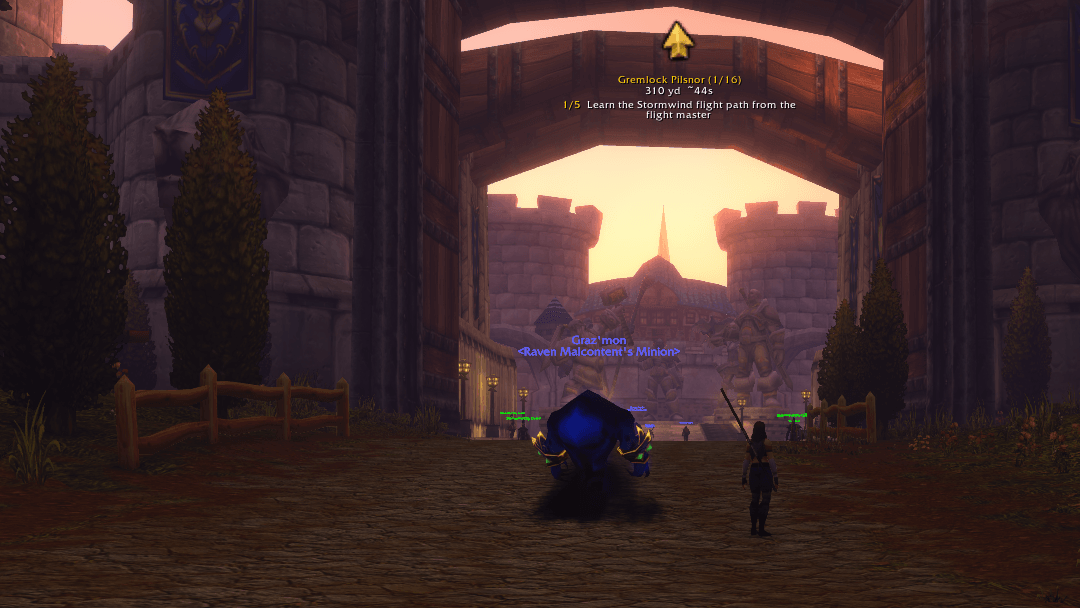
- One click plans a trip to every trainer your character still needs for their professions, nearest first
- An arrow on screen leads you from stop to stop, with flight paths, boats and your hearthstone worked in
- Trainers that won't teach you yet are named, so you know when to come back
Upgrades you already own
- Item tooltips say "Upgrade for you" (or for one of your other characters) when gear beats what's being worn
- The Battle tab lists the best upgrade per slot sitting in your bags, your bank or an alt's bags
Never sell the good stuff
- Item tooltips say "Keep for Cooking", or your other professions, on materials your recipes use, colored by how much skill they still give
A quest-log style tracker
- Your profession plans sit under your quest objectives
- Steps tick themselves off as you level the skill and collect the materials
Spell rank checker
- After you learn a new rank, a small window offers to put it on every action bar button and macro that still casts an older one
- Keep any spell at a lower rank if you prefer, or let Battle Buddy update ranks for you automatically
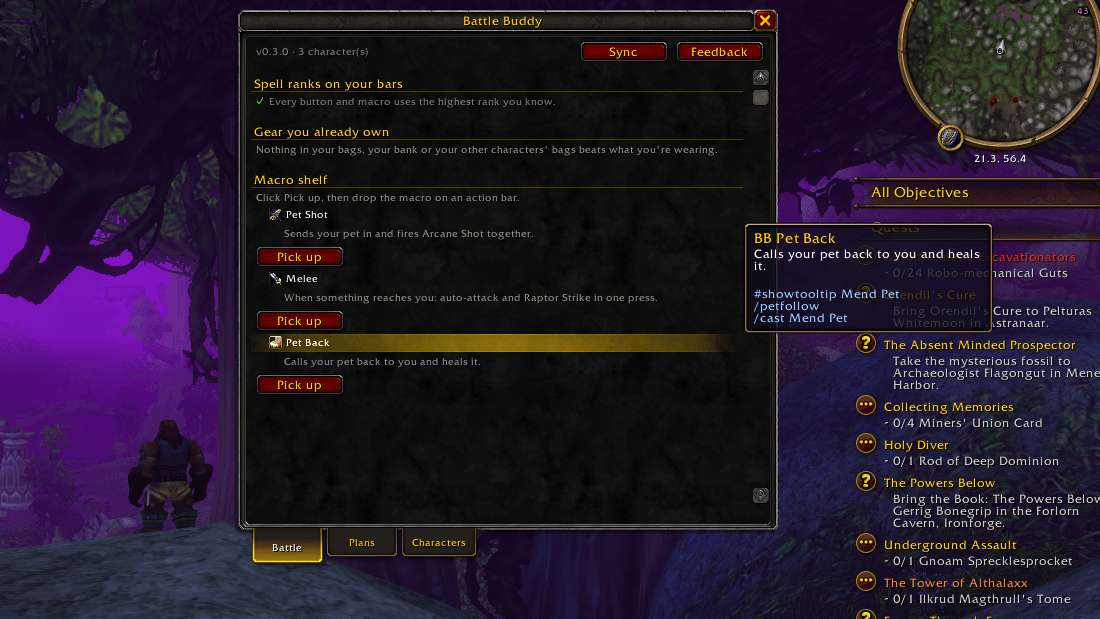
Ready-made class macros
- One click puts a macro on your cursor, then drop it on any bar. No typing, no macro window
- When you learn the last spell a macro needs, Battle Buddy lets you know it's ready
- Macros only use what the game itself decides when you press the key. Nothing runs in combat on its own
Getting around
Click the Battle Buddy button on your minimap to open it. Right-click the button for settings.
Prefer typing? /bb opens Battle Buddy, /cp opens your profession route, and /wp shows the waypoint arrow.
The Battle Buddy app (optional)
The addon works on its own. If you also install the free Windows app from battlebuddy.info, you can:
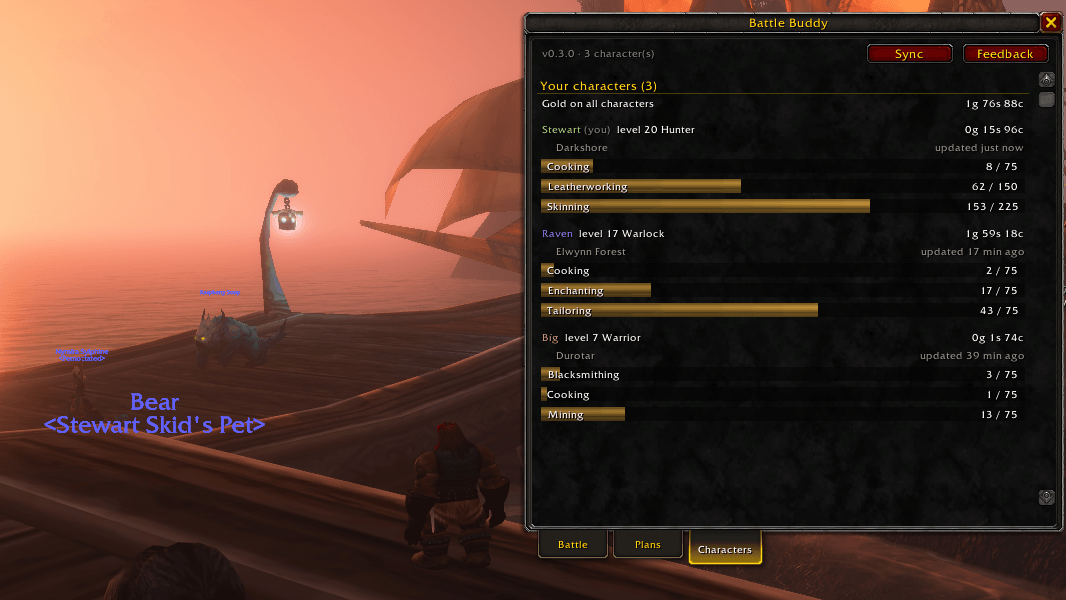
- See every character's gear, bags, bank, professions and gold in one place
- Choose to share anonymous game facts, like where trainers and vendors stand in Forever, so the routes get more accurate for everyone
- Browse every dungeon's loot with full item tooltips, and see which of your characters each piece would be an upgrade for
- Ask Buddy, the app's AI assistant, about gear upgrades, dungeons for your level, where to level next or where to train, and send the place to the game as a waypoint in one click
Everything is free during the beta, including 100 questions a week with Buddy. Nothing in the addon is ever locked or paid.
FAQ
Is it really free? Yes. The addon is free and stays free, with no locked features.
Does it work on Classic Era, Hardcore or retail? No. Battle Buddy is built and tested for World of Warcraft: Forever only.
What about Mining, Herbalism, Skinning and Fishing? Gathering routes aren't in yet. The crafting professions, Cooking and First Aid are.
Does it play the game for me? No. It remembers and points the way. You still walk there, craft it and press the buttons. Nothing is automated, and nothing runs in combat.
I used CraftPath before. Do I need both? No. CraftPath is part of Battle Buddy now. Install Battle Buddy while CraftPath is still installed and log in once: Battle Buddy brings over everything CraftPath recorded and turns the old copy off. Then you can remove CraftPath.
Found a problem or have an idea? Use the Feedback button in the Battle Buddy window, join the Battle Buddy Discord at https://discord.gg/37FK5WbJhN, or email contact@battlebuddy.info.
Battle Buddy is not affiliated with or endorsed by Blizzard Entertainment. World of Warcraft is a trademark of Blizzard Entertainment, Inc.
Battle Buddy - Forever Planner Team