BarLootRoll
English
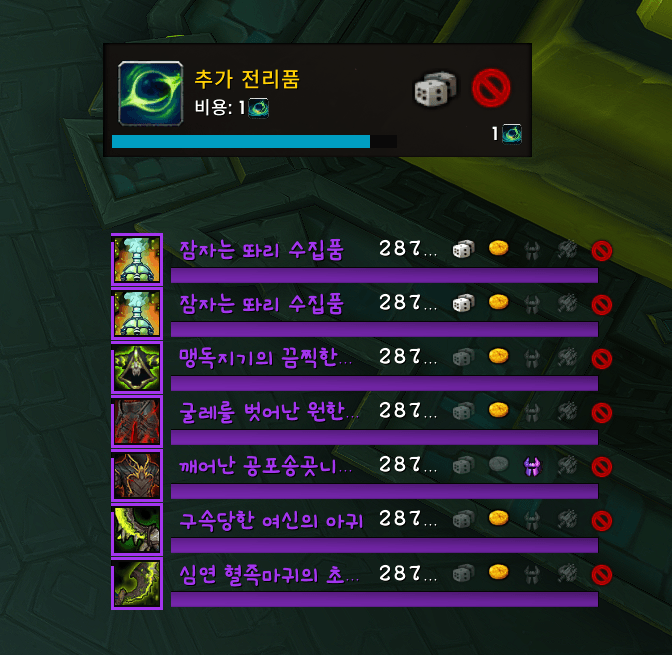
A compact, standalone group-loot rolling interface for WoW Retail. Keep item information, roll choices and a readable countdown together, and tailor the bars to fit your layout. A separate mover lets you reposition the game’s native bonus-roll prompt.
Version: 1.6.10 · Primary target: Retail 12.1.5 · Settings: /blr or /barlootroll.
Language: the settings panel and addon messages are currently mainly Korean. This page provides English and Korean descriptions; it does not add an English settings translation.
01. Compact group loot rolls
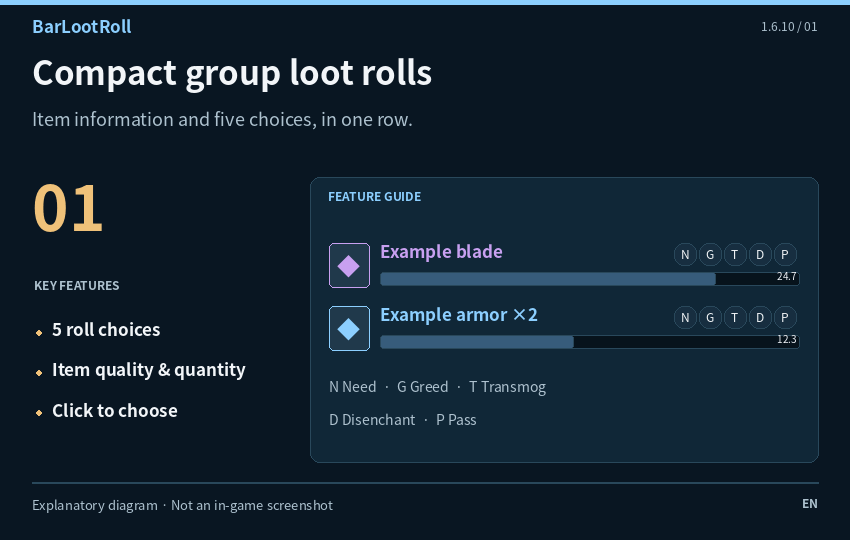
Replace handled group-loot prompts with horizontal rows showing item icons, quality colors, names, stack quantities and remaining time. Item tooltips and the game's modified item-click actions remain available.
Need, Greed, Transmog, Disenchant and Pass buttons follow the eligibility information supplied by the game. Unavailable choices are dimmed, and reasons appear when the game provides them. A click submits your selection and closes that row; it is not confirmation that you won the item.
Note: This changes the rolling interface. It does not auto-roll, change eligibility, increase your roll or decide loot winners.
02. A layout that fits your screen
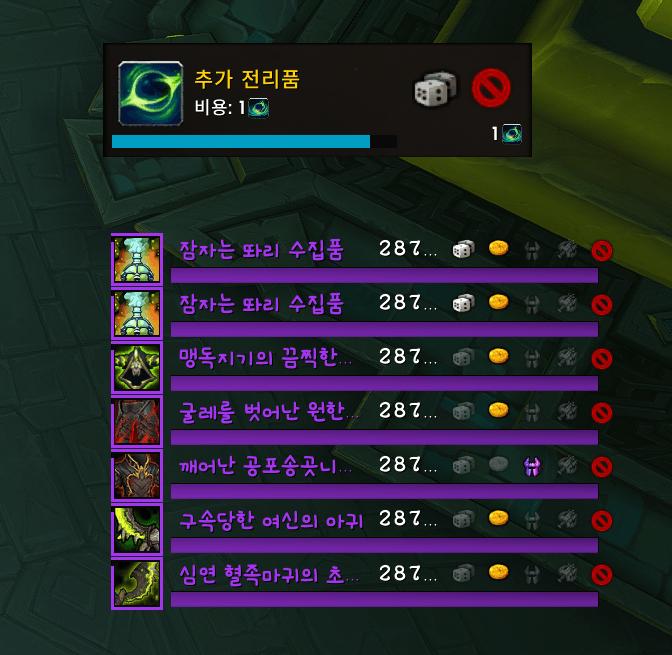
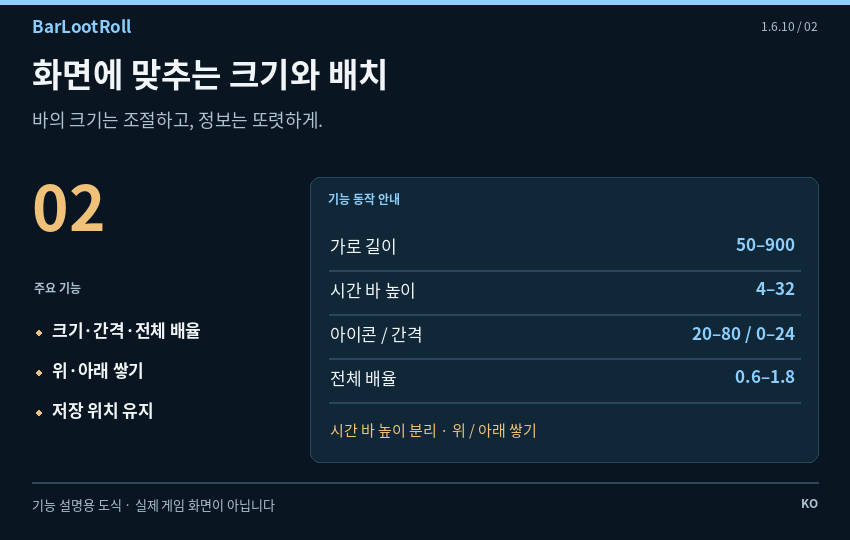
Tune width, countdown-bar height, icon size, row spacing and overall scale. Stack new rows upward or downward, unlock the anchor, drag it and lock it again. Position reset is available separately from the full settings reset.
The transparent name/button area is separate from the lower timer bar. Its layout remains intact when you change timer height. The countdown drains smoothly, with an icon-edge progress effect; remaining-time text can be hidden.
Note: Extreme combinations such as a large icon and a narrow width can require a larger effective minimum width to prevent overlapping controls.
03. Built-in and custom textures
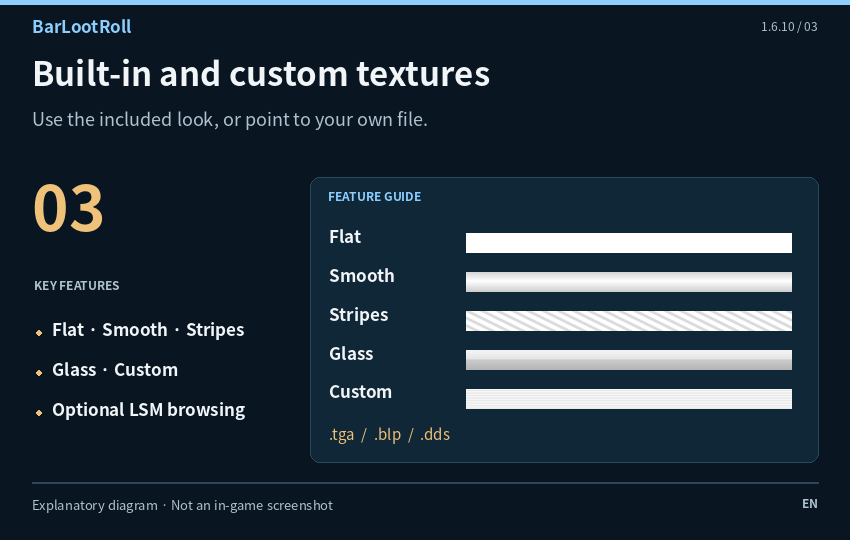
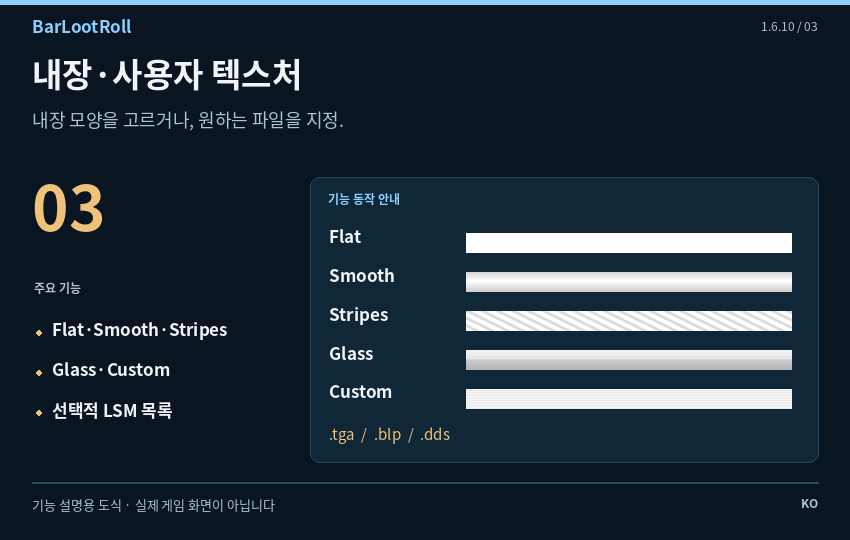
The texture choices are Flat, Smooth, Stripes, Glass and Custom. Built-in media lives in Interface\AddOns\BarLootRoll\Media\, so the default appearance does not require ElvUI or NaowhUI.
For a custom texture, enter an exact .tga, .blp or .dds file path. A folder path lists only matching status-bar textures already registered in LibSharedMedia; it cannot browse unregistered files on your disk. Use the preview list and refresh control to choose an entry.
Note: External custom files must exist on the receiving player's computer. /blr texturecheck prints the currently selected path.
04. Readable fonts and outlines
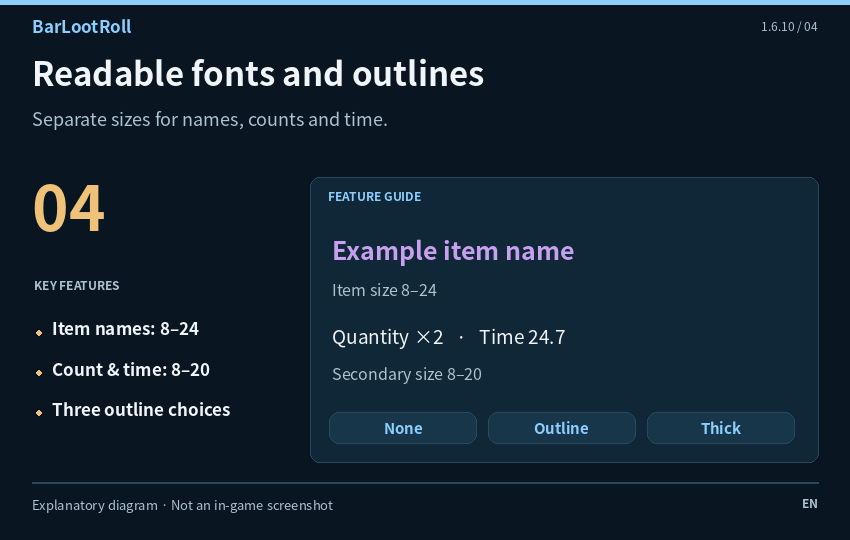
Use the game's default font or pick an available LibSharedMedia font with a live list preview. A font file path can also be supplied through the slash command. Missing font files fall back to the game font.
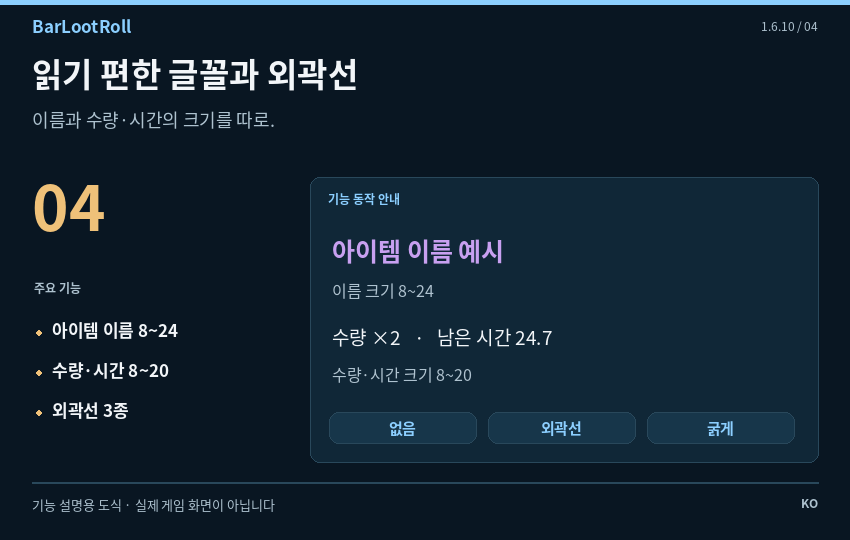
Set item-name size from 8–24 and quantity/time size from 8–20. Cycle between no outline, a normal outline and a thick outline. The same font settings apply to test rows and real loot rows.
Note: No font file is bundled. LibSharedMedia is optional; any font selected from another addon still depends on that font being installed.
05. A separate bonus-roll position
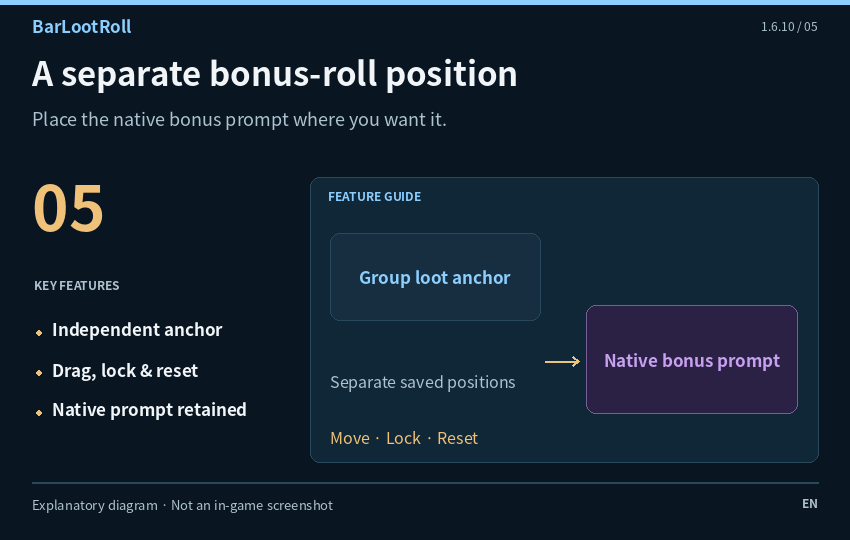
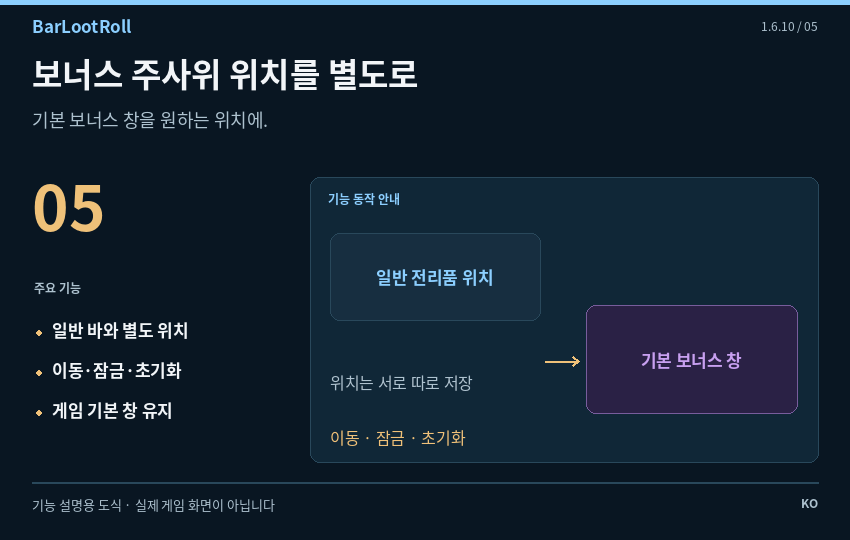
Move the game's existing BonusRollFrame with its own saved anchor, independently of the ordinary loot rows. Enable the mover, unlock it, drag the purple area and lock it again. A position reset is available.
This repositions the native prompt; it does not add bonus rolls or replace its underlying game rules. Turning the mover off attempts to restore the original placement and scale. A protected-frame change during combat is deferred until combat ends.
Note: The native frame must be present and accessible. Displaying the mover does not force the game to create a real bonus-roll opportunity.
06. Preview and check your setup
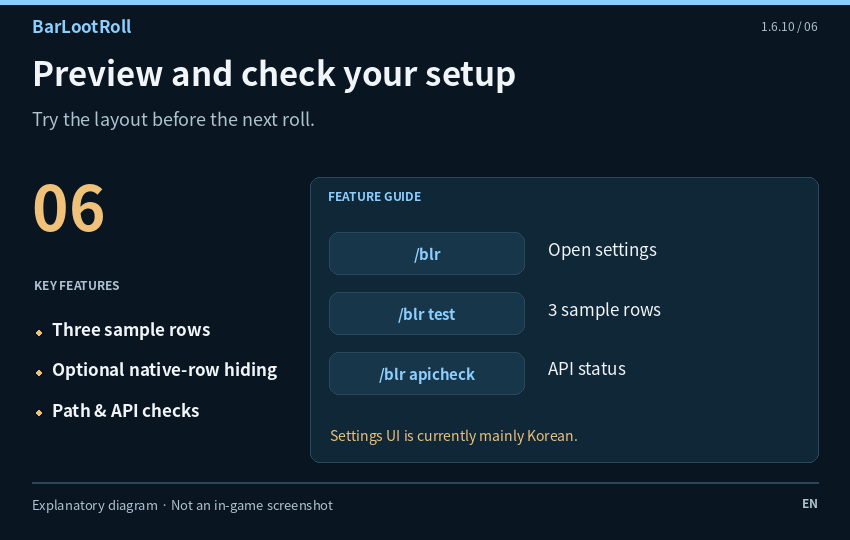
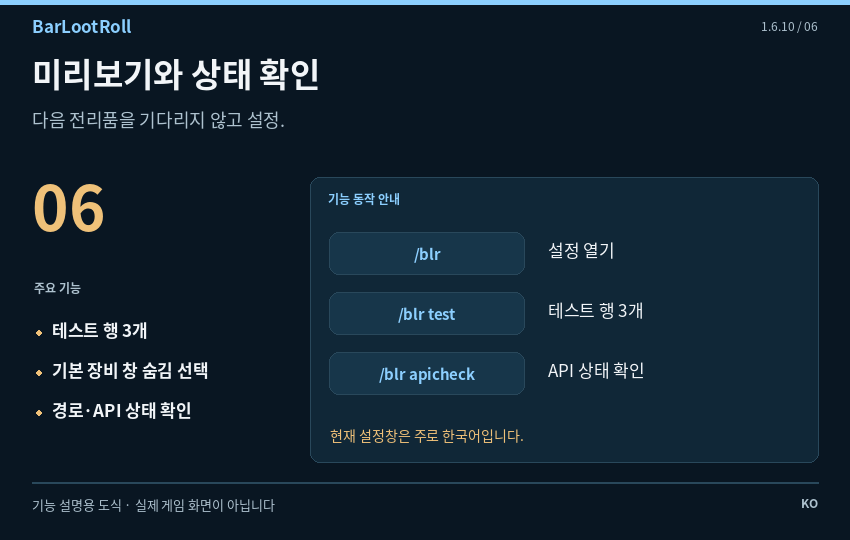
Open settings with /blr or /barlootroll. /blr test creates three sample rows so you can adjust layout without waiting for loot; clicking a sample button only closes that test row.
Optionally hide the matching Blizzard equipment-roll prompts while BarLootRoll handles them. Texture/font path checks and an API-status command help you report problems. Settings are kept in BarLootRollDB and retained when updating without deleting SavedVariables.
Note: The settings panel and addon messages are currently mainly Korean. This bilingual description does not add an English settings UI. Actual gameplay, security and CPU/FPS results were not measured for this description.
Install & get started
- Exit WoW and extract the addon’s
BarLootRollfolder into_retail_/Interface/AddOns/. - Keep the folder name
BarLootRoll, withBarLootRoll.tocdirectly inside it. - Enable the addon, type
/blr, then run/blr testto adjust the layout. - Use
/blr unlock, drag the anchor and/blr lockwhen finished. - Keep the existing SavedVariables file when updating to preserve settings.
The default textures and game font work without ElvUI, NaowhUI, SharedMedia or external libraries. LibSharedMedia/SharedMedia are optional sources for custom-media lists. If you choose an external file, that file must remain installed.
Commands
/blr— Open settings/barlootroll— Same settings command/blr test— Show three sample bars/blr unlock— Unlock the loot-bar position/blr lock— Lock the loot-bar position/blr texturecheck— Print the selected texture path/blr fontcheck— Print font path, size and outline/blr apicheck— Print API availability and frame status/blr bonus unlock— Unlock the native bonus-roll mover/blr bonus lock— Lock the bonus-roll position/blr bonus reset— Reset only the bonus-roll position/blr bonus status— Print bonus-frame status/blr reset— Reset all addon settings
Compatibility & reporting
This version targets Retail 12.1.5; it is not presented as a Classic build. The TOC also retains its previous 12.1.0 and 12.0.7 interface tags. The addon uses game-generated group-loot events; it is not a chat /roll tracker or a loot-history/winner database.
If another addon also replaces group-loot prompts, choose one interface to avoid overlapping displays. Game restrictions and frame availability can affect which data or native frames are accessible.
For a report, include addon/game versions, steps to reproduce and the full Lua error. Add /blr apicheck, /blr texturecheck or /blr fontcheck output when relevant. This page is based on source inspection, not new live-game or CPU/FPS benchmark results.
License & credits
Distributed under the MIT License included in the addon. Copyright (c) 2026 BarLootRoll contributors. The permission and copyright notice are retained in the supplied archive.
The default media is bundled inside BarLootRoll; native game assets and frames are supplied by the WoW client. ElvUI-style appearance does not mean an ElvUI dependency or official affiliation.
Image disclosure: cover and project icon are AI-generated branding illustrations. Feature images are explanatory diagrams based on 1.6.10, not in-game screenshots. Item names, values and positions in the diagrams are examples.