
Barkeep
- By

Keeps your action bars: save them, see exactly what a load would change, and put them back with their keybinds and pet bar. Undo, automatic backups, and bars that follow your spec.
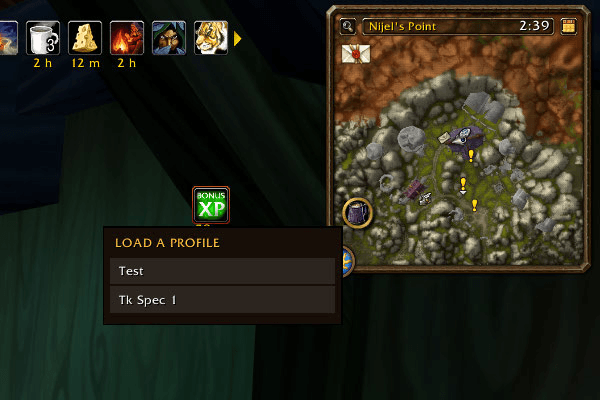
Right-click the minimap mug for a short menu of your saved bars and load one without opening the window.
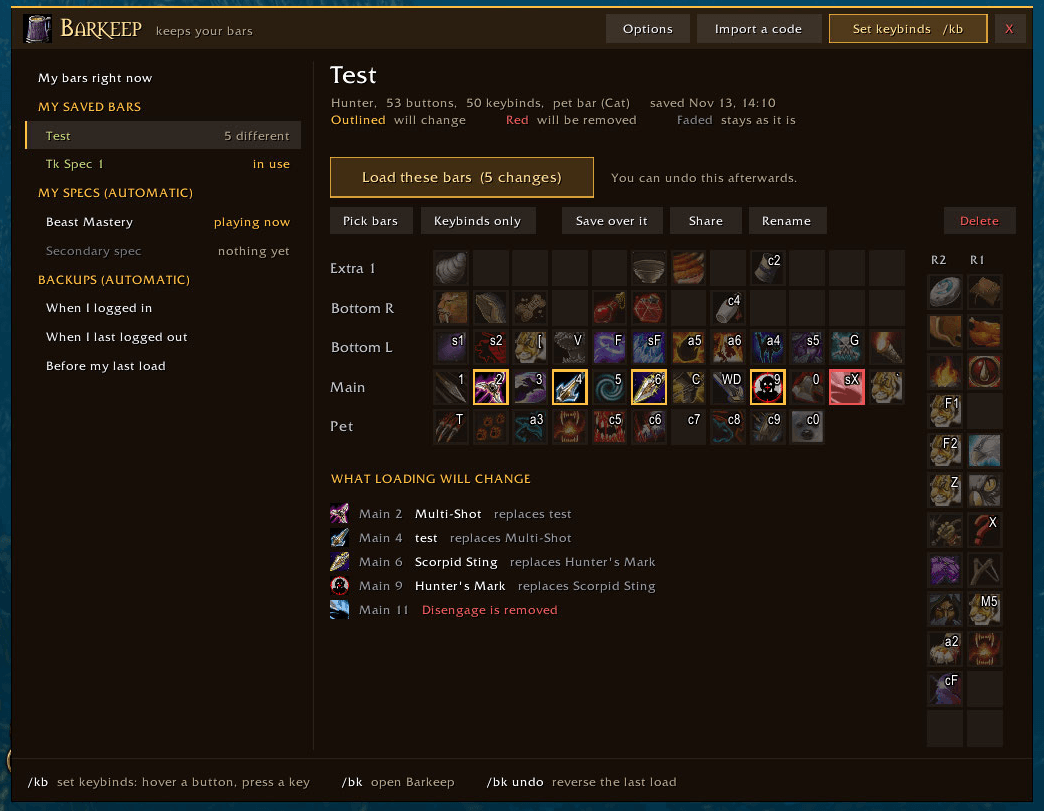
Buttons that would change are outlined, ones that would be removed are red, and every change is listed underneath before you load.
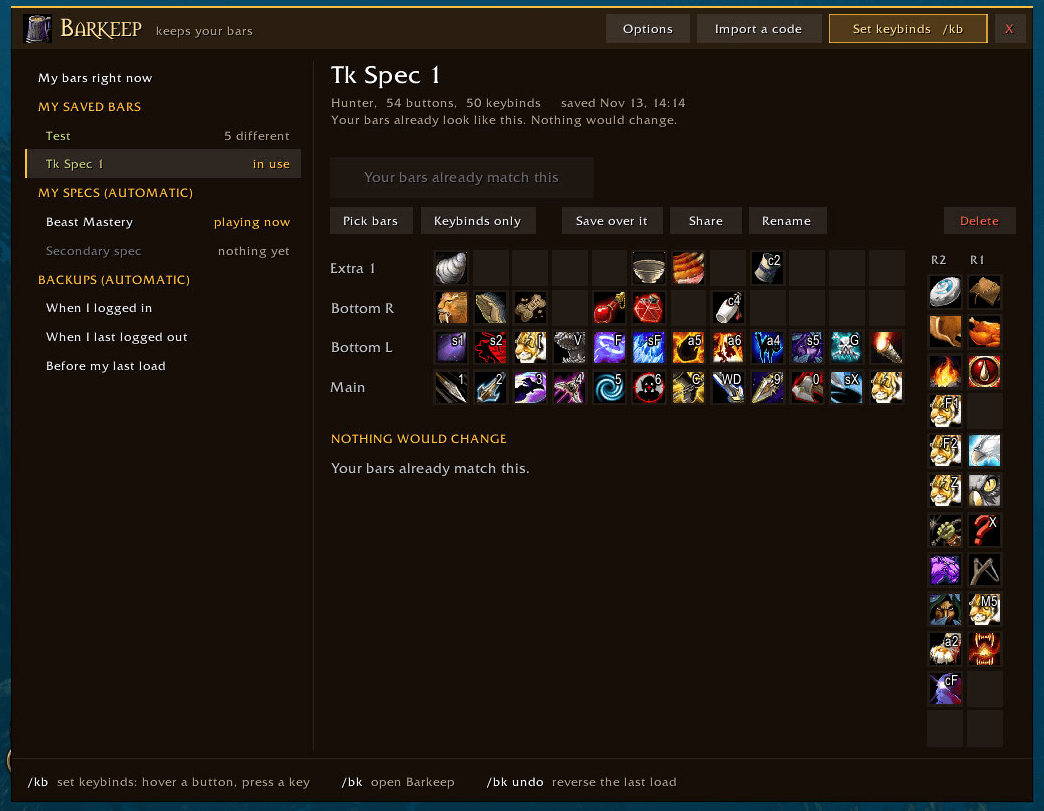
Everything you saved shows as icons with their keybinds, in the same places as on your screen, pet bar included.
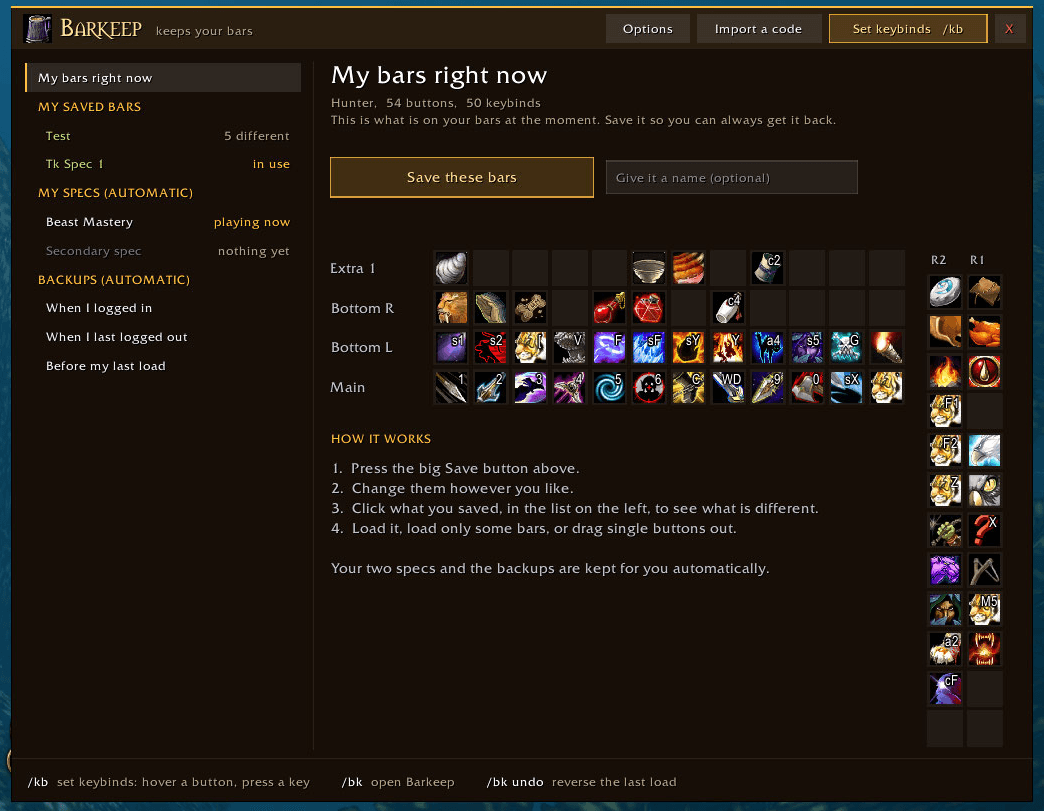
Press Save these bars to keep your buttons, keybinds and pet bar. Type /kb any time to set keybinds by hovering a button and pressing a key.
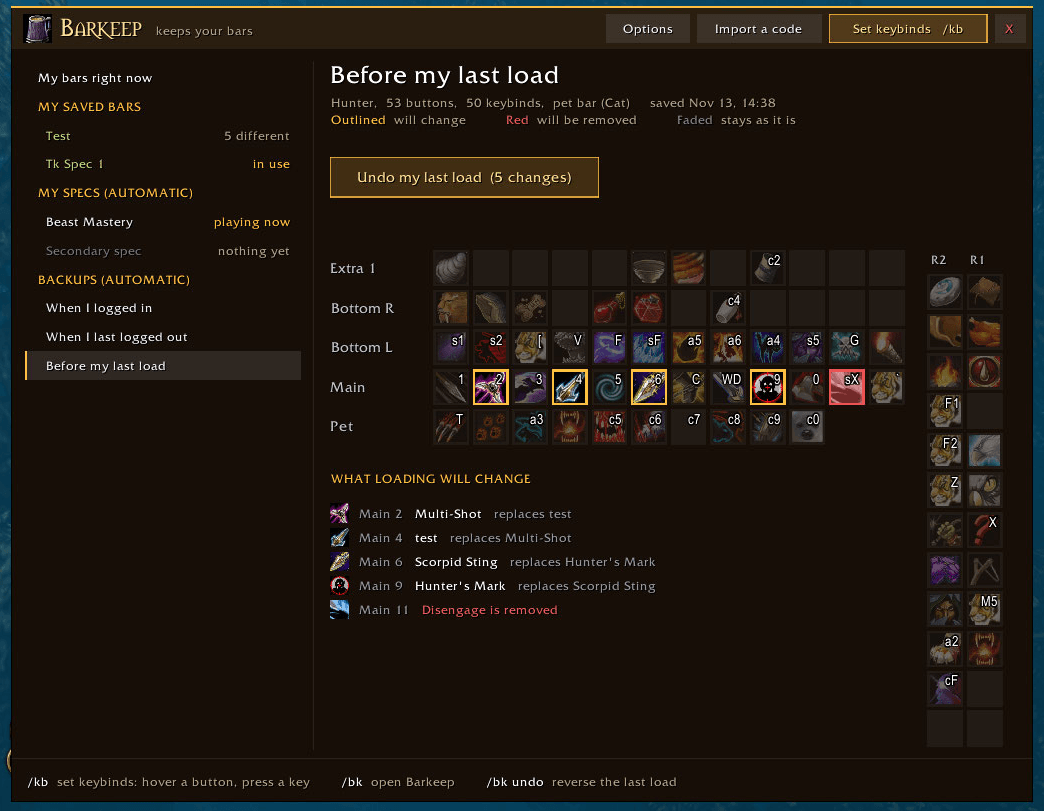
Every load can be undone, and your bars are backed up each time you log in and out.
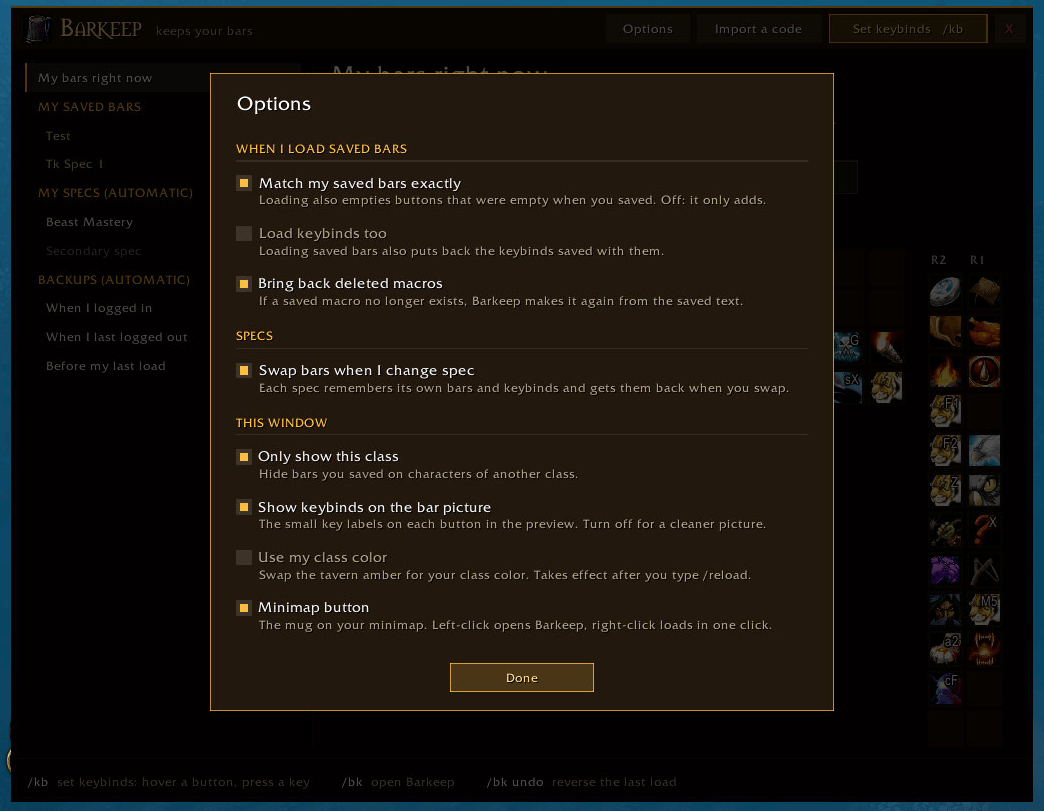
The options are in three groups, each with one plain sentence saying what it does.