Bambymail
- By
Bambymail streamlines Blizzard mailbox workflows with bounded attachment preparation, searchable collection tools, gold history, and CSV/text exports.
Description
Bambymail
Your mailbox, your materials, your gold = one organized workspace.
Bambymail brings mail collection, attachment preparation, merchant quantity selection and gold history together in a dark, gold framed interface. Built for World of Warcraft: Midnight, it works alongside Blizzard's native mailbox and keeps sending under your control.
Features:
Bags and attachments
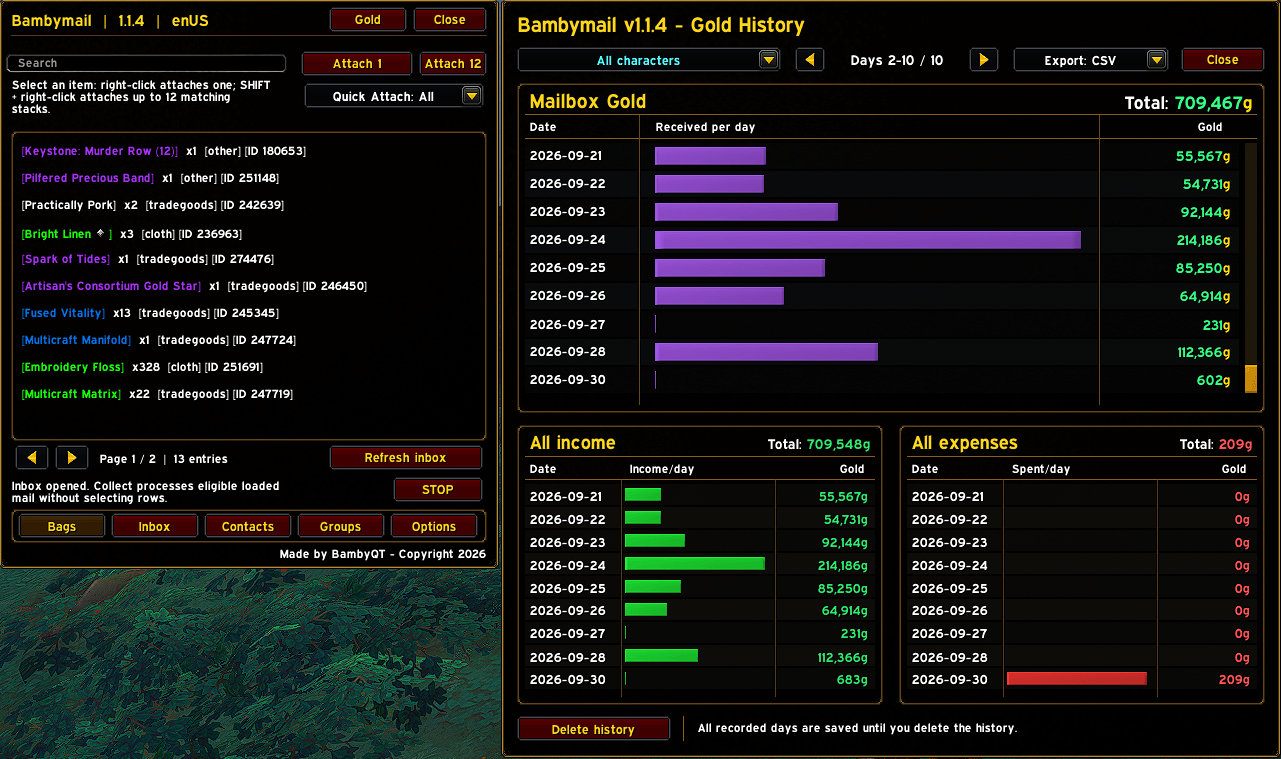
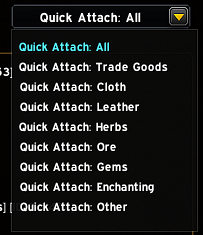
- Search your items, inspect tooltips and filter Trade Goods, Cloth, Leather, Herbs, Ore, Gems and Enchanting materials.
- Right-click an item to prepare one matching whole stack. SHIFT + right-click prepares up to twelve matching whole stacks in one native mail draft.
- Use Attach 1 or Attach 12 if you prefer buttons.
- Existing attachments reduce the available attachment slots. Item variants are matched using their full item link; stacks are not split.
Inbox collection and filters
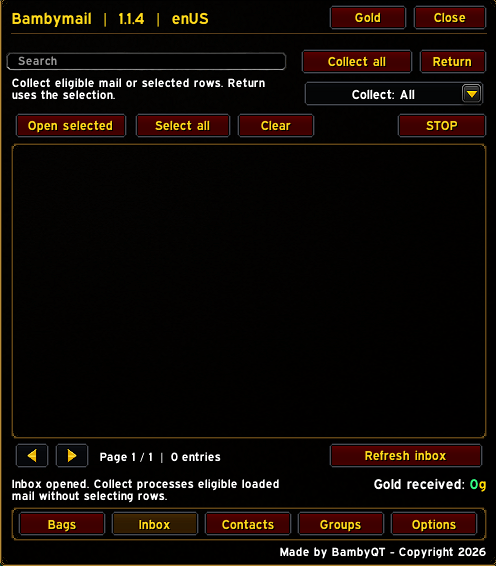
- Search mail and select individual rows. Use SHIFT for ranges or CTRL for matching senders.
- Open selected messages in Blizzard's mailbox, select all, clear your selection, collect eligible mail or return selected messages after confirmation.
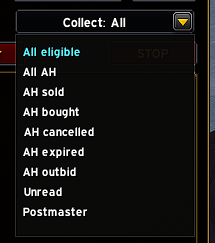
- Choose All, Auction House, Sold, Bought, Cancelled, Expired, Outbid, Unread or Postmaster filters.
- Add sender/subject exclusion rules for mail you want collection to skip.
- Collection processes eligible mail currently loaded by the client. COD and GM mail are excluded from bulk collection; auction filters use Blizzard invoice information.
Three connected Gold History charts
Open Gold to view a history window docked beside Bambymail:
- Mailbox Gold: gold received through mailbox collection, with purple daily bars.
- All income: observed increases in your character's personal gold balance, including mailbox income, loot gold and vendor sales, with green bars.
- All expenses: observed decreases in personal gold, including purchases, auction spending and personally paid repairs, with red bars.
Each chart shows daily amounts and a total. Browse every recorded day using the shared navigation or mouse wheel, and export all three histories as CSV or readable text through an Ingame copy panel.
Choose several characters with ordinary clicks.
Click again to deselect a character, or choose All Characters to view everyone. One shared selection controls all charts, totals and exports. Deselecting the last character leaves an empty selection; your saved records remain intact.
Recorded days are retained until you explicitly delete the history. The shared Delete history button requires a second confirming click and clears all three histories.
How gold tracking works:
Income and expenses are based on observed personal gold-balance changes while Bambymail is loaded. Closely spaced income and spending can appear as one net change; this is not a transaction by transaction source breakdown. Guild Funded repairs do not count as personal spending. Existing mailbox history is preserved and seeds the income chart when upgrading; older non-mail income and expenses cannot be reconstructed.
Mailing groups
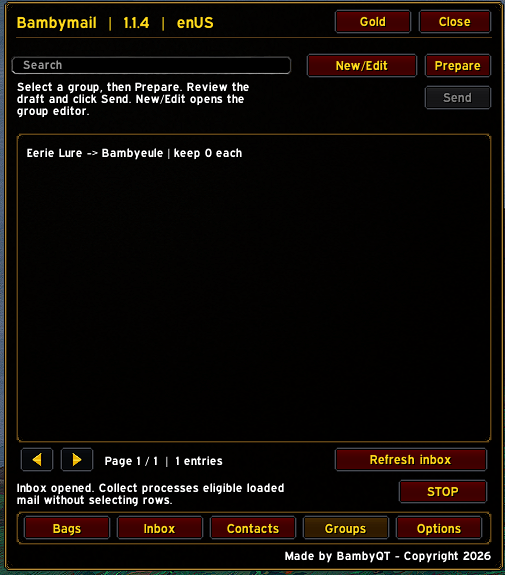
- Create up to 24 groups with a recipient, item IDs and a quantity to keep per item.
- Add item IDs from Bambymail's Bags view using Add from Bags.
- Prepare opens Blizzard's Send Mail tab when needed and prepares up to twelve whole stacks in an empty draft.
- Review the recipient and attachments, then click Send yourself. There is no automatic sending or multimessage send loop.
Contacts
Find saved recipients, recent successful recipients, remembered local characters, friends and guild entries in one searchable list. Character names retain their realm information where available.
Merchant quantity selection
SHIFT-click a merchant item to enter a quantity, choose Stack or Max, review the amount and calculated cost, and click Buy. Confirm larger or alternate currency purchases when prompted.
The helper considers applicable bag space, affordability, stock and known item limits, then requests the selected quantity in merchant sized stacks. Reagentbag space is included only when the client identifies the item as a crafting reagent. Purchases stop if the merchant closes, combat begins, the selected item changes or a purchase request is blocked.
Options and profiles
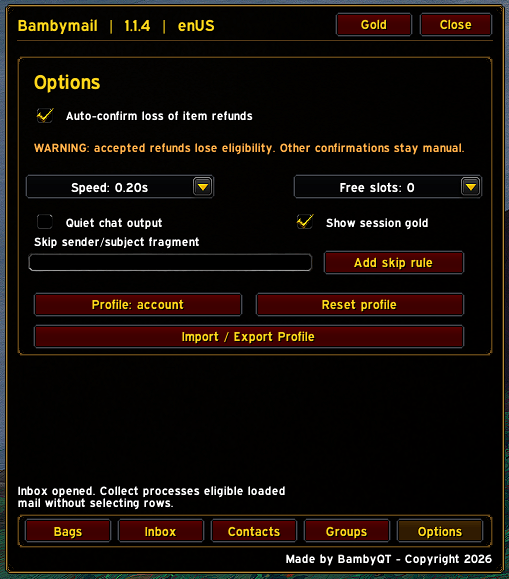
- Opening-speed presets from 0.20 to 5.00 seconds.
- Minimum free slot setting, quiet chat output and session gold visibility.
- Accountwide or character specific settings, with profile import/export.
- Profile transfer includes options; contacts, mailing groups and gold history are not included.
- English interface with German translations for core controls.
The interface uses reusable list rows and event driven updates without a permanent background polling loop. STOP cancels ongoing work; in Bags, Contacts and Groups it sits below Refresh inbox, while Inbox retains its upper STOP button.
Commands
- /bmail or /bambymail = open Bambymail while at a mailbox.
- /bmail stop = stop ongoing work.
- /bmail status = show addon/client status.
- /bmail collectall = collect eligible loaded mail.
- /bmail collectah = collect eligible auction mail.
- /bmail collectunread = collect eligible unread mail.
Player control and refund warnings
Sending requires your explicit click and uses Blizzard's native send handler. COD payments, secure moneytransfer confirmations, item use and deletion are not automatically approved.
Auto-confirm loss of item refunds is OFF by default.
If you enable it, Bambymail may accept only the matching native mail refund loss warning after checking the slot, item link and recipient. Accepting permanently removes that item's vendor refund eligibility. Leave it disabled for items whose refund you want to preserve.
No external program, input broadcaster, telemetry or generic popup approval is included.
Compatibility
World of Warcraft: Midnight / Retail 12.1.x is the primary target. Check new updates with your own client build, UI scale and addon set. Avoid running two bulk mail collectors at the same time.
World of Warcraft: Forever has an experimental, opt-in adapter. It is disabled by default and subject to build/API checks; full Forever compatibility has not yet been verified. /bmail forever on enables the adapter only when those runtime checks pass; /bmail forever off disables it. Other Classic variants are not currently supported.
Bambymail Team