BagGuard
- By
Protect important items from being accidentally sold, traded, mailed, moved, or used.
bagguard_inventory.png
bgg_settings.png
bgg_block_msg.png
Description
BagGuard 1.9.0
Protect important items from being accidentally sold, traded, mailed, banked, or used.
World of Warcraft Classic Era (Interface 11509 / 1.15.9). Built for Hardcore.
What it does
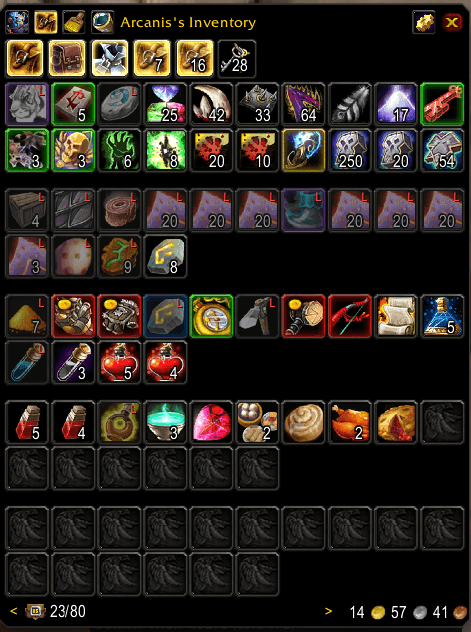
Hover any bag item and press your BagGuard keybind to protect it. Protected items get a red L marker and, by default, a dim overlay. From then on, BagGuard stops you doing the thing you'd regret at 3am after a long session.
Protection is stored by item ID, not by bag position, so it follows the item when it moves, survives Bagnon sorting, and applies to every stack of that item. Protected items does not prevent use of those items via action bars.
Works with Bagnon and BagBrother, with a fallback for the default Blizzard bags.
Options
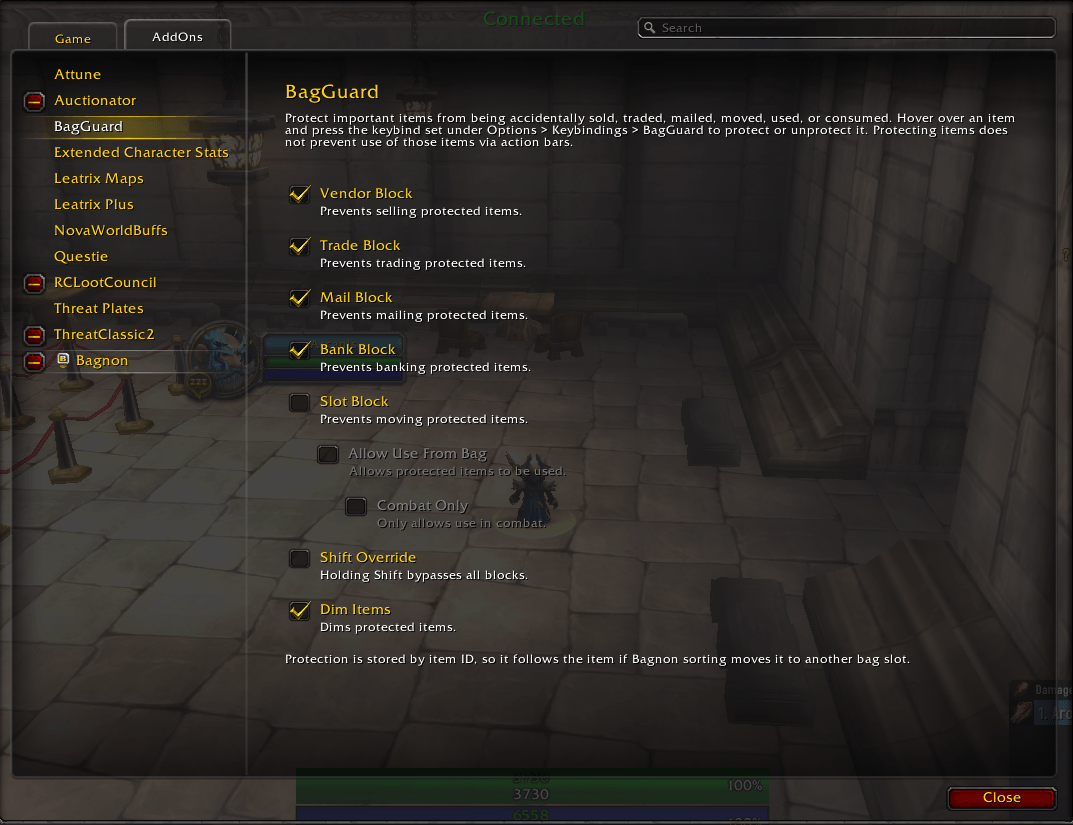
Found at Options > AddOns > BagGuard.
| Option | Effect | Default |
|---|---|---|
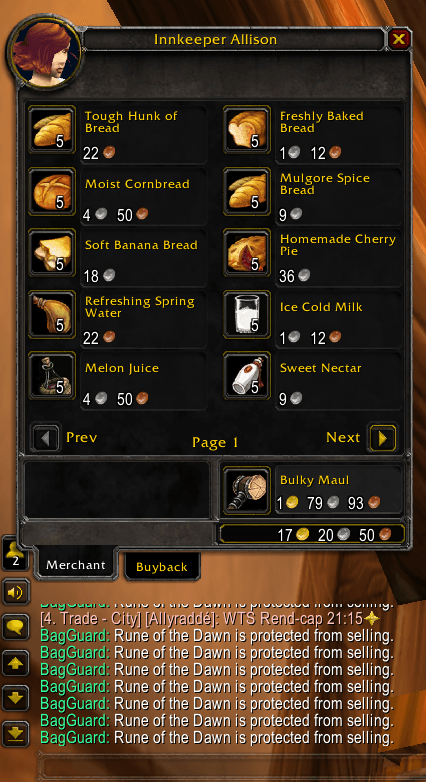
| Vendor Block | Prevents selling protected items | On |
| Trade Block | Prevents trading protected items | On |
| Mail Block | Prevents mailing protected items | On |
| Bank Block | Prevent banking protected items | Off |
| Slot Block | Prevents moving protected items | Off |
| ↳ Allow Use From Bag | Item stays usable while still unmovable | Off |
| ↳ Combat Only | Only allows use in combat | Off |
| Shift Override | Holding shift bypassses all blocks | Off |
| Dim Items | Dims protected items | On |
Commands
/bagguard or /bgg + toggle, list, settings, debug, clea
Setup and use
- Esc > Options > KeyBindings > Set your keybinding (ALT+L Recommended)
- Esc > Options > AddOns > BagGuard > Pick your prefered settings.
- Open bag, hover item and press your keybinding. The item is now protected.
- To overide the block hold shift and drag item to sell, trade, mail, bank, and use.
BagGuard Team