AzerothForge RavenMail
- By
AzerothForge RavenMail enhances your WoW Forever mailbox with bulk collection, multi-select deletion, reusable templates, material shipping rules, and character, favorite, and guild recipient lists.
00-ravenmail-cover.jpg
01-inbox.png
02-compose.png
03-materials.png
04-characters.png
Description
# 🐦 AzerothForge RavenMail
### Your mailbox. Reforged.
AzerothForge RavenMail brings your mail, favorite recipients, material shipping rules and character lists into one native-style interface for **World of Warcraft Forever**. Spend less time searching for names and more time getting your mail where it belongs. ✉️
## ✨ A mailbox that feels at home
A dark stone background, gold accents and familiar native buttons keep RavenMail close to the game's look. Read letters, inspect attachments and prepare outgoing mail from a spacious interface with clear navigation.
## 📬 Find the mail you need
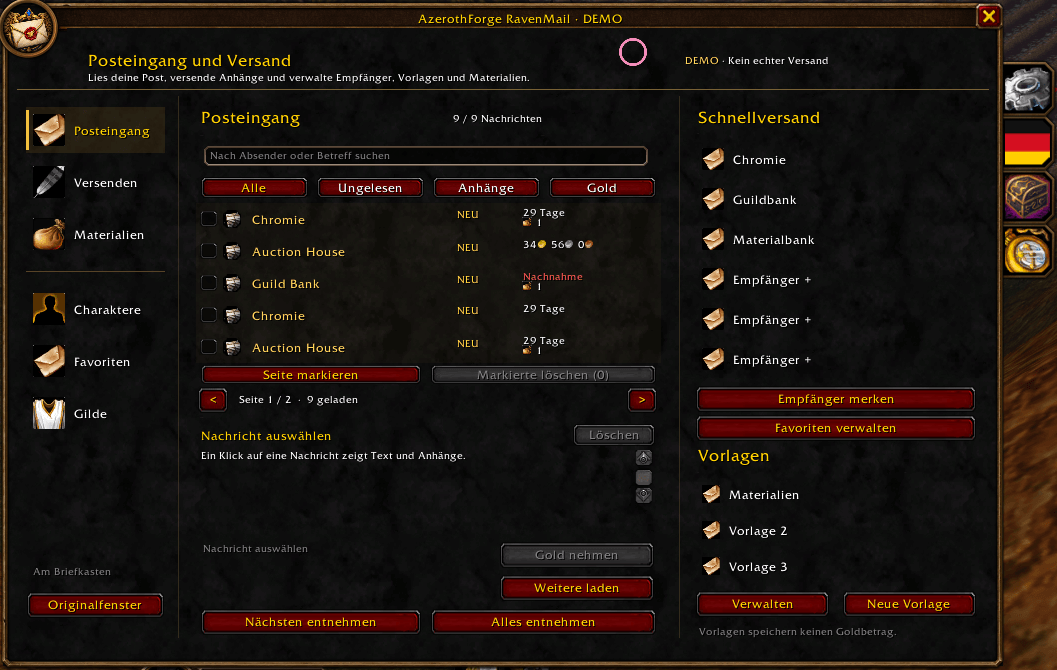
- Search by sender or subject.
- Filter all mail, unread messages, attachments or gold.
- Spot unread letters with a **NEW** label and a distinct mail icon.
- Select individual letters or a visible page using checkboxes.
- Delete multiple **empty** letters after confirmation. Letters containing gold, attachments or cash on delivery are skipped.
## 📦 Collect with control
Collect the next attachment or gold payment, or use **Collect all** for the currently loaded mail. Collection runs one step at a time, with progress and a stop button. Cash-on-delivery mail is skipped. Errors or missing game confirmations stop the process.
Bulk deletion also runs step by step. If the inbox changes unexpectedly, RavenMail stops rather than continuing with shifted mail entries. A request already sent to the game may finish after you press Stop.
## ✉️ Prepare outgoing mail faster
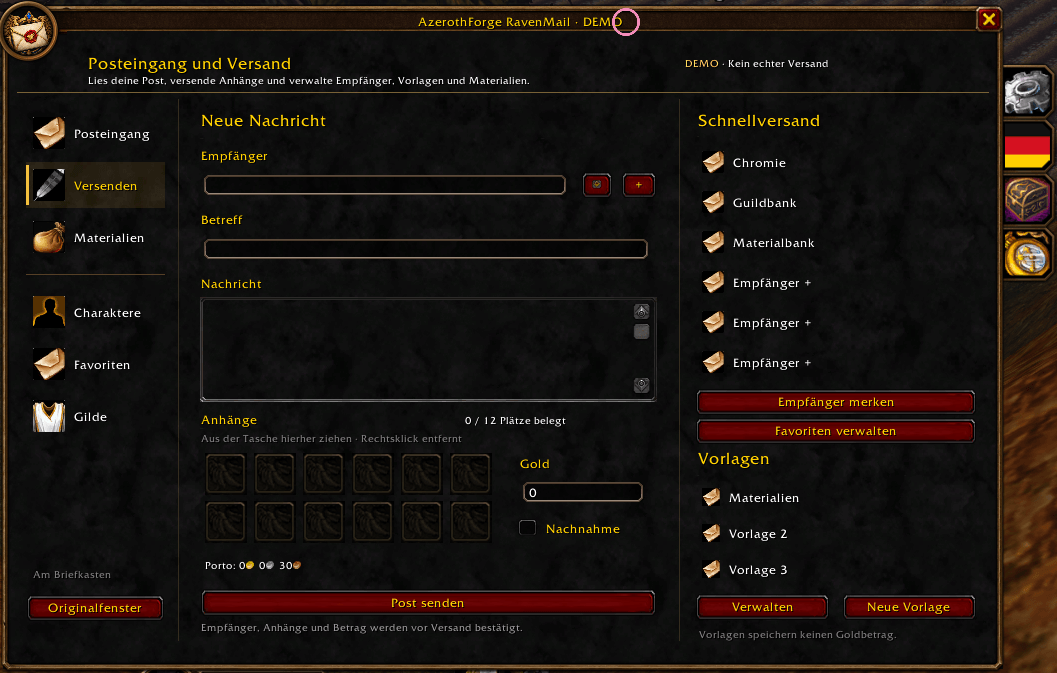
- Compose letters with up to **12 attachments**.
- Use quick recipients, favorites and reusable named templates.
- Prepare gold payments or cash on delivery.
- Review the recipient, attachments and amount before sending.
- Check the displayed send status after your request.
## 🌿 Materials, organized
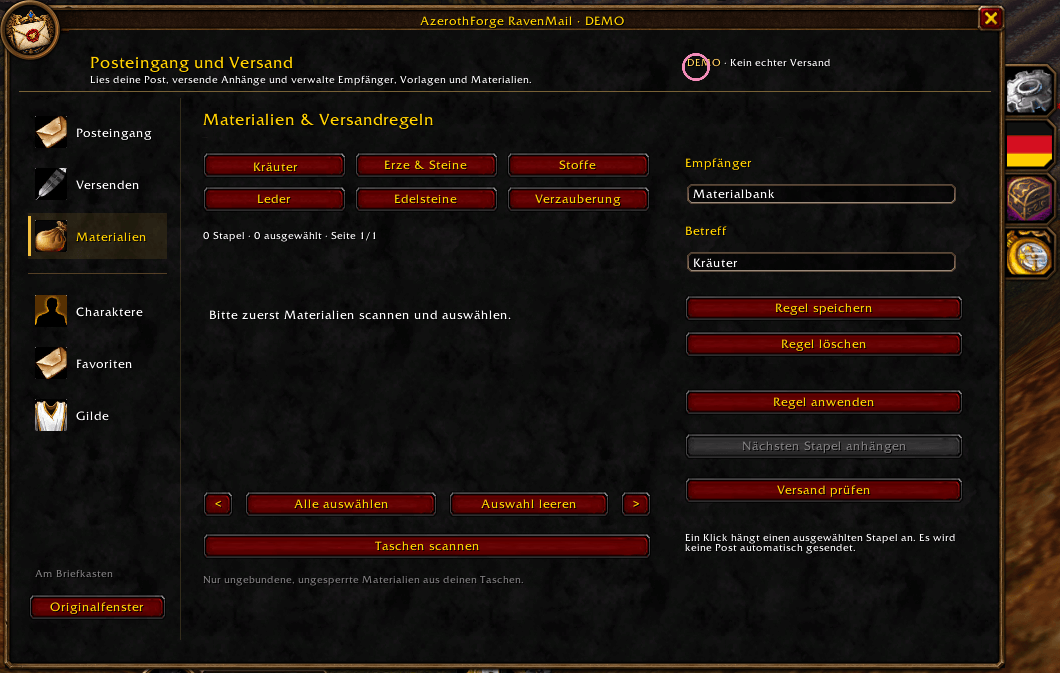
Set recipients and subjects for herbs, ore and stones, cloth, leather, gems and enchanting materials. Scan your bags, choose stacks and apply saved shipping rules. Attachment actions remain manual, and **material rules never send mail automatically**.
## 👥 Your recipients, within reach
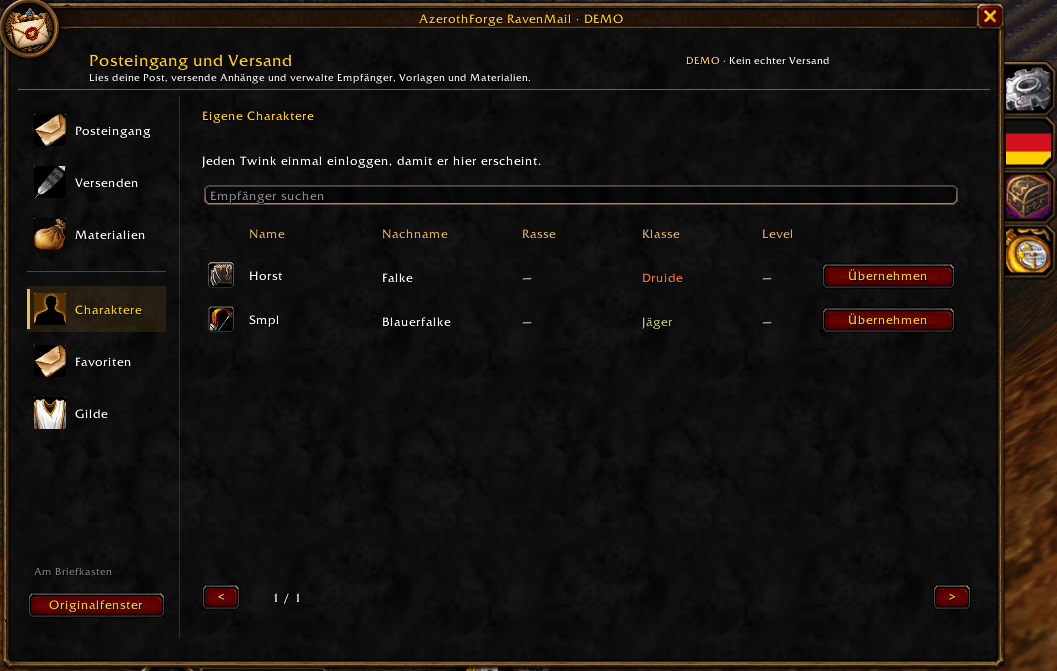
**Characters:** Account-wide records remember characters after you log in with them while RavenMail is enabled. First name, surname, race, class and level appear when available.
**Favorites:** Keep regular recipients in a dedicated, searchable list. Known character details are added where possible.
**Guild:** Search available guild members, inspect their reported class, level and online status, and choose a recipient directly. Details depend on the data provided by the client; unknown fields remain blank or display a dash.
## 🌍 Make it yours
Choose from **16 interface languages**, adjust window scale and positions, and configure new-mail notifications. A movable minimap button gives you access to RavenMail and its settings.
## 🧪 Try the demo
Type `/ap demo` to explore sample mail, attachments, materials and simulated sending. Demo actions stay in the demo and do not send real mail or spend real gold. Close the real mailbox before starting it.
## 🚀 Installation
1. Extract the addon ZIP into your game's `Interface/AddOns` directory.
2. Keep the folder named **AzerothPost** — this internal name preserves compatibility with existing settings.
3. Restart the game and enable **AzerothForge RavenMail**.
4. Open a mailbox to use real mail features.
Existing users should back up their SavedVariables before updating. The addon continues to use `AzerothPostDB`.
## ⌨️ Useful commands
- `/ap` — open RavenMail while a mailbox is open.
- `/ap settings` — open settings.
- `/ap demo` — open the demo.
- `/ap minimap` — show or hide the minimap button.
- `/ap resetpos` — reset window positions.
- `/ap version` — show addon and client version information.
Aliases: `/ravenmail`, `/afrm` and `/azerothpost`.
## 📋 Release 0.15.8
This release includes multi-select deletion, sequential collection with progress and Stop, dedicated character/favorites/guild pages, clearer unread-mail indicators and minimap refinements. Left-edge bars have been removed from inbox rows for a cleaner appearance.
Automated Lua 5.1, behavior, localization and asset checks passed. Actual behavior can depend on the WoW Forever client; a complete live in-game test is not claimed. The screenshots show the German interface in demo mode, and the guild screenshot shows its empty state.
AzerothForge RavenMail Team