Azeroth Social
- By
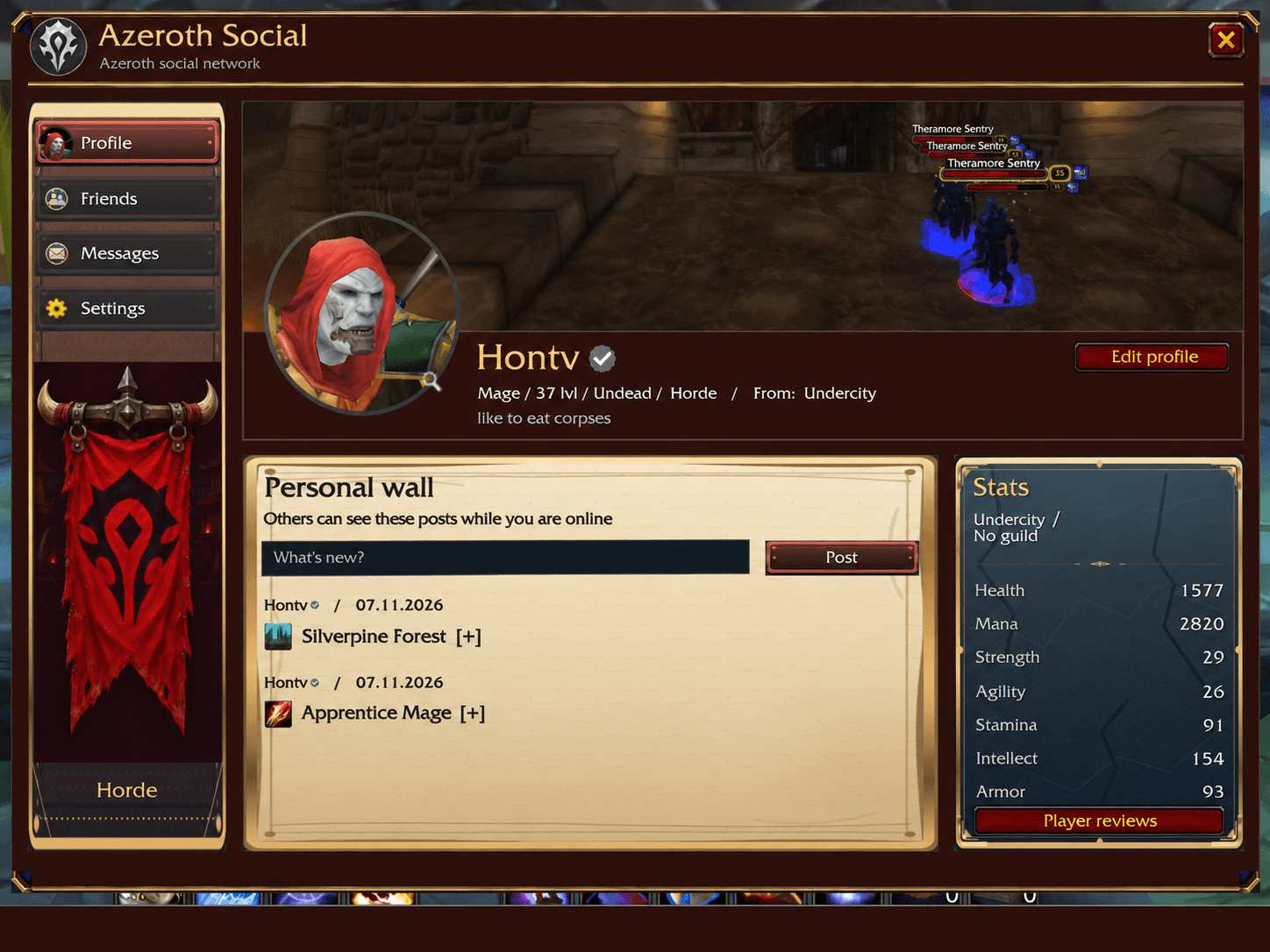
Character profiles, personal walls, private messages, groups and player reviews inside WoW Forever.
AzerothSocial-profile-en.png
AzerothSocial-friends-en.png
Description
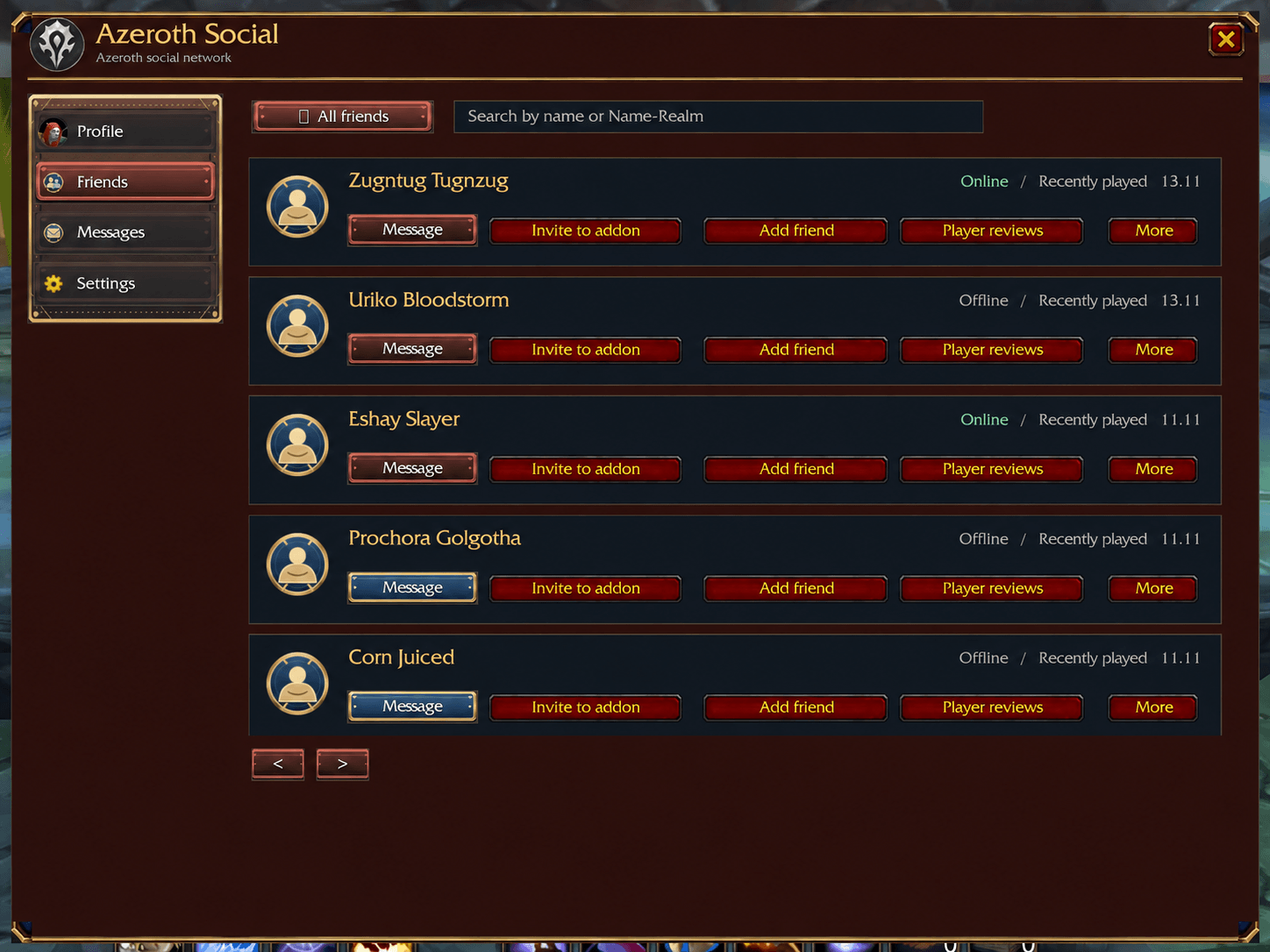
Azeroth Social is a social network inside WoW Forever: character profiles, a personal wall, friends, private messages, player reviews and communities. Open it with /as or the faction emblem by your minimap. English and Russian are included.
- English for everyone (new in 0.2.27): What the addon sends to other players is in English whatever the language of your client, and each reader sees it in their own language: the race on your profile, achievement and boss posts on your wall, the greeting on a profile card.
- Communities (new in 0.2.26): Join ready topics such as Fishing, Crafting & Auction House, Looking for Dungeon Group, Raids, PvP, Guild Recruitment and Help for Newcomers, or create your own. Each community has a feed with comments, likes and item links, a live chat and a list of members online.
- Profiles for your party: In a group, click Profiles for party under the minimap. Every party member gets a ready Azeroth Social profile. When they install the addon and you meet again, the profile becomes theirs and you become friends.
- After a dungeon: Find your party under Friends → Recently played, add a friend, send a message or leave a review with Like or Dislike. Point at a player to see how many runs you shared, your rating and your own note.
- Your character: Show your gear, stats, hometown and cover on your profile. Write on your personal wall or share achievements and boss kills automatically. Profile sharing is off by default.
Commands: /as opens the window, /as note adds a note about your target, /as net shows who is online with the addon, /as bug prepares a bug report.
Compatibility: WoW Forever 1.60.1 (Interface 16001). Other players need Azeroth Social to see your profile, messages and communities.
Azeroth Social Team