AutopetOX
- By
Automatically summons your saved companion pet when idle, using per-character GUID memory and movement detection.

Here with my favorite pet
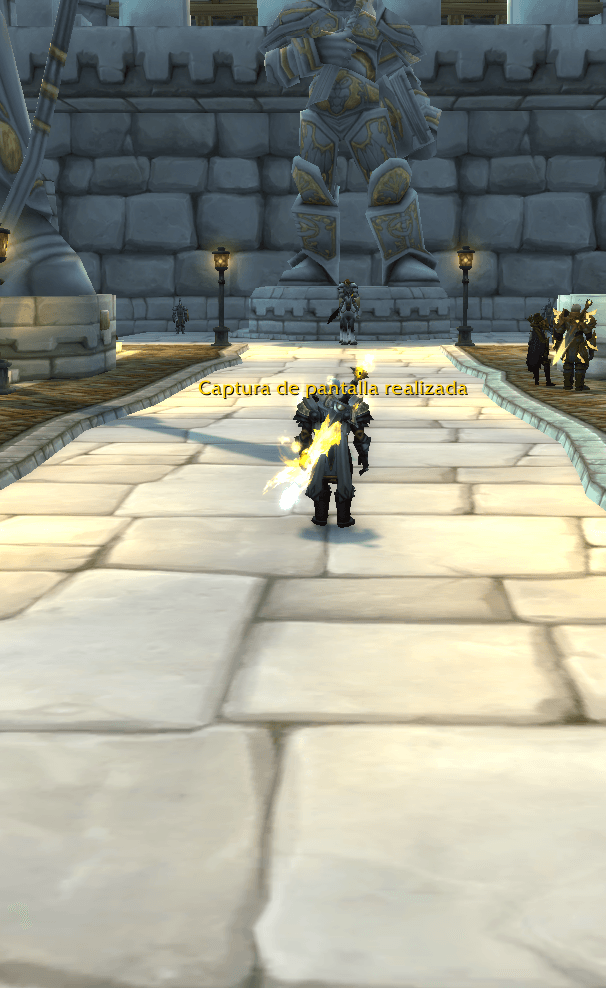
It disappeared on me :S

no problem

With this Adom, the pet I want always appears on its own.
Description
🌟 AutoPet — Let Your Companion Follow Your Presence
-New AutoPet with AutoPet_Context, môr safer.
AutoPet automatically summons your chosen companion pet whenever your character is safe, active, and currently has no pet summoned — creating a natural, immersive, and symbolic presence that follows you throughout Azeroth.
Perfect for roleplayers, collectors, ritualists, and immersion‑focused players, AutoPet gives each character a companion that feels alive, personal, and meaningful.
Your pet is not just a cosmetic. It becomes part of your character’s identity.
━━━━━━━━━━━━━━━━━━
✨ Core Features
🐾 Automatic Companion Summoning Summons your saved pet whenever no companion is active.
🧬 Per‑Character Memory Each character stores its own pet configuration using GUID‑based data.
🌞🌙 Day / Night Mode Assign one pet for daylight and another for nighttime, following Azeroth’s natural cycle.
🧠 Smart Movement Detection Analyzes movement, stillness, speed, and cooldown states to avoid unnecessary summons.
🛡️ Safety‑Aware Behavior Never summons during combat, pet battles, taxis, vehicles, cinematics, loading screens, loss of control, or casting/channeling.
🔁 No Pet Replacement If you already summoned a pet manually, AutoPet respects it and does nothing.
🧰 Simple Chat Commands Configure everything directly from chat — no menus, no UI clutter.
━━━━━━━━━━━━━━━━━━
🔧 Commands
🌟 Fixed Pet Mode
/autopet Saves your currently summoned pet as your fixed companion.
/autopetcame Alias for /autopet.
━━━━━━━━━━━━━━━━━━
🌞🌙 Day / Night Mode
/autopetday Saves your current pet as your daytime companion.
/autopetnight Saves your current pet as your nighttime companion.
Day: 06:00 – 20:59 Night: 21:00 – 04:59
If no pet is saved for the current period, AutoPet falls back to your fixed pet.
━━━━━━━━━━━━━━━━━━
🛑 Disable AutoPet
/autopetgo Disables automatic summoning for the current character. If out of combat and a pet is active, it also dismisses it.
━━━━━━━━━━━━━━━━━━
🧿 Ritual Notes
Each character can have its own identity, its own companion, and its own presence in day or night.
AutoPet never replaces a pet you summoned manually. It only acts when the world grows quiet.
A fox for the morning. A spirit for the night. A familiar that returns when silence falls.
━━━━━━━━━━━━━━━━━━
✨ Who Is AutoPet For?
• Roleplayers who treat companions as part of their story • Collectors who want pets to appear naturally • Immersion‑focused players who value symbolism and atmosphere • Anyone who wants a companion that feels present, personal, and alive
Let your companion walk beside you — in daylight, in moonlight, and in every quiet moment between.
━━━━━━━━━━━━━━━━━━
🌟 AutoPet — Dejá que tu compañero siga tu presencia
AutoPet invoca automáticamente tu mascota de compañía cuando tu personaje está seguro, activo y sin ninguna mascota invocada, creando una presencia simbólica y natural que te acompaña por Azeroth.
Ideal para roleplayers, coleccionistas, ritualistas y jugadores que buscan inmersión, AutoPet convierte a tu mascota en parte de la identidad de tu personaje.
Tu mascota no es solo un cosmético. Es un eco de tu presencia.
━━━━━━━━━━━━━━━━━━
✨ Características principales
🐾 Invocación automática Invoca tu mascota guardada cuando no hay ninguna activa.
🧬 Memoria por personaje Cada personaje guarda su propia configuración mediante GUID.
🌞🌙 Modo Día / Noche Asigná una mascota para el día y otra para la noche.
🧠 Detección inteligente Analiza movimiento, quietud, velocidad y cooldowns para evitar invocaciones innecesarias.
🛡️ Comportamiento seguro No invoca durante combate, taxis, vehículos, cinemáticas, pantallas de carga, pérdida de control o casteos.
🔁 No reemplaza mascotas activas Si ya invocaste una mascota, AutoPet la respeta.
🧰 Comandos simples Configuración completa desde el chat.
━━━━━━━━━━━━━━━━━━
🔧 Comandos
🌟 Modo Mascota Fija
/autopet Guarda la mascota actual como compañera fija.
/autopetcame Alias de /autopet.
━━━━━━━━━━━━━━━━━━
🌞🌙 Modo Día / Noche
/autopetday Guarda la mascota actual como compañera de día.
/autopetnight Guarda la mascota actual como compañera de noche.
Día: 06:00 – 20:59 Noche: 21:00 – 04:59
Si no hay mascota guardada para el período actual, usa la mascota fija.
━━━━━━━━━━━━━━━━━━
🛑 Desactivar AutoPet
/autopetgo Desactiva la invocación automática. Si estás fuera de combate y hay una mascota activa, la despide.
━━━━━━━━━━━━━━━━━━
🧿 Notas ritualistas
Cada personaje tiene su identidad, su compañero y su presencia en el ciclo día/noche.
AutoPet nunca reemplaza una mascota invocada manualmente. Solo actúa cuando el mundo queda en silencio.
Un zorro para la mañana. Un espíritu para la noche. Un familiar que vuelve cuando la calma llega.
━━━━━━━━━━━━━━━━━━
✨ ¿Para quién es AutoPet?
• Roleplayers que integran mascotas en su historia • Coleccionistas que quieren mostrar sus compañeros naturalmente • Jugadores que buscan inmersión y simbolismo • Quienes quieren un compañero vivo, presente y personal
Dejá que tu mascota camine a tu lado — bajo el sol, bajo la luna y en cada momento tranquilo entre aventuras.
AutopetOX Team