MyOnlyBoxPersonalOX
- By
A per-character Toy Box manager with ON/OFF lock control, themed tabs, and secure drag-and-drop behavior.

Would you like a pet-friendly system to organize your toys?
Would you like an online store like the one for pets to order your toys? Now you can order your favorite toys!
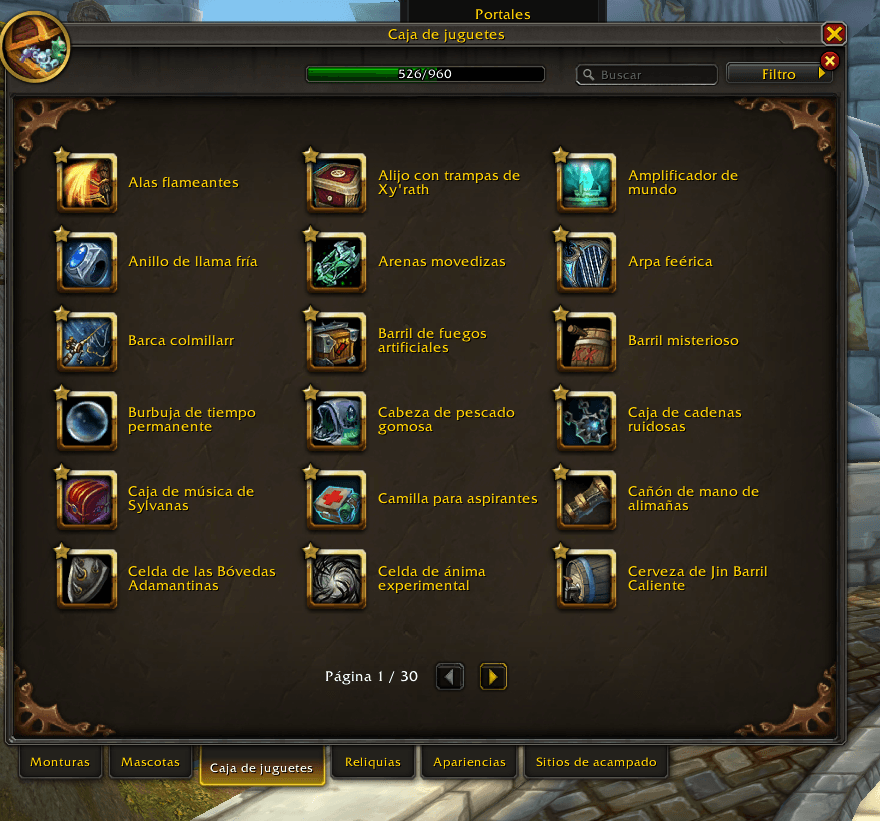
Go to the toy section
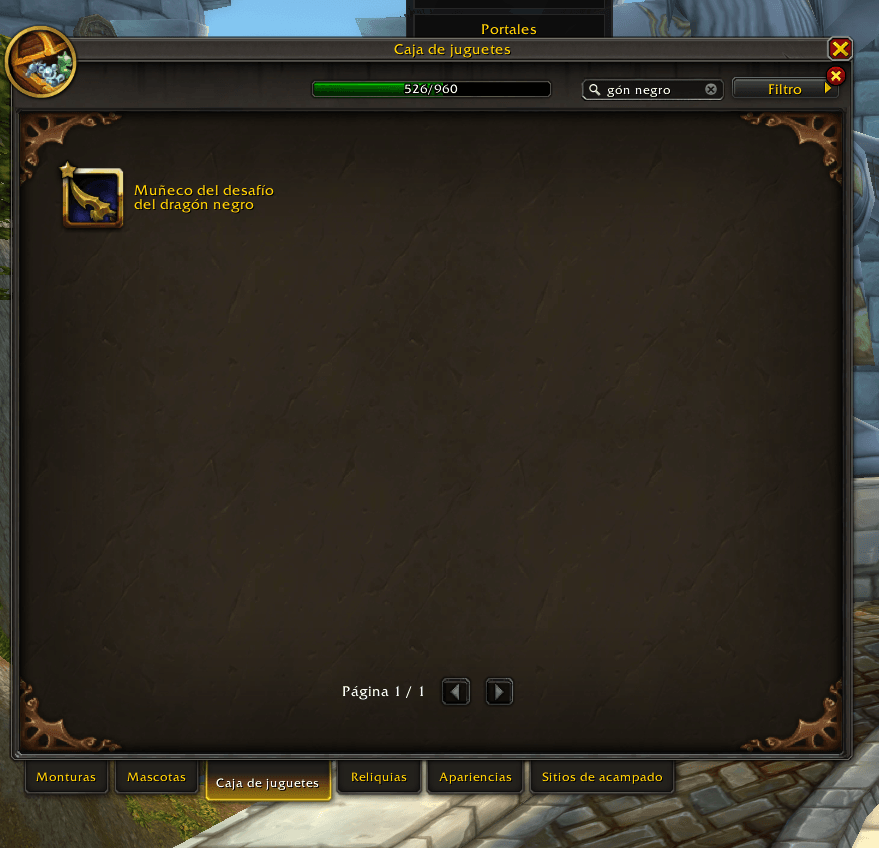
Don't waste hours looking for the toy. With this add-on, just press Ctrl + C and your life will be easier.
pestañas.png
Description
NEW-60 slots🧸 MyOnlyBoxPersonalXD
Your personal, ritual‑safe Toy Box organizer
MyOnlyBoxPersonalXD is a per‑character Toy Box organizer that lets you store, arrange, and interact with your favorite toys inside themed slot grids — without ever touching Blizzard’s official Toy Box UI.
It is designed for collectors, roleplayers, ritualists, and players who treat toys as artifacts. Everything is manual, intentional, and safe.
━━━━━━━━━━━━━━━━━━
🛡️ Core Safety Doctrine
MyOnlyBoxPersonalXD never interacts with Blizzard’s Toy Box automatically:
-
❌ Never opens the Toy Box
-
❌ Never changes CollectionsJournal tabs
-
❌ Never writes into
ToyBox.searchBox -
❌ Never performs automatic searches
-
❌ Never executes toys
-
❌ Never modifies global Toy Box filters
Your Toy Box remains untouched. All searches are manual and ceremonial.
━━━━━━━━━━━━━━━━━━
🔍 Manual Search Flow (Safe Ritual Method)
-
Click an assigned slot
-
The toy name is placed into the addon’s invisible copy box
-
The slot highlights for visual confirmation
-
Press Ctrl+C to copy
-
Open Blizzard’s Toy Box manually
-
Press Ctrl+V into the official search bar
This flow ensures zero interference with Blizzard’s protected UI.
━━━━━━━━━━━━━━━━━━
🔐 Lock System (ON/OFF)
OFF / Locked
-
Editing disabled
-
No moving, swapping, or deleting
-
Clicking a slot only prepares the toy name for copying
ON / Unlocked
-
Drag‑and‑drop enabled
-
Move toys between slots
-
Swap toys between occupied slots
-
Delete toys by dragging them outside the panel
Closing the panel always resets the lock to OFF for safety.
━━━━━━━━━━━━━━━━━━
🎁 Toy Insertion (Manual & Safe)
When you manually open the Toy Box and drag a toy into the addon:
The addon only:
-
Reads the itemID
-
Saves it per character
-
Displays the icon
-
Allows tooltip
-
Persists the slot assignment
It never opens Blizzard windows or triggers searches.
━━━━━━━━━━━━━━━━━━
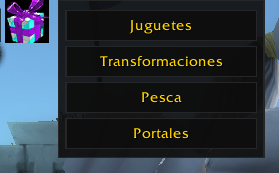
🗂️ Themed Tabs
-
Toys
-
Transformations
-
Fishing
-
Portals
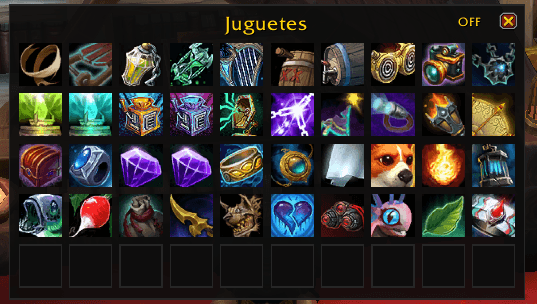
Each tab contains a 5×10 grid (50 slots), giving you a structured, thematic layout for your collection.
━━━━━━━━━━━━━━━━━━
🧿 Ritual Notes
-
No automation
-
No UI interference
-
No protected frame manipulation
-
No hidden behavior
-
100% intentional, manual, and safe
MyOnlyBoxPersonalXD is a personal archive, not a Toy Box controller. It preserves the ritual of searching, selecting, and honoring your toys.
🇪🇸 MyOnlyBoxPersonalXD
Tu organizador ritual y seguro de juguetes
MyOnlyBoxPersonalXD es un organizador de juguetes por personaje que permite guardar, ordenar e interactuar con tus juguetes favoritos en cuadrículas temáticas — sin tocar jamás la interfaz oficial de la Caja de Juguetes de Blizzard.
Pensado para coleccionistas, roleplayers y ritualistas que ven los juguetes como artefactos. Todo es manual, intencional y seguro.
━━━━━━━━━━━━━━━━━━
🛡️ Doctrina de Seguridad
MyOnlyBoxPersonalXD nunca interactúa automáticamente con la Caja de Juguetes:
-
❌ Nunca la abre
-
❌ Nunca cambia pestañas del CollectionsJournal
-
❌ Nunca escribe en
ToyBox.searchBox -
❌ Nunca realiza búsquedas automáticas
-
❌ Nunca ejecuta juguetes
-
❌ Nunca modifica filtros globales
Tu Toy Box queda intacto. La búsqueda es manual y ceremonial.
━━━━━━━━━━━━━━━━━━
🔍 Flujo de Búsqueda Manual (Método Ritual Seguro)
-
Hacé clic en una casilla asignada
-
El nombre del juguete pasa a la caja invisible del addon
-
La casilla se resalta
-
Copiá con Ctrl+C
-
Abrí manualmente la Caja de Juguetes
-
Pegá con Ctrl+V en el buscador oficial
Garantiza cero interferencia con la UI protegida.
━━━━━━━━━━━━━━━━━━
🔐 Sistema de Candado (ON/OFF)
OFF / Cerrado
-
Edición bloqueada
-
No se puede mover ni intercambiar
-
Solo prepara nombres para copiar
ON / Abierto
-
Arrastrar y soltar habilitado
-
Mover juguetes
-
Intercambiar casillas ocupadas
-
Borrar arrastrando fuera del panel
Al cerrar el panel, el candado vuelve a OFF por seguridad.
━━━━━━━━━━━━━━━━━━
🎁 Inserción de Juguetes (Manual y Segura)
Cuando abrís la Caja de Juguetes y arrastrás un juguete al panel:
El addon solo:
-
Lee el itemID
-
Lo guarda por personaje
-
Muestra el icono
-
Permite tooltip
-
Persiste la asignación
Nunca abre ventanas oficiales ni activa búsquedas.
━━━━━━━━━━━━━━━━━━
🗂️ Pestañas Temáticas
-
Juguetes
-
Transformaciones
-
Pesca
-
Portales
Cada pestaña tiene una cuadrícula de 5×10 (50 casillas).
━━━━━━━━━━━━━━━━━━
🧿 Notas Ritualistas
-
Sin automatización
-
Sin interferencia con la UI
-
Sin tocar frames protegidos
-
Sin comportamientos ocultos
MyOnlyBoxPersonalXD es un archivo personal, no un controlador del Toy Box. Preserva el ritual de buscar, seleccionar y honrar tus juguetes.
MyOnlyBoxPersonalOX Team