AutoDensityToggler
- By
Addon that that turns particle or spell density off on selected bosses during the pull, then restores your settings when the fight ends.
Auto Density Toggler
Turns particle density, spell density, or both off during raid bosses you opt into, then restores your graphics settings when the pull ends.
This exists so you do not need a M33kAura for every boss you want to do this on.
Some fights are unreadable at high particle settings. This lets you drop density only on those bosses instead of leaving it off for the whole raid, and you do not have to remember to turn it back on afterward.
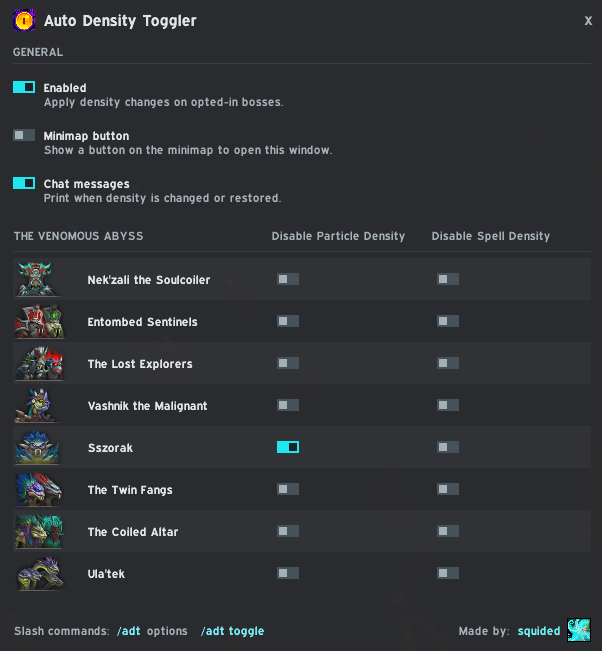
Usage
- Off by default. Open options with
/adt, turn the addon on, then pick bosses. - Disable Particle Density and Disable Spell Density are separate per boss. Use one, both, or neither.
- Click a boss row to toggle both at once.
- Changes apply when the pull starts and restore when the encounter ends, or when you log out.
- If you use a raid graphics profile, those are the settings that get changed.
- Chat messages prints when density is changed or restored.
- Minimap button opens the same options window. Drag it to move it.
Slash commands
/adt— options/adt toggle— enable or disable the addon
The AutoDensityToggler Team