• Browse
    Browse all (130)
    • iconMinecraft
    • iconThe Sims 4
    • iconWorld of Warcraft
    • iconMinecraft Bedrock
    • iconArk Survival Ascended
    • iconHytale
    • iconinZOI
    • iconStarCraft II
    • iconKerbal Space Program
    • iconStardew Valley
    • iconAmerican Truck Simulator
    • iconHogwarts Legacy
    • iconTerraria
    • iconWildStar
    • iconPalworld
    • iconWorld of Tanks
    • iconPUBG: BATTLEGROUNDS
    • iconRunes of Magic
  • Create
    MOD AUTHORS
    • Become an Author
    • Start a Project
    • Project Submission Guide
    • Become an ARK Premium Author
    MODDING TOOL DEVELOPERS
    • Apply for an API Key
    • Documentation
    • Terms & Conditions
    SOCIAL
    • Join Our Discord!
    • Authors Discord
    Become An Author
  • Studios
    GAME DEVELOPERS
    • Unlock Modding for Your Game
    • Documentation
    Unlock Modding for Your Game
  • Help Center
  • Our Blog
  • Follow Us
    • Discord
    • Instagram
    • Reddit
    • TikTok
    • Twitter / X
    • YouTube
  • Surprise Me
  • Legacy
  • Go Premium
  • Get CurseForge App
Houston, we have a mod
DiscoverBrowse All
  • World of Warcraft
  • Addons
Auto Trash | Sell & Destroy Junk | Junk Seller logo

Auto Trash | Sell & Destroy Junk | Junk Seller

  • By
    PatriciaCodesPatriciaCodes
Mark items as junk, and they're sold at every vendor or deleted cheapest first, one key press per stack.
Total Downloads
544
Last Update
Oct 24, 2026

Auto Trash | Sell & Destroy Junk | Junk Seller

Details

Downloads
544
Created
1 month ago
Updated
29 days ago
Project ID
1727026
License
All Rights Reserved

Flavors

  • Retail

Class & Categories

  • Addons
  • Bags & Inventory

informative placeholder

Game Versions

    12.1.512.1.0

Links


Main File

12.1.5

AutoTrash-1.7.0.zip
Latest release
  • R
  • Retail
  • Oct 24, 2026

Recent FilesView all

WoW Retail

AutoTrash-1.7.0.zip
Latest release
  • R
  • Retail
  • Oct 24, 2026

  • Description
  • Comments (3)
  • Files
  • Gallery (5)
  • Relations
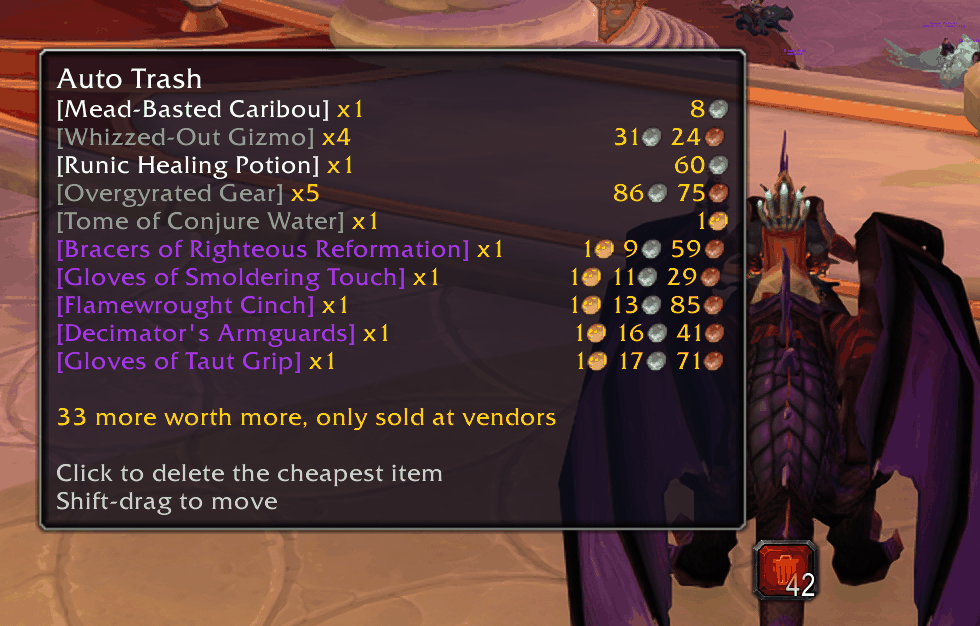
  • Thumbnail One button deletes the cheapest trash first — the tooltip shows what’s next and what it’s worth.

    One button deletes the cheapest trash first — the tooltip shows what’s next and what it’s worth.
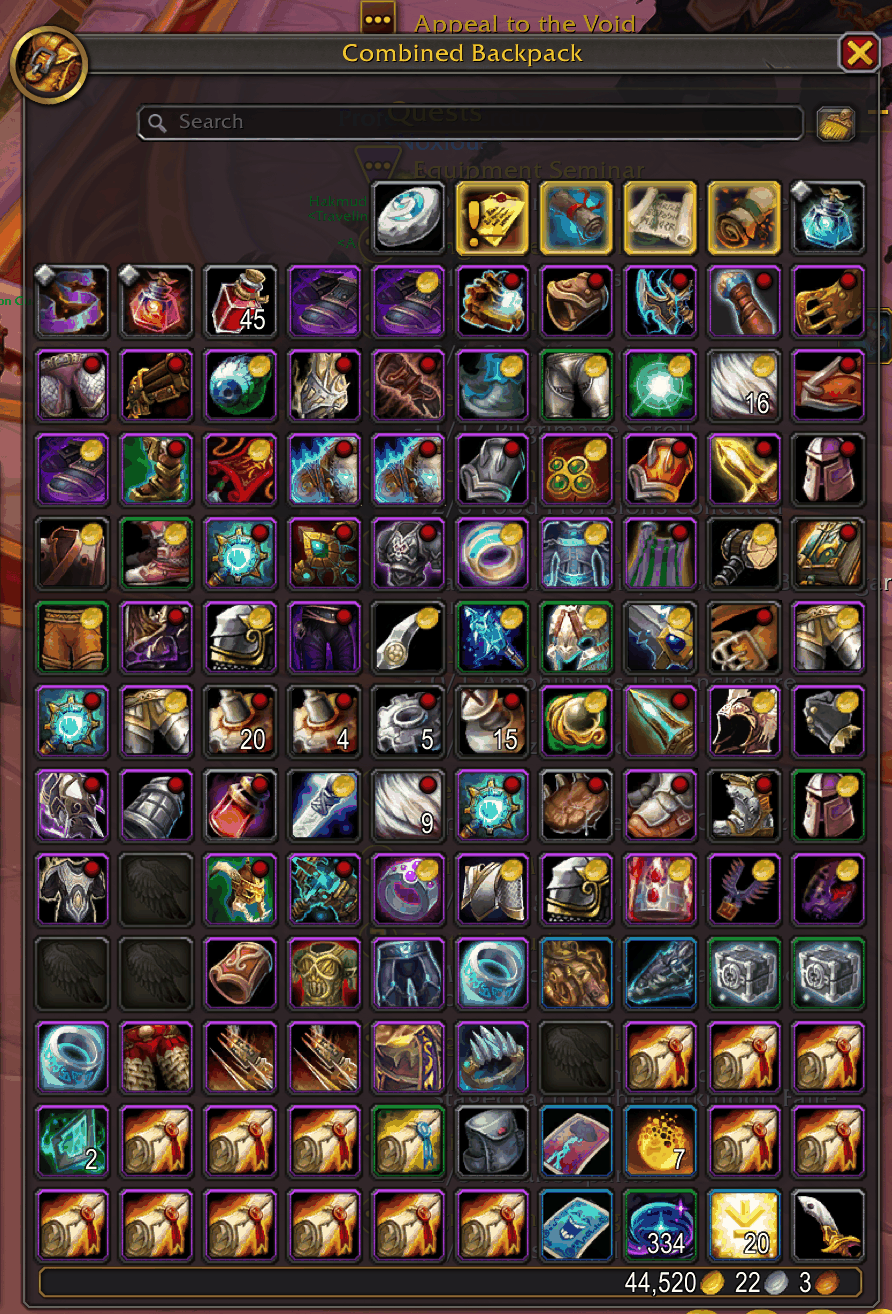
  • Thumbnail Red dot: gets deleted. Gold coin: worth more than your defined limit, only sold at the vendor.
    Red dot: gets deleted. Gold coin: worth more than your defined limit, only sold at the vendor.

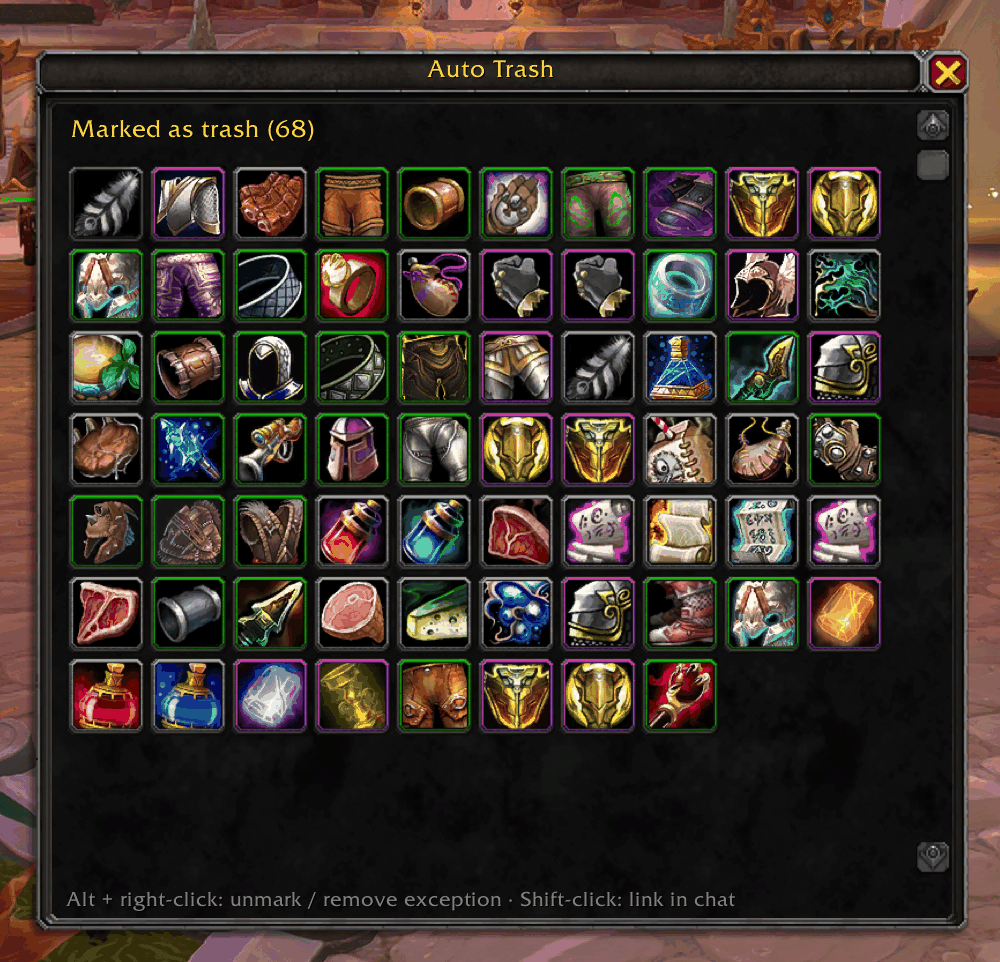
  • Thumbnail Everything you marked at a glance — Alt + right-click an item to unmark it.
    Everything you marked at a glance — Alt + right-click an item to unmark it.

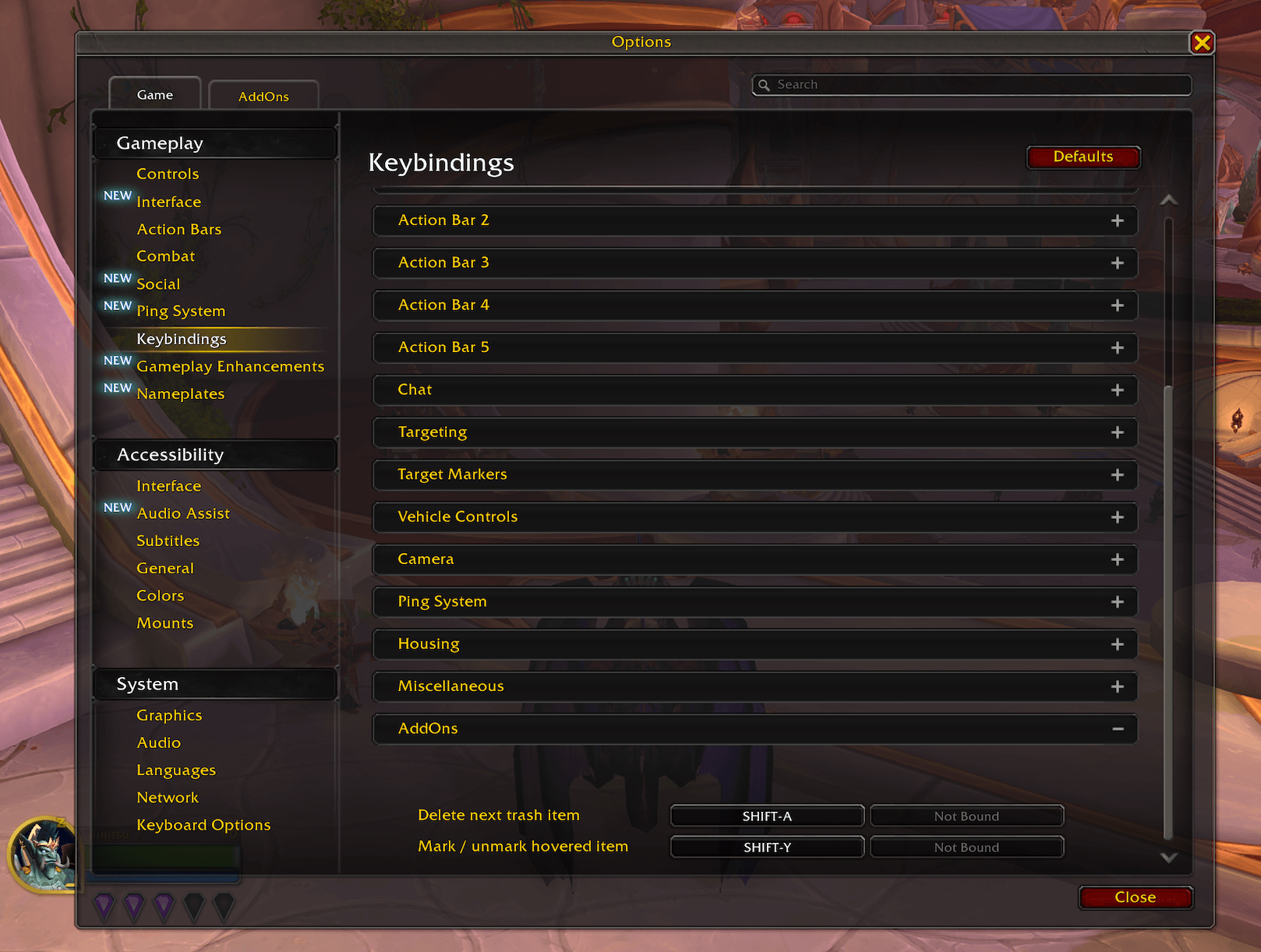
  • Thumbnail Two optional keybinds — assign them under Options → Keybindings → AddOns.
    Two optional keybinds — assign them under Options → Keybindings → AddOns.

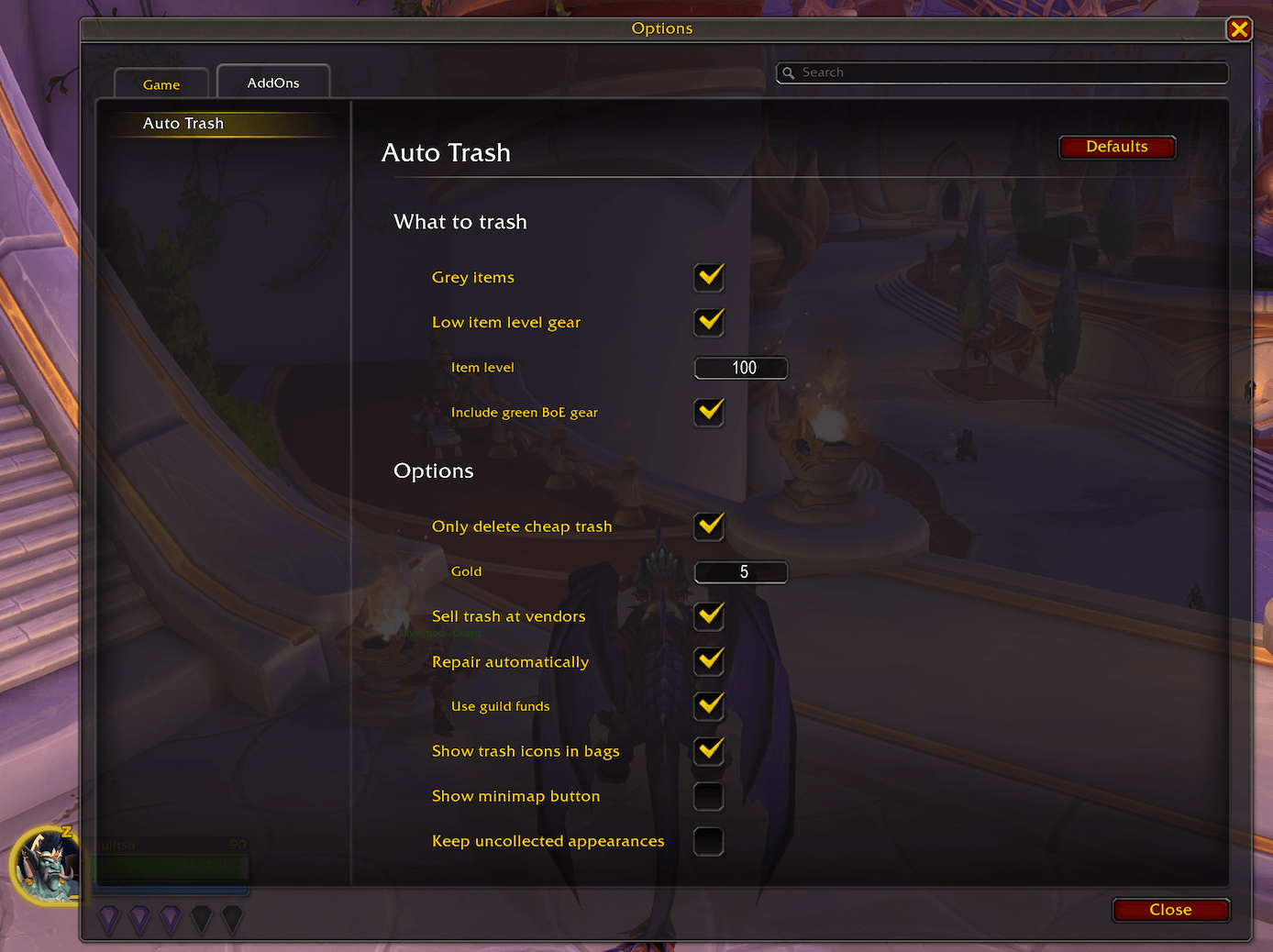
  • Thumbnail Rules (incl. green BoE gear), gold limit, selling, repairing, bag icons, minimap button, and transmog protection in the game’s options.

    Rules (incl. green BoE gear), gold limit, selling, repairing, bag icons, minimap button, and transmog protection in the game’s options.

World of WarcraftDiscoverBrowse
CurseForge - a world of endless gaming possibilities for modders and gamers alike.
Download the best mods and addons!
  • Games
    • All games
    • Minecraft
    • World of Warcraft
    • The Sims 4
    • Starcraft II
    • Kerbal Space Program
    • Minecraft Dungeons
    • World of Tanks
  • Create
    • Start a project
    • Project submission guide
    • Author Rewards Program
    • Apply for an API Key
    • 3rd Party API T&C
  • Community
    • Join Our Discord!
    • Ideas Portal
    • CF blog
    • Newsletter
    • Roadmap
    • Bukkit forums
    • CurseForge Servers
  • Support
    • Knowledge base
    • Troubleshooting
    • Contact us
  • Companions
    • Overwolf
    • CurseForge for Studios
    • Tebex
    • Nitro
  • Terms of Service
  • Privacy Policy
  • Licenses
  • Mod Author Terms
© 2026 Overwolf. All rights reserved.