Auction History
- By
Scans the Auction House and keeps the price history of every item and a log of what you bought and sold, in one window you can open anywhere.


See how an item's Auction House price moved from scan to scan, and what you earned and spent, without standing at the Auction House.
Prices
- Each item's market price, the average of the cheapest 20% of what is listed, beside its lowest price
- The change since the last scan and when it was last seen:
checked 36 min ago - A chart of every change: scroll it with the mouse wheel, zoom it with
Ctrl + mouse wheel - Items with a random suffix stand under one row: click it to see each variant with its own price, and hover a variant for its stats
- Item names in the colour of their quality, and items not listed now in grey, or left out by the filter
Shift + Clickan item in your bags to see its prices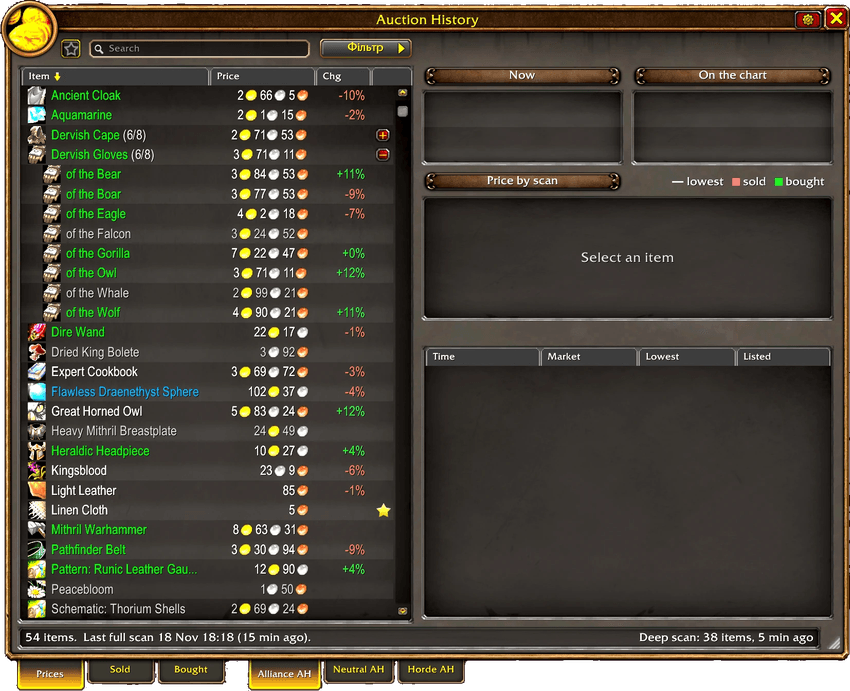
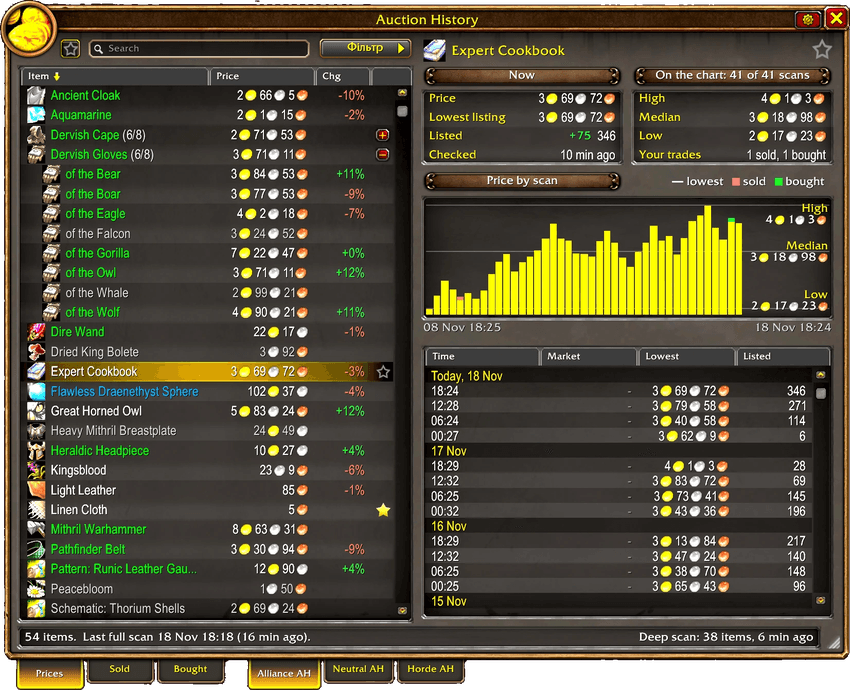
Trades
- What you sold and bought, and for how much
- What you earned and spent in the last 7 and 30 days
- Filter by character, period, price, type and quality
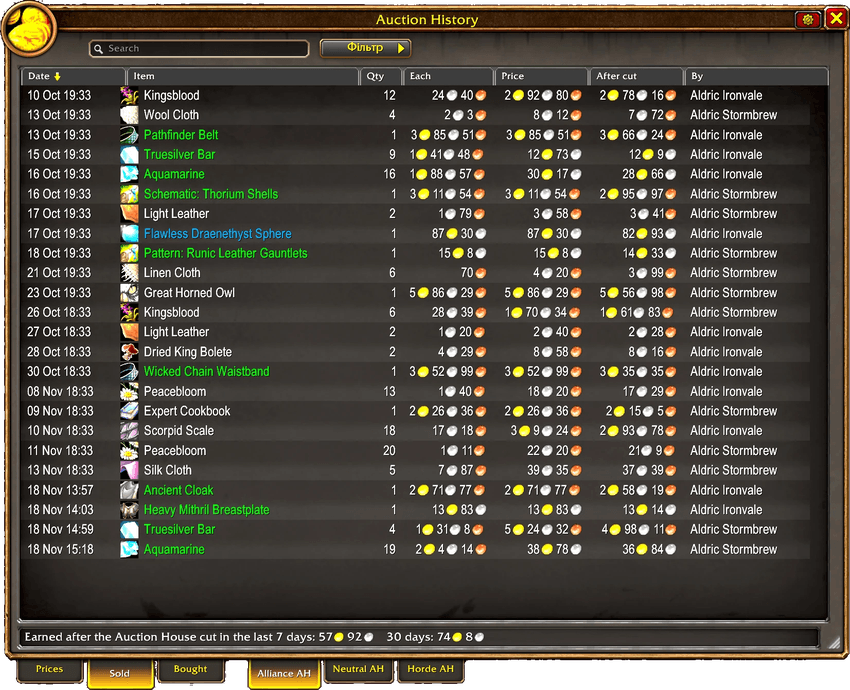
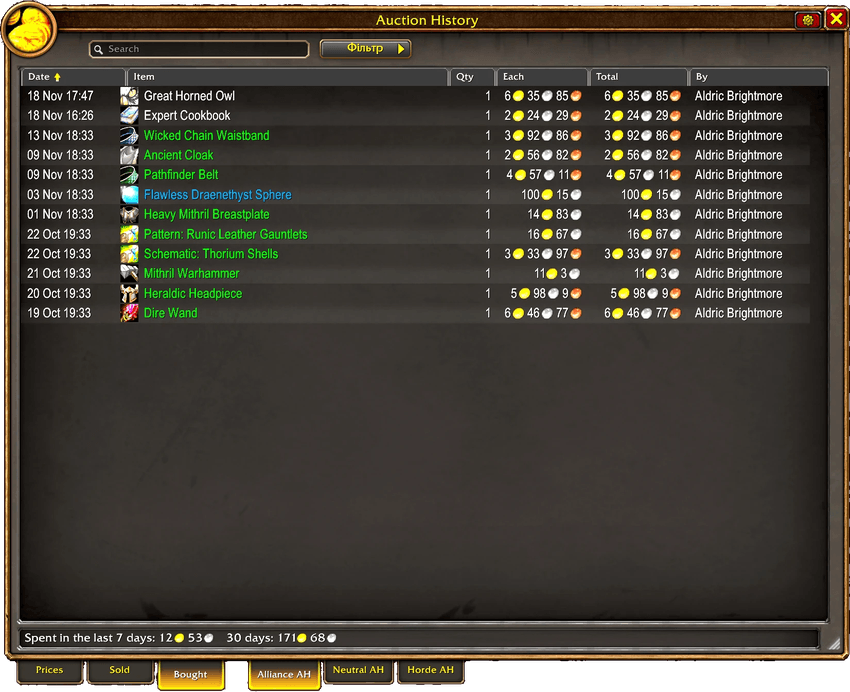
At the Auction House
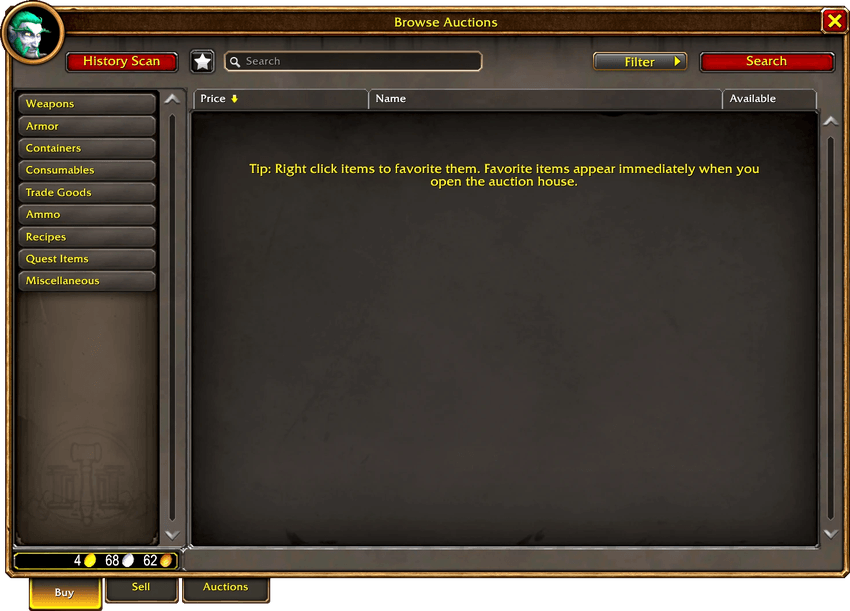
- Save every price with the
History Scanbutton left of the favorites star - Then it reads all listings of the Auction House, so one cheap listing cannot fake an item's price:
Reading 37% - Searches and scans of any other addons like Auctionator, CraftProfit or TSM are saved too
- Alliance, Horde and neutral Auction Houses each keep their own history
Tooltip
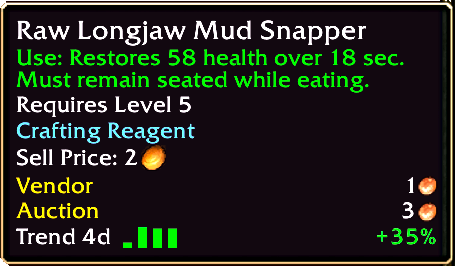
- Any item shows its vendor price, latest Auction House price and a 2, 4 or 7 day trend chart
- Hold Shift for the whole stack's price
Good to know
Set it up in Options > AddOns > Auction History, or type /auctionhistory options.
- Open the window anywhere with
/auctionhistoryor the minimap button - Wipe this realm's price history and trades with
/auctionhistory reset, after a confirmation - A History Scan each time the Auction House opens is off until you turn it on
- Saving other addons' searches is on, and can be turned off:
Record other addons' searches - The vendor price, the Auction House price and the trend in item tooltips each can be turned off, and the trend period is chosen there
Auction History Team