Atlas Loot Revival
- By
Browse Classic dungeon and raid maps, boss locations, loot tables, quest drops, trash drops and estimated drop rates in one modern interface.
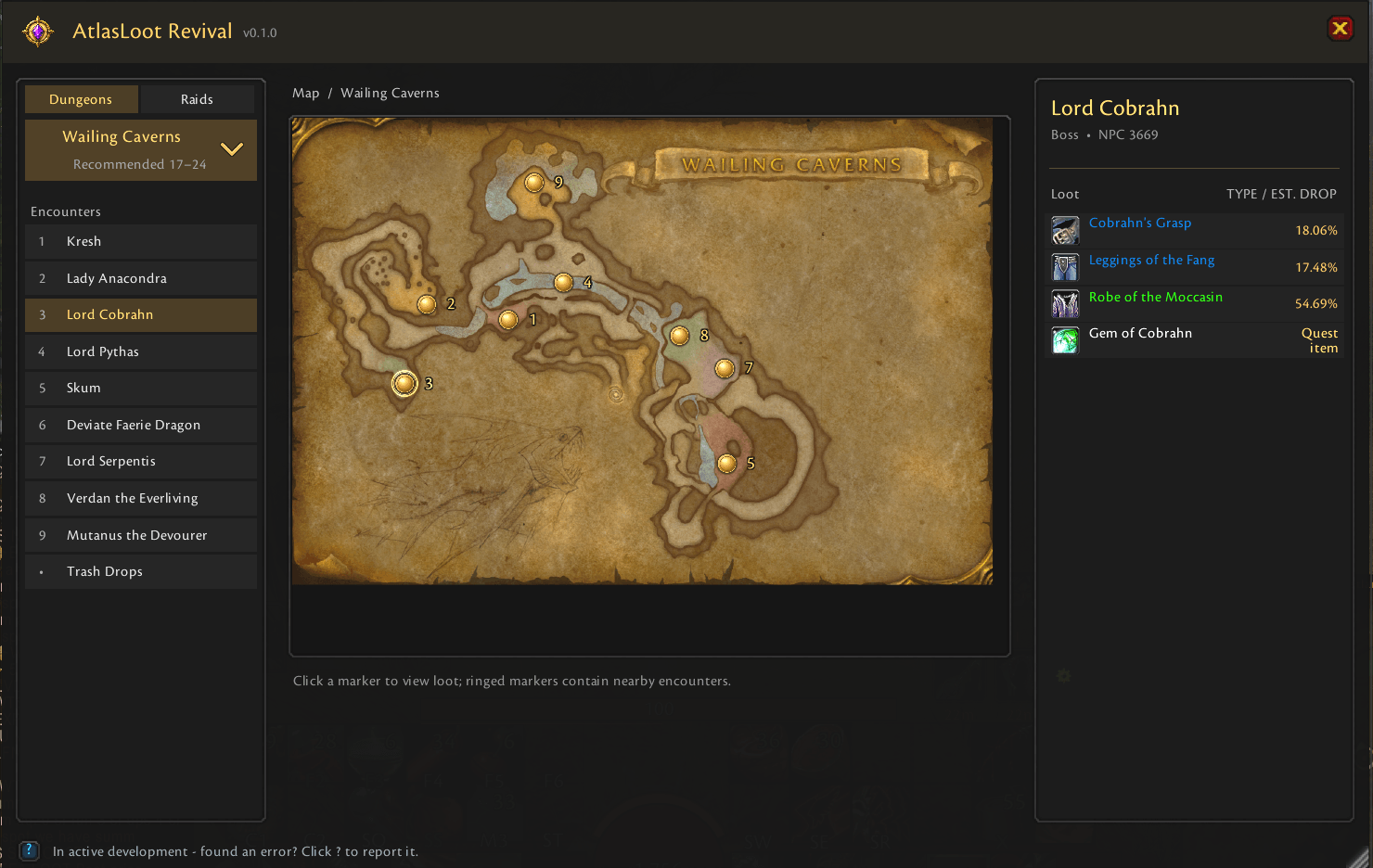
screenshot.png
Description
# AtlasLoot Revival
**Maps, bosses and loot — revived for modern WoW Classic.**
AtlasLoot Revival is a standalone dungeon and raid browser for modern WoW Classic. It brings instance maps, clickable boss locations, and boss loot together in one clean in-game window, so you can plan a run
or check an item without leaving the game.
It supports WoW Classic Era, Hardcore, Anniversary, and Burning Crusade Classic. Atlas and AtlasLootClassic are not required.
## Features
- All 20 original Classic dungeons and all seven level-60 raids
- All 16 Burning Crusade dungeons with separate Normal and Heroic loot
- All nine Burning Crusade raids across phases 1–5
- Multi-floor instance maps with clickable boss markers
- Clear encounter pickers for bosses that share or overlap a map location
- Boss loot with carefully sourced drop-rate estimates where reliable
- Boss-dropped quest items shown alongside regular loot
- Badge of Justice, raid-token, quest, class, and reputation reward labels
- Curated Trash Drops for notable rare items, recipes, and raid materials
- Automatic detection of the dungeon or raid you are currently inside
- Separate Classic 1–60 and Burning Crusade 60–70 catalogs on the TBC client
- Native item tooltips and paged loot lists
- Minimap button and an assignable key binding
- Compact in-window options for display and opening behavior
- Movable and proportionally resizable window
- Standalone operation with no required libraries or map addons
## Supported clients
- WoW Classic Era, Hardcore, and Anniversary — Interface `11509`
- WoW Burning Crusade Classic — Interface `20506`
## Usage
Open or close the browser with the minimap button, `/alr`, or `/atlaslootrevival`. You can also assign **Toggle AtlasLoot Revival** under **Key Bindings > AddOns**.
1. Select **Dungeons** or **Raids**.
2. Click the instance name to choose a dungeon or raid. Long instance lists support the mouse wheel and a draggable scrollbar.
3. Select a boss from the encounter list or click its numbered map marker.
4. In a Burning Crusade dungeon, choose **Normal** or **Heroic** above the loot list.
5. Click a cyan-ringed marker to choose between nearby encounters.
6. Hover over an item to see its complete in-game tooltip.
7. Use the map-section dropdown for multi-floor instances.
8. Open **Trash Drops** to browse notable non-boss loot.
When opened inside a supported dungeon or raid, AtlasLoot Revival automatically selects that instance. Outside an instance, it restores your previous browser selection.
Drag the window to move it and use the lower-right grip to resize it. Drag the minimap button around the minimap to reposition it. Use `/alr reset` to restore the default window position and size.
The gear button beside the window close button provides minimap visibility, opening behavior, drop estimate, marker size, window scale, and reset controls.
## Included content
The Era catalog contains all 20 original Classic dungeons and the seven original level-60 raids.
The TBC client retains that complete Classic catalog and adds all 16 Burning Crusade dungeons and all nine Burning Crusade raids, including content-phase labels, Normal and Heroic dungeon views, Badge of
Justice drops, and raid turn-in tokens.
Boss markers use reviewed positions. Encounters whose position is genuinely variable or cannot be placed reliably remain selectable from the encounter list without displaying a guessed marker.
## Drop rates
Drop percentages are estimates and cannot guarantee the result of an individual kill. TBC rates are shown only when a sufficiently large, difficulty-specific sample is available from one consistent source.
Normal and Heroic data are never mixed to fill missing percentages.
A neutral **—** means the boss-item relationship is confirmed but a reliable per-kill estimate is not available. Badge of Justice and conditional seasonal items also intentionally omit a percentage when the
available sample would be misleading. Trash Drops show **Varies** when the chance depends on the enemy.
## Independent project
AtlasLoot Revival is a standalone community project. It is not affiliated with or endorsed by Blizzard Entertainment, Atlas, AtlasLoot, or the original AtlasLootClassic authors.
AtlasLoot Revival is released under the MIT License.
Atlas Loot Revival Team