Important: AddMusic is required to import your music library.
 Download AddMusic.exe
Installation
- Install Astral Loop.
- Download AddMusic.exe from GitHub Releases.
- Place
AddMusic.exeinInterface/AddOns/AstralLoop/and run it. - Click Add Folders... and select your music folders.
- Click Scan Library.
- Use
/reloadif WoW is running. Type/astralto open the player.
AddMusic requires Windows 10 or 11.
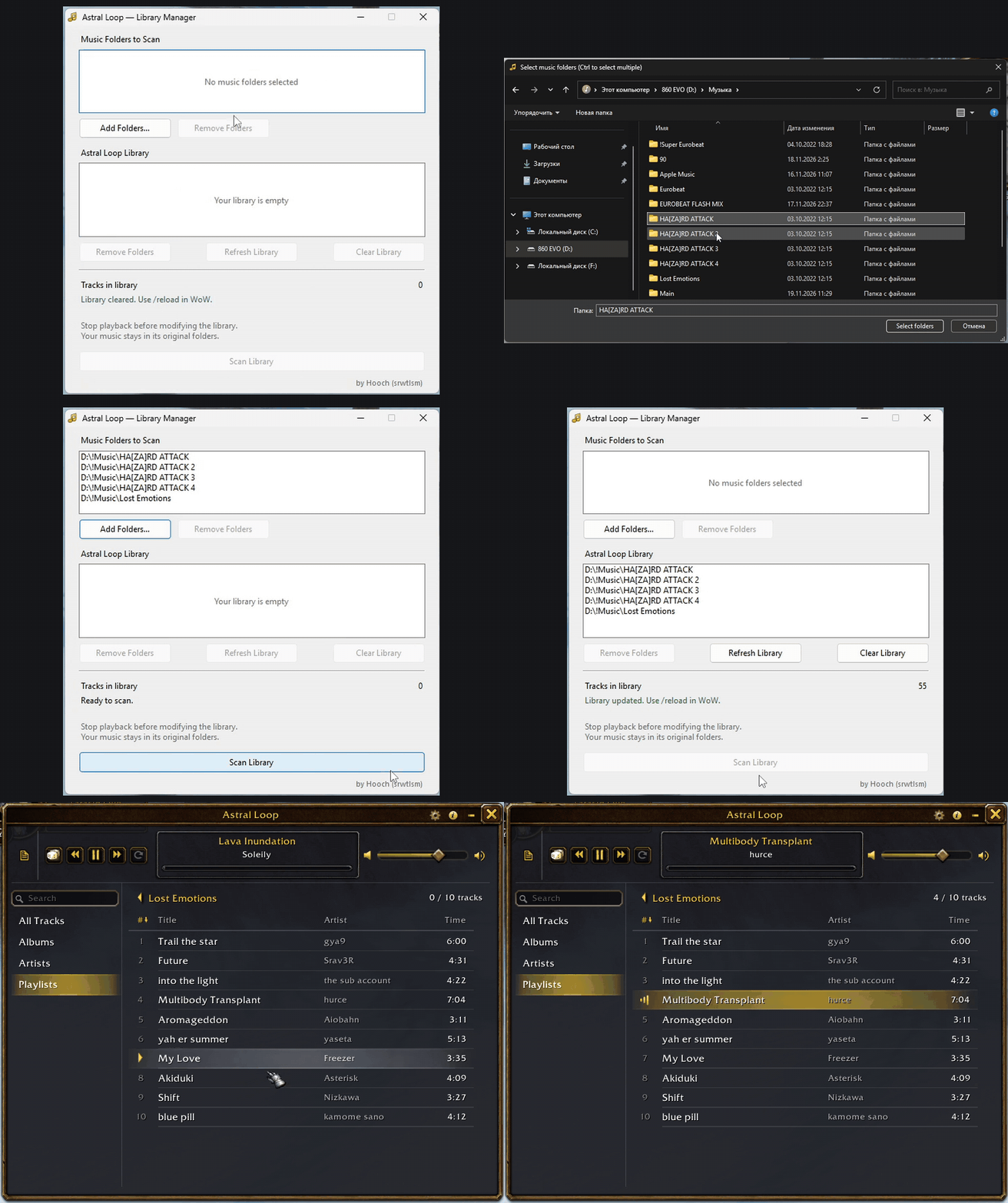
No music files are included. Your files stay in their original folders. AddMusic does not need to run during playback.
Features
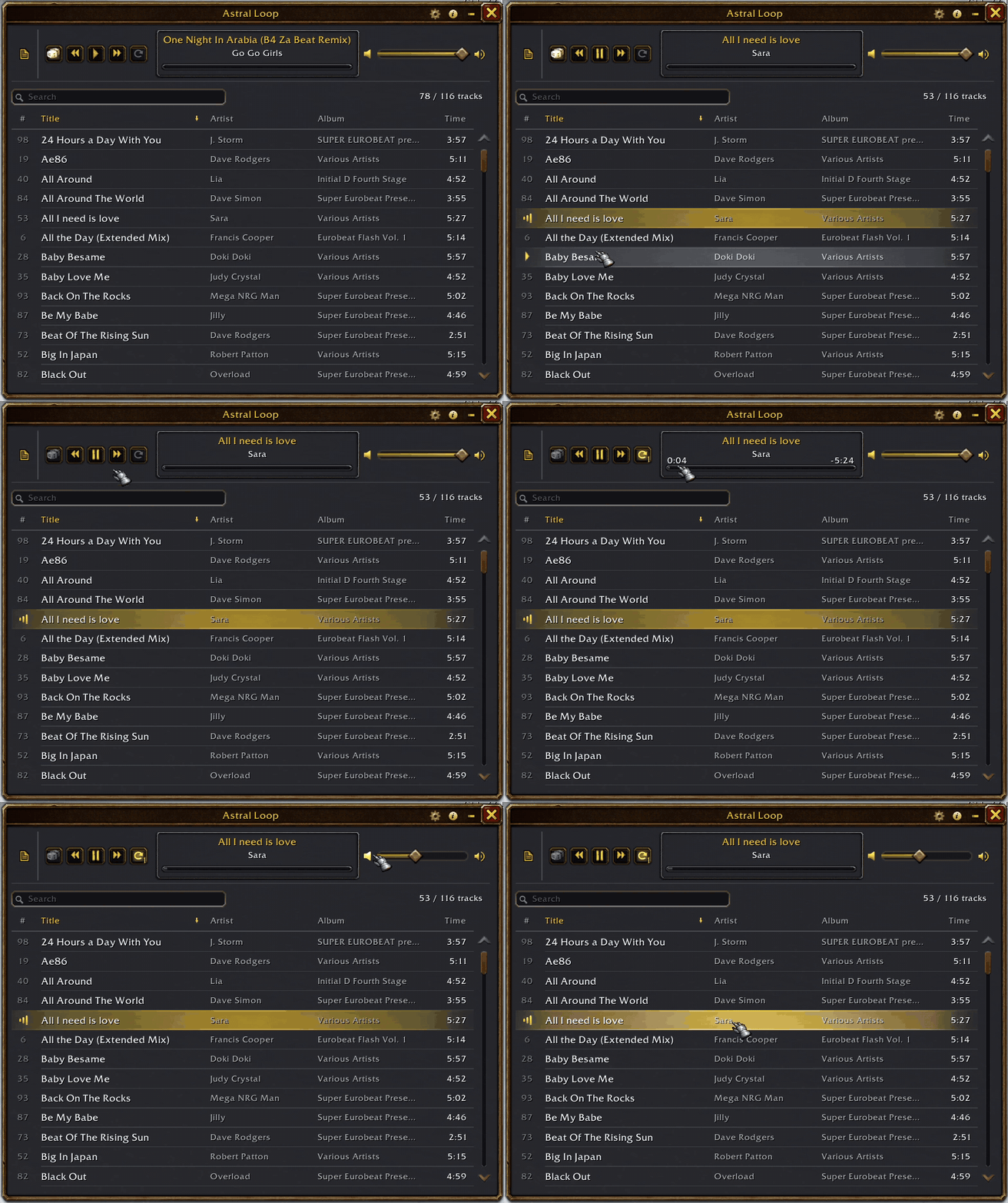
- Full player and mini player.
- MP3 and OGG playback.
- Music library with search and sorting.
- Albums, artists and playlists.
- Shuffle, repeat and volume controls.
Music Library
Browse tracks, albums, artists and playlists.
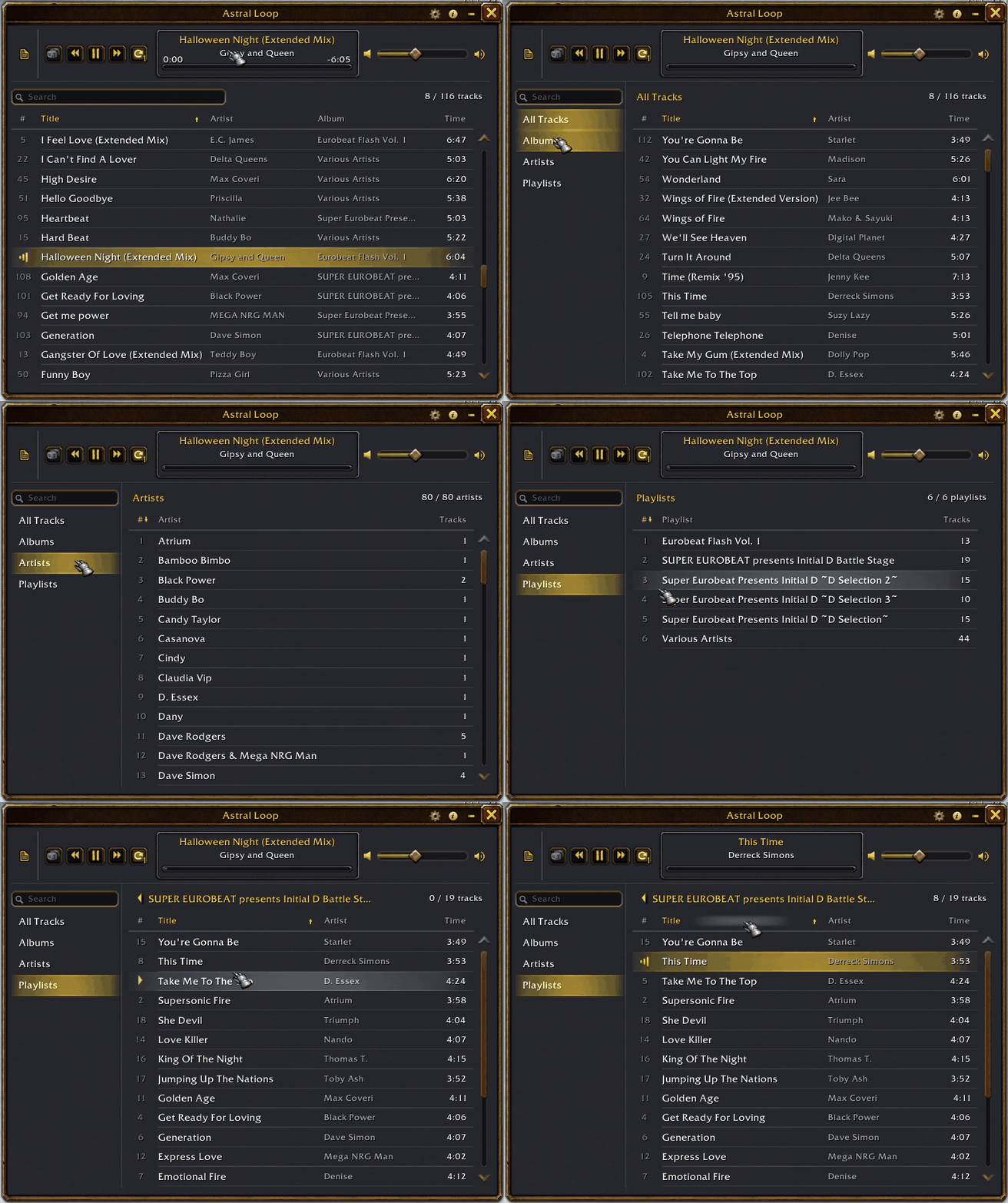
Library Search
Search by title, artist or album.
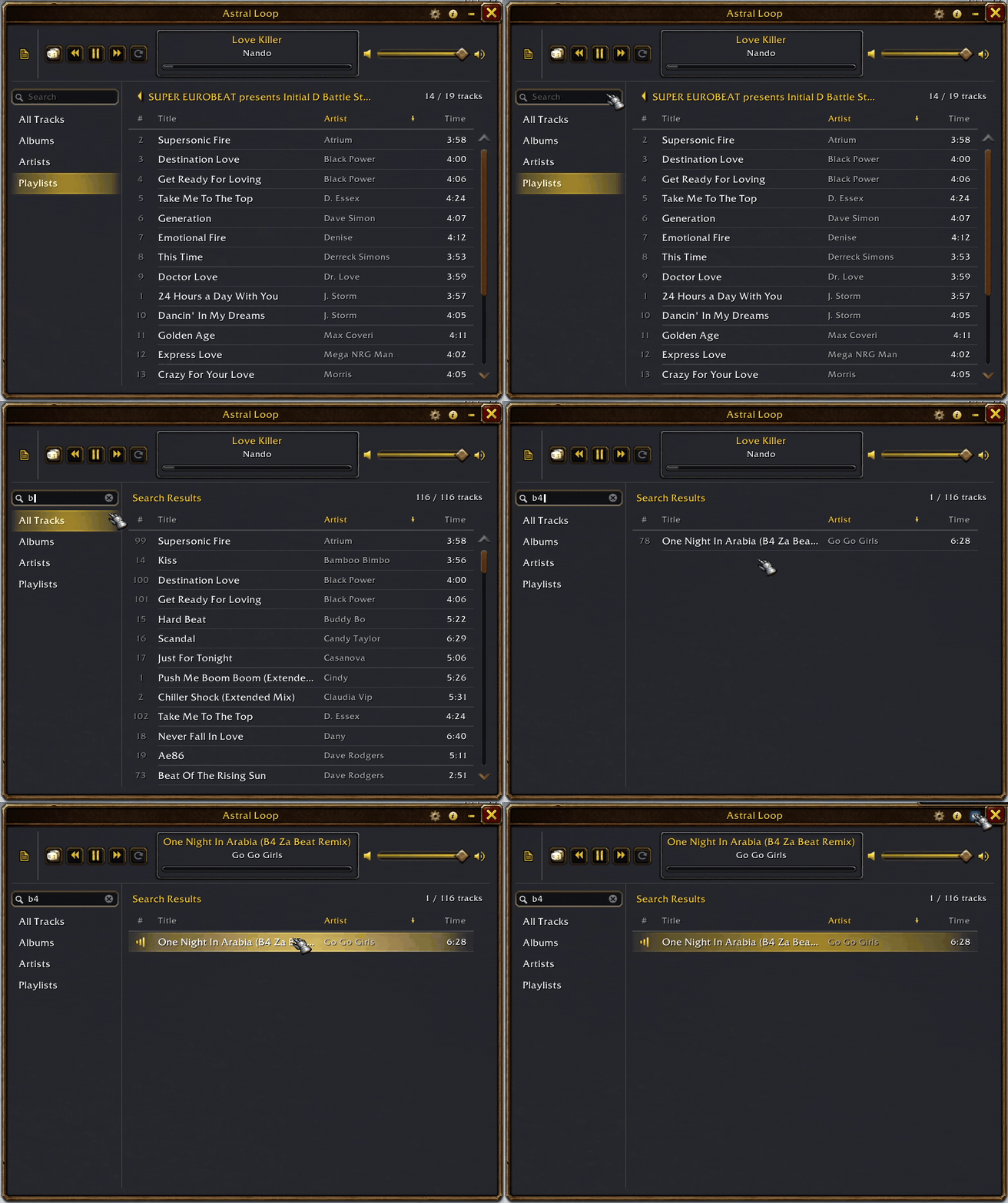
Track Sorting
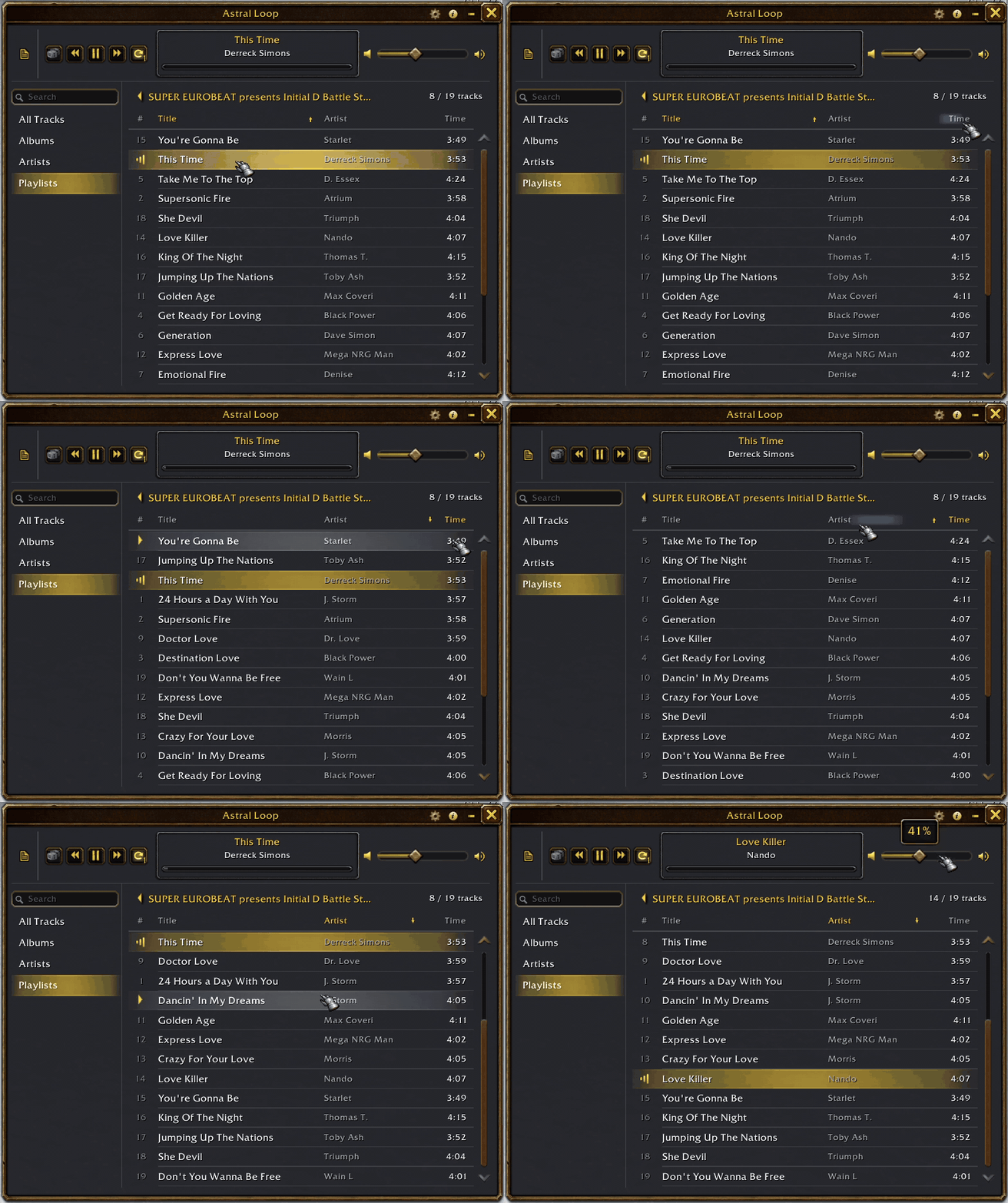
Click a column header to sort tracks. Click the track display to locate the current track in the library.
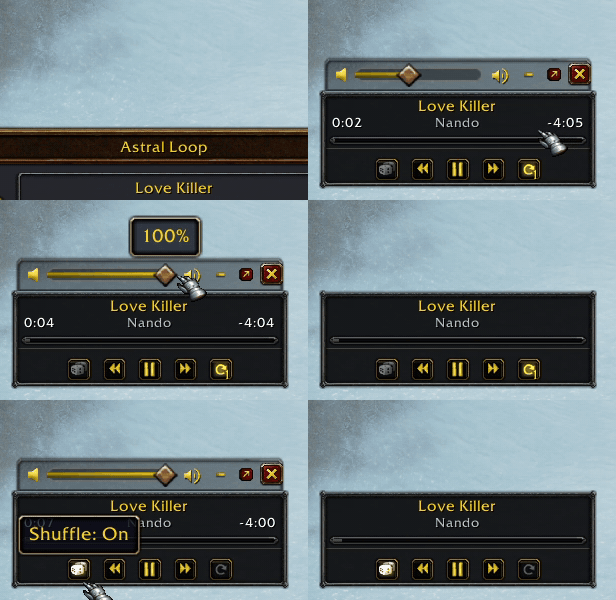
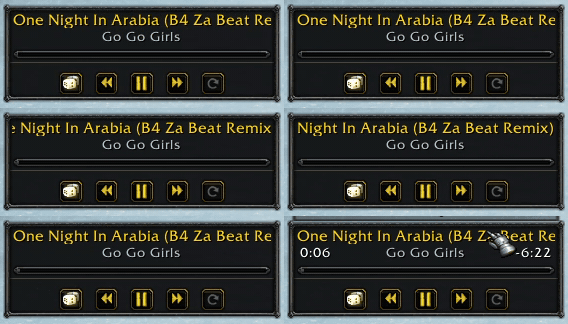
Mini Player
Hover over the mini player to show additional controls and track times.
Scrolling Track Titles
Long track titles scroll automatically in both players.
Supported Versions
- Classic Era — 1.15.9
- WoW Forever — 1.60.1
- The Burning Crusade Anniversary — 2.5.6
- Mists of Pandaria Classic — 5.5.4
- Retail — 12.1.5 (Experimental)
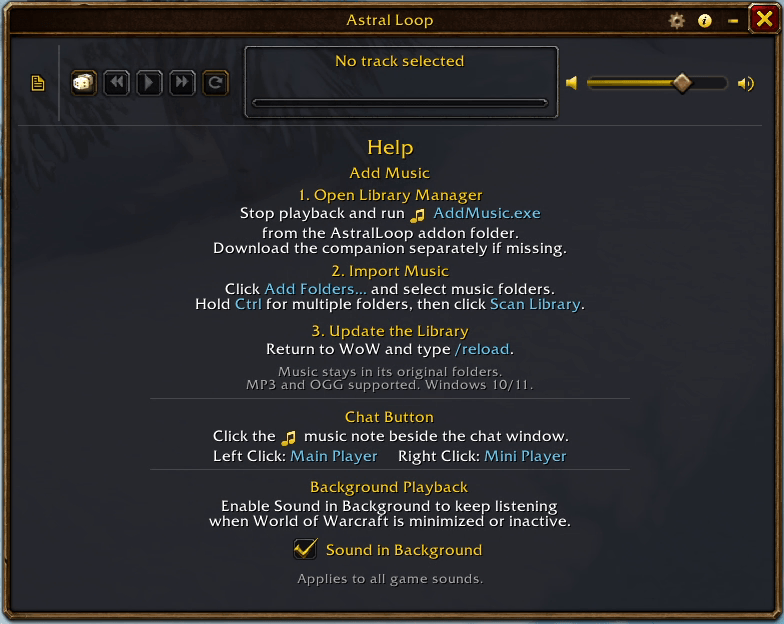
In-game Help
Import instructions, chat controls and background playback settings.
Managing Your Music
| Action | Description |
|---|---|
| Scan Library | Add music from new folders. |
| Refresh Library | Rescan folders for added or removed tracks. |
| Remove Folders | Remove selected folders from the queue or library. |
| Clear Library | Clear the library after confirmation. |
Removing tracks from the library does not delete your files. Stop playback before making changes. Use /reload if WoW is running.
Commands
Left-click the music note beside the chat window to toggle the full player. Right-click to toggle the mini player.
| Command | Description |
|---|---|
/astral |
Toggle the full player |
/astral mini |
Open the mini player |
/astral play [number] |
Play a track |
/astral stop |
Stop playback |
/astral next / /astral prev |
Switch tracks |
/astral shuffle |
Toggle shuffle |
/astral repeat |
Cycle repeat modes |
/astral volume 50 |
Set music volume to 50% |
/astral list |
List tracks |
Astral Loop uses WoW's Music channel. Re-enable Music in the game settings to restore game music after playback.
Stopping playback resets the track to the beginning. Pause and seeking are not supported.
Updating
Close AddMusic before updating. Back up Importer/Library.lua and install updates over the existing addon folder.
Do not delete Importer/MusicSources. It contains links to your original music folders.
Astral Loop Team