Assisted Key Hud
- By
Assisted Key HUD shows the keybind for the ability tracked by Blizzard's Assisted Combat highlight: It has a custom container design that can be used as a cooldown manager enhancemnet. Install and it works, auto profiles for all class and specs.
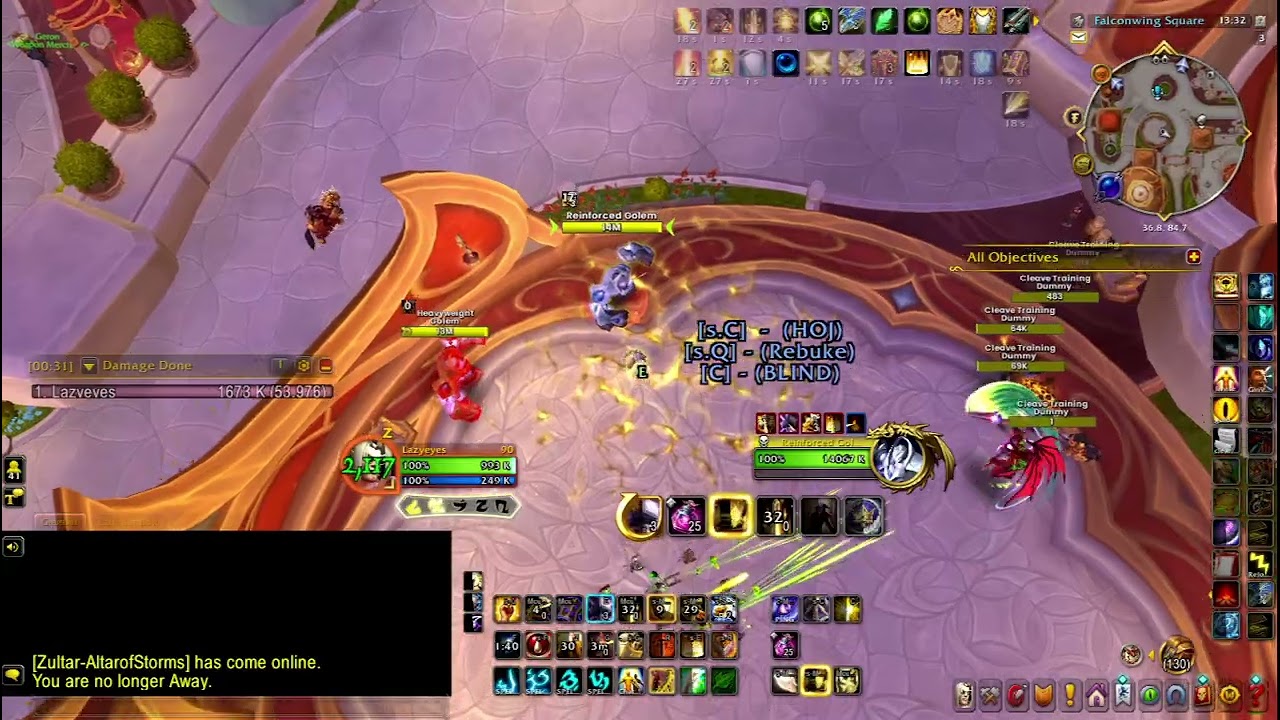
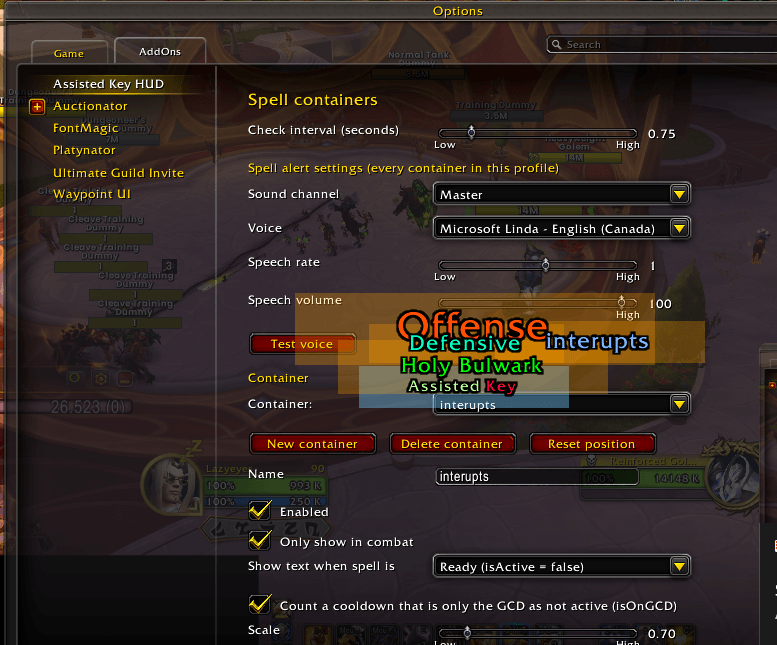
Screenshot 2026-11-07 134709.png
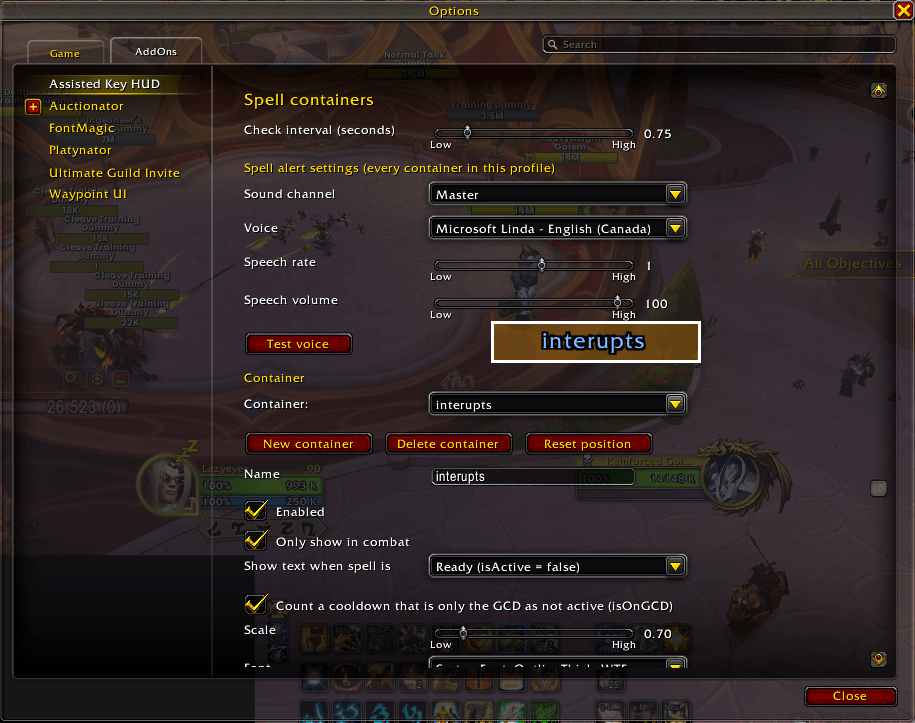
Screenshot 2026-11-07 134659.png
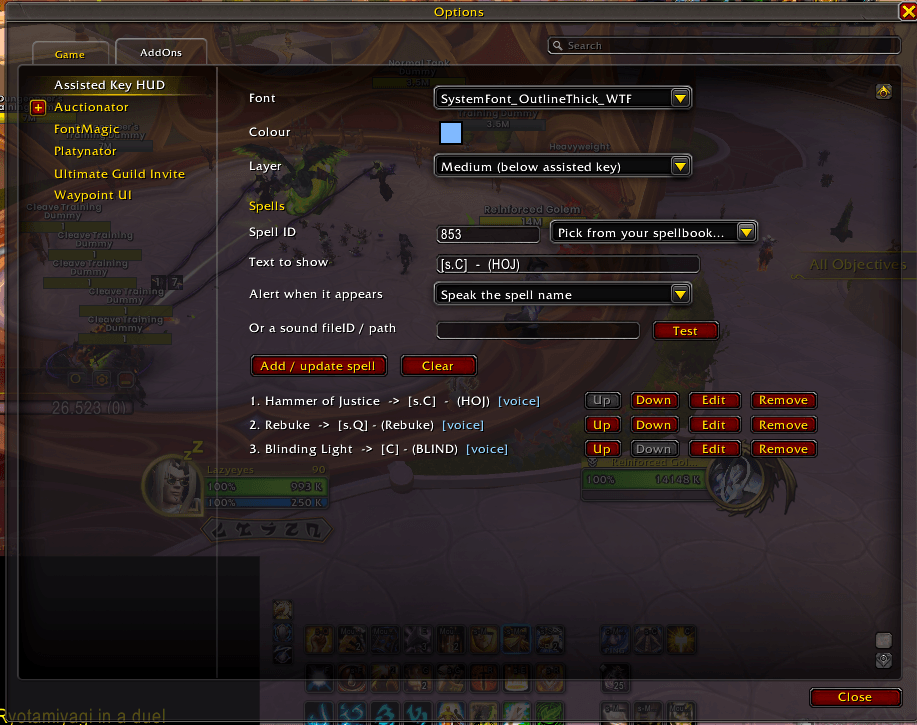
Screenshot 2026-11-07 134624.png
Screenshot 2026-11-07 134534.png
Description
Assisted Key HUD
Keep your eyes on the fight. The next key to press appears right where you're looking.
Blizzard's Assisted Highlight already knows which ability you should use next, but it lights up a button down on your action bars, so your eyes keep leaving the action. Assisted Key HUD takes that recommendation and shows the key to press in the middle of your screen, like a fighter pilot's heads-up display. Your eyes stay on the boss, the mechanics and your positioning.
Builds muscle memory
Instead of hunting for an icon, you see the key itself: 3, Shift-E, F. Each time you press what's on screen, your hands learn your rotation, and many players find they glance at it less and less over time. It's useful when you're learning a new class, coming back after a break, or trying a different spec.
Ready out of the box
There's nothing to set up. Install it, log in and fight.
- Turns on Blizzard's Assisted Highlight for you, once per character, and tells you how to turn it off.
- Lists your spec's recommended spells automatically and shows your current keybinds, which update as soon as you rebind.
- Gives each specialization its own profile, so switching specs just works.
- Changes the key's colour when you're out of range, with an optional voice or sound warning.
Make it yours
- Drag the HUD anywhere, and change its size, font and colours.
- Show the keybind or the spell name.
- Give any spell your own text, so
3can read SLAM. - Use the built-in How to use guide in the options for a full walkthrough.
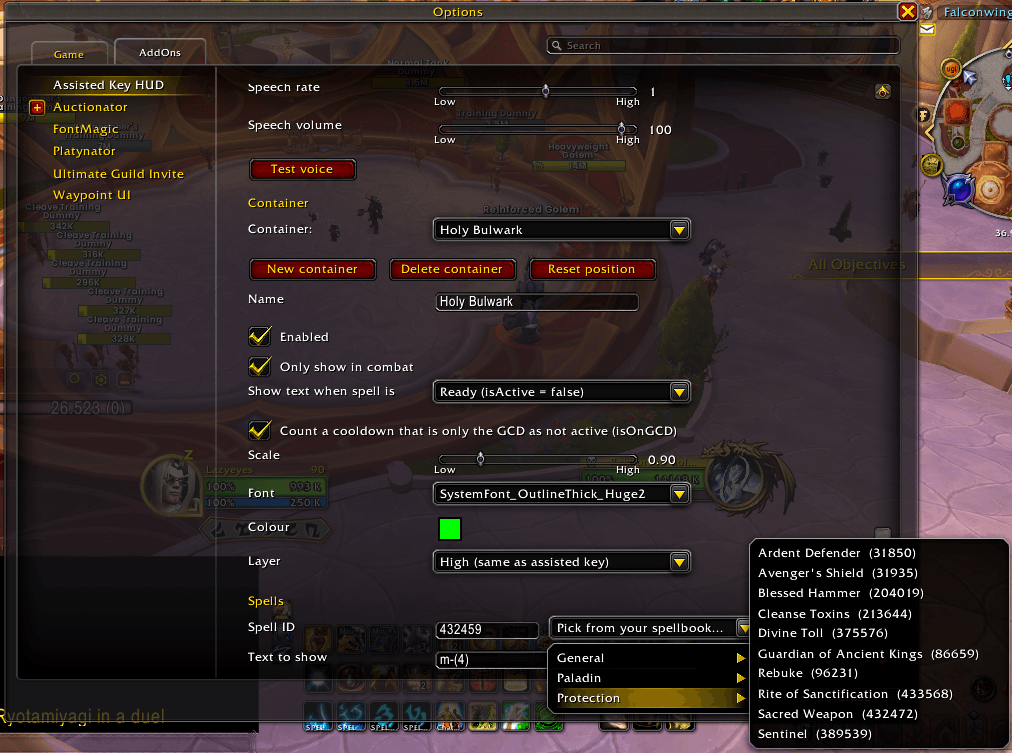
Spell containers: a cooldown manager for power users
Add as many extra HUDs as you like and fill them with any spells from your spell book. Use them alongside your cooldown tracker or as a lightweight replacement for one.
- Interrupts, defensives, big cooldowns: give each group its own box with its own colour, size and position.
- Show when ready or when on cooldown.
- Priority stacking: ready spells line up in the order you choose, each line slightly fainter than the one above. When the top spell is used, the next one moves up.
- Spoken alerts: hear the spell's name, your own phrase ("Kick now!") or a sound when a spell becomes ready, and again when it moves to the top.
- Layers: choose which boxes draw above or below the rest.
- Click to arrange: while positioning, click a box to select it and hide the others. Click again to step through boxes stacked on top of each other.
Getting started
- Install and log in.
- Type /akh to open the options, or /akh help for the guide.
- Tick Unlock to move the HUDs and drag them where you like.
Commands: /akh, /akh unlock, /akh lock, /akh help, /akh highlight, /akh test, /akh reset
Good to know
- Built for Blizzard's own action bars. Action bar replacement addons may not work yet.
- Spell containers check cooldowns several times a second (you can adjust how often), so a ready spell can take a moment to appear.
- In some encounters Blizzard hides cooldown information, and containers then keep their last known state.
- Spoken alerts need a text-to-speech voice installed on your computer.
Feedback and ideas are welcome in the comments.
License & credits
Released under the MIT License, so you're free to use, share, fork and build on it.
- Programming and engineering: Claude Opus 5.5 by Anthropic
- Code review, research, design and testing: Lazyeyez
Assisted Key Hud Team