


asBuffFilter.jpg
Description
asBuffFilter (Midnight)
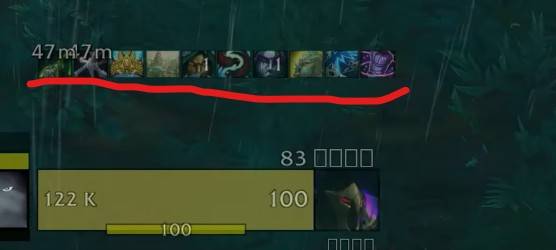
Displays target buffs.
Key Features
Displays target buffs on the right side (Up to 7 during combat, up to 21 out of combat).
- Friendly (Out of Combat): Displays all buffs up to 21.
- Friendly (In Combat): Displays only buffs cast by you.
- Enemy (In/Out of Combat): Displays all buffs.
- Purgeable Buffs: Displays a white border when a buff can be dispelled or stolen.
Configuration
Adjust settings via
ESC>Options>Addons>asBuffFilter.Changes transparency when out of combat (Default: On).
The time threshold at which the remaining cooldown begins displaying in 0.1-second increments (Default: 3 seconds).
Move Position: Enter the
/asConfigcommand in the chat.Reset Position: Enter the
/asClearcommand in the chat to restore default settings.
Contact Information
- Korean Users: Visit the Inven asMOD Forum.
- English Users: Visit the asMOD YouTube Channel or GitHub.
asBuffFilter (한밤)
대상의 버프를 표시.
주요 기능
우측에 대상의 버프를 표시(전투중 최대 7대, 비전투 중 21개)
- 아군 비전투 : 최대 21개 모든 버프를 표시
- 아군 전투 : 내가 시전한 버프
- 적군 전투/비전투 : 모든 버프
- 버프 무효화(훔치기)가 가능하면 테두리를 흰색으로 표시
설정
ESC>설정>애드온>asBuffFilter에서 설정 가능- 비전투시 투명도 변경 (Default On)
- 남은 쿨을 0.1초 단위로 보여줄 최소 시간 (기본 3초)
- 위치 이동 :
/asConfig명령어 채팅창에 입력 - 위치 초기화 :
/asClear명령어 채팅창에 입력, 기본 설정으로 초기화
문의처
한글 유저:인벤 asMOD 포럼방문 (https://www.inven.co.kr/board/wow/5288)영문 유저:Youtube asMOD 채널방문 (https://www.youtube.com/@asmod-wow),Github방문 (https://github.com/aspilla/asMOD/)
asBuffFilter Team


Owner


