

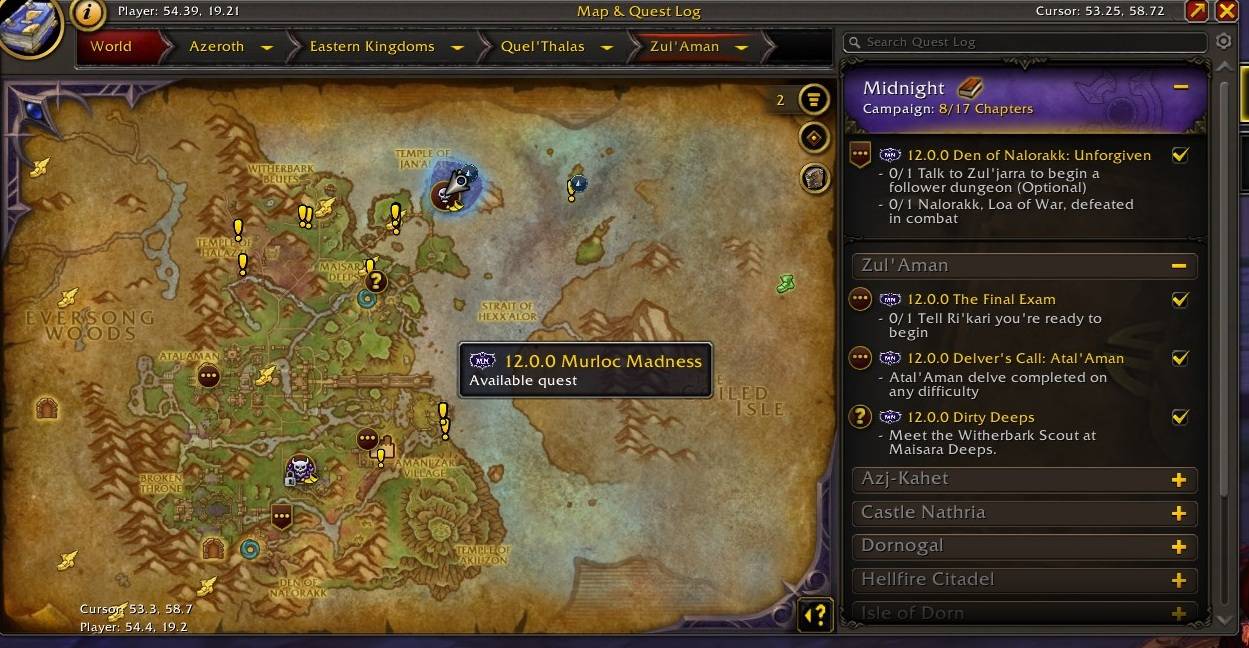
See the expansion and patch beside each quest in the map and quest log, making it easy to identify which content belongs to your current chapter.
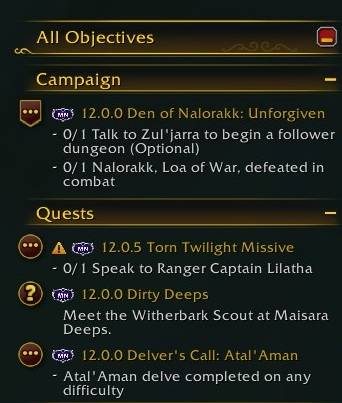
Expansion and patch labels in the All Objectives tracker show which quests belong to your current chapter—and which ones were added in a later patch.
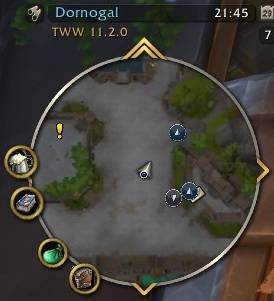
The minimap marks quests from later patches with clear visual indicators, so you can quickly see which objectives belong to your journey and which ones can wait.
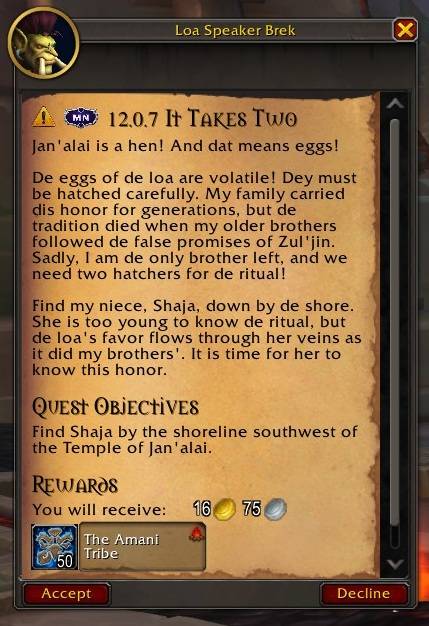
Expansion and patch labels appear directly in quest dialogue, so you can see when a story was introduced before deciding whether it belongs in your current playthrough
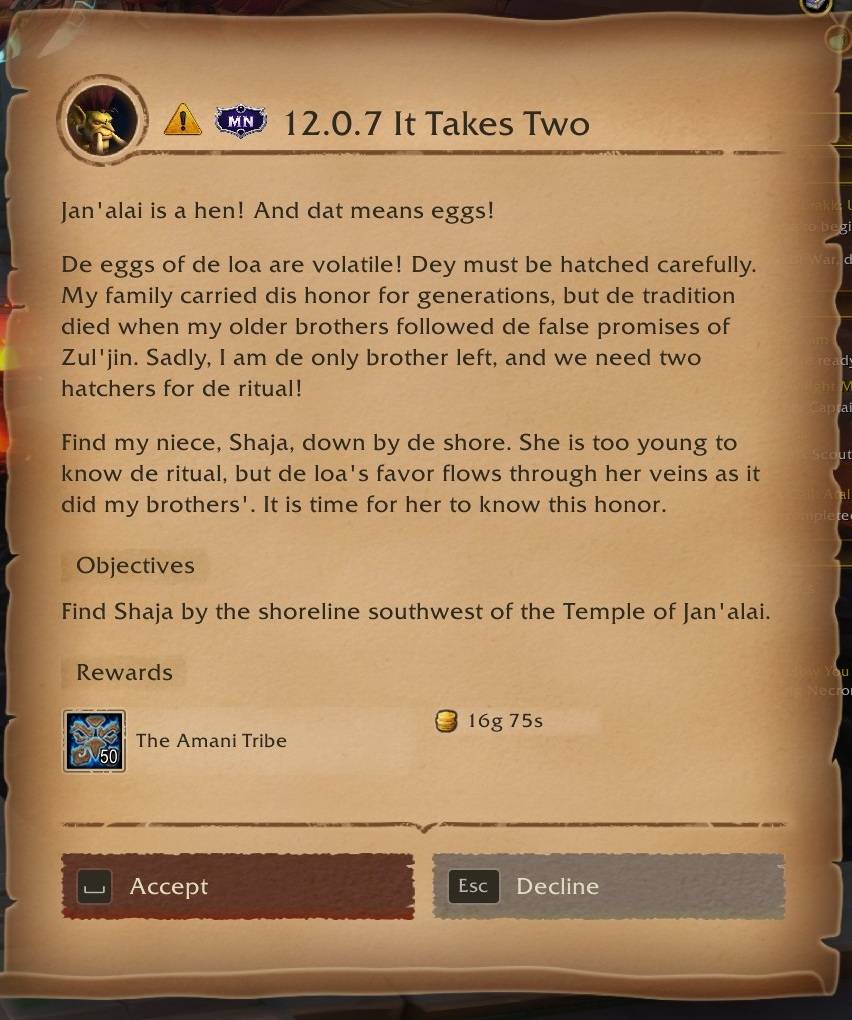
As It Was integrates with Dialogue UI, adding expansion and patch context to its quest titles while preserving the addon’s own immersive presentation. Even custom quest interfaces can keep your journey As It Was.
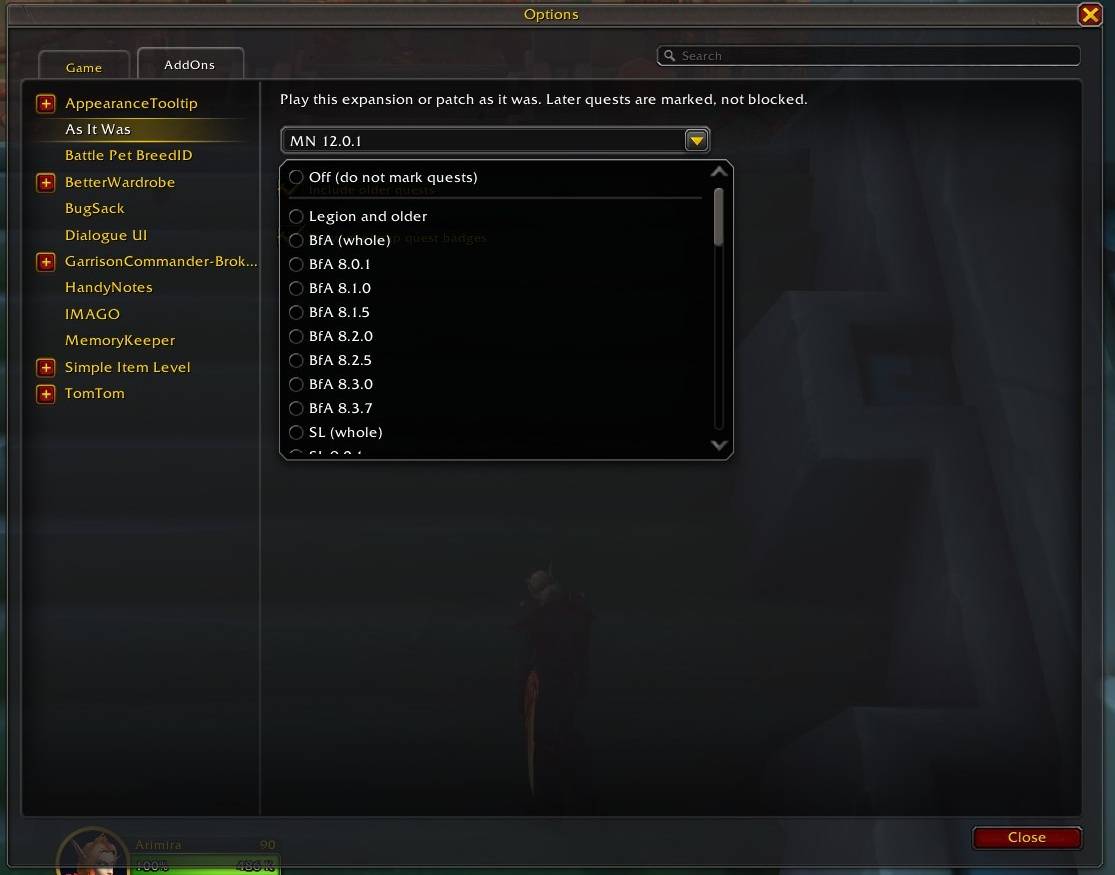
Select a complete expansion or an exact patch from the As It Was settings. Later quests are marked, not blocked, so you can follow Azeroth’s history at your own pace.

