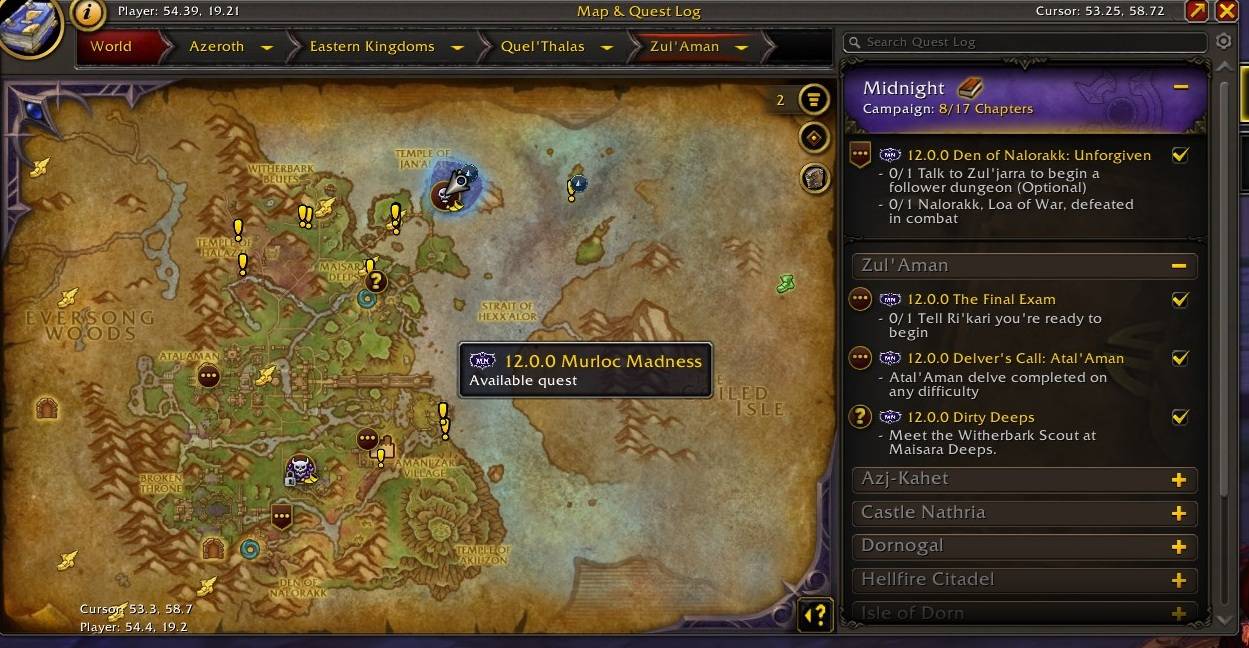
See the expansion and patch beside each quest in the map and quest log, making it easy to identify which content belongs to your current chapter.
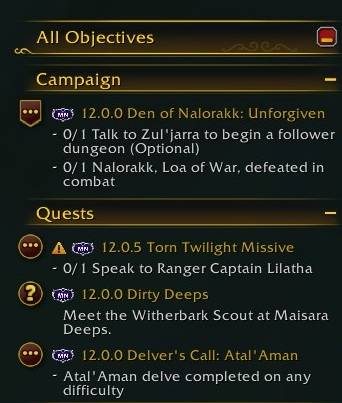
Expansion and patch labels in the All Objectives tracker show which quests belong to your current chapter—and which ones were added in a later patch.
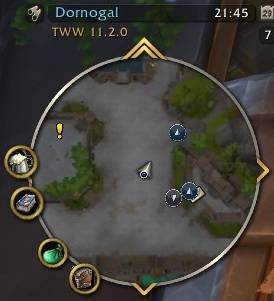
The minimap marks quests from later patches with clear visual indicators, so you can quickly see which objectives belong to your journey and which ones can wait.
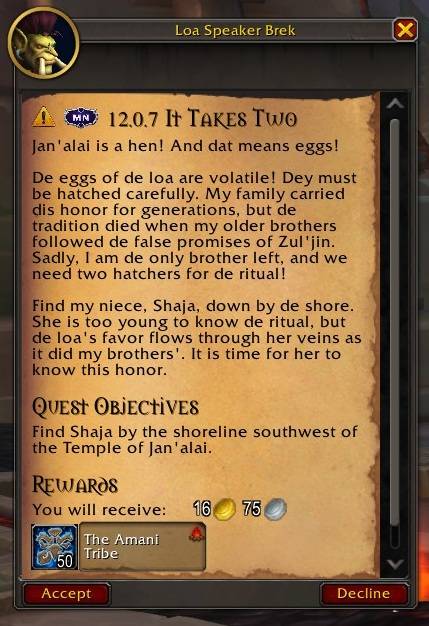
Expansion and patch labels appear directly in quest dialogue, so you can see when a story was introduced before deciding whether it belongs in your current playthrough
Description
Come back to Azeroth. Pick up where you left off.
World of Warcraft moves on while you are away. When you return, quests from newer patches can fill your map and quest log, making it hard to tell where your own journey stopped.
As It Was lets you choose the expansion or patch where you want to continue. Select the patch you last played or want to experience. Identify the quests that came later and focus on the content that belongs to your current chapter. When you are ready, move the filter forward and continue through Azeroth’s history one patch at a time - experiencing it As It Was.
Keep your journey on track
- Choose an expansion or individual patch
- Mark later quests on the world map and minimap
- See expansion and patch labels in quest titles, the quest log, tracker, dialogues, and map tooltips
- Optionally mark older quests too
- Change your selected patch whenever you are ready to move forward
- Later content is marked, never blocked
As It Was helps you return to WoW without losing your place—and experience each chapter before moving on to the next.
Coverage: Patch data is complete from Battle for Azeroth through Midnight. Legion and earlier content is included as a combined older content baseline.
The As It Was Team