Arena Dynamic Targeting
- By
Arena Dynamic Targeting (ADT) is a lightweight and powerful World of Warcraft addon designed to simplify targeting in arena matches. It requires zero configuration.
33322.png
Description
Arena Dynamic Targeting (ADT)
Overview
Arena Dynamic Targeting (ADT) is a lightweight yet powerful World of Warcraft addon built to make targeting in arena matches simple and effortless. It requires no setup—just install it and play.
ADT works by automatically scanning all of your macros (both general and character-specific). Whenever it detects special placeholders, it replaces them on the fly with the correct unit IDs (such as @arena1, @party2, etc.) when you enter an arena. Once the match ends, your macros are instantly restored to their original form.
Getting Started
No configuration is needed. Just create your macros in the standard WoW macro interface (/m) and use the placeholders below.
Enemy Placeholders
Use these for your arena opponents:
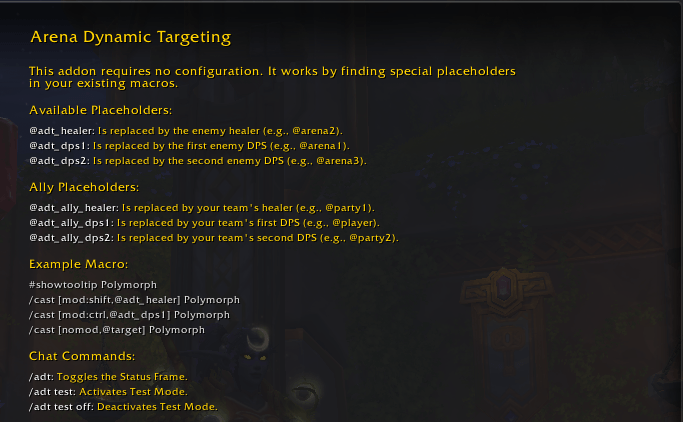
@adt_healer→ Replaced with the enemy healer’s unit ID (e.g.,@arena2).@adt_dps1→ Replaced with the first enemy DPS’s unit ID.@adt_dps2→ Replaced with the second enemy DPS’s unit ID.
Ally Placeholders
Use these for your teammates:
@adt_ally_healer→ Replaced with your healer’s unit ID (e.g.,@party1).@adt_ally_dps1→ Replaced with your first DPS’s unit ID (e.g.,@player).@adt_ally_dps2→ Replaced with your second DPS’s unit ID (e.g.,@party2).
Example Macro
Here’s an example macro using ADT placeholders:
#showtooltip Polymorph
/cast [mod:shift,@adt_healer] Polymorph
/cast [mod:ctrl,@adt_dps1] Polymorph
/cast [nomod,@target] Polymorph
When you enter the arena, ADT will automatically update this macro based on the actual roles. For example, if the enemy healer is arena2 and the first DPS is arena1, it will temporarily become:
#showtooltip Polymorph
/cast [mod:shift,@arena2] Polymorph
/cast [mod:ctrl,@arena1] Polymorph
/cast [nomod,@target] Polymorph
This way, you can keep your keybinds consistent across all matches without manually changing targets or focus.
Features
- Zero Configuration – No settings menu, no fuss. Just write your macros and go.
- Smart Targeting – Works for both enemies and allies.
- Dynamic Updates – Supports all arena formats, including Solo Shuffle. Updates happen at the start of every match and round.
- Macro Compatibility – Works with both account-wide and character-specific macros.
- Status Frame – Movable UI element that shows current role assignments (
Healer,DPS 1,DPS 2).Test Mode – Test your macros outside arenas with dummy replacements.
Slash Commands
/adt
Toggle the visibility of the Status Frame./adt test
Enable Test Mode. This temporarily replaces your placeholders with@arena1,@arena2, and@arena3so you can verify syntax./adt test off
Disable Test Mode and restore your original macros.
Arena Dynamic Targeting Team