Ara Broker Guild Friends
- By
A Data Broker plugin that provides 2 blocks: one for guildmates & one for friends. These blocks show informative and interactive clickable tooltips. It's fast and lightweight.
Continued version from WoWInterface
Original description:
It has the following functionalities on entries
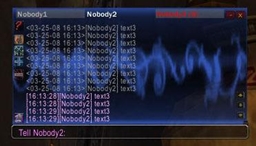
- click guildmates or friends to whisp them.
- alt+click guildmates or friends to invite them.
- control+click friends to edit note.
- if you're an officier, you can control+click guildmates to edit their public note, and control+right click to edit officer's note.
- right click guildmates to sort the closest column.
- if you're an officer, you can click the MOTD to edit.
- middle click on friends to remove from friend list.
- control+mousewheel to resize tooltip.
And the following functionalities on blocks
- control+click to toggle hints so you don't have to remember all this crap.
- left click on guild block to toggle guild panel
- right click on guild block to toggle the guild notes column.
- shift+click on guild block to toggle guild name.
- left click on friend block to toggle friend panel.
- shift+right click on blocks to toggle total number of guildmates or friends.
- middle click on friend block to show the "add a friend" dialog box.
It shows
- check marks for grouped guildmates and friends.
- class icon (mainly to provide a column to sort) when not grouped.
- class colored names.
- level colored in grey, green, yellow, orange or red depending of your own level.
- zone colored in green, yellow or red depending of faction.
- public notes (and officer notes for guildmates if you have the rights).
- rank for guildmates.
If you have AddonLoader, the loading of this addon will be delayed.
If you have Skinner, this addon will be automatically skinned.
Ara Broker Guild Friends Team

Owner