


Anvilbook Export
- By
Anvilbook
Crafting profits, shopping lists and price history in game, from the recipes this character knows. It works on its own with Auctionator's prices, and it shows more with anvilbook, a small app that runs on your own computer.
Anvilbook answers the questions the auction house cannot:
- What is worth crafting right now, with the recipes this character knows?
- I have 3g 43s. How many can I make, and what exactly do I buy?
- Did that item actually sell, or is it just sitting there?
- Is this green worth more disenchanted than sold?
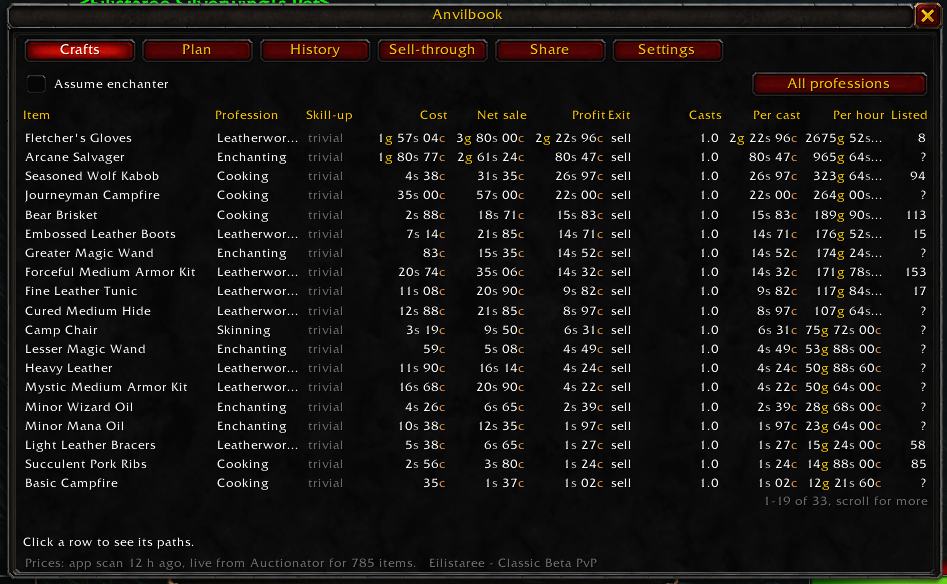
In game
Type /anvilbook, or click the minimap button.
| Part | What it shows |
|---|---|
| Crafts | Each recipe you know, with the cheapest way to get every reagent, the profit, and the profit for each cast. Right-click a row to plan it. |
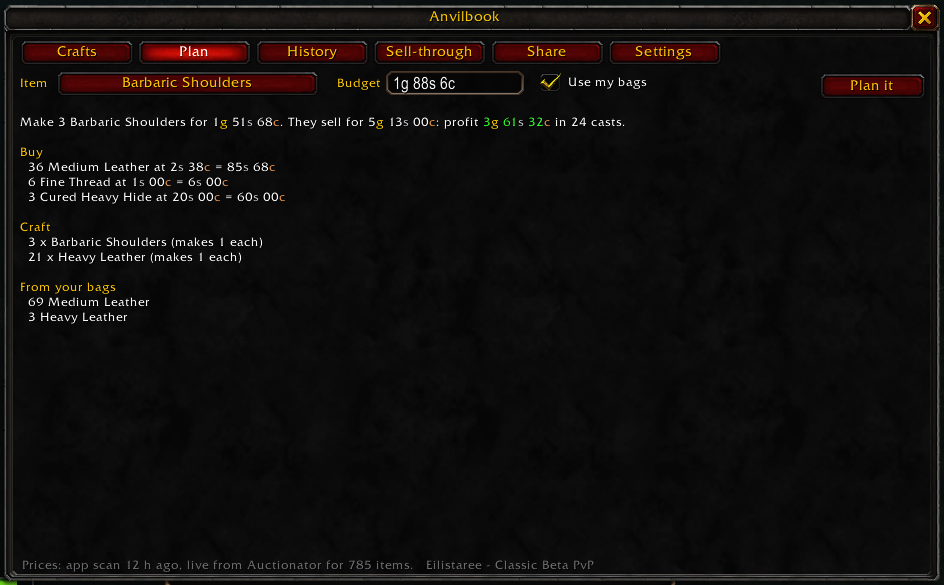
| Plan | "I have 3g 43s, what do I buy?" A batch size, a shopping list, the crafting steps, and the leftovers. |
| Shopping panel | The plan's shopping list, beside the auction house. A row gets a tick when you have bought it. One button searches for the whole list in Auctionator. |
| Tooltips | The listed count, the price change since the scan before, the craft profit, and the disenchant value. |
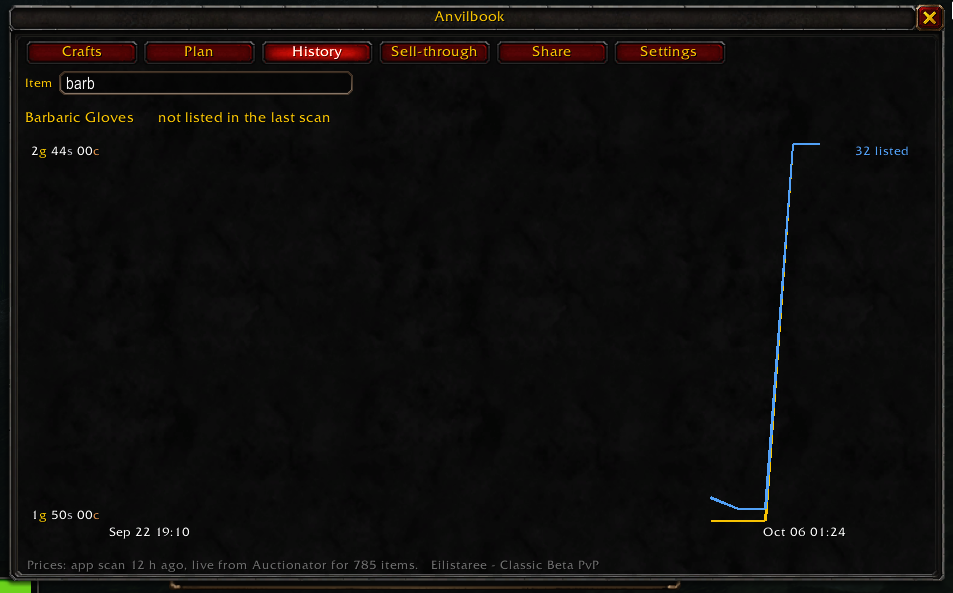
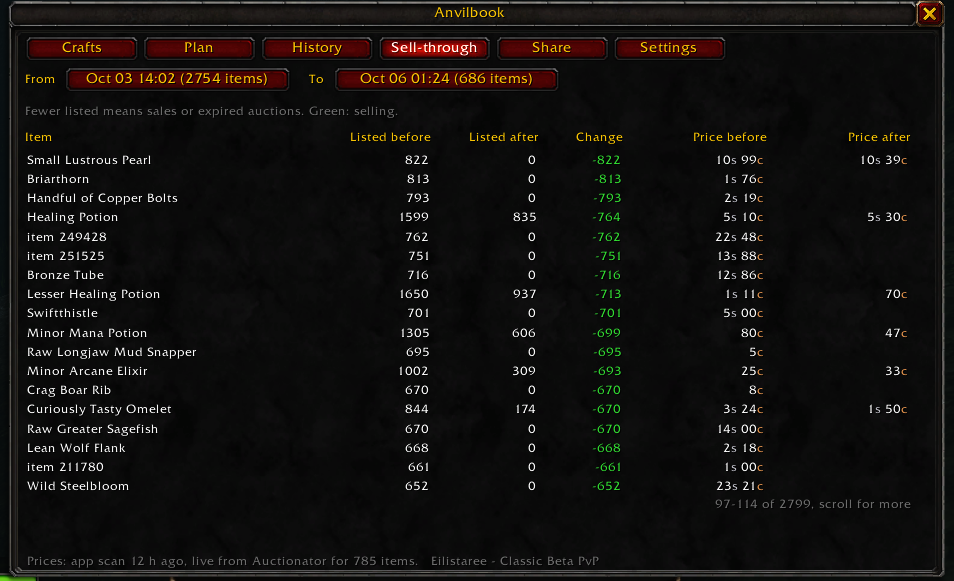
| History and Sell-through | Price and listed count over the last 30 scans, and what sold between 2 scans. These need the app. |
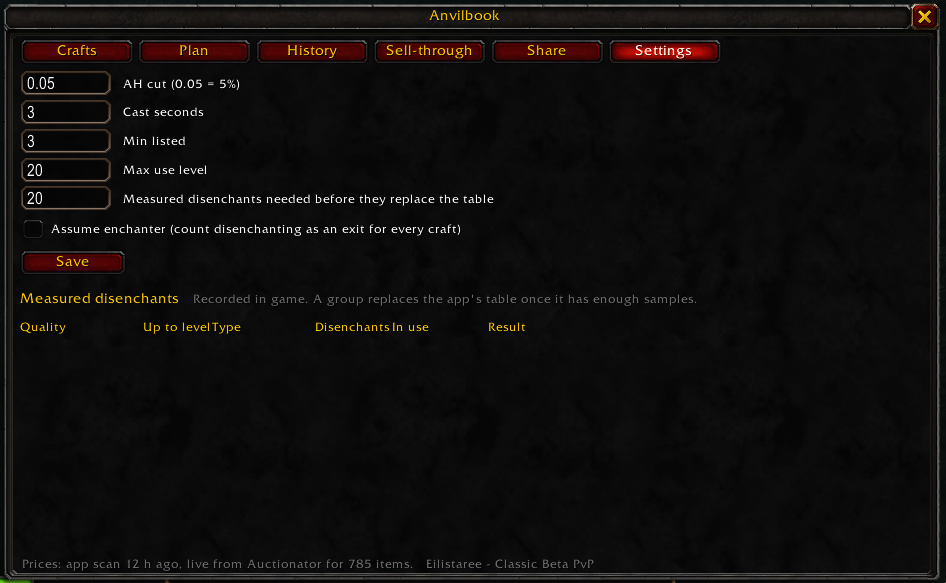
| Share and Settings | The app's sharing switches and calculation settings. |
Esc > Options > AddOns > Anvilbook turns each part on or off.
Plan: what to buy and craft for a budget, with what comes from your bags.
History: the price and the listed count over the last 30 scans.
Sell-through: what sold between 2 scans.
Settings: a change applies in game at once, and it reaches the app at the next /reload.
Without the app
The Crafts, Plan, shopping panel and tooltip parts use Auctionator's prices from your scans in
this session. Auctionator on Forever forgets its prices at each load, so scan again after a
/reload or login.
With the app
The app keeps every scan as history, so you get prices before you scan, listed counts, History and Sell-through. It also learns your real disenchant results.
- Install this addon and Auctionator.
- Download anvilbook for your computer from the releases page and run it.
- In game, open each profession window for a few seconds, then type
/reload. - Scan the auction house with Auctionator, then type
/reloadagain.
The app writes its data into this addon's folder after each import. The game reads that data at
the next /reload, so the numbers from the app are always one /reload behind.
/reload matters: World of Warcraft writes addon data to disk only when you log out, disconnect,
or reload, and it reads addon files only then. No addon can read or write files at any other
moment.
What the addon records
Everything is written to its own SavedVariables file. The addon itself sends nothing anywhere.
| Recorded | When |
|---|---|
| Recipes you know, with reagents and quantities | You open a profession window |
| Your skill level for that profession | Same |
| Whether a recipe is orange, yellow, green or grey | Same |
| What is in your bags | While you play |
| Disenchant results (item, level, quality, materials) | You disenchant something |
| Settings and sharing switches you change in game | You change them |
Commands
/anvilbookopens or closes the window./anvilbook optionsopens the on/off menu./anvilbook probeprints what the profession API returns for the open window. Useful when something looks wrong, and for bug reports.
Notes
- Built for WoW Forever (Classic beta), client 1.60.1, English client.
- After you install or update the addon, restart the game. A
/reloaddoes not load the files that a new addon version adds. - The addon never changes anything in game. It reads the profession, bag, loot and Auctionator APIs, and writes its own saved file.
- Free and open source, MIT licence. Code, issues, and the app itself: github.com/traagel/anvilbook
- What changed in each version: CHANGELOG.md
Not affiliated with Blizzard Entertainment.
Anvilbook Export Team
