AmmeNotepad
- By
Advanced Notepad addon that supports tabs, folders, note sharing and pinning.
Notepad addon that allows users to create and store notes for any reason.
Features:
- Tabbed Interface for multiple notes.
- Notes can be organised into folders.
- Notes can be shared into chat and will be printed out line by line into group chat channels. (10 lines max)
- Notes can be shared with other users of the addon via a chat link.
- Users can choose a note to pin to the screen.
- Pinned note can be resized and moved with edit mode to keep it in an optimal position during gameplay.
- Each note can have it's own font face, size and color.
- Metadata stored for each note about creation/last updated date, time and author.
- Party/Raid members listed in side panel groups tab can be clicked to easily paste thier names into notes for Raid/M+ orginisation type notes
Main Window. Invoke from minimap button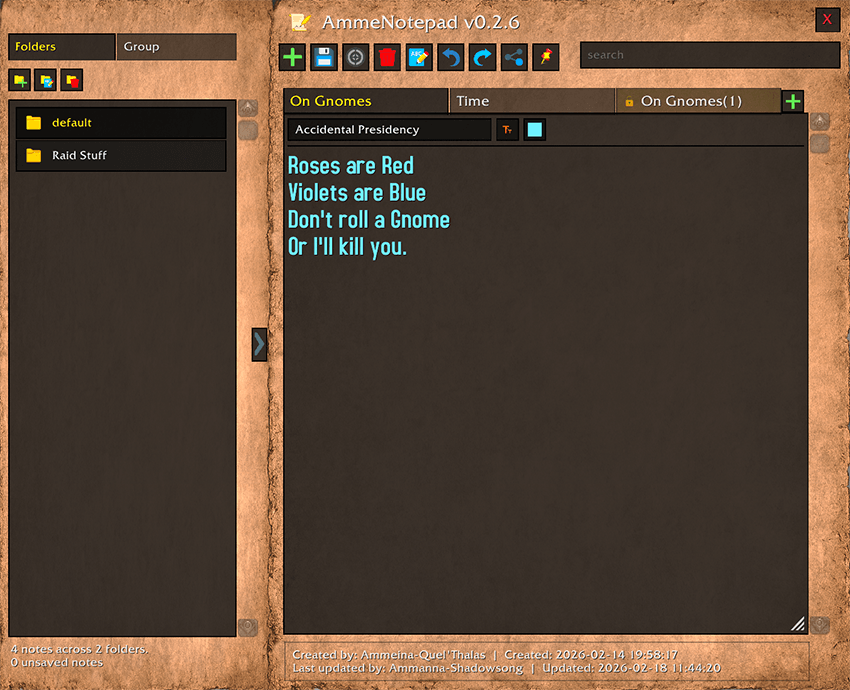
Settings. Found in Escape Menu > Options > Addons tab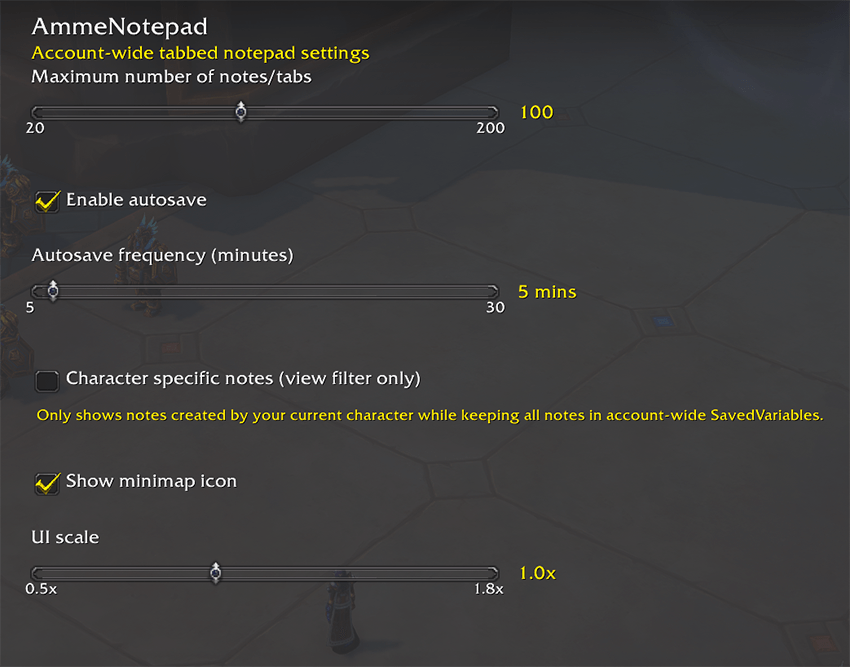
Pinned Note Options. Found in Wows native Edit Mode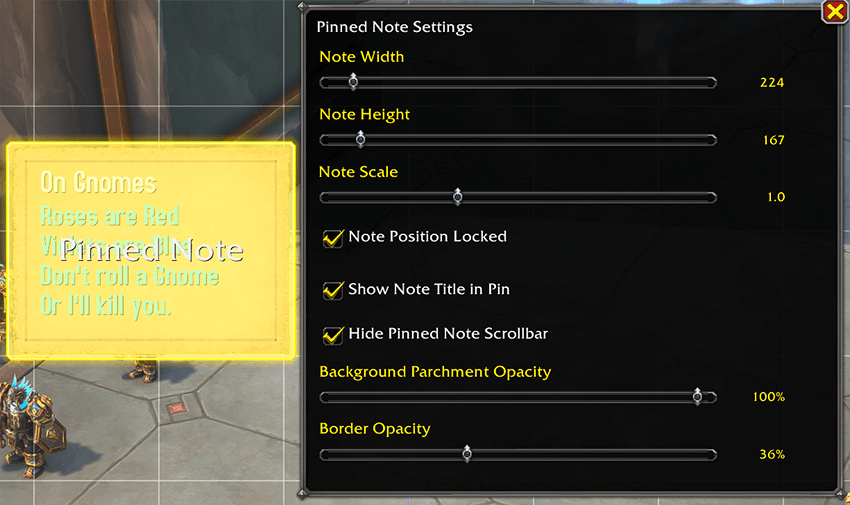
FAQ:
Q) I can't edit one of my notes. It has a padlock icon on it, why?
A) This is a note that has been shared with you by somsone else. This is by design as it's intended for raid leaders to share notes with the group that they can't accidently alter. You can still copy it's contents into a new note and delete the orignal if you want.
Q) What does the 'save' button do?
A) Just saves the current note into active memory so it wont get discared if you delete it's contained folder on the folder pannel on the left. Wow does not allow addons to perminantly save data to disk until you log out or reload your UI, so the addon can't do it any other way.
Q) Can I have more than one pinned note?
A) No, if you make a new note pinned, it will unpin the previous note automatically. If you want multiple notes on screen, just make the pinned note bigger and type them into the same note.
Q) Where are the note folders stored on my computer if I want to find them?
A) They are not really folders. That is just an orginisation method used in game for you to organise your notes, addons store all their data in a savedvairables file. This addon is no different.
Q) How can I change the color/font/font size of the pinned note?
A) The pinned note takes it's font settings from the notes settings in the main window. Change those settings there and it will change in the pinned version too. You can also size and scale the actual pinned notes window/frame in Edit mode.
Q) I can't seem to alter the size/font/color of just some of the text in a note, it all changes at the same time, why?
A) This is intentional. The text editor is just a basic text editor, it does not support rich-text like features. Each note can look different using the font/color/size options at the top, but the indvidual text in each note must all be formatted the same way, like old versions of Windows Notepad for example.
Support
To Submit a bug report or suggestion, please use my Discord:
https://discord.gg/wXwGqN67fB
AmmeNotepad Team