AmmeDatabar
- By
Customisable top and/or bottom UI bar that you can place customisable info or utilties onto.
AmmeDatabar is a UI bar that you can have at the top, bottom or both of your UI where you can then place 'Providers' of your choice from a selection of 22 that show you various in game information or provide utilities.
Providers can be placed on the top or bottom bar when that bar is enabled and are added from any of the 'hamburger' menus in each corner. The providers will appear on the bar, growing out from that corner in the order they are added from these menus. (So to re-order them, just remove and re-add them in the order you want them to appear.) Most providers display some small summary on the databar, then when you left click them, display more info on the panel that appears from it. Most panels have a settings button that lets you change some options for how the panel or databar info look.
You can also customise the bar texture, color and if it has a 1px border or not.
Provider examples:
Weekly Activity: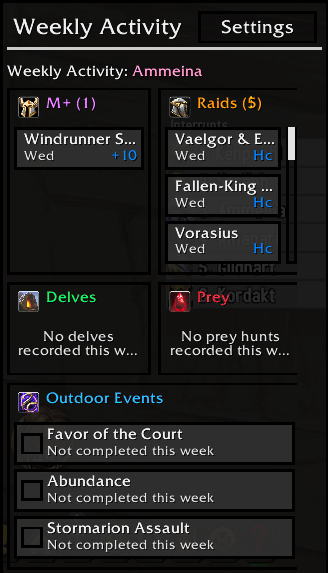
Displays a list of activities that resets each week, showing which end game activities you have completed. if you have completed any such activities on more than one character, the < > buttons at the top allow you to swipe through them from any character. (You must have logged into that character and done the activity after installing the addon for the activities to show, it's not retrospective.)
Weekly Lockouts
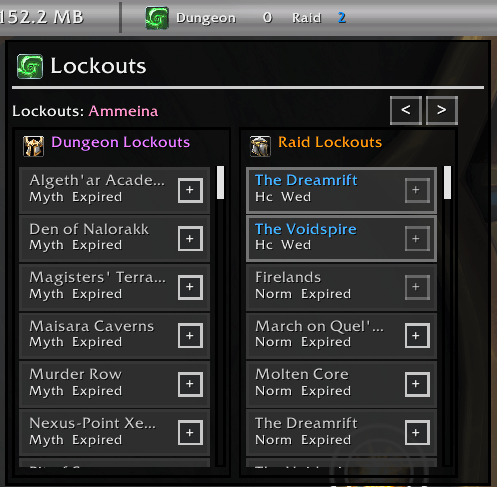
Displays a list of lockouts for instances that support them. Has buttons to extend or remove extension of lockouts if supported. You can also view this data for other characters on your account if you have logged into them to capture the data since installing the addon. Data may be inconsistnt or outdated if you have not logged into that character since the last weekly reset.
Specialisations: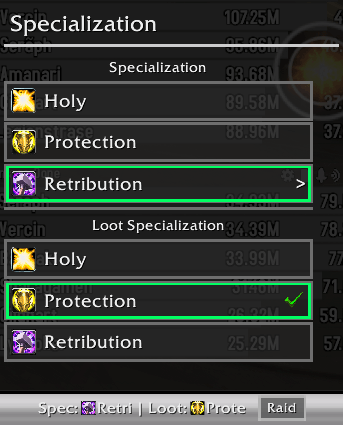
Displays Your current characters spec and loot spec and allows you to switch them. You can also use it to change talent loadout from your saved loadouts you created in the default UI. In addition, if you named your loadouts with certain keywords like raid/M+/M plus etc, it will automatically 'tag' that loadout as for that activity and will remind you to change talents with a little toast popup from the provider when you enter content zones that do not match your current talent loadout tag.
Keystones
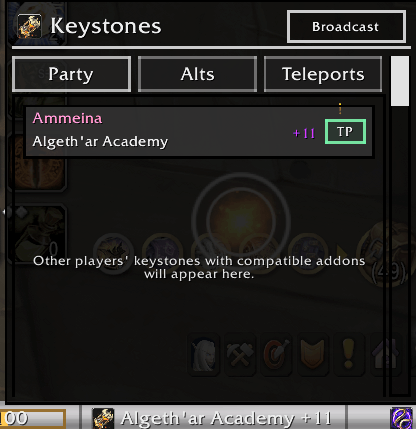
This provider will display your current keystone and any party member in your groups keystone if they use any of the addons that share this data via either of the two common libraries for this. It will also guess any other keystones from other players who dont have these addons if they link a key in party chat.
You can press the TP button to teleport to that dungeons if you have the ability unlocked
You can view what keystones your alts have if you have logged into them since the last weekly reset after installing this addon.
You can use the teleports tab to teleport to any dungeon in the current season if you know the teleport spell regardless of what keystones are detected.
If you join a group via the group finder, it will remind you which dungeon it was for after you joined.
Great Vault:
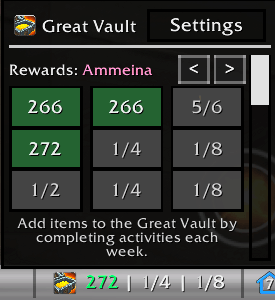
This provider will display a miniture great vault summary and let you pick in the settings which row to show on the databar when the panel is in it's closed state. You can also view the saved snapshot of this data for the current reset on any alts you have logged into with the addon installed since the last weekly reset.
Gold:
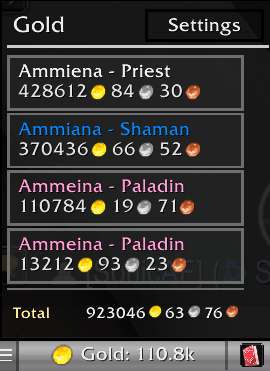
Just a simple gold tracker for your characters. You have to have logged into the character with the addon installed for the character to be considered in the total.
Player housing:
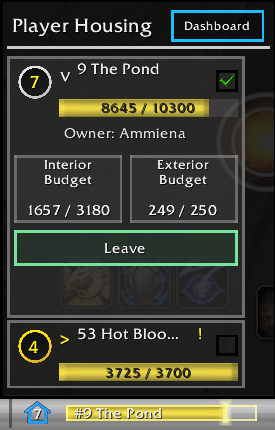
Shows you a summary of your houses/plots owned and the last seen interior and exterior decoration budget for each one. The budgets are a snapshot of the last time you visited the house, as addons can only read this data while you are in your house plot or inside. You can see the saved values from anywhere, but they will only update when in the location. Also provides a teleport/leave button to move to/from the player housing instance zones.
Currency
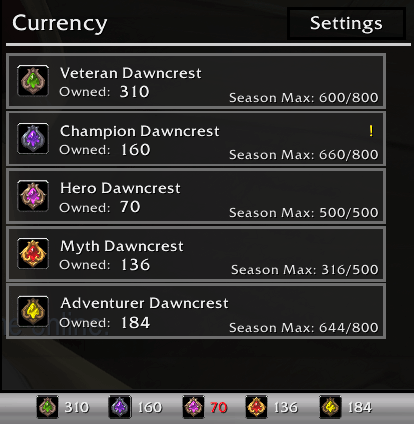
This provider tracks between 1 to 8 currencies of your choice, and displays them differently depending on which display mode you chose for them. The larger number of currencies display mode you chose, the more compact/minimal the summary on the bar is. Supports displaying info for seaonsal currencies that have a weekly cap and total collected in a season.
Reputation:
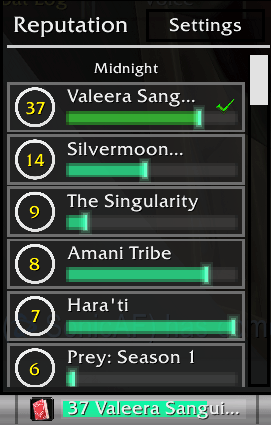
Displays current reputation/renown level for various factions and allows you to pick one to display on the databar. Factions are grouped by expansion and renown factions from previous expansions are supported.
Quests:
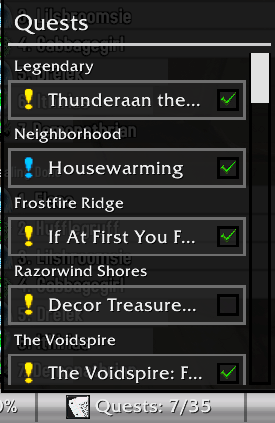
This provider essentially replaces the quest tracker in a more compact format, allowing you to turn that off if you want. You can abandon, focus or unfocus quests just like from the default tracker.
Addon CPU/RAM
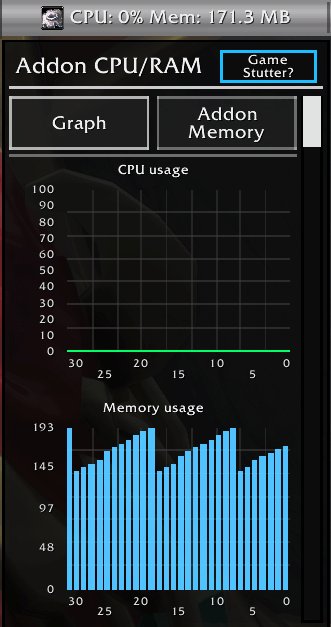
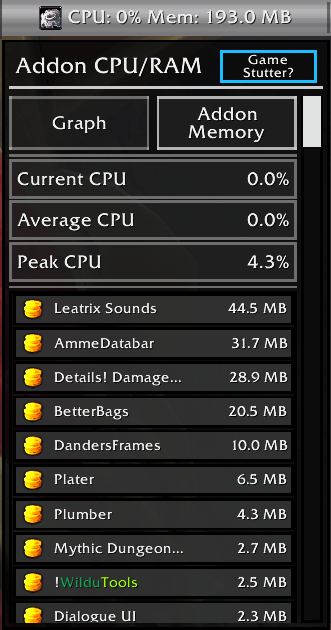
This provider is a little unique in the sense that it's not recommended for general use to leave it on the bar at all times, as it would cause framerate stutter due to how it has to poll the game for the performance data. It's intended for UI troubleshooting if you have performance problems/memory leaks etc already.
Markers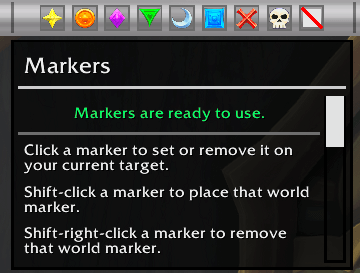
Displays a set of buttons you can use to put down target or world markers. The Provider disables the buttons when you are in a raid and you are not the leader/assistant.
Latency:
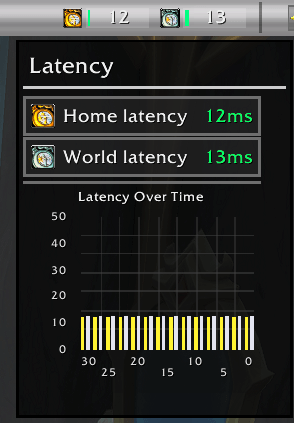
Shows your current home and world latency and graphs it over the last 30 seconds while the panel is open.
List of all Providers:
Gold
Currency
Durability
Bags
Experience
Mailbox
Location
Clock
Volume
Markers
Latency
Addon CPU/RAM
Reputation
Great Vault
Lockouts
Keystones
Player Housing
Specialization
Mounts
Quests
Item Level
Weekly Activity
Usable Items (new)
Party Tools (new)
Addon Settings:
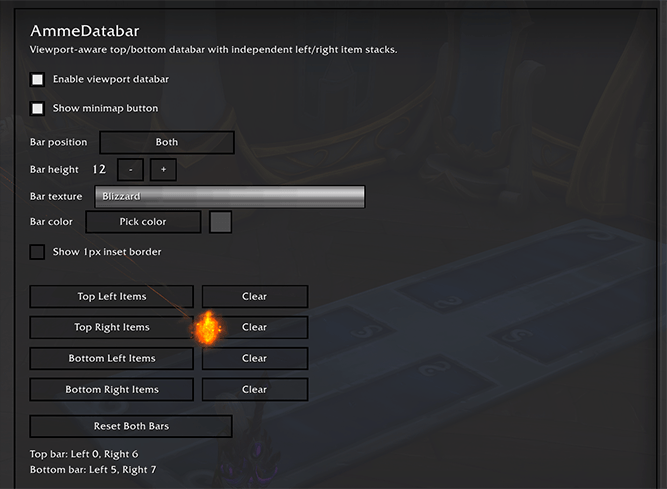
Several providers will give you reminders about things while they are enabed, such as low durability, wrong talent loadout for zone type, player housing ready to upgrade, currency cap reached etc. Providers that have a pending reminder will have a notification red circle with the number of non-dismissed notifications pending in the providers panel, somewhat like on a smartphone. Open the providers panel and look at the notification and dismiss it with the close (X) button to remove it for the current game session.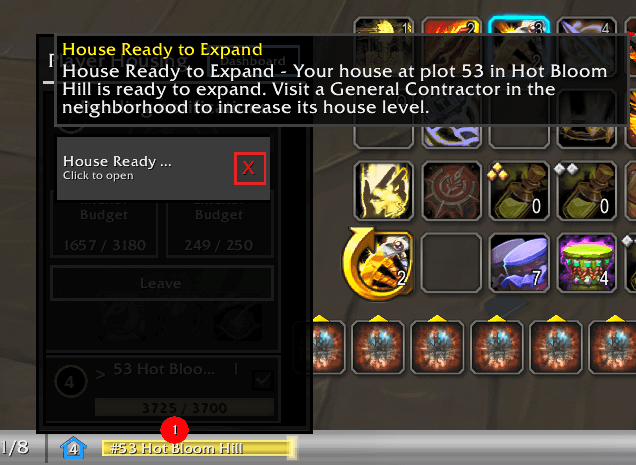
Support
To Submit a bug report or suggestion, please use my Discord:
https://discord.gg/wXwGqN67fB
AmmeDatabar Team