
Alt Tracker Helper
- By
Alt Tracker for WoW Forever — track alts: bags, bank, gear, gold, currencies, mail, professions, reputation, rested XP, played time, notes, zone, free slots, gear sets, shopping list, cross-alt item search, export/backup. Built in DE helper also.
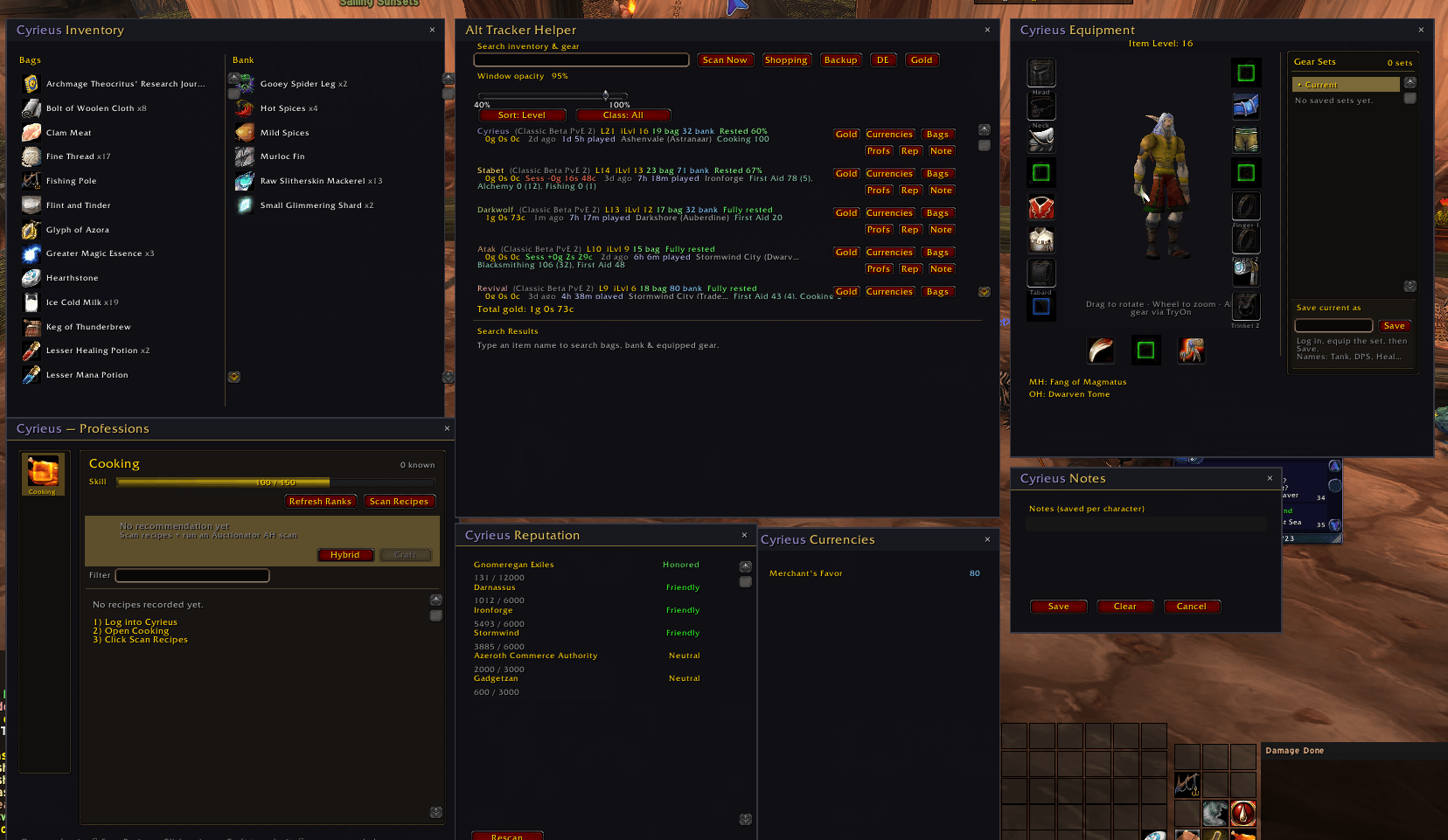
ATH Screenshot.png
Description
Alt Tracker Helper — Feature List
Core tracking
- Multi-character, multi-realm saved data (AltTrackerDB)
- Auto-scan on login and on relevant game events
- Manual Scan Now
- Per-character: class, level, gold, item level, last seen
- Delete character data (right-click or /at delete Name)
Inventory & gear
- Bags and bank item snapshots
- Two-column Bags / Bank inventory window (scrollable)
- Equipment window with classic-style slot layout
- Item level display
- Cross-alt item search (bags, bank, equipped)
- Tooltips show “Also on your alts” when hovering items
Character list (main window)
- Scrollable alt list (search results stay visible)
- Sort by: Name, Level, iLvl, Gold, Last Seen
- Filter by class
- Total gold across all alts
- Opacity slider for addon windows
Group A — daily quality-of-life
- Free bag / bank slots on each alt row + tooltip
- Last zone (and subzone) tracking
- Character notes (edit/save/clear per alt)
Group B — list power
- Rested XP status on row + tooltip
- Sort + class filter (see above)
Progression & account data
- Reputation snapshot (standing + progress per faction)
- Played time (total and this level)
- Professions (scanned when available)
- Currencies window
- Mail summary in tooltips (when scanned)
Gear sets / dual-spec
- Save named gear sets from current equipment (e.g. Tank, DPS)
- View / delete saved sets
- Main-hand / off-hand labels on gear view
- Dual-spec awareness when the server supports talent groups (active spec recorded with sets)
Shopping list
- Account-wide needed items list
- Shows which alts already have each item (and where)
- Add / remove entries
Export / backup
- Summary and Full text export
- Copy-friendly window (Select All / Ctrl+C)
- Includes shopping list ownership (useful for guild bank officers)
- /at export and /at export full (also /at backup)
Disenchant helper
- Lists disenchantable Uncommon–Epic armor/weapons in current bags
- Select item → Disenchant (secure button)
- Next / Refresh
- Configurable keybind (Set Keybind or /at debind SHIFT-D)
- Open via DE button, /at de, or right-click minimap
UI / usability
- Classic-style frames with solid backgrounds
- Windows open in fixed non-overlapping slots
- Addon frames use high strata (above most default UI)
- Escape closes addon windows (including notes/search when focused)
- Movable windows; minimap button (drag to move)
- Minimap: left-click main UI, right-click DE helper
Slash commands
| Command | Action |
|---|---|
| /at or /alttracker | Toggle main window |
| /at de | Disenchant helper |
| /at debind KEY | Set DE keybind (e.g. SHIFT-D) |
| /at debind clear | Clear DE keybind |
| /at export / /at backup | Export summary |
| /at export full | Export full dump |
| /at delete Name | Delete character data on current realm |
Alt Tracker Helper Team

