Alt Ledger
Every character in one window: level, rested XP, gold, mail, professions, cooldowns, raid lockouts and played time.
Screenshot_1.png
Screenshot_3.png
Screenshot_5.png
Screenshot_2.png
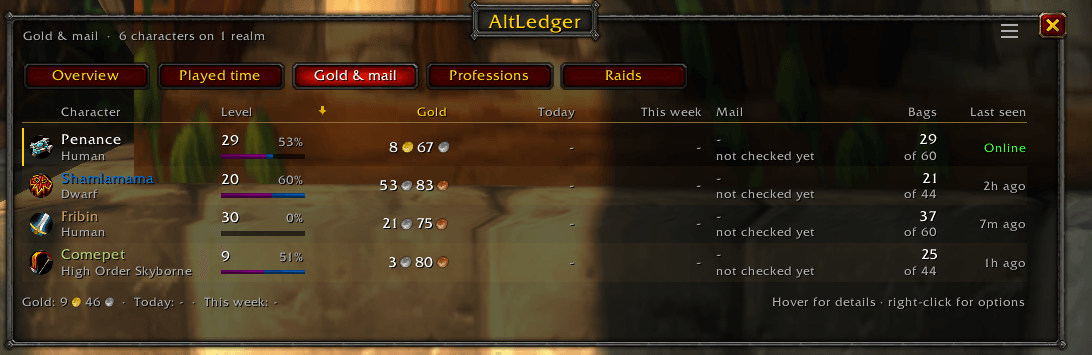
Screenshot_3.png
Description
Alt Ledger
Every character you play, in one window. Built for World of Warcraft: Forever.
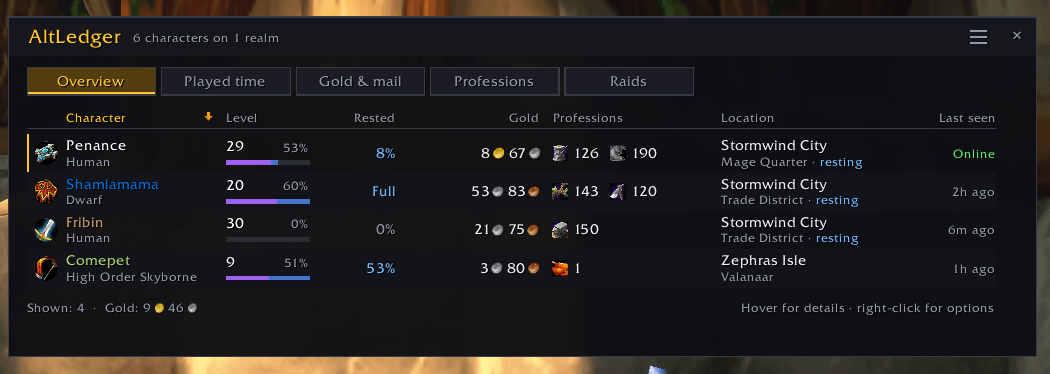
See at a glance who's rested, who's broke, who has mail about to expire, whose cooldowns are ready, who's saved to which raid, and how long you've played them all. Log into each character once and Alt Ledger keeps track from then on.
Five views, one click apart
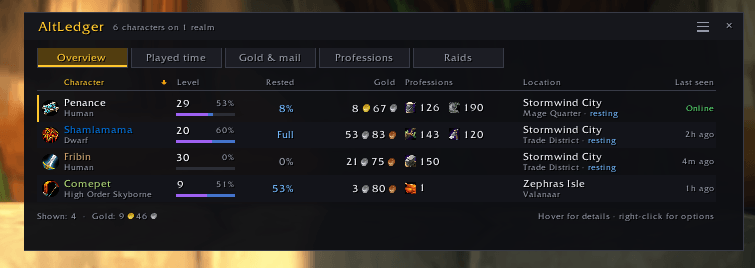
- Overview: level and XP bar, rested XP, gold, professions, where you logged out, raid lockouts, last seen
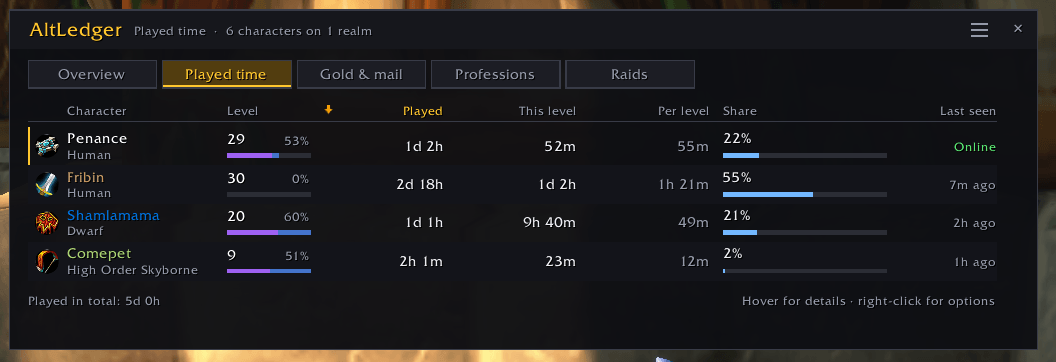
- Played time: total played, this level, average per level, and each character's share of your total
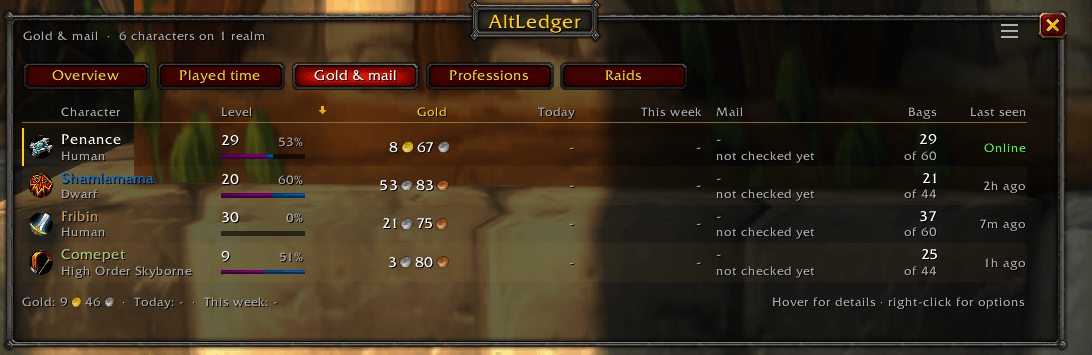
- Gold & mail: gold, what you made or spent today and this week, mail waiting and when it expires, free bag space
- Professions: skill bars, secondary skills, and cooldowns like Transmute, Mooncloth and Salt Shaker
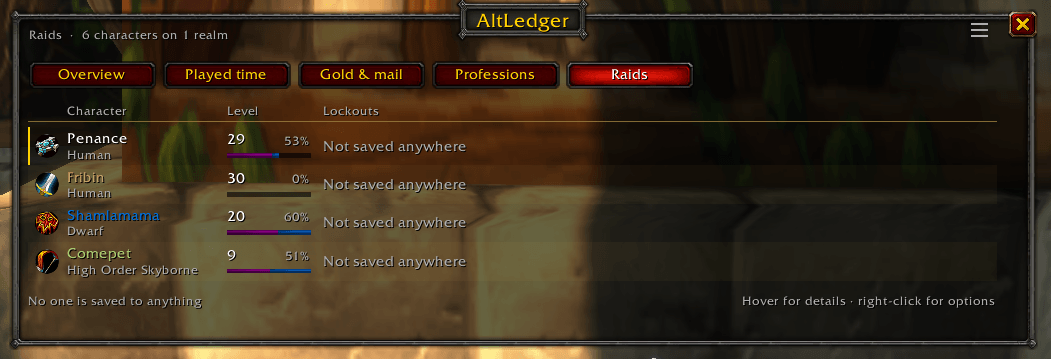
- Raids: a grid of every lockout, with bosses killed and when it resets
Hover any character for the full picture, or any column header to see what it shows.
Features
- Rested XP while you're away: offline characters keep earning rested XP in the list, and the tooltip tells you when they'll be full
- Played time without the chat spam: fetched quietly at login, no more typing /played
- Mail warnings: never lose items to expired mail again. Mail sent to your own alts shows up instantly
- Chat alerts: a heads-up when an alt becomes fully rested or a profession cooldown comes off
- Notes: right-click a character to tag it ("bank alt", "herb farmer")
- This session: gold and XP earned, XP per hour, and roughly when you'll level
- Minimap button: click to open, hover for a quick look at who's rested and what's ready
- Two looks: a clean Modern theme, or Classic, built from the original game's own frames, buttons and colors
- Filters: this realm or all, one faction or both, hide bank alts, hide low-level characters
- Lots of toggles: turn off any view, column, tracker or alert you don't want
Made for Forever
Forever hides some data from addons during combat. Alt Ledger only reads your own character, out of combat, and saves as you play, so the restrictions never get in its way. Nothing is sent to other players.
Getting started
- Install and log into each of your characters once.
- Click the minimap button or type /alts.
- Right-click the minimap button for settings.
Commands: /alts, /alts played, /alts gold, /alts profs, /alts raids, /alts settings, /alts minimap, /alts help
You can also bind a key under Options → Keybindings → AddOns.
Alt Ledger Team