Alt Courier
- By
Sends your crafting materials and Bind on Equip items to your alts. You pick the categories, press Start, then Send.
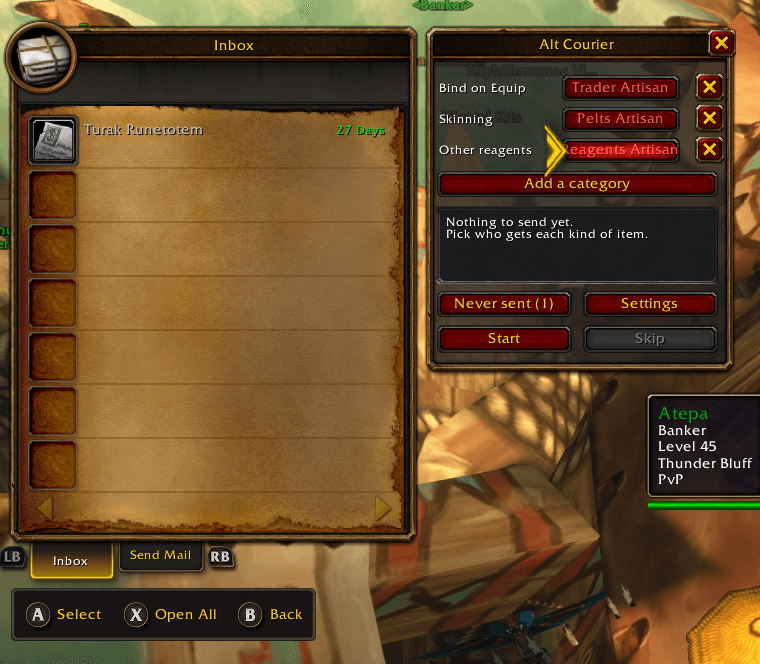
Description
Sending your crafting materials to the right alt, one item at a time, gets old fast. Alt Courier fills the mail for you: pick who gets what, press Start, check the mail and press Send. It never sends anything by itself, and attaches nothing until you press Start.

What it does
- Add and remove categories: Bind on Equip, each profession's materials (Herbalism, Mining, Skinning, Tailoring, Cooking, Enchanting, Jewelcrafting, Engineering, Inscription), other crafting reagents, and everything else
- Each category goes to the alt you pick, or stays in your bags with no alt
- Only one bank alt? Give every category the same alt: it all goes out in as few mails as possible
- Press Start to fill the mail; after each send the next batch is filled, until nothing is left or you press Stop
- It steps back if the mail already holds something, or if you type in it
- Mail characters on your other accounts: turn it on in Settings, agree to the warning, then add each character by name. Mail can't be taken back, so check the names
- Never send an item, or anything with a word in its name
- Add an alt you haven't logged into yet
- Looks like the game's own windows
Commands
- /ac list: who gets what, and which alts are known
- /ac add First Last: add an alt
- /ac settings: open the settings (mailing other accounts)
- /ac remove Name: forget an alt
- /ac exclude word or [item]: never send it
- /ac include word or [item]: send it again
It's a simple tool with no dependencies: it uses only the game.
The code is free to copy, as long as you credit it.
Alt Courier Team