AHPriceGraph
- By
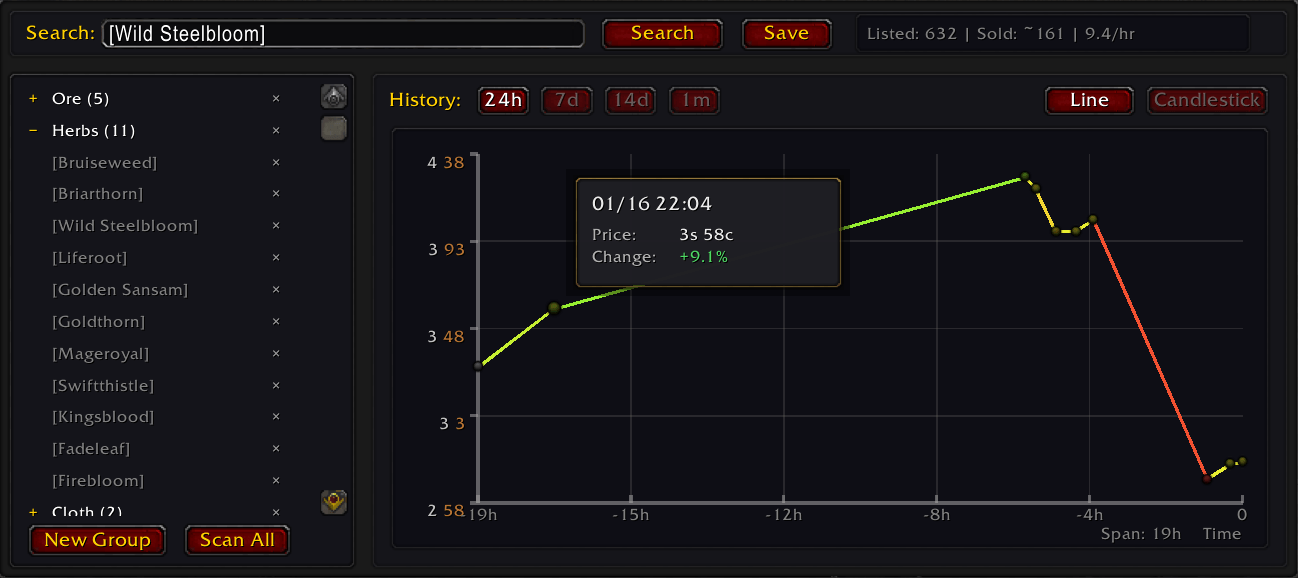
Tracks lowest auction house buyout over time and shows a line graph or candle chart
Description
Auction House Price Graph
Track auction house prices over time and make smarter buying and selling decisions!
Features
📈 Price History Graph
Every time you search for an item, the addon records the lowest buyout price. Over time, this builds a price history that you can view as a graph, helping you understand price trends and identify the best times to buy or sell.
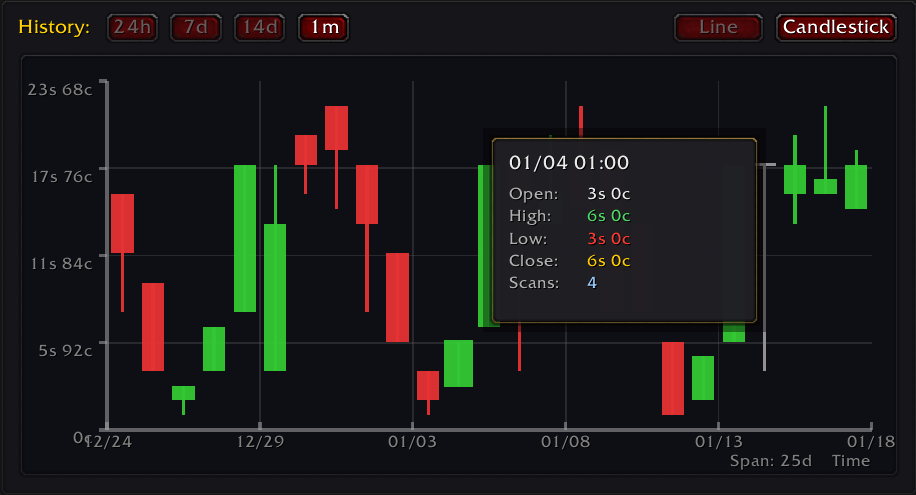
🕯️ Candlestick Chart
Switch between a simple line graph and a candlestick chart to see price movements in more detail — including opening, closing, high, and low prices for each time period.
💡 Market Insights Panel
A collapsible panel next to the graph gives you at-a-glance market intelligence for the selected item:
- Recommended Action — A clear BUY, SELL, DO NOTHING, LOW TURNOVER, or IGNORE signal based on the current price vs. median, volatility, and turnover
- Current / Median / High / Low prices with a color-coded range bar showing where the current price sits
- Volatility — How much the price fluctuates (percentage)
- Turnover — Approximate items sold per hour, so you know whether there is real demand
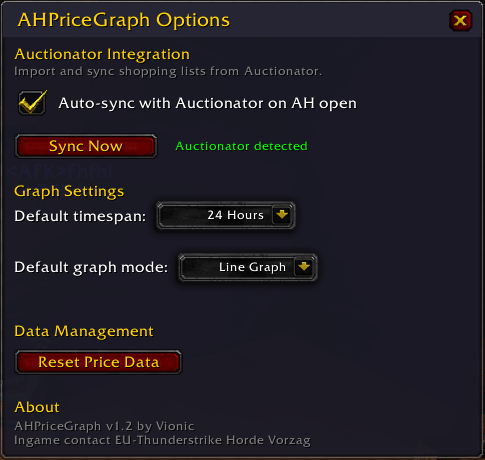
All thresholds (low turnover, ignore spread) are configurable in the options panel.
📁 Saved Search Groups
Organize your favorite items into groups for quick access:
- Create custom groups (e.g., "Crafting Mats", "Raid Consumables")
- Save searches with one click
- Scan entire groups at once to update all prices
- Drag and drop to organize items between groups
🔔 Price Alerts
Never miss a deal again! Set price alerts on any item:
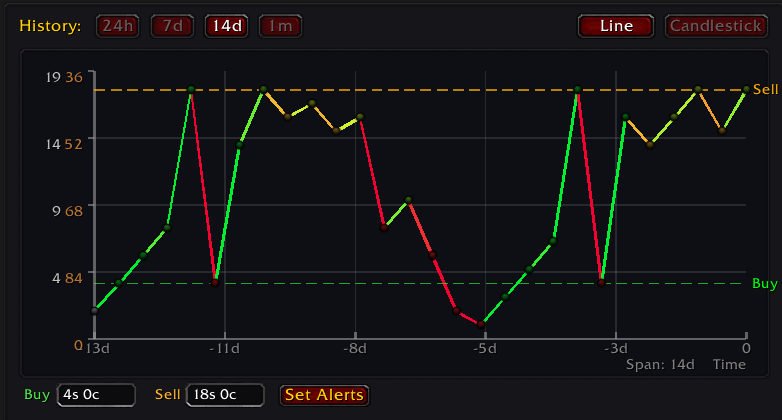
- Buy Alert — Get notified when an item drops below your target price
- Sell Alert — Get notified when an item rises above your target price
- Visual threshold lines appear on the graph showing your alert prices
- After a group scan, a summary window shows all triggered alerts sorted by value
🔗 Auctionator Integration
If you have Auctionator installed:
- Import & sync your Auctionator shopping lists as groups — including sublists
- Passive price recording — Whenever you search an item in Auctionator, the price is silently recorded into AHPriceGraph's history (only for tracked items)
- Full scan support — After an Auctionator full scan, prices for all your tracked items are automatically updated
- Auto-sync on AH open (optional, configurable)
💾 Export / Import
- Export & import groups (Lua format) — back up or transfer your group setup between characters or accounts
- Export & import price data (CSV) — save your price history externally or merge data from another character
How to Use
- Open the Auction House
- Click the "Graphs" tab
- Enter an item name or shift-click an item to search
- Click "Search" to scan for the lowest price
- View the price history graph on the right
- Click "Save" to add items to your default group for easy access later
- Click "Insights »" to open the market insights panel
Tips
Scan regularly — The more you scan, the better your price history data becomes Use groups — Create groups for items you trade frequently, then scan the whole group with one click Group scan — Right-click on a group name to scan just that group Watch for patterns — Many items have predictable price cycles (cheaper on weekends, more expensive on raid days, etc.) Compare timeframes — Use the time range buttons to see both short-term fluctuations and long-term trends Auctionator users — Enable auto-sync and passive recording in Options so your price history builds even while you shop in Auctionator Use Insights — Check the recommended action before buying or selling to avoid bad trades
Slash Commands
/ahpg options— Open the options window/ahpg sync— Sync with Auctionator (import new + update existing lists)/ahpg auctionator list— List available Auctionator shopping lists/ahpg repair— Try to find missing item IDs for historic data
Made for TBC Classic Anniversary Edition (2.5.5) May also work for other versions, no guarantee given
AHPriceGraph Team