Aeonzara Plus (Inspired by Leatrix Plus)
- By
A set of small, toggleable UI fixes for WoW: Forever: UX improvements, shortcuts, cursor tooltips, class-coloured players, trainer auto-select and more.
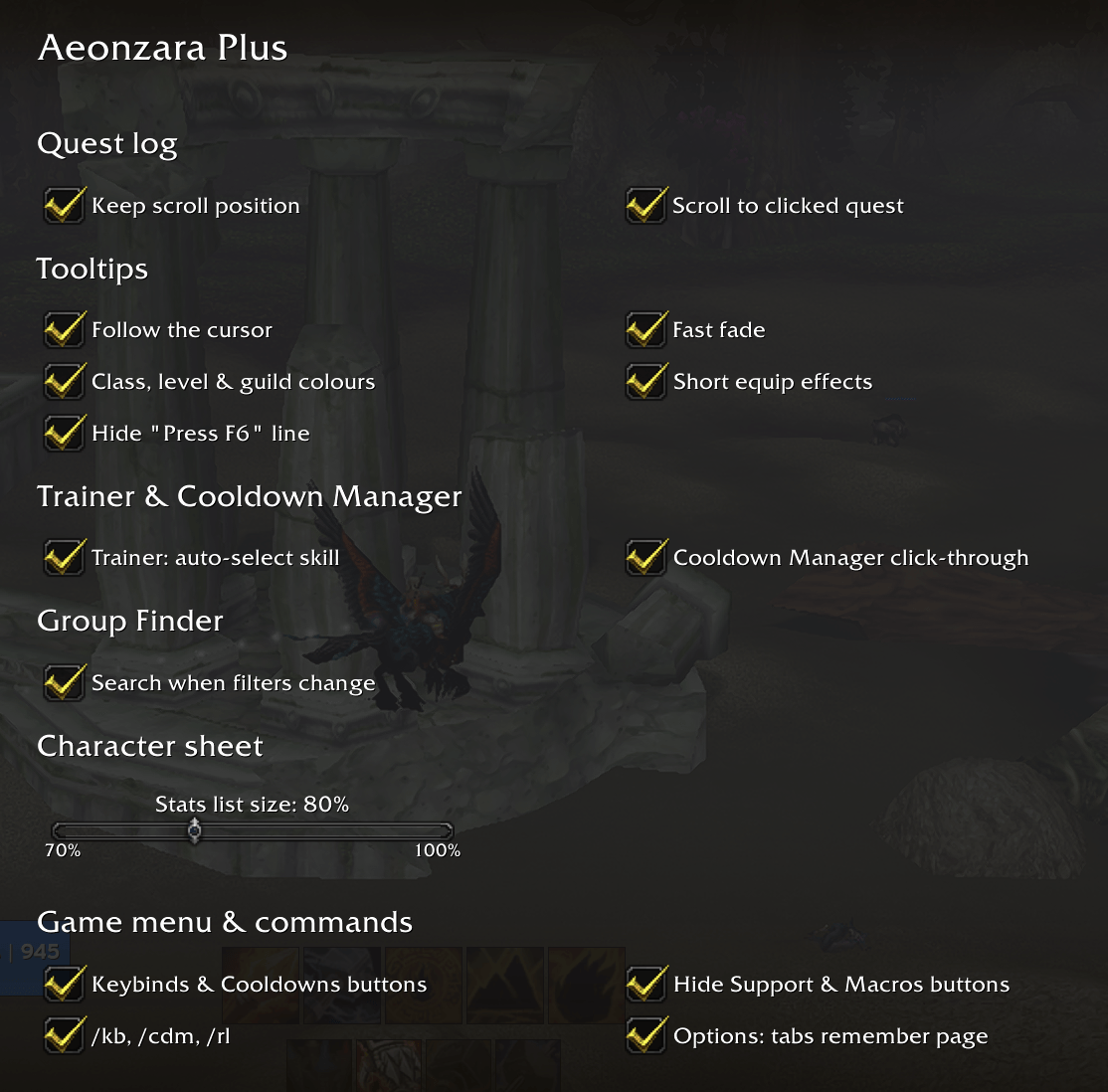
AeonzaraPlusOptions.png
Description
Aeonzara Plus
Inspired by Leatrix Plus, Aeonzara Plus is a collection of small quality-of-life tweaks for WoW: Forever. They're the things I kept wishing the default UI did. Almost all are on by default, and you can turn each one on or off in Options › AddOns › Aeonzara Plus (or type /aeonzara or /azp).
No libraries and no setup needed.
Quest log
- Keep scroll position: Back from a quest's details returns the quest log beside the map to where you had scrolled.
- Scroll to clicked quest: clicking a quest on the map scrolls the quest log so that quest is in the middle, opening its zone if needed.
Tooltips
- Follow the cursor: tooltips appear next to your cursor and flip sides to stay on screen.
- Fast fade: tooltips fade out in 0.1 seconds instead of lingering.
- Class, level & guild colours: player tooltips show their class in its class colour and their guild as
<Guild>in guild-chat green. Player, pet and enemy tooltips colour the level grey, green, yellow, orange or red by how it compares to yours, using Classic's ranges. - Short equip effects (off by default): green Equip: lines on items show as short stats. Hold Alt to see the original text.
- Before: "Equip: Increases movement speed by 2% in Silverpine Forest and Hillsbrad Foothills."
- After: "+2% movement speed in Silverpine/Hillsbrad"
- Hide "Press F6" line: removes the "Press F6 to submit an issue" line from every tooltip.
Trainer & Cooldown Manager
- Trainer: auto-select skill: when you open a trainer, the profession rank-up is selected (or else the top skill), so it's ready to train. It never trains anything by itself. It works well with DialogKey - Aeonzara Edition: open the trainer and press Space.
- Cooldown Manager click-through: Cooldown Manager icons stop showing tooltips, and your mouse hovers and clicks pass straight through them.
Group Finder
- Search when filters change: the group list refreshes as soon as you tick or untick a dungeon, so you don't have to press Refresh.
Character sheet
- Stats list size: a slider from 70% to 100% for the stats beside your character (C). Smaller fits more without scrolling. Full size until you move it.
Game menu & commands
- Keybinds & Cooldowns buttons: adds Keybinds and Cooldowns buttons under Edit Mode in the Esc menu.
- Hide Support & Macros buttons: removes those two buttons from the Esc menu to tidy it up.
- Slash commands:
- /kb: Quick Keybind mode
- /cdm: Cooldown Manager settings
- /rl: reload the UI
- Options: tabs remember page: Options reopens on the tab and page you closed it on, and switching between the Game and AddOns tabs shows the page you last had open on that tab.
Notes
- Made for WoW: Forever only.
- Settings are saved per account.
- Bugs or ideas? Leave a comment.
Check out my other addons:
- Junkyard: bag triage for Classic Era and Forever, with Keep/Sell/Temp Sell lists, auto-sell at vendors and one-key delete of your cheapest junk.
- DialogKey - Aeonzara Edition: handle NPC dialogs, quests and trainers from the keyboard on WoW: Forever.
Aeonzara Plus (Inspired by Leatrix Plus) Team