Aegis Plates
- By
Customizable nameplates with role-based threat colors, live editing, heal prediction and selective voice alerts.
aegis-plates-icon-400.png
03-visual-editor.png
04-casts-and-auras.png
Description
I made Aegis Plates because I wanted nameplates that were easy to read in combat and straightforward to set up.
It’s a standalone nameplate addon for WoW Forever, with its own engine, artwork and English voice alerts included. The bronze frames and engraved details follow a mythological Aegis theme.
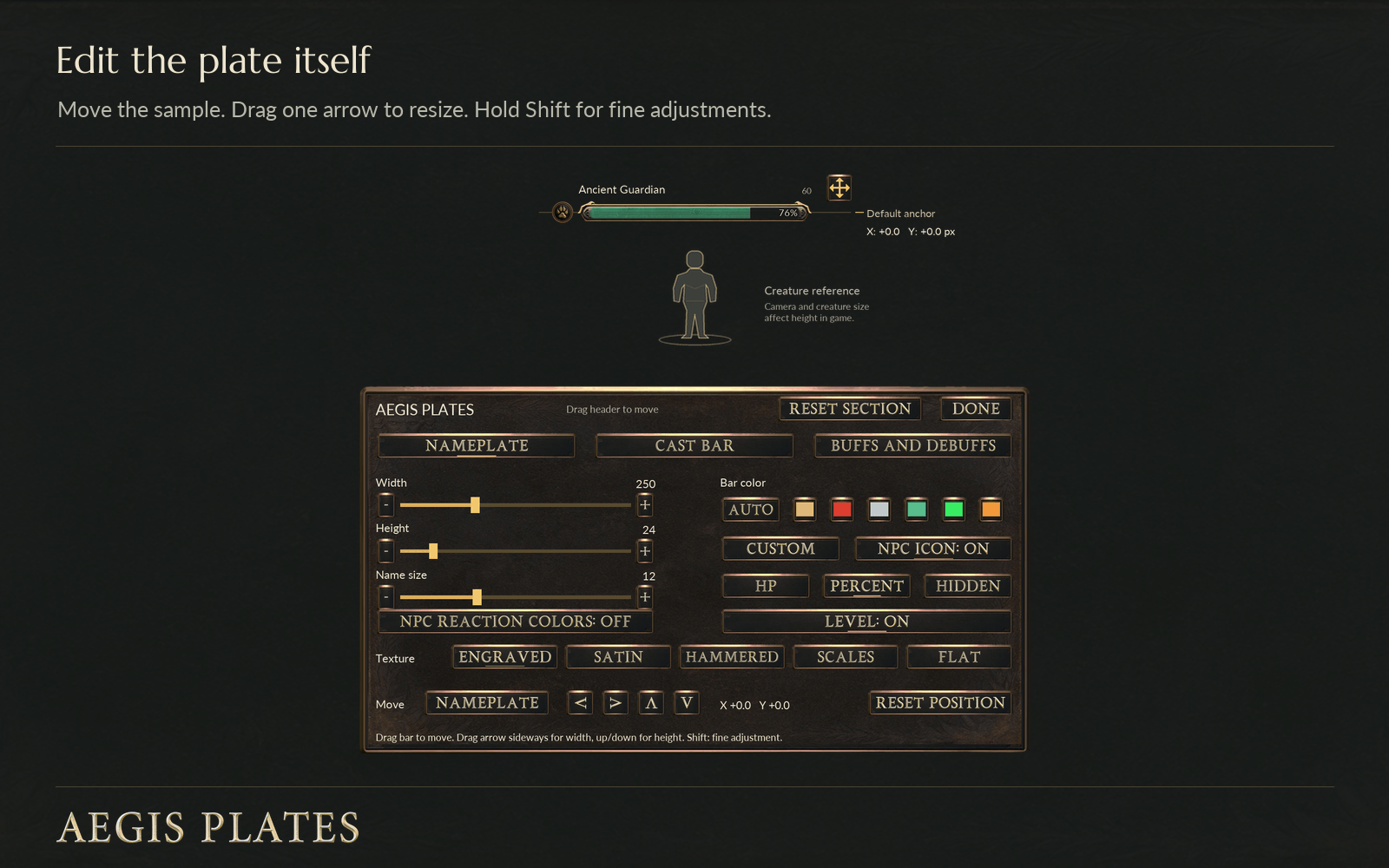
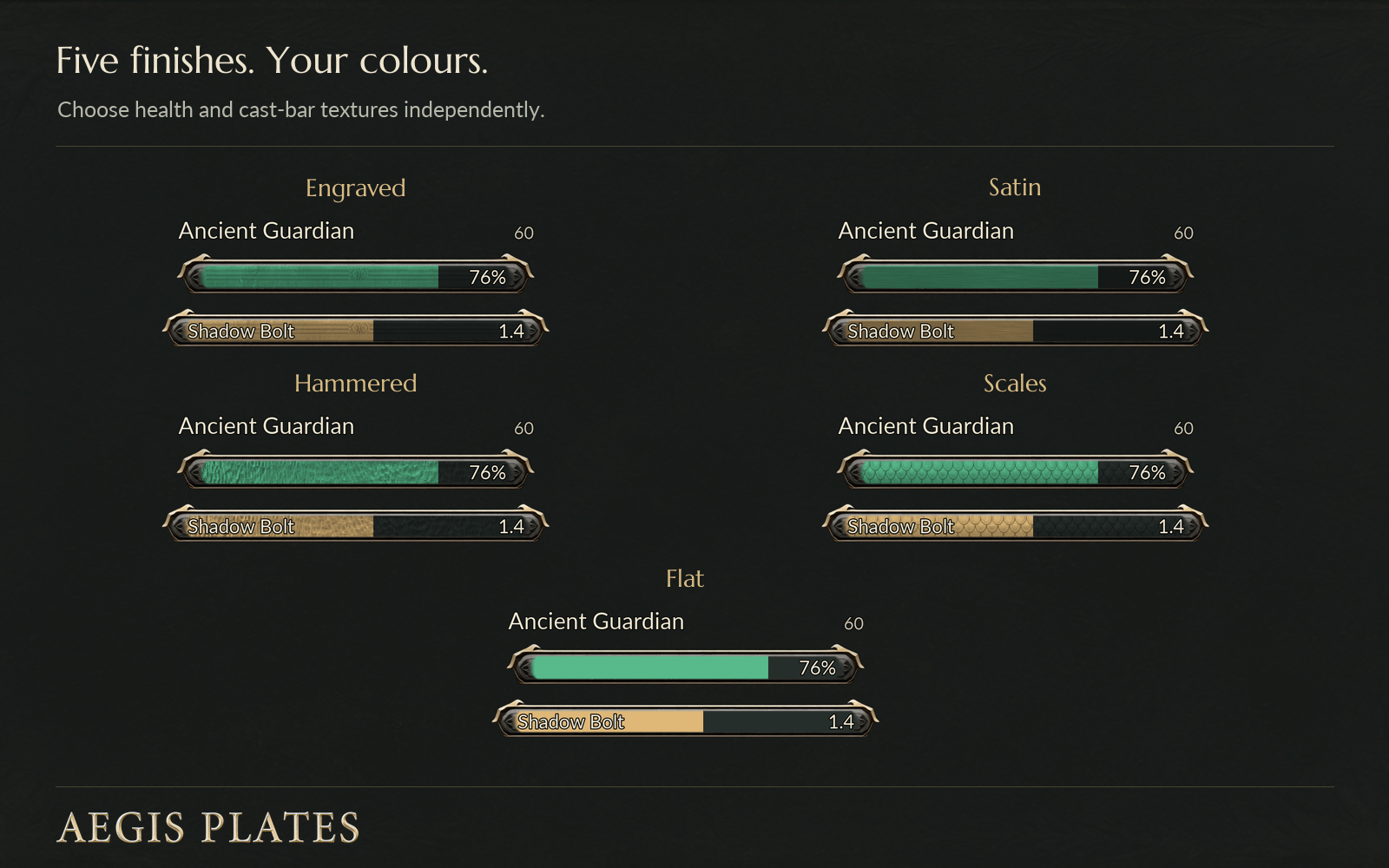
There are five bar textures.
To start adjusting things, type /agp edit. This brings up an example nameplate that you can drag around and resize using the gold arrow. Hold Shift for smaller adjustments.
The cast bar and aura rows have their own controls, so you can put the cast bar above or below the plate, change its dimensions, resize icons and move buffs and debuffs where you want them. Everything updates as you make changes. You can also move the settings window out of the way, use sliders and small adjustment buttons, or reset one section without losing the rest of your layout.
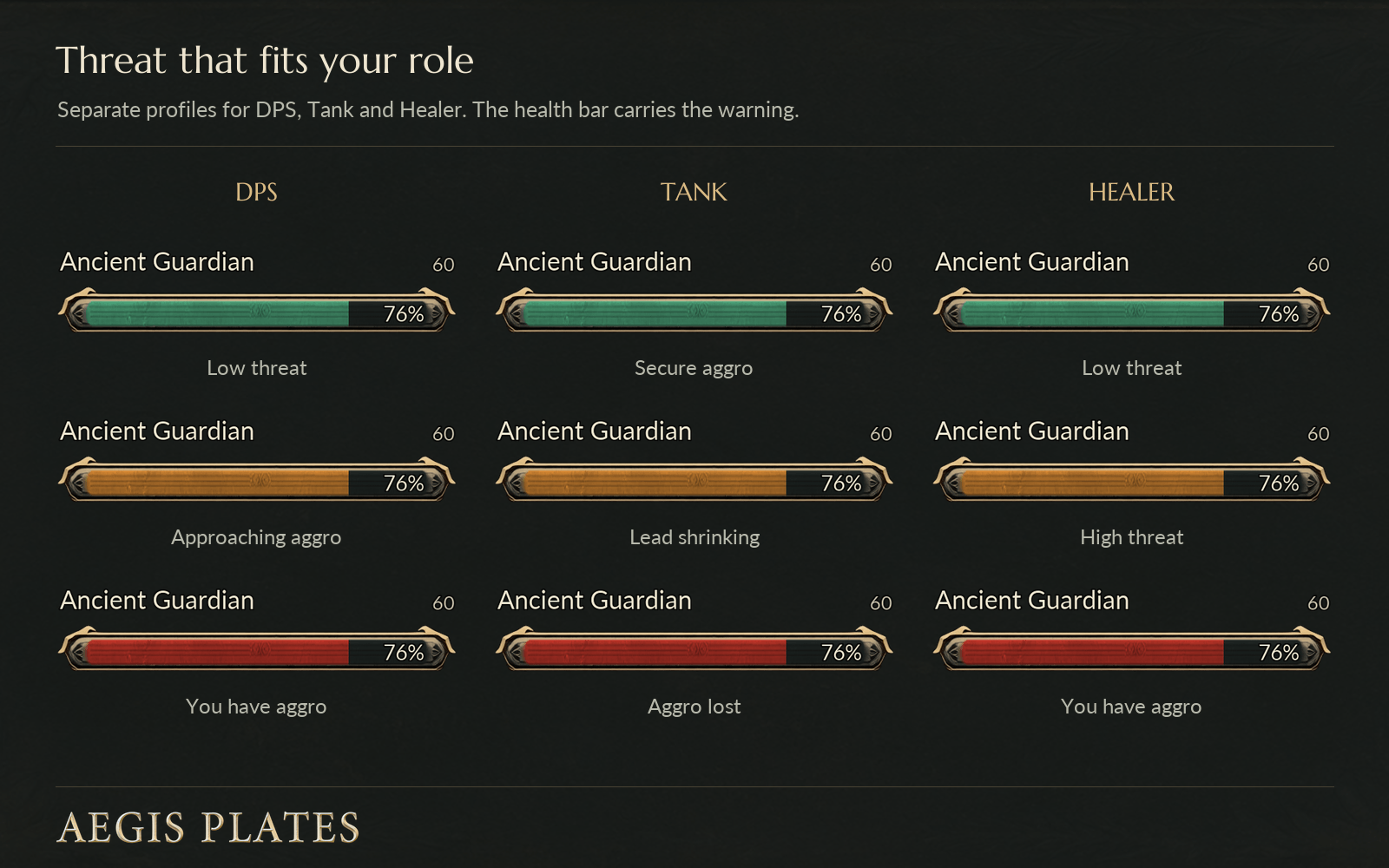
Threat colours appear directly on the health bar. Their meaning depends on the role you select:
-
DPS: green at low threat, amber when you’re getting close to pulling aggro, red when the mob is attacking you.
-
Tank: green when you have secure aggro, amber when your lead is getting less secure, red when you don’t have aggro.
-
Healer: green at low threat, amber at high threat, red when the mob is attacking you.
Threat feedback can appear before you attack, too.
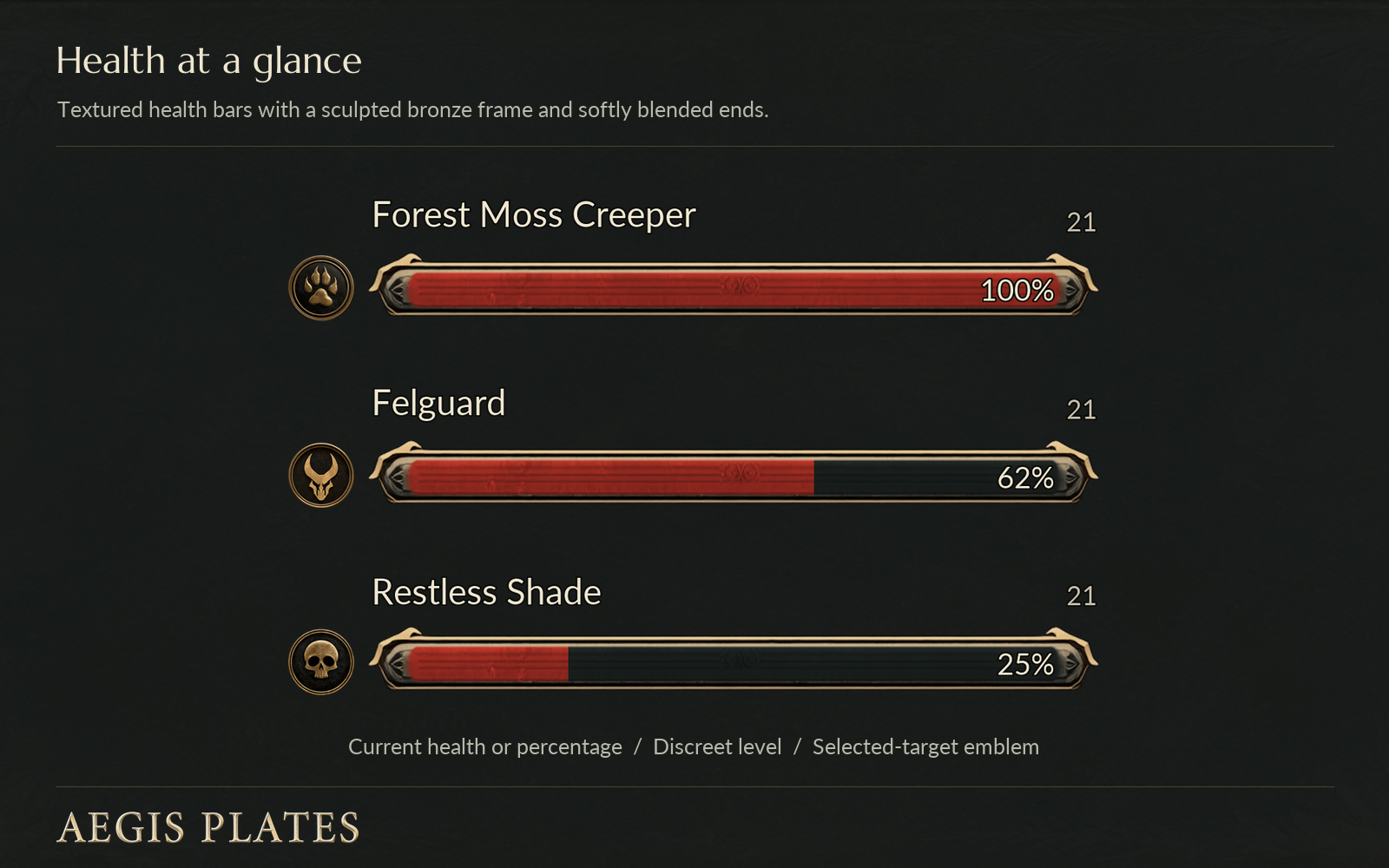
For health, you can show a number when the client provides it, a percentage, or leave the bar without text. Health values update directly from the game, while colour changes blend smoothly.
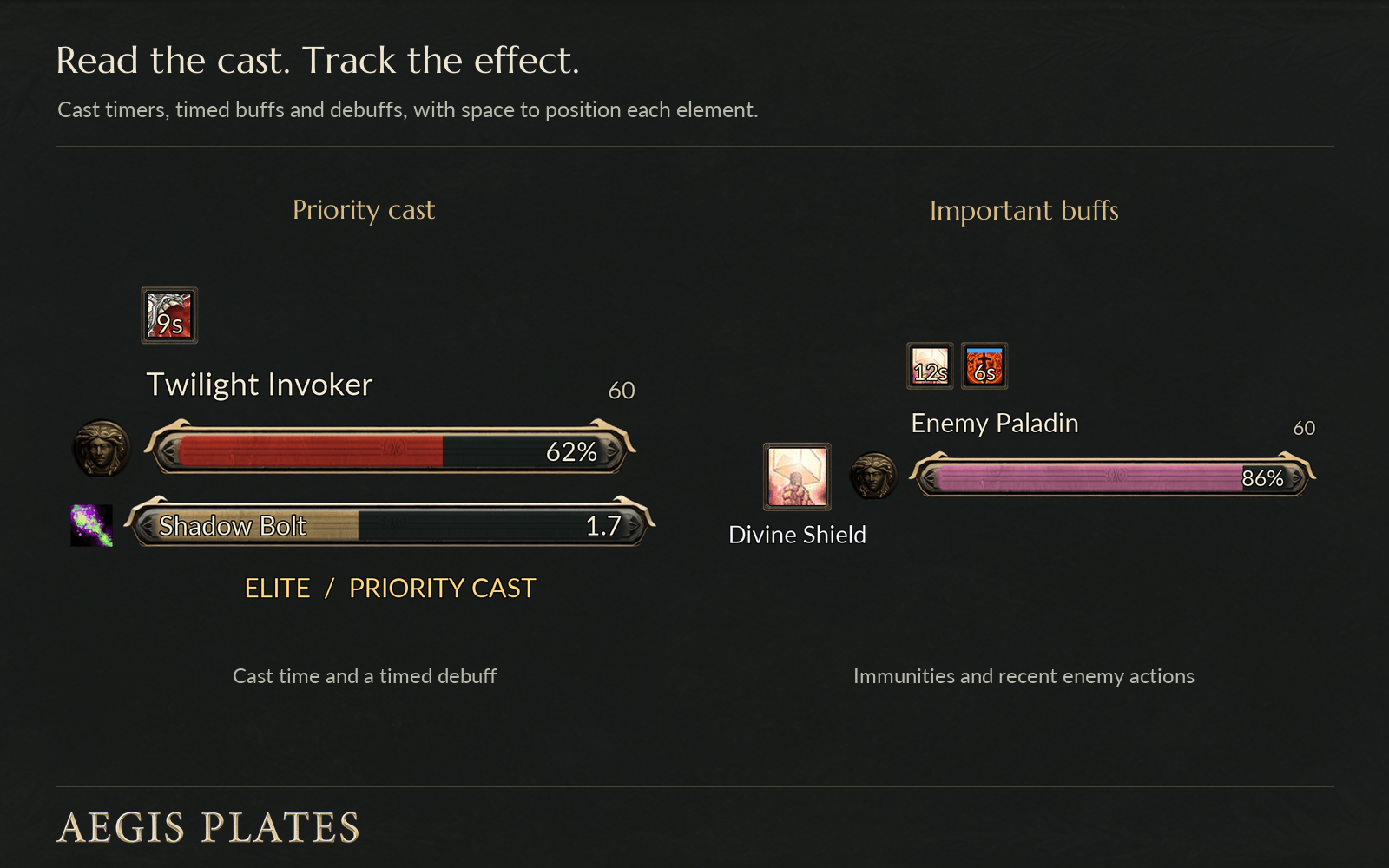
Cast and channel bars show the spell icon, timing and whether the cast can be interrupted. Buffs and debuffs use separate rows, each with its own size, position and visibility settings.
You can track just your debuffs or everyone’s. For enemy buffs, choose all buffs, stealable buffs or priority effects, then use spell filters to include or hide individual effects. Timers, stacks and aura removal follow the information available from the client. There’s also an optional recent-action icon to show what an enemy just used.
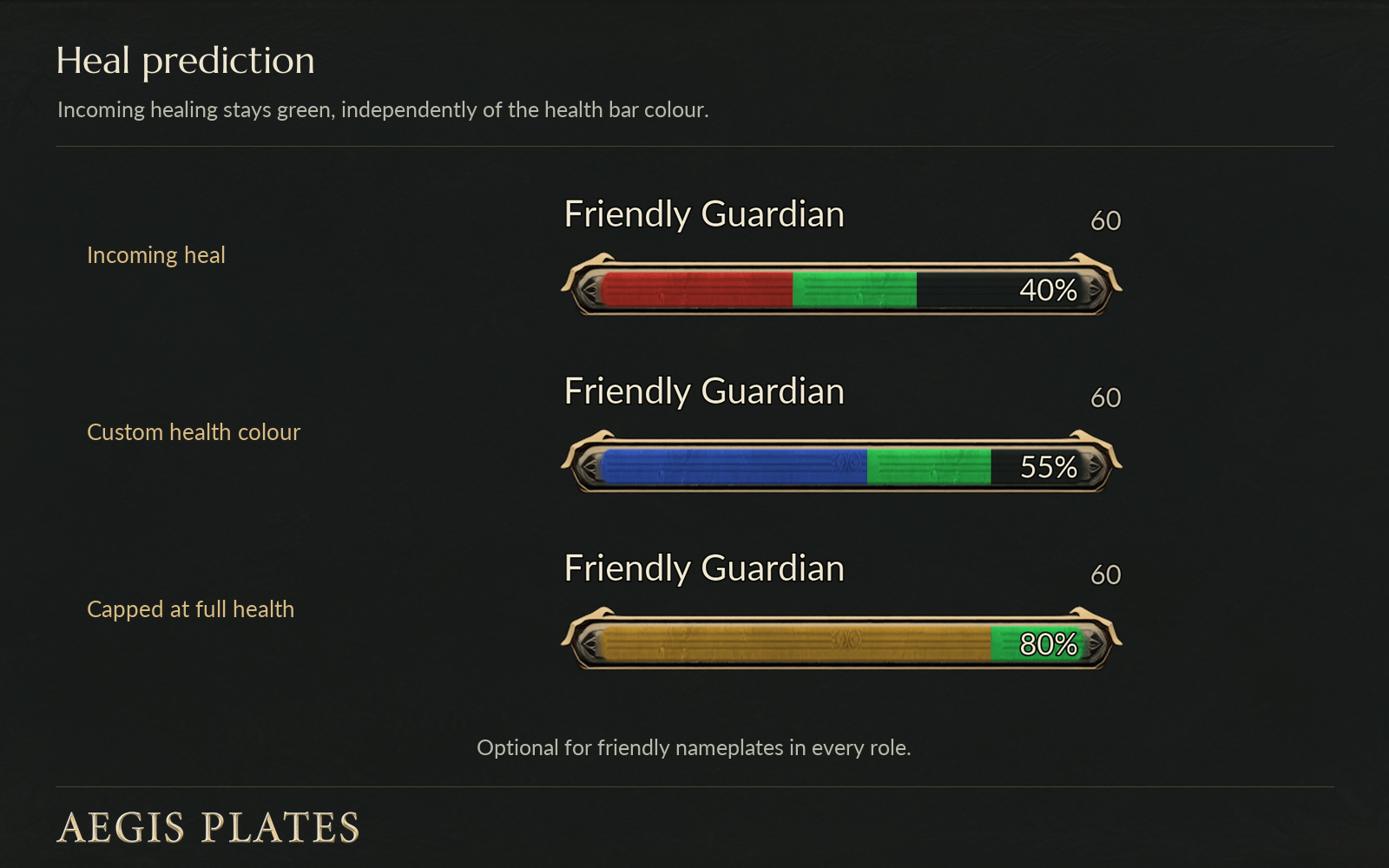
Friendly plates have an optional heal prediction display. Incoming healing appears as a green extension of the health bar, regardless of its normal colour, and works with all three role setups.
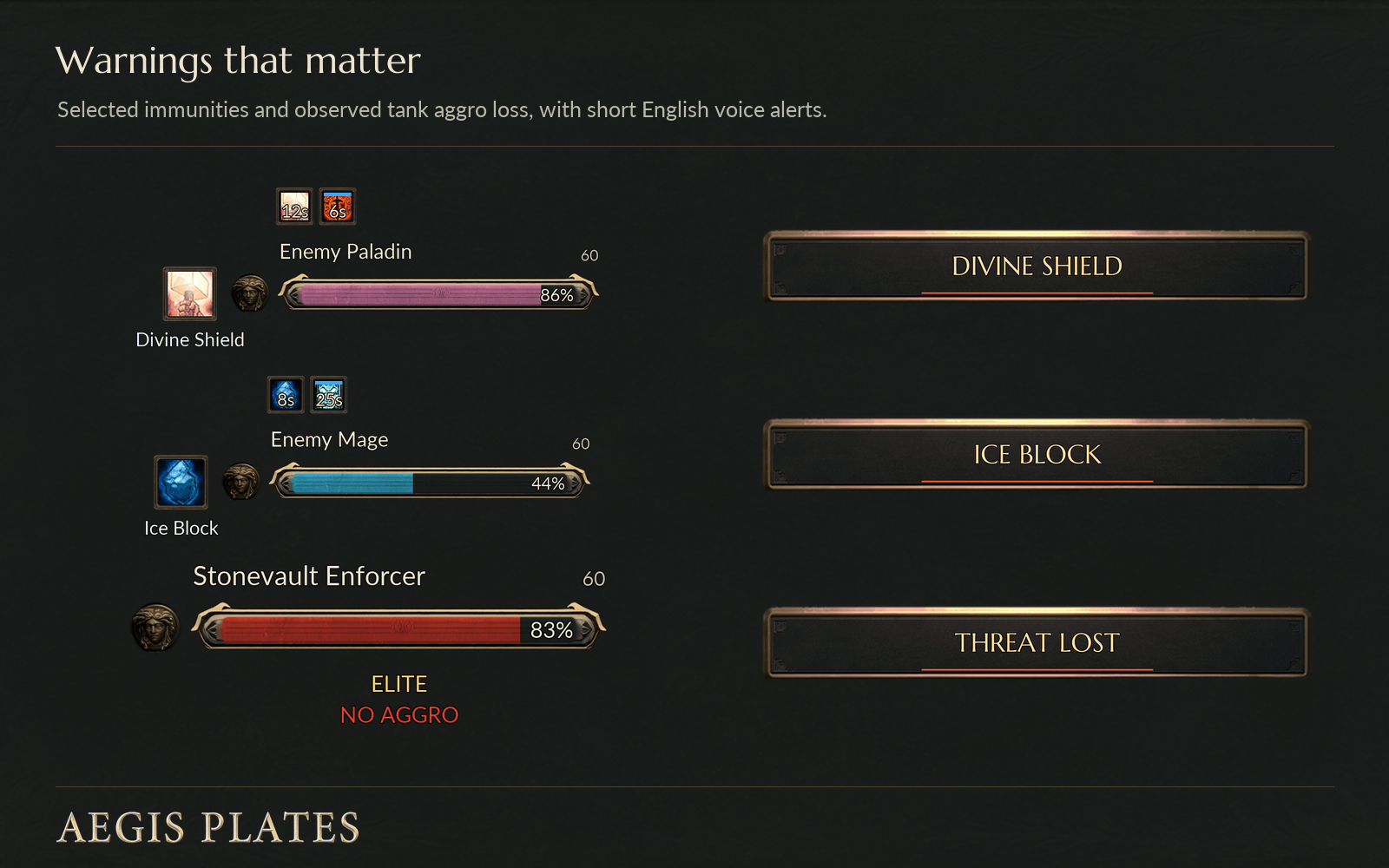
Voice alerts cover selected abilities such as Divine Shield and Ice Block, along with detected aggro loss while using the Tank role. You can turn protection warnings off and enable sound and visual warnings separately. Alerts use priorities, duplicate suppression and a minimum gap between announcements to limit repetition.
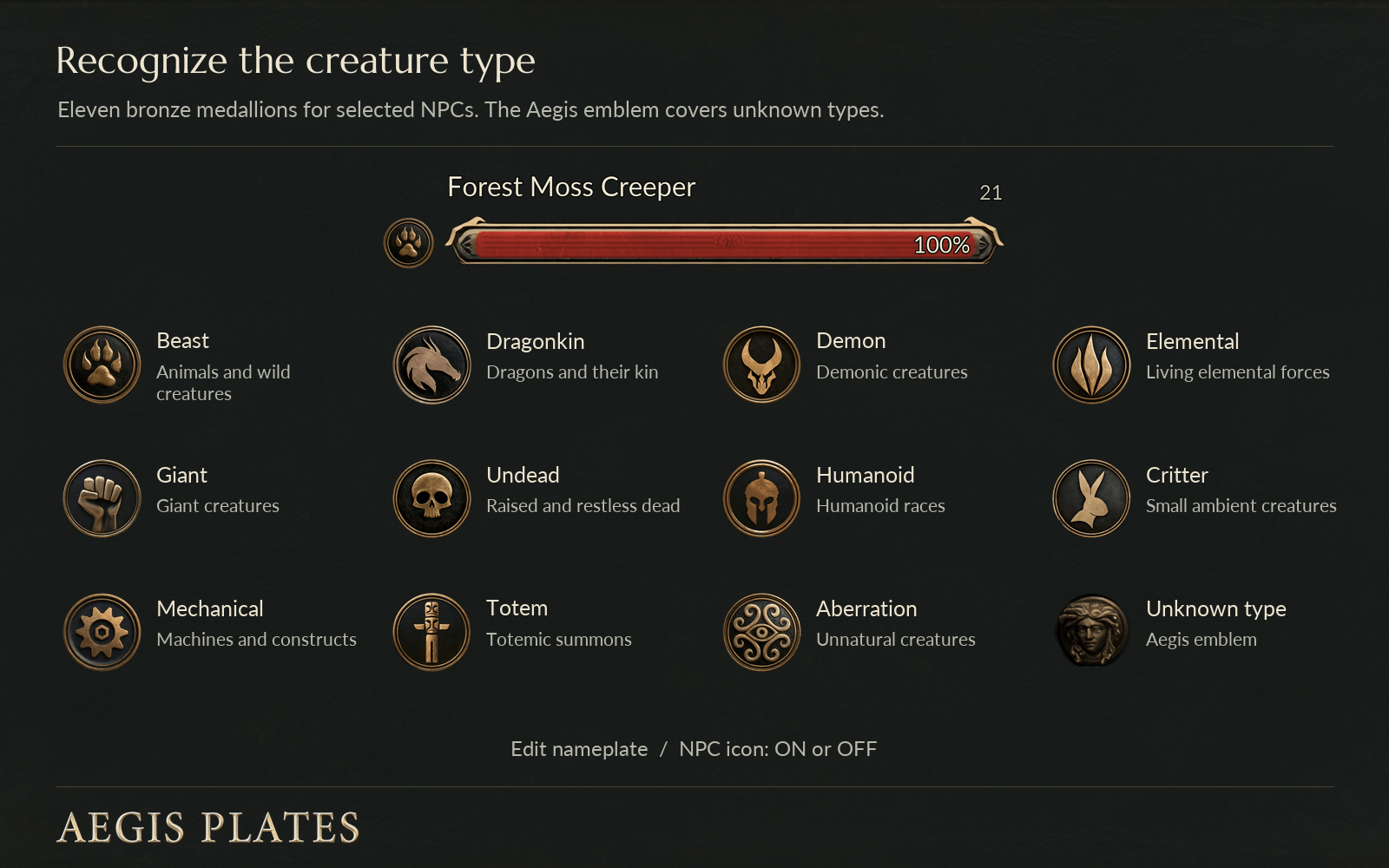
Icons identify types such as Beast, Demon, Dragonkin and Undead. Unknown types use the Aegis emblem, and you can hide the icons if you prefer.
Other options include level labels, player class colours, target and focus highlights, raid markers, fading for units you aren’t targeting, and elite or quest-boss indicators.
You can keep separate DPS, Tank and Healer setups, copy profiles, and import or export them.
Open settings through the movable Aegis minimap button or type /agp. Use /agp edit to go straight to the visual editor.
If you find something that isn’t working properly, please report it on the CurseForge project page or send me a DM. Thanks for trying Aegis Plates!
Support Development
Aegis Plates will remain free. If you enjoy it and want to support its development, you can through Patreon or Buy Me a Coffee.
Support my work on Patreon https://www.patreon.com/cw/iamthedot
Buy me a coffee https://buymeacoffee.com/iamthedot
Aegis Plates Team