Advanced Graphics Tuner
- By
The graphics settings the game hides (grass, draw distance, fog, shadows, camera) on simple sliders that explain themselves, plus brightness/gamma with a calibration chart, dungeon profiles and photo mode.
Description
Advanced Graphics Tuner
The graphics settings the game hides, on simple sliders that tell you what they do.
From the author of Alts Forever, Keystance and Rank It Already.
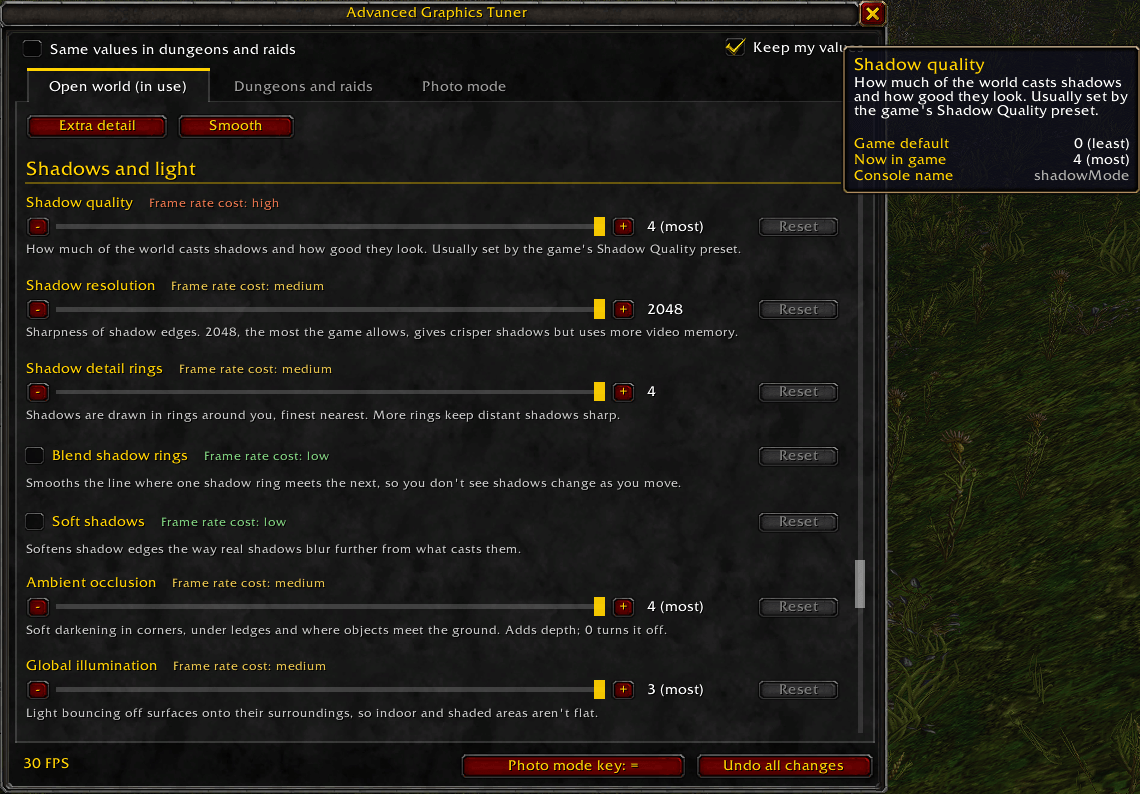
The game's graphics menu gives you presets: Ground Clutter, View Distance, Environment Detail. Behind each one sit finer settings you can normally only reach with /console commands, and the game quietly puts them back the next time you touch a preset. Advanced Graphics Tuner puts them all on sliders, writes under each one what it does and how much frame rate it costs, and keeps your values when the game's presets would overwrite them.
Features
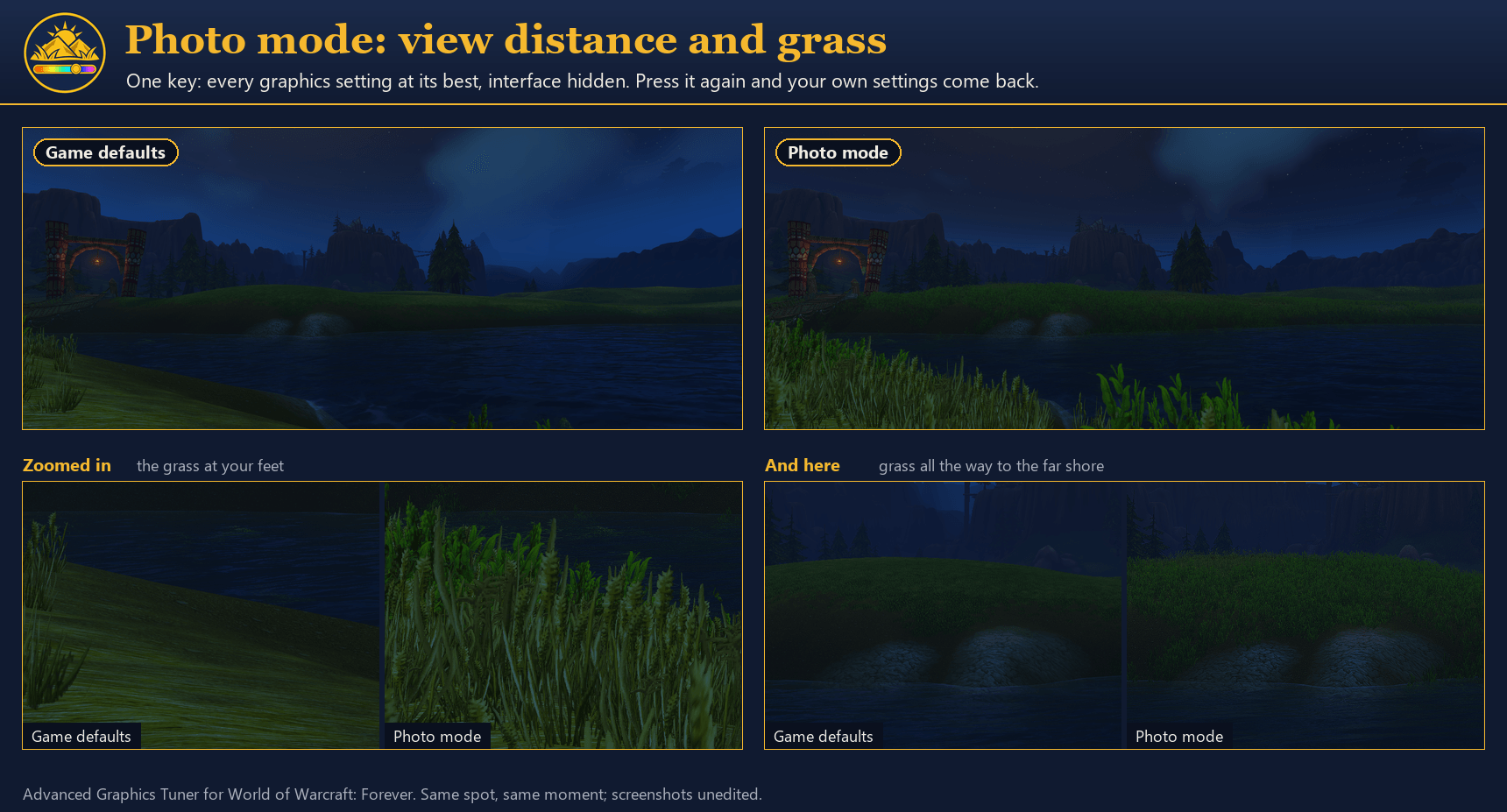
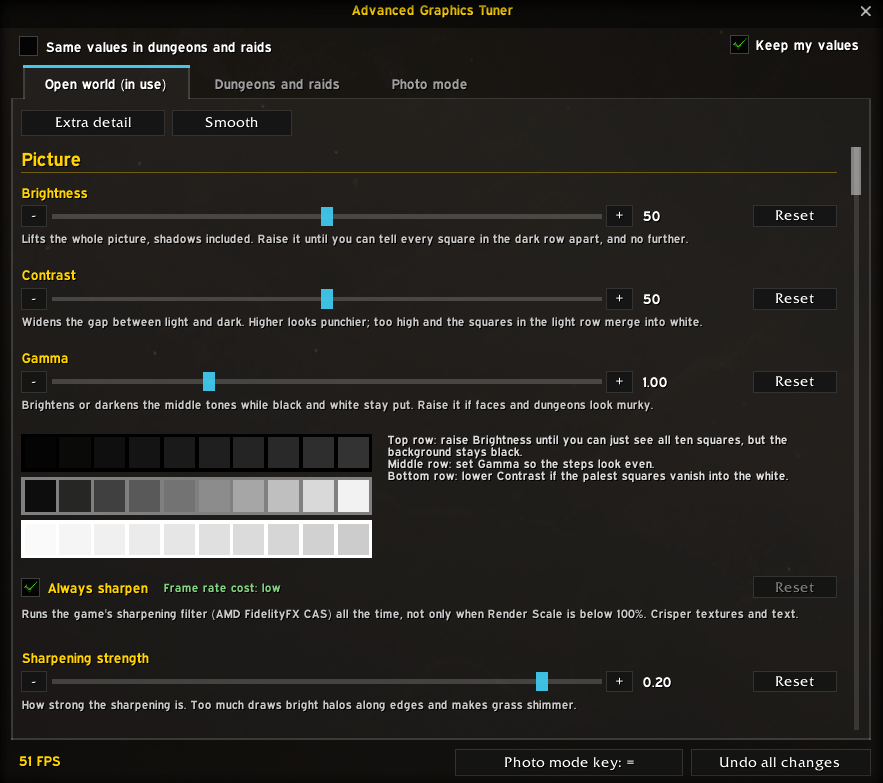
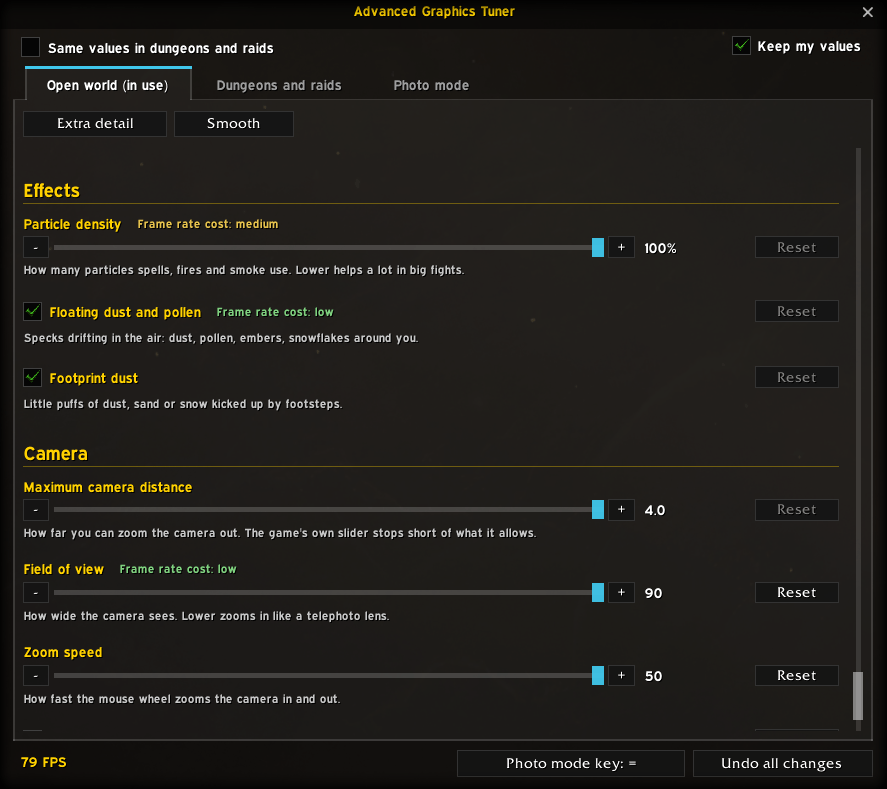
- Over 40 settings, explained: grass density, distance and fade; terrain, building and object detail; view distance, distance fog and volumetric fog; water reflections and ripples; shadow resolution, soft shadows, ambient occlusion and global illumination; particles; sharpening; camera distance, field of view and zoom speed. Each has a plain-English description, its frame rate cost, and more on hover.
- Brightness, Contrast and Gamma with a calibration chart: rows of grey squares show you exactly where to set them, like a console game's brightness screen.
- Open world and dungeon profiles: give dungeons and raids values of their own (lighter shadows and grass for big fights, a brighter picture in dark dungeons). It switches by itself at every loading screen.
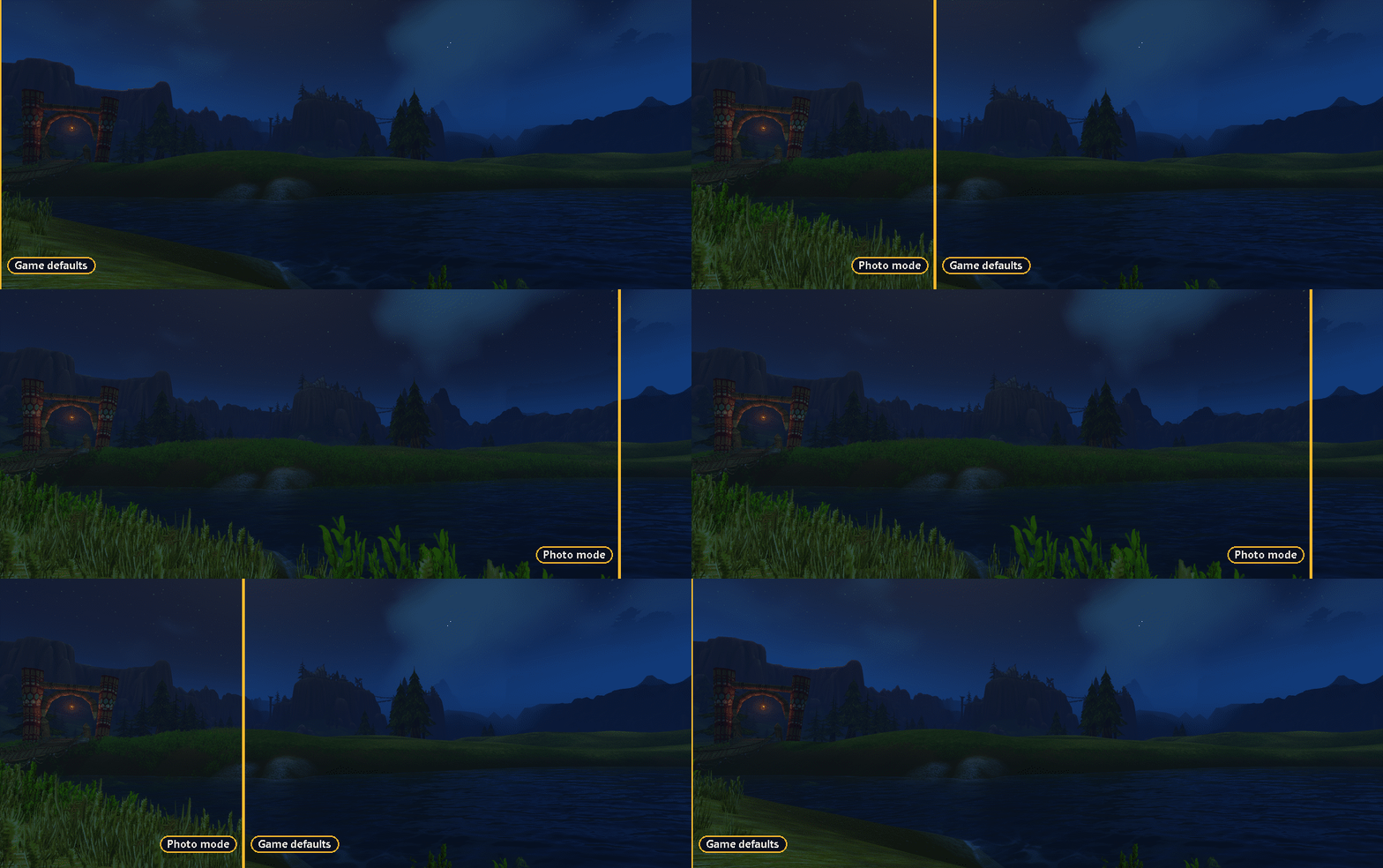
- Presets: Extra detail for grass, terrain and object detail far beyond the game's Ultra, with the furthest camera. Smooth lightens what costs most in big fights while keeping view distance and ground markers.
- Photo mode: one key press for Extra detail with the interface hidden, another for your own values and interface back. Set the key right in the window.
- Your frame rate in the window, so you can see what each slider costs as you move it.
- Reset per setting, and Undo all changes to put back everything you had before.
Safe to try
- Before changing a setting, Advanced Graphics Tuner records what you had. Undo all changes puts every one back.
- Every setting was checked against the game's own list. Anything your client doesn't have is left out.
- After each change the game's own value is read back, so a slider never pretends to a value the game refused.
- Keep my values writes yours again after loading screens and when you close the game's Options. Turn it off to let the game's presets have the last word.
Works with
- The default UI, EllesmereUI and ElvUI: the window takes on their look.
- Forever's controller (Gamepad) UI: every slider has - and + buttons.
- EllesmereUI's minimap tray and MinimapButtonButton.
- English, Deutsch, Español, Français, Português and 中文 (简体, 繁體). The translations were written with the help of an AI, not native speakers, so corrections are very welcome.
Lightweight
Nothing runs while you play. Settings are only written at loading screens, when you close the game's Options, or when you move a slider, and never if the value is already right. The window is built the first time you open it, and its frame rate display runs only while it's open.
Commands
/agt opens the window. /agt extra, /agt smooth and /agt undo apply the presets, and /agt photo toggles photo mode. /agt help lists the rest. Key bindings for the window and photo mode are also in Options > Keybindings > AddOns.
Advanced Graphics Tuner Team