AddonLoadingManager
Zone-based addon profile manager. Auto-detect Raid, Dungeon, PvP, Arena, Delve zones and swap addon sets with one click.
ALM_2.png
ALM_1.png
Description
Addon Loading Manager (ALM)
Automatically manage which addons are loaded based on your current activity. No more manual toggling between questing addons and raid tools, ALM handles the switching so
you can focus on the game.
How it works
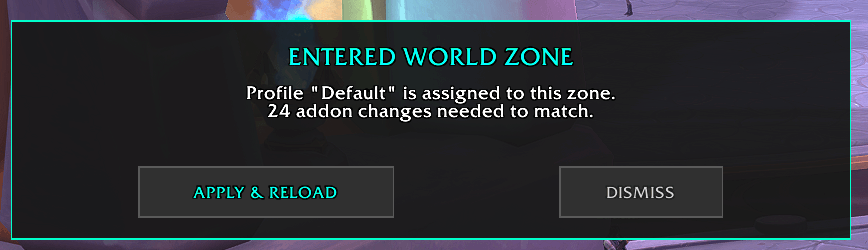
The addon detects your current zone type (Raid, Dungeon, PvP, Delve, or World) and displays a non-intrusive alert if your active addons don't match your assigned profile.
One click, one reload, and you're ready.
Features
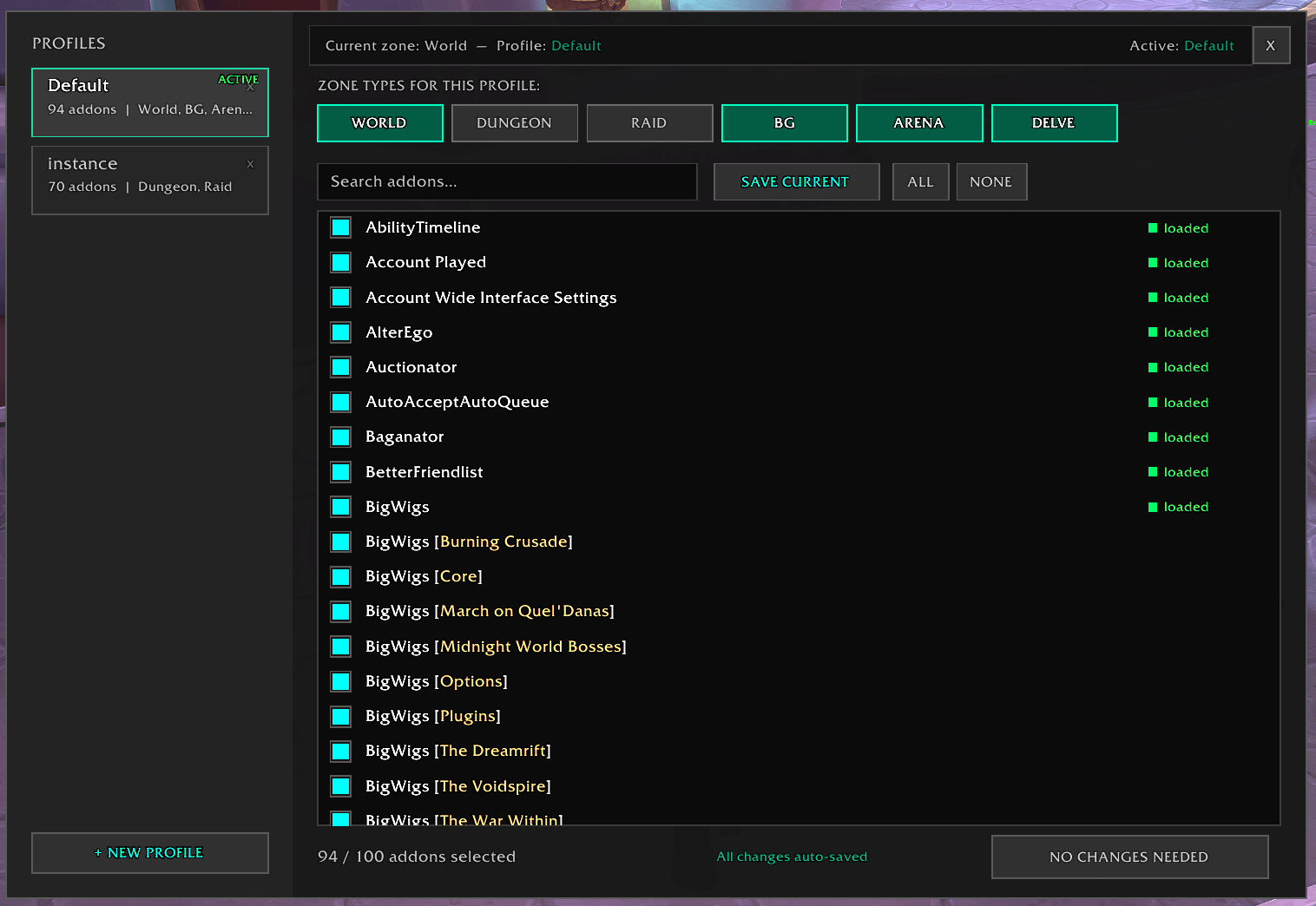
Unlimited Profiles: Create custom addon sets pre-filled with your current setup. Split them between Personal (this character) and Global (all characters).
Zone Assignment: Map your profiles to specific content: World, Dungeon, Raid, BG, Arena, and Delves.
Smart Detection: Get a subtle banner alert on zone change showing exactly how many addons need to be enabled/disabled. Sub-modules managed by a parent (Big Wigs
regionals, Details plugins, Raider.IO regional DBs, etc.) are automatically ignored so you don't get spammed with false alerts.
Profile Sharing: Export any profile as a string to share with your guild or paste one someone sent you.
Profile Tools: Right-click any profile card for Rename, Duplicate, and Export. Drag and drop profiles in the sidebar to reorder them the way you want.
Fast Management: Built-in search, filtering (All / Selected / Unselected / Mismatched), and bulk selection (All/None) to tweak your lists quickly.
Clear Visual Feedback: Orange indicator on any profile that diverges from your currently enabled addons, and a marker on each row that differs, so you always know what's
out of sync.
Safe Editing: A Revert button restores the state the profile had when you opened it, in case you want to cancel your changes.
One-Click Apply: Switch profiles and trigger a UI reload instantly.
Zero Friction: Lightweight UI with auto-saving, no "Save" button required.
How to open it
Three ways:
- Slash command: /alm or /addonmanager
- Game Menu: press ESC and click Addon Manager
- Bind it to a key via the interface (if you use a keybind manager)
AddonLoadingManager Team