


AddOn Suite (An AddOn Manager)
- By


Addon Suite is an addon management for the World of Warcraft
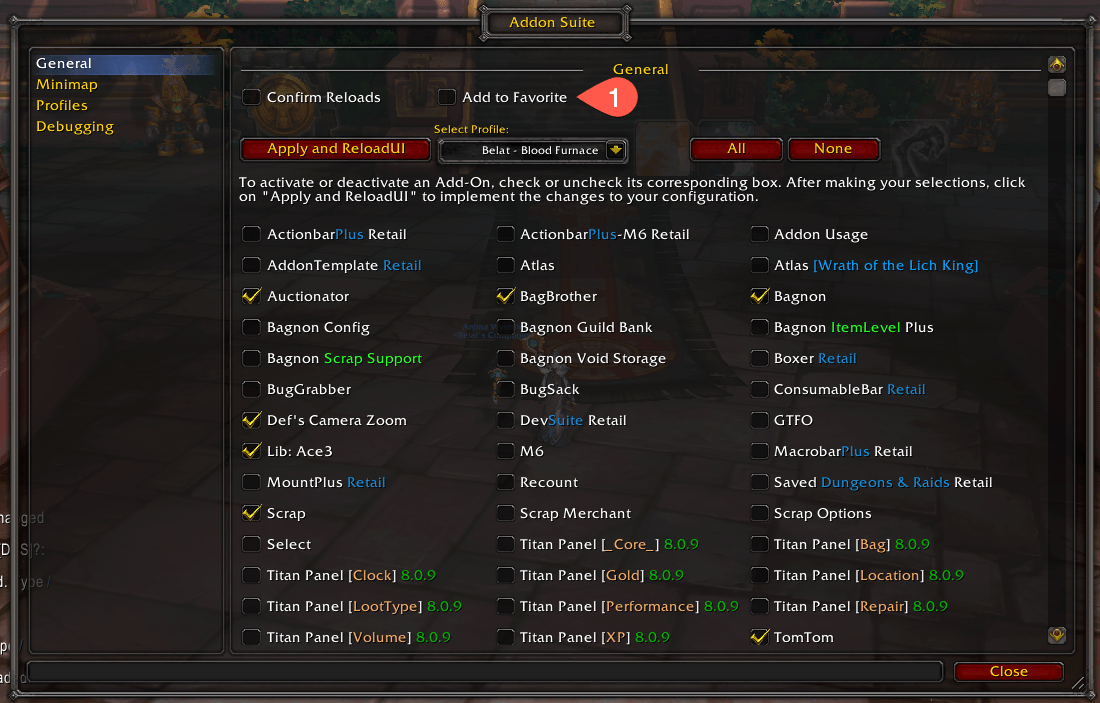
The "Add to Favorite" is also shown here which is the same functionality as checking the addon in the Minimap options tab (1 on the image below)
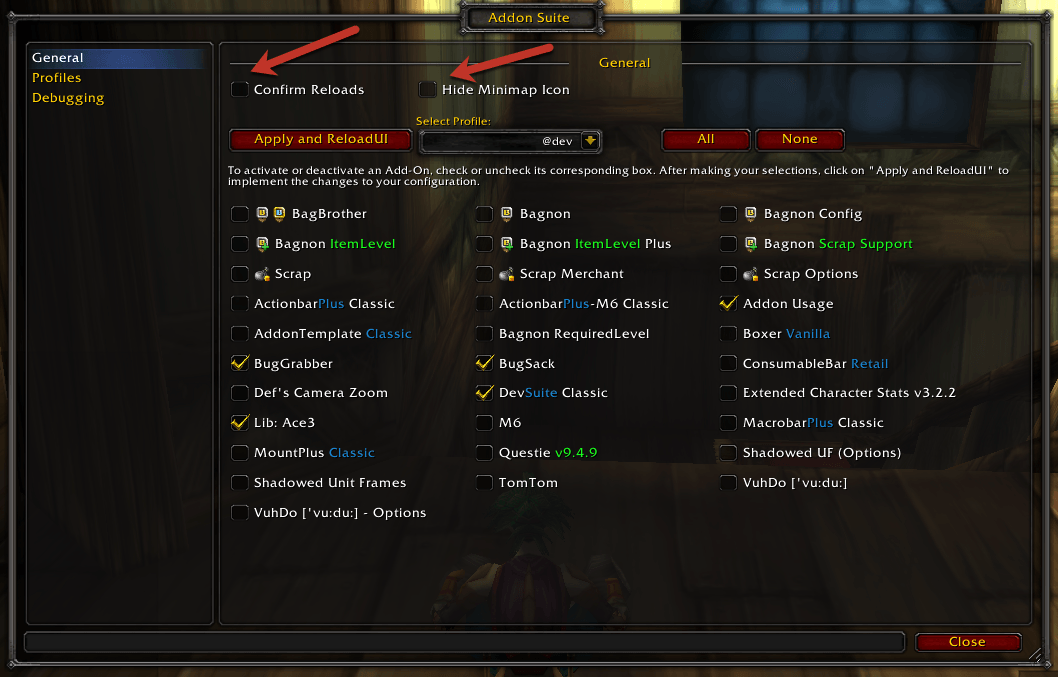
The image shows an "Addon Suite Settings Dialog," featuring toggles for "Confirm Reloads" and "Hide Minimap Icon," alongside a list for enabling addons with an "Apply and ReloadUI" button for changes.
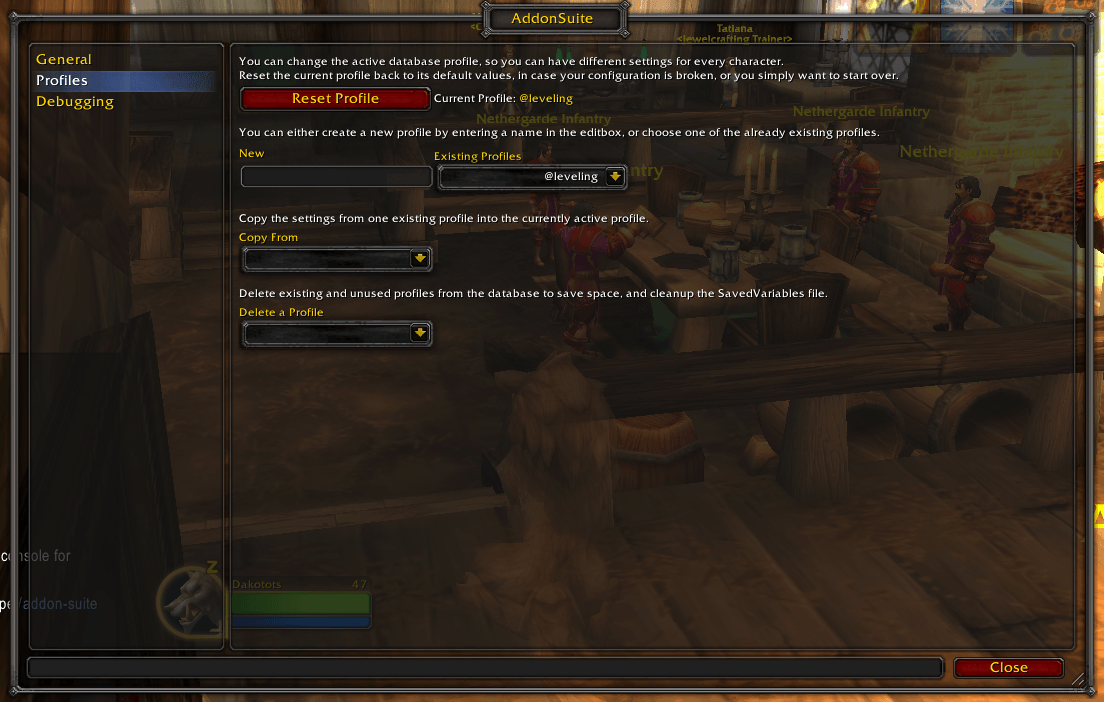
Ace3 AceConfigOption profile management tab.
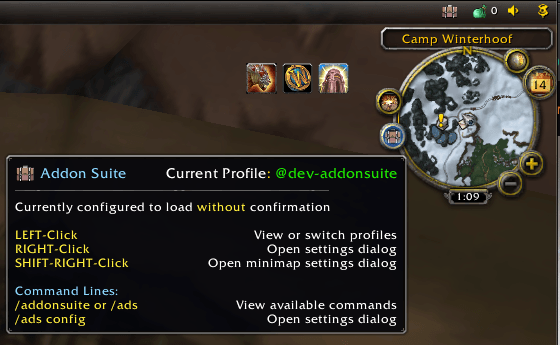
A minimap icon is available to quickly switch between profiles. When hovering over the Minimap Icon, it indicates which profile is currently selected. Additionally, it displays whether the "Reload UI" action is configured to require confirmation each time.
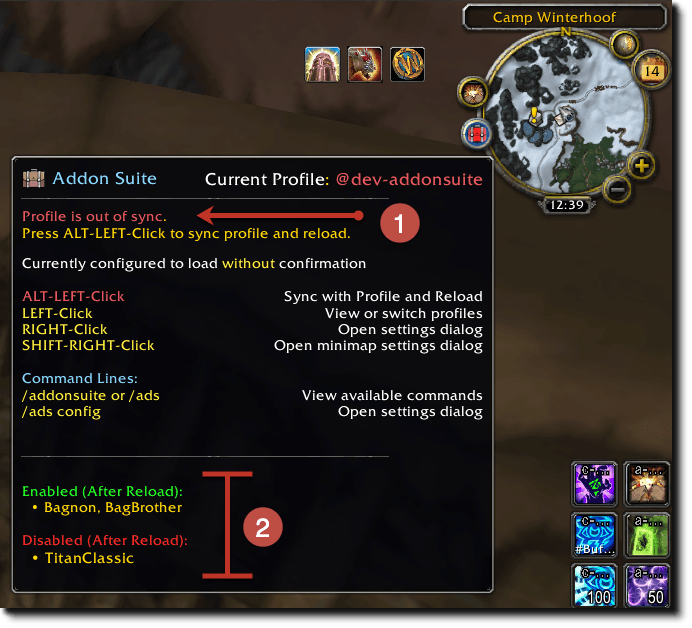
out-of-sync0.png
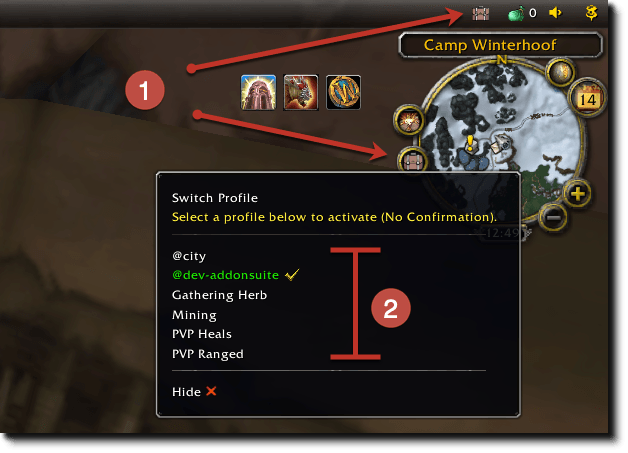
profiles0.png
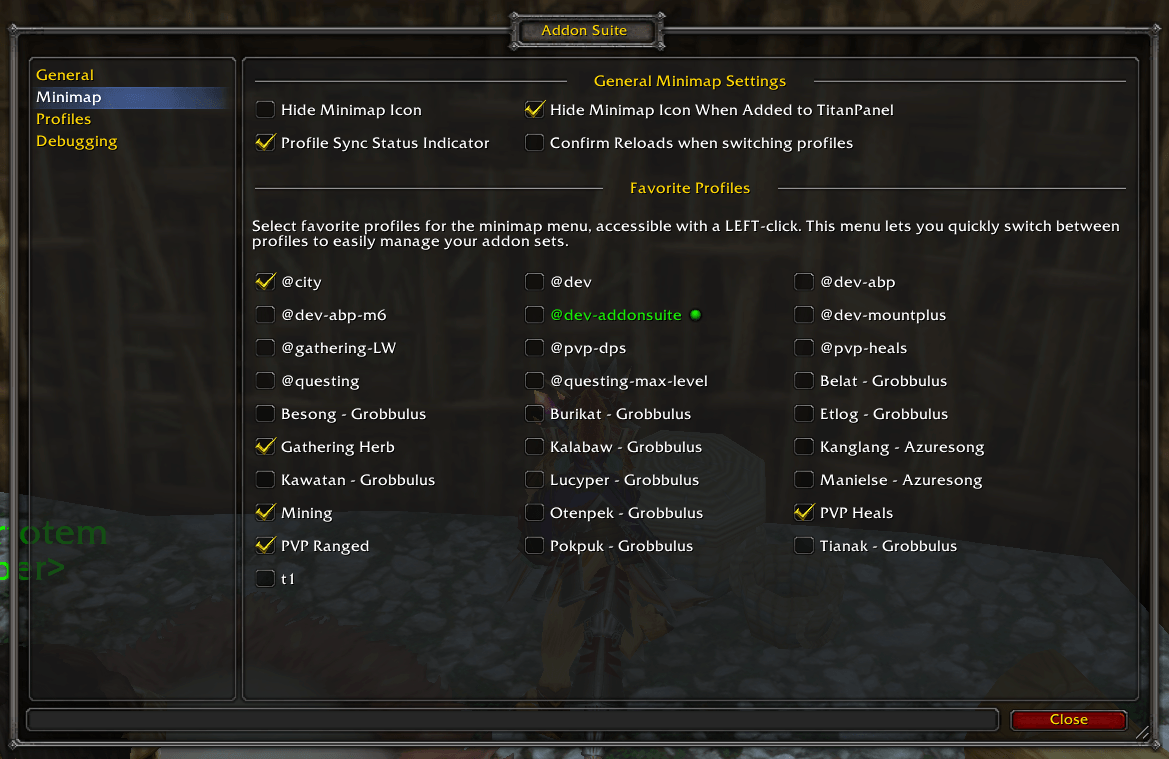
Minimap Options