Addon Group Manager
- By
Organize your WoW addons into groups, manage character-specific setups and global blocks, and safely preview changes before applying them.
Description
Addon Group Manager (AGM)
Organize your addons. Manage your characters. Stay in control.
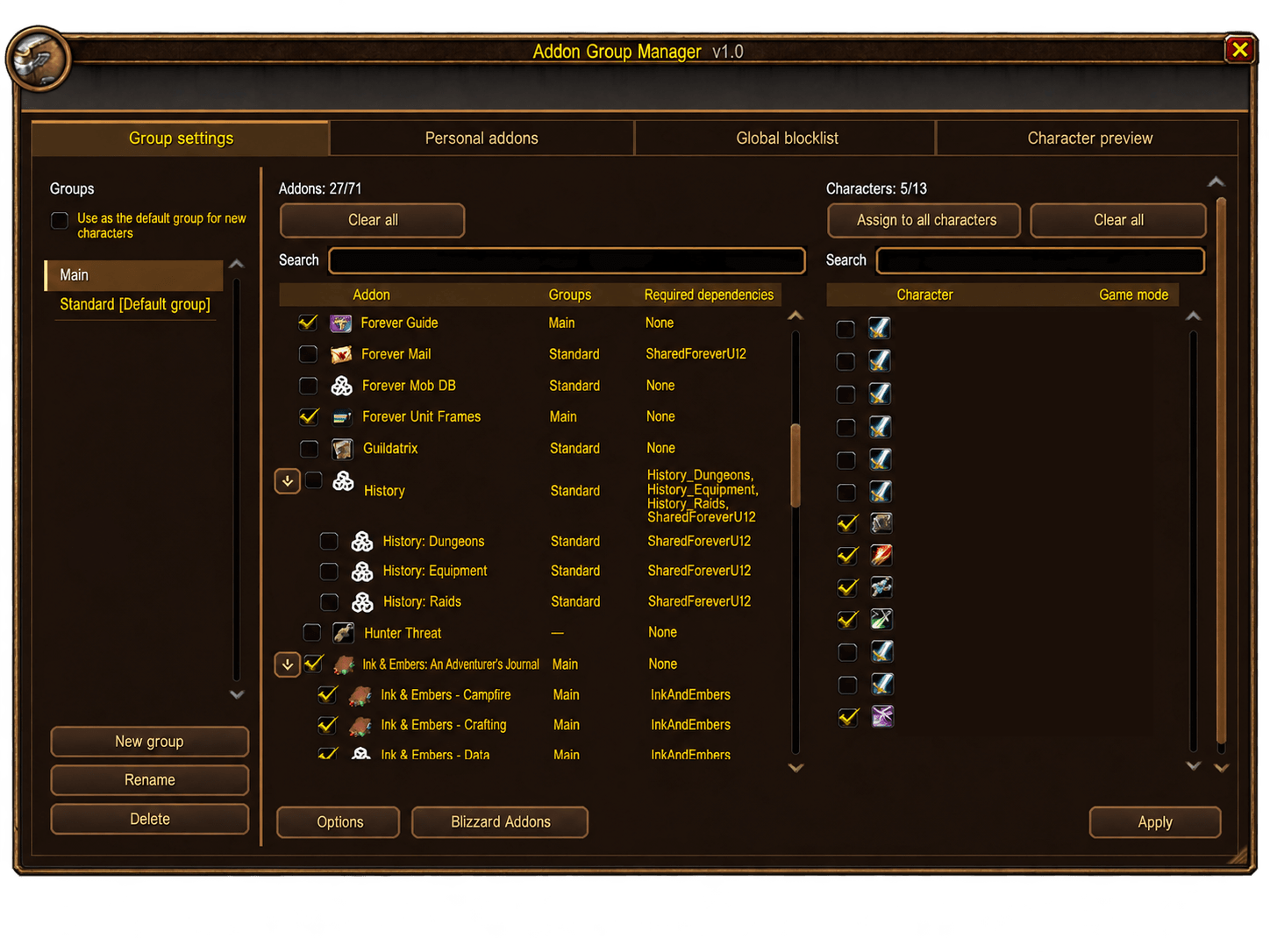
Addon Group Manager is an addon management tool developed for World of Warcraft Forever. It lets you organize addons into reusable groups, assign them to multiple characters, and manage personal addon selections and global restrictions from one interface.
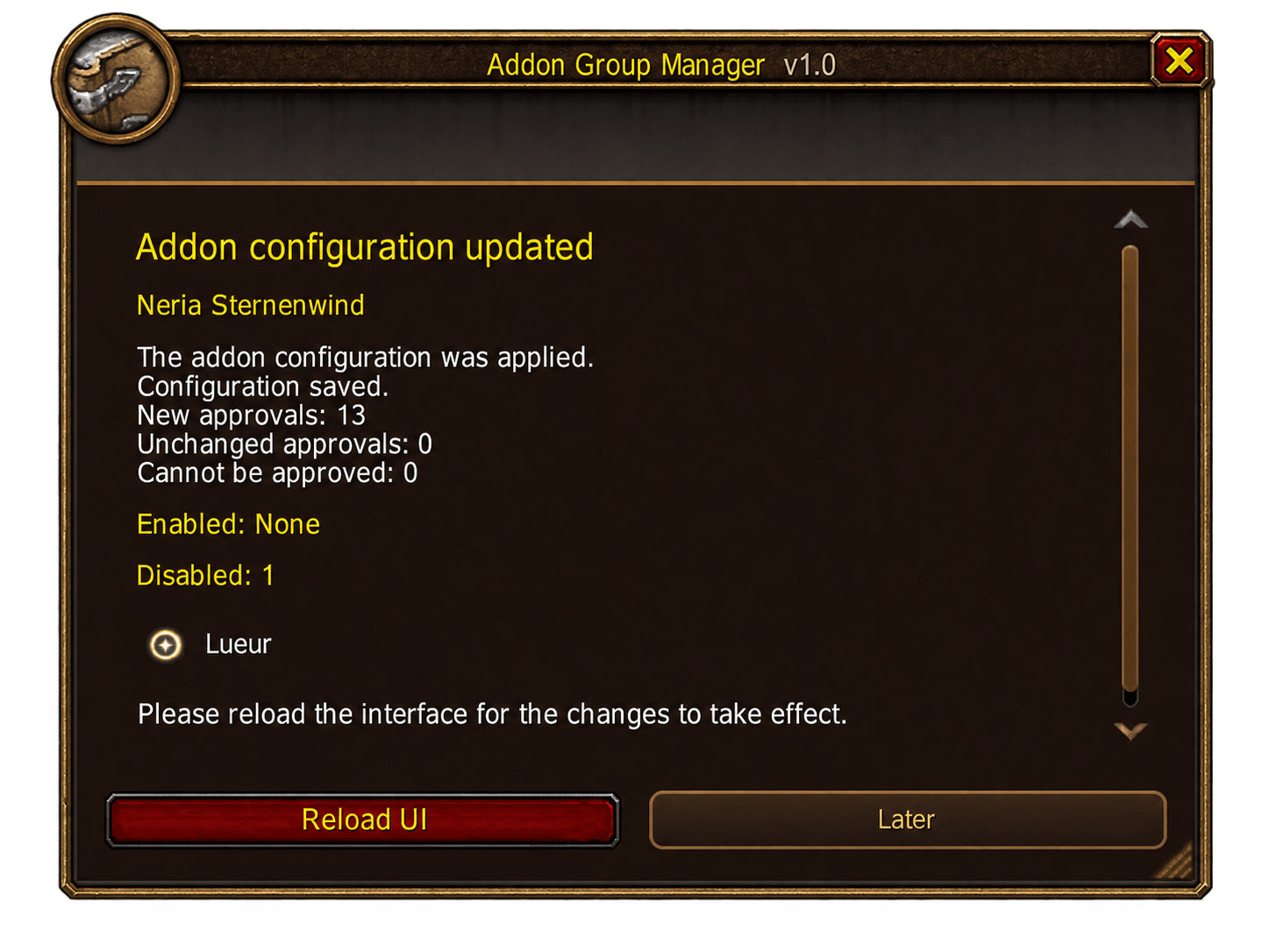
Changes are previewed before they are applied, giving you control over your addon configuration.
Features
- Addon Groups: Create reusable addon groups and assign them to multiple characters. Characters can belong to several groups.
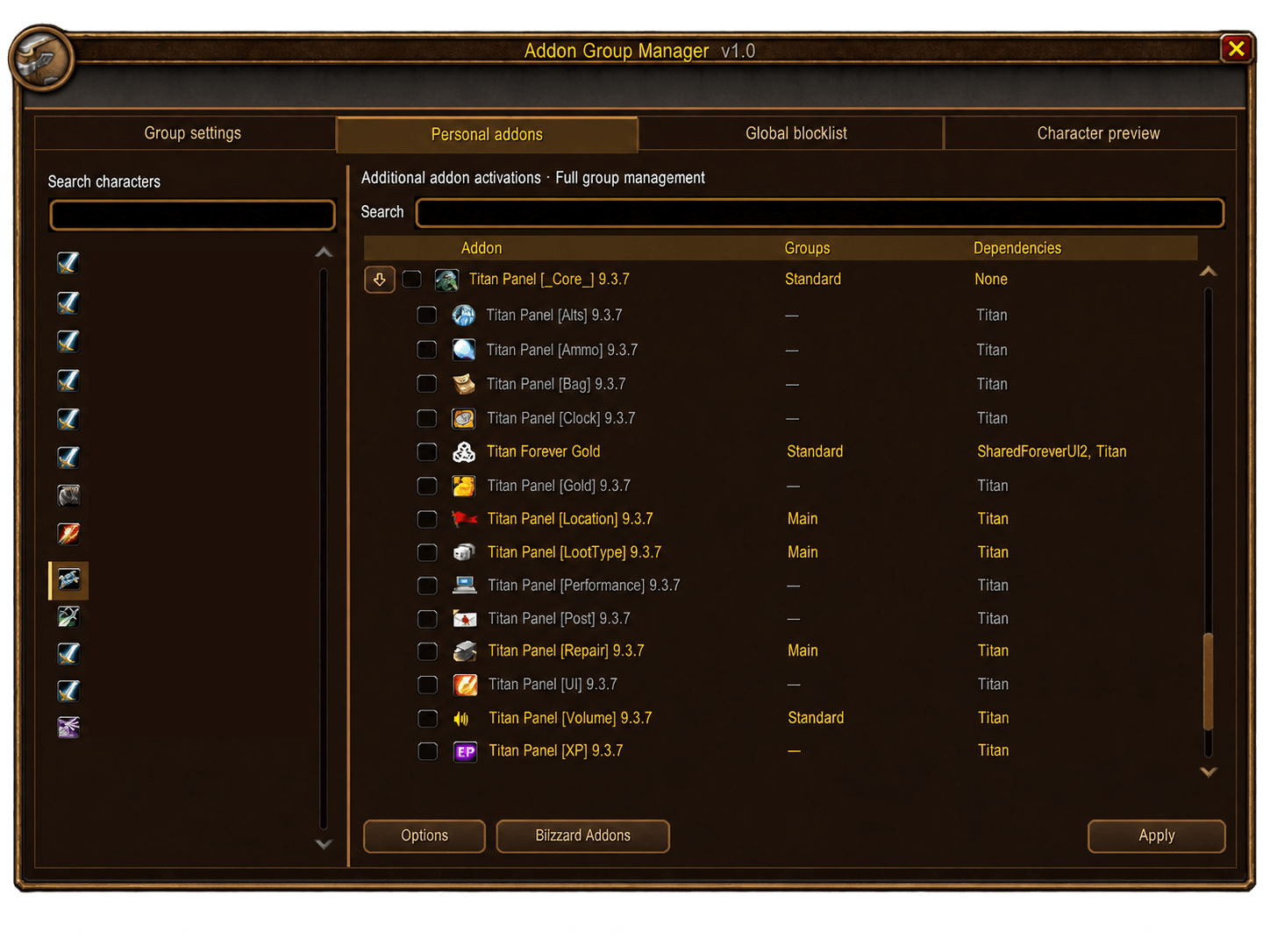
- Personal Addons: Configure additional addons individually for each character.
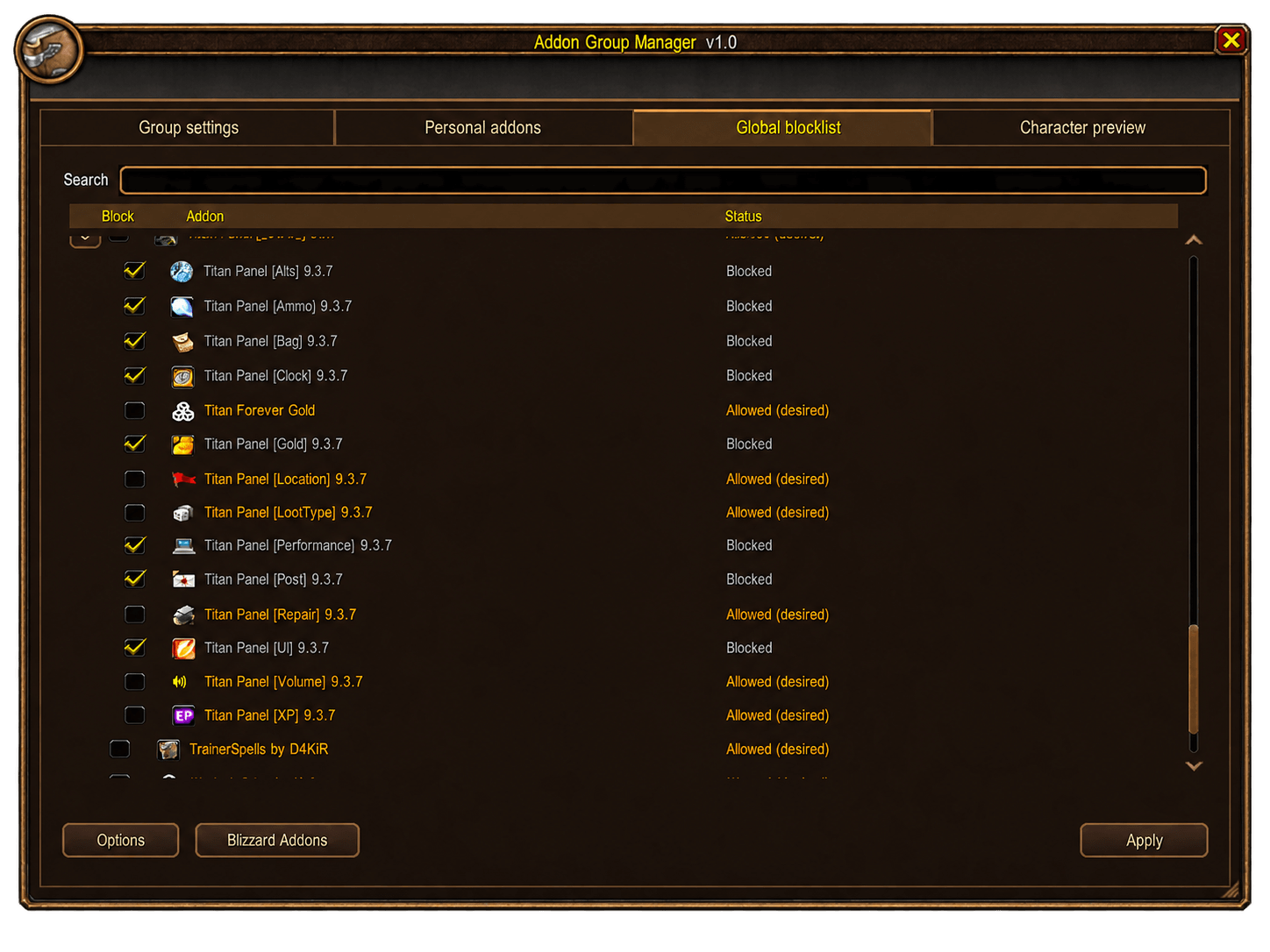
- Global Blocklist: Prevent specific addons from being selected or activated through AGM, while preserving existing assignments.
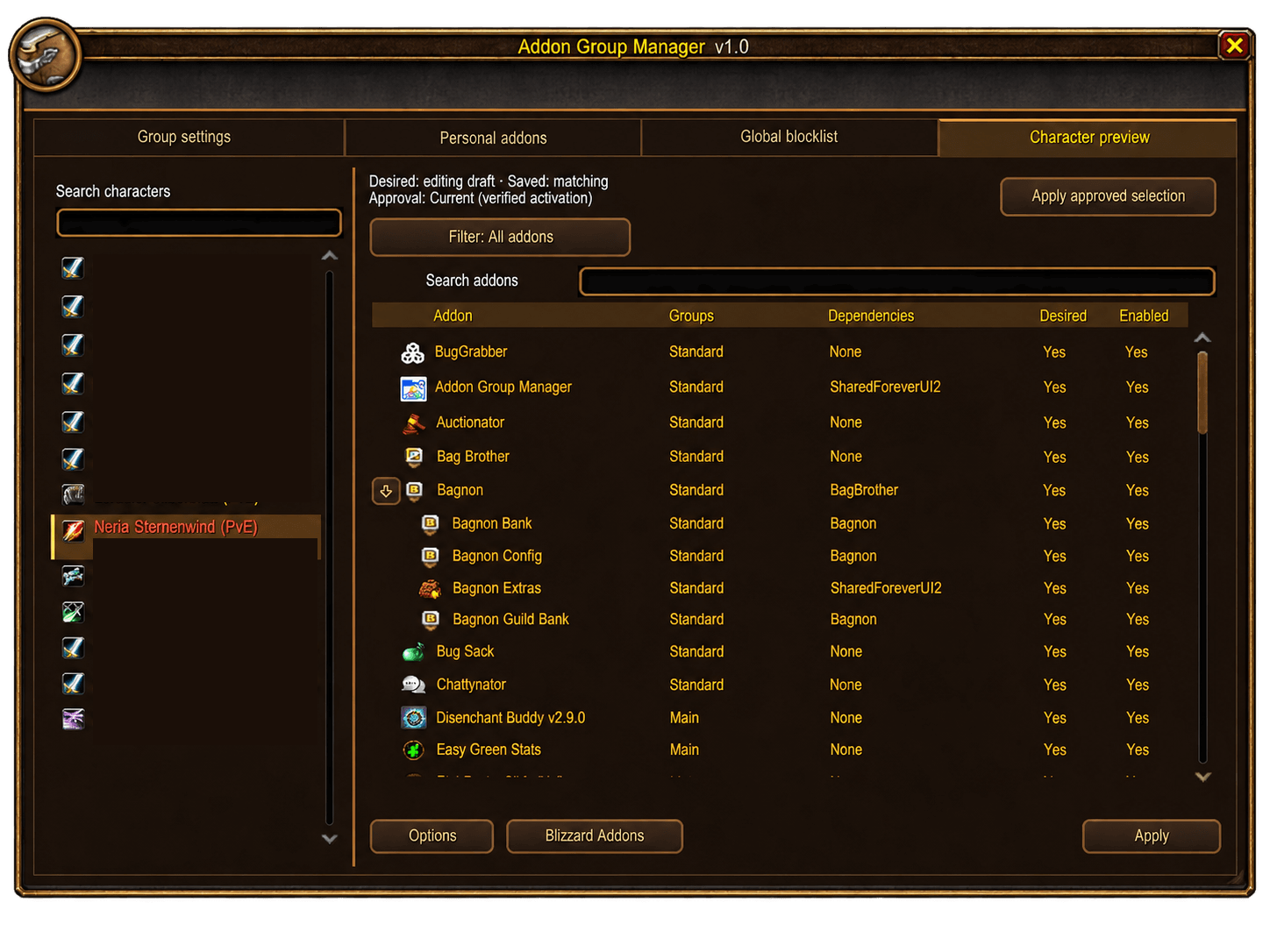
- Addon Families: Related addons and modules are displayed together in expandable lists across all four management tabs.
- Dependency Awareness: Displays required dependencies and highlights missing or blocked components.
- Character Preview: Compare the desired addon configuration with the actual state of the current character.
- Safe Application: Review and explicitly confirm changes before saving and applying them.
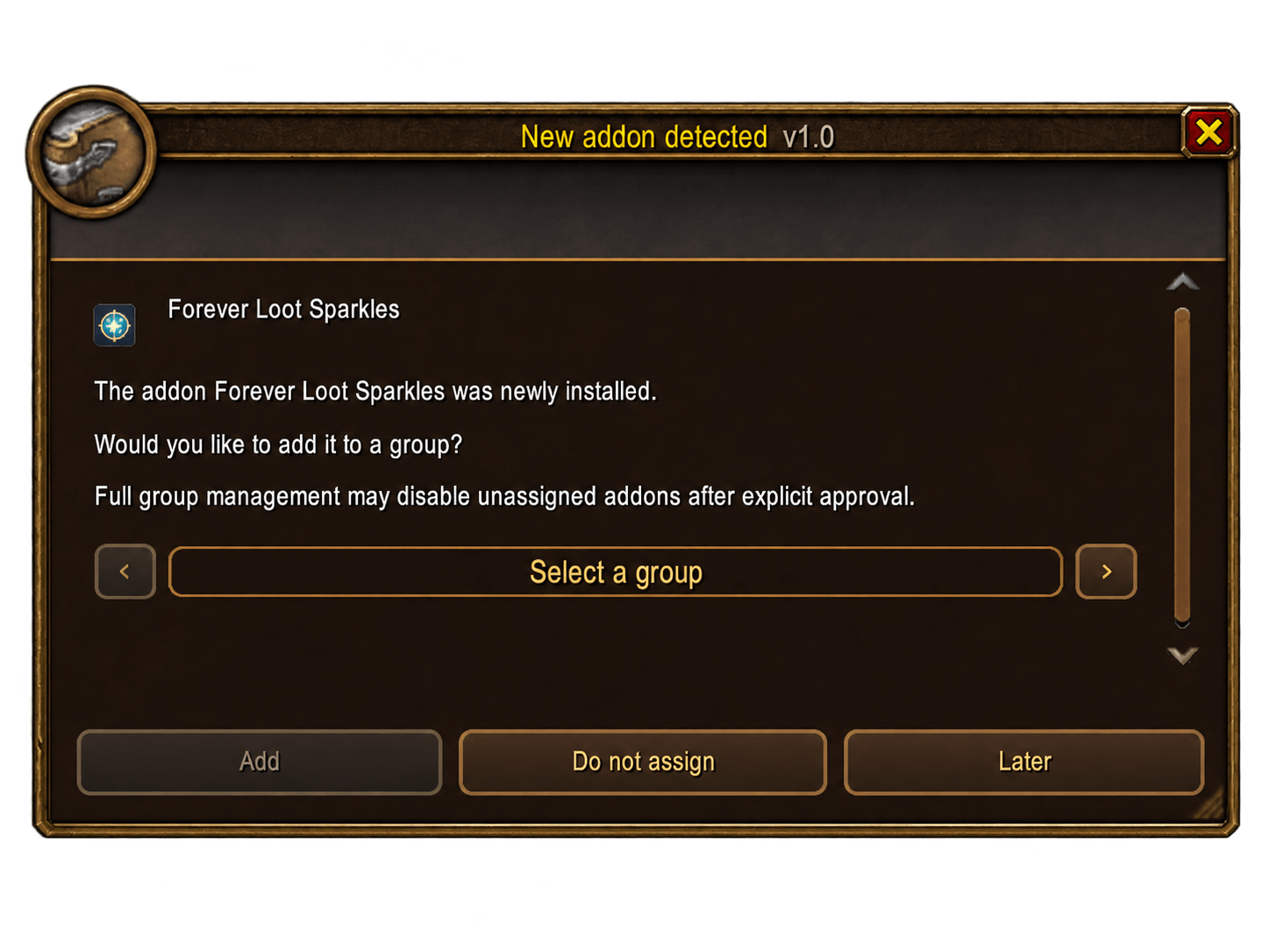
- Addon Detection: Recognizes newly installed, removed, and returning addons and helps manage their assignments.
- Customizable Interface: Adjustable window and font sizes and multilingual support.
How It Works
- Create addon groups and select the addons they should contain.
- Assign groups to your characters.
- Optionally add personal addons or configure global restrictions.
- Review the resulting configuration.
- Click Apply and confirm the proposed changes.
Group assignments are additive: a character can use addons from several groups simultaneously.
Changes to a group's configuration are reflected in the desired setup of every character assigned to that group.
For safety, AGM only performs native addon changes for the currently logged-in character. Other characters are handled according to their saved configuration and approval state when they log in.
Installation & Requirements
- Game: World of Warcraft Forever (Interface 16001)
- Required addon: SharedForeverUI2, version 1.0.36 or newer
- Install both addons in your
Interface/AddOns/directory.
Opening AGM
Type /agm in chat or open the addon manager through ESC → AddOns.
Deutsch – Addon Group Manager
Addons organisieren. Charaktere verwalten. Die Kontrolle behalten.
Addon Group Manager ist eine Addon-Verwaltung für World of Warcraft Forever. Mit AGM kannst du Addons in wiederverwendbaren Gruppen organisieren, diese mehreren Charakteren zuweisen und persönliche Addon-Auswahlen sowie globale Sperren zentral verwalten.
Änderungen werden vor der Übernahme angezeigt und müssen ausdrücklich bestätigt werden.
Funktionen
- Addon-Gruppen: Erstelle beliebige Addon-Gruppen und weise sie mehreren Charakteren zu. Ein Charakter kann mehrere Gruppen verwenden.
- Persönliche Addons: Ergänze zusätzliche Addons individuell für einzelne Charaktere.
- Globale Sperrliste: Verhindere die Auswahl und Aktivierung bestimmter Addons durch AGM, ohne vorhandene Zuordnungen zu löschen.
- Addon-Familien: Zusammengehörige Addons und Module werden in allen vier Verwaltungstabs übersichtlich und aufklappbar dargestellt.
- Abhängigkeitsprüfung: Erkenne erforderliche Abhängigkeiten sowie fehlende oder gesperrte Komponenten.
- Charakter-Vorschau: Vergleiche die gewünschte Addon-Konfiguration mit dem tatsächlichen Zustand des aktuell angemeldeten Charakters.
- Sichere Übernahme: Prüfe die geplanten Änderungen und bestätige sie ausdrücklich, bevor sie gespeichert und angewendet werden.
- Addon-Erkennung: Neue, entfernte und erneut installierte Addons werden erkannt und können den Gruppen zugeordnet werden.
- Anpassbare Oberfläche: Einstellbare Fenster- und Schriftgrößen und mehrsprachige Bedienung.
So funktioniert AGM
- Erstelle Addon-Gruppen und wähle die enthaltenen Addons aus.
- Weise die Gruppen deinen Charakteren zu.
- Ergänze bei Bedarf persönliche Addons oder globale Sperren.
- Prüfe die daraus entstehende Konfiguration.
- Klicke auf Anwenden und bestätige die geplanten Änderungen.
Gruppen werden additiv kombiniert. Ein Charakter kann daher Addons aus mehreren Gruppen gleichzeitig verwenden.
Änderungen an einer Gruppe wirken sich automatisch auf die gewünschte Konfiguration aller zugeordneten Charaktere aus.
Aus Sicherheitsgründen führt AGM native Addon-Umschaltungen ausschließlich für den aktuell angemeldeten Charakter durch. Andere Charaktere werden entsprechend ihrer gespeicherten Konfiguration und Freigaben beim jeweiligen Login behandelt.
Installation & Voraussetzungen
- Spiel: World of Warcraft Forever (Interface 16001)
- Benötigtes Addon: SharedForeverUI2, mindestens Version 1.0.36
- Beide Addons im Verzeichnis
Interface/AddOns/installieren.
AGM öffnen
Im Chat /agm eingeben oder die Addon-Verwaltung über ESC → AddOns öffnen.
Addon Group Manager – One manager. Multiple characters. Complete control.
Addon Group Manager Team