Achievements Collector
Create custom lists to track your achievements, monitor and manage your objectives. A tool designed to optimize collectors' organization and guide casual players looking for new goals.
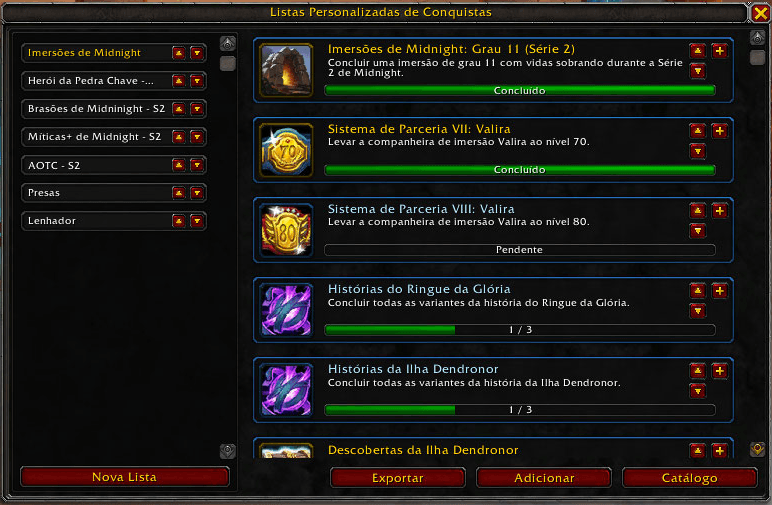
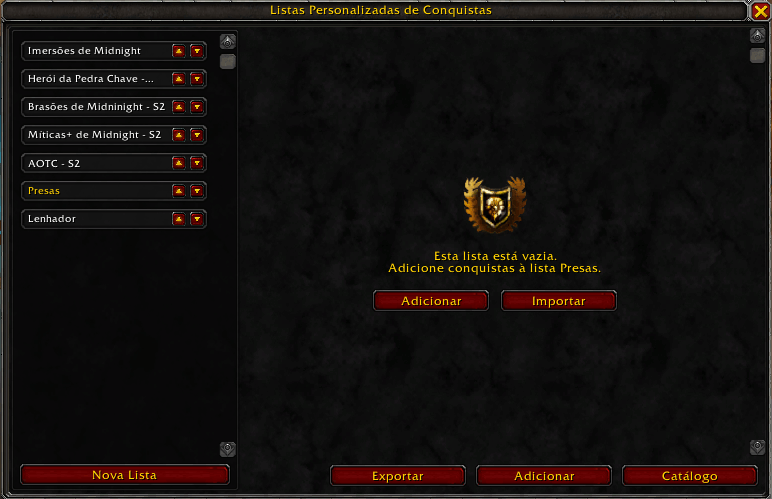
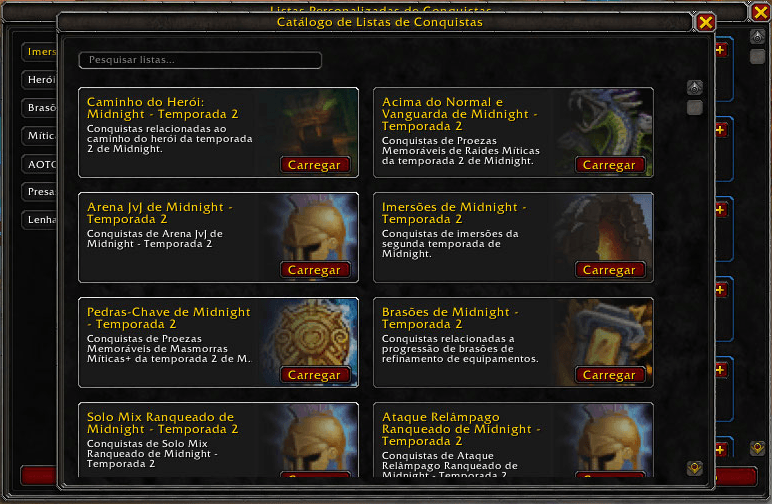
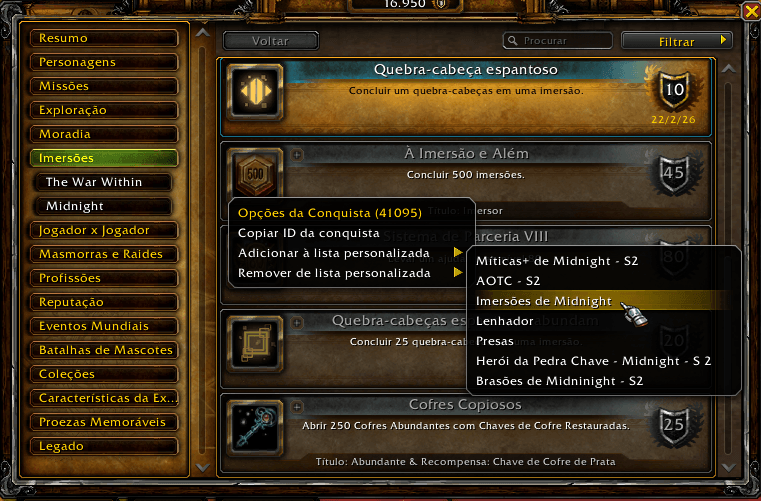
Achievement Window Context Menu.
Description


Overview
Create custom lists to track your achievements, monitor and manage your objectives. A tool designed to optimize collectors' organization and guide casual players looking for new goals.
Achievements Collector facilitates tracking hidden achievements and Feats of Strength, recording objectives that do not appear in the default game interface prior to their completion. It also optimizes the monitoring of complex, multi-step achievements commonly found in Mythic dungeons and Delves from recent expansions, focusing on supporting completionists and players pursuing long-term goals.
Create custom lists, freely add or remove achievements, including via a context menu right inside the in-game achievement UI, and organize specific goals according to your priorities. Share your objectives with friends and guilds using built-in list import and export support.
Don't know what to track? Take advantage of a catalog featuring regularly updated pre-defined lists to discover new challenges and accelerate your journey toward the game's greatest rewards.
Currently Supported Languages:
Full Support: Brazilian Portuguese (ptBR) and English (enUS).
Main Features
- Easily view and track hidden achievements (Feats of Strength and multi-step achievements)
- Customizable achievement lists.
- Regularly updated catalog of suggested lists.
- Achievement list sharing.
Controls, Configurations, Commands and Usability Features
Use the following slash commands to control the addon if you don't want to keep an icon on your minimap.
/AchievementsCollector: Toggle Achievements Collector Panel.
/ac: Toggle Achievements Collector Panel.
/AchievementsCollector config: toggle Achievements Collector configuration window.
/acl config: toggle Achievements Collector configuration window.
Troubleshooting
Most problems can be solved by reseting the addon variables:
1. Close your game.
2. Go to your game folder under "\_retail_\WTF\Account\[YOUR_ACCOUNT_ID]\[CHARACTER_REALM_NAME]\[CHARACTER_NAME]\SavedVariables"
3. Delete te files named AchievementsCollector.lua and AchievementsCollector.lua.bak.
4. Open tha game.
This will reset the addon as it was when first installed.
Bug Reports
To report bugs, add an issue to the project page on GitHub.
Add relevant information about the error, be it a screenshot or the error output message from the game interface, as without this information we will not be able to help with the problem.
Please be aware that we cannot guarantee any compatibility with other third party add-ons, neither can we assure Blizzard's legacy code stability on old content nor repair their coding issues.
Changelogs and Development Roadmap
You can check the addon changelog and development roadmap on our GitHub project page and Discord server channel.
Comments, Suggestions and Donations on Discord
Find our community at https://discord.gg/M7wQQFRjaq
Help us with a donation using the methods availiable on our Discord Channel on Help Us Chat.
Donations: PagSeguro/PagBank (https://pag.ae/81u_gUZeo) or PayPal (https://www.paypal.com/donate/?business=4VQNAB2VMV4J8).
Only for Donations from Brazil: Pix.
Achievements Collector Team