Absolute Threat
- By
Threat markers on enemy nameplates: tanks see what they hold, DPS see when to ease off.
AbsoluteThreat_Screenshot_about.jpg
AbsoluteThreat_Screenshot_settings.jpg
AbsoluteThreat_Screenshot_legend.jpg
AbsoluteThreat_Screenshot_markers.jpg
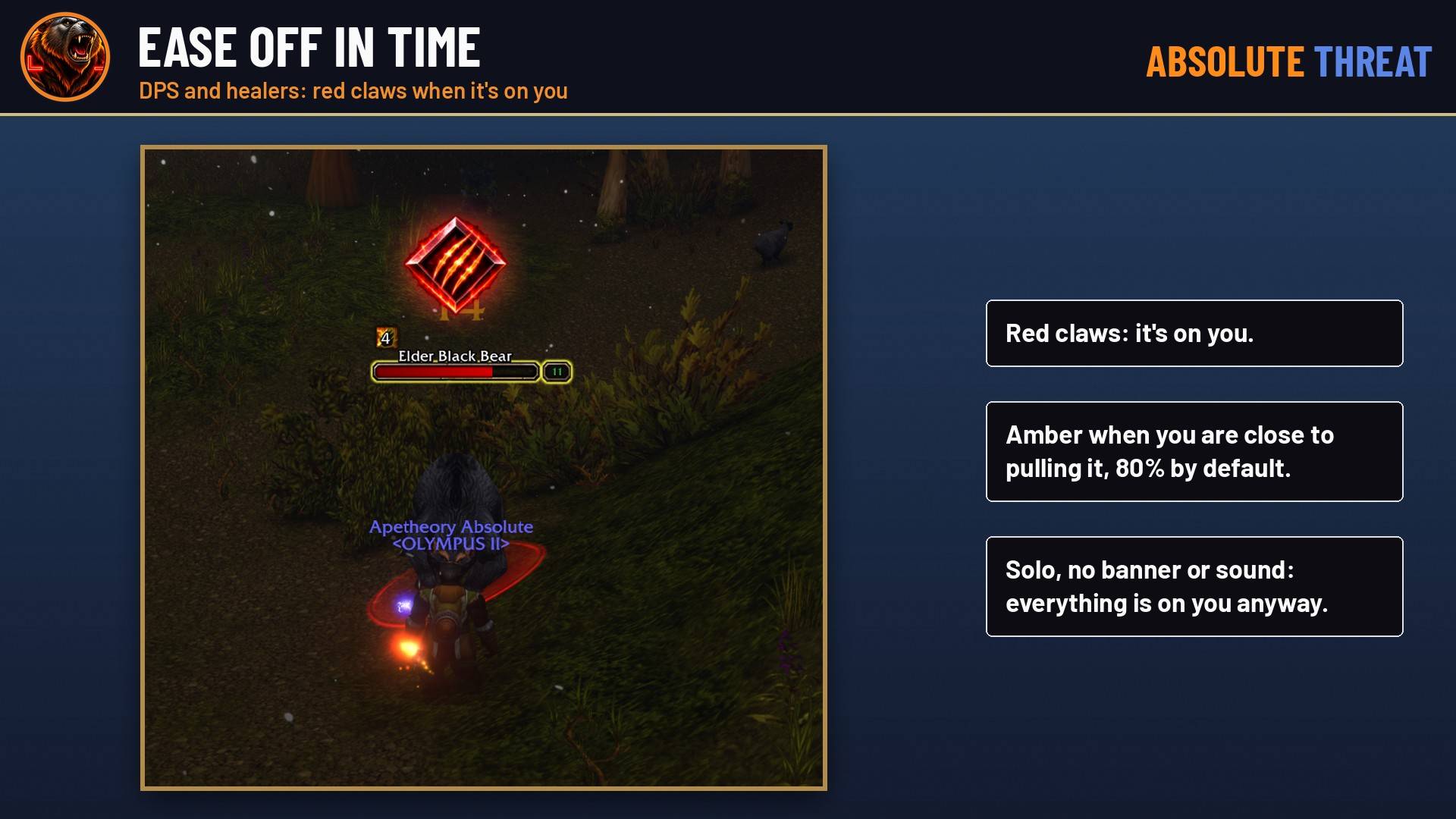
AbsoluteThreat_Screenshot_dps.jpg
Description
Absolute Threat puts a threat marker over every enemy nameplate in combat, so you know where you stand without watching a threat meter.
For tanks
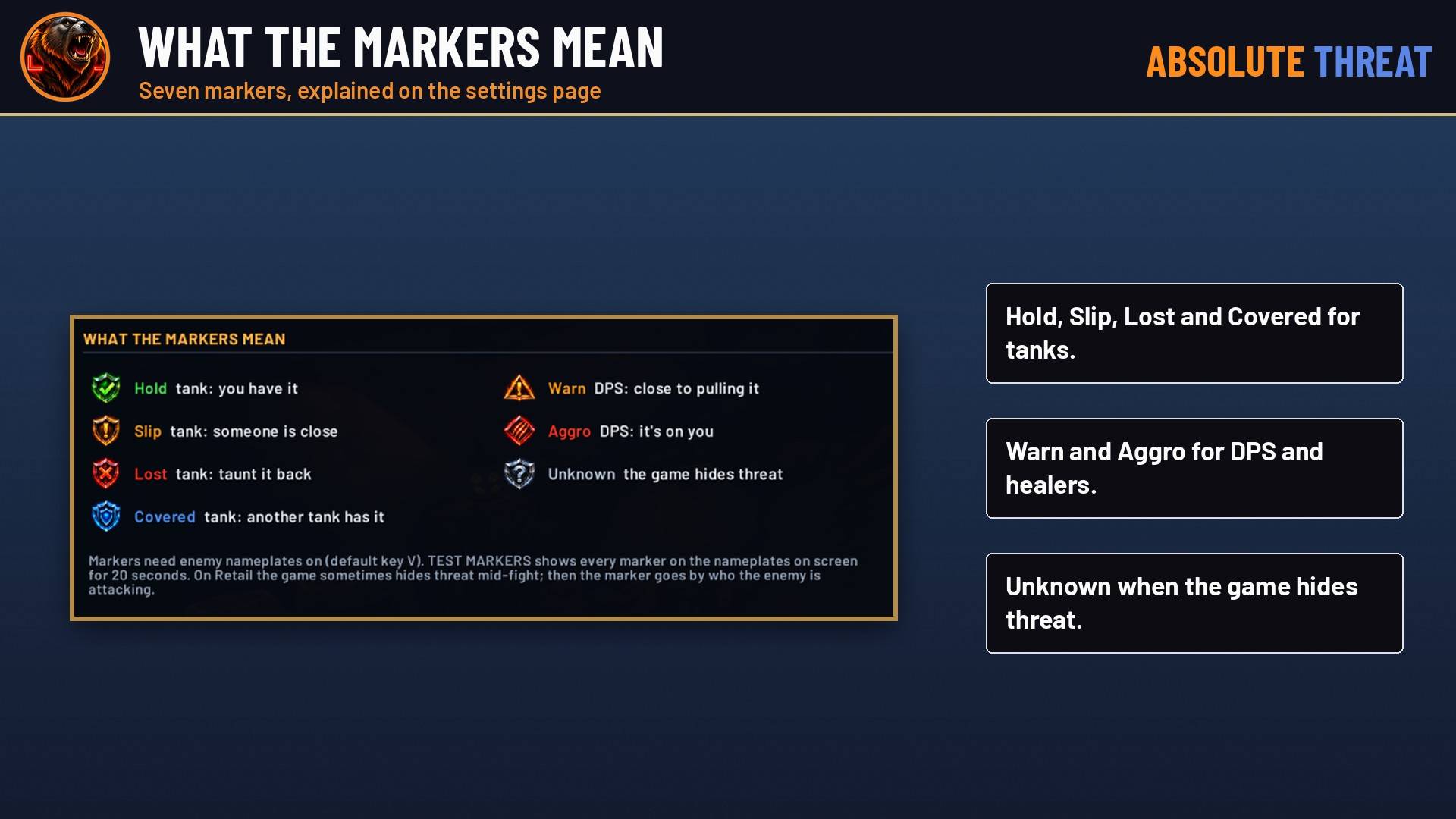
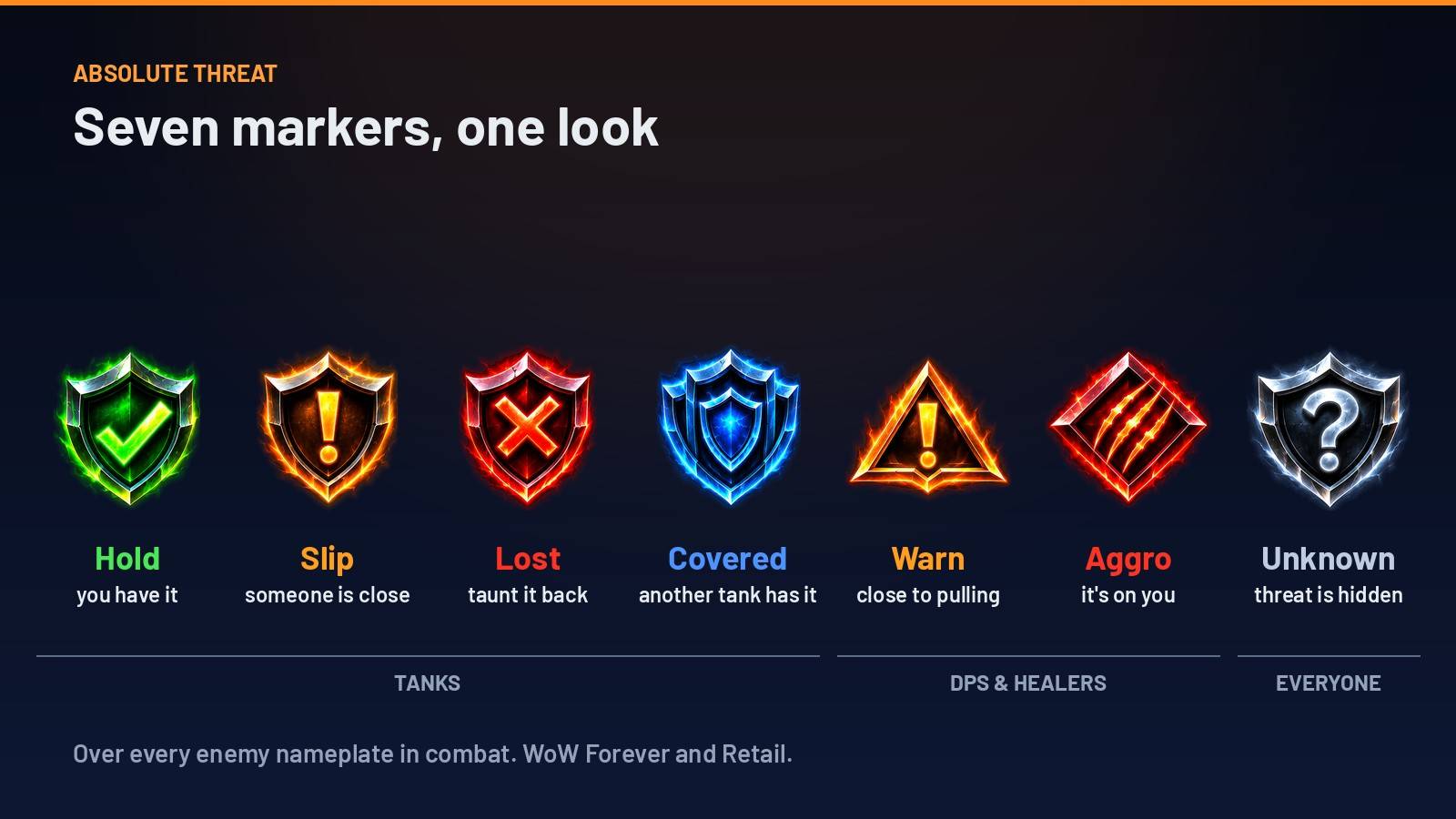
- Hold (green check): you have it.
- Slip (amber “!”): someone is close to taking it off you.
- Lost (red X): it got loose. Taunt it back.
- Covered (blue): another tank in your group has it, so it’s covered, not lost.
For DPS and healers
- Warn (amber triangle): you’re close to pulling it off the tank. The threshold starts at 80% and goes from 50 to 100%.
- Aggro (red claws): it’s on you.
For everyone
- Unknown (grey “?”): you’re fighting it, but the game isn’t sharing threat right now. On Retail, when the game hides threat mid-fight, the marker goes by who the enemy is attacking.
The summary line
- One line at the top of your screen sums it up, like “TAUNT · 2 LOOSE”, “SLIPPING · 1”, “EASE OFF · 3 NEAR AGGRO” or “YOU HAVE AGGRO”.
- You can move it, lock it, resize it or turn it off.
- You can add a sound for when an enemy gets loose or comes for you.
- Solo, DPS still get their markers, but no banner or sound.
Settings
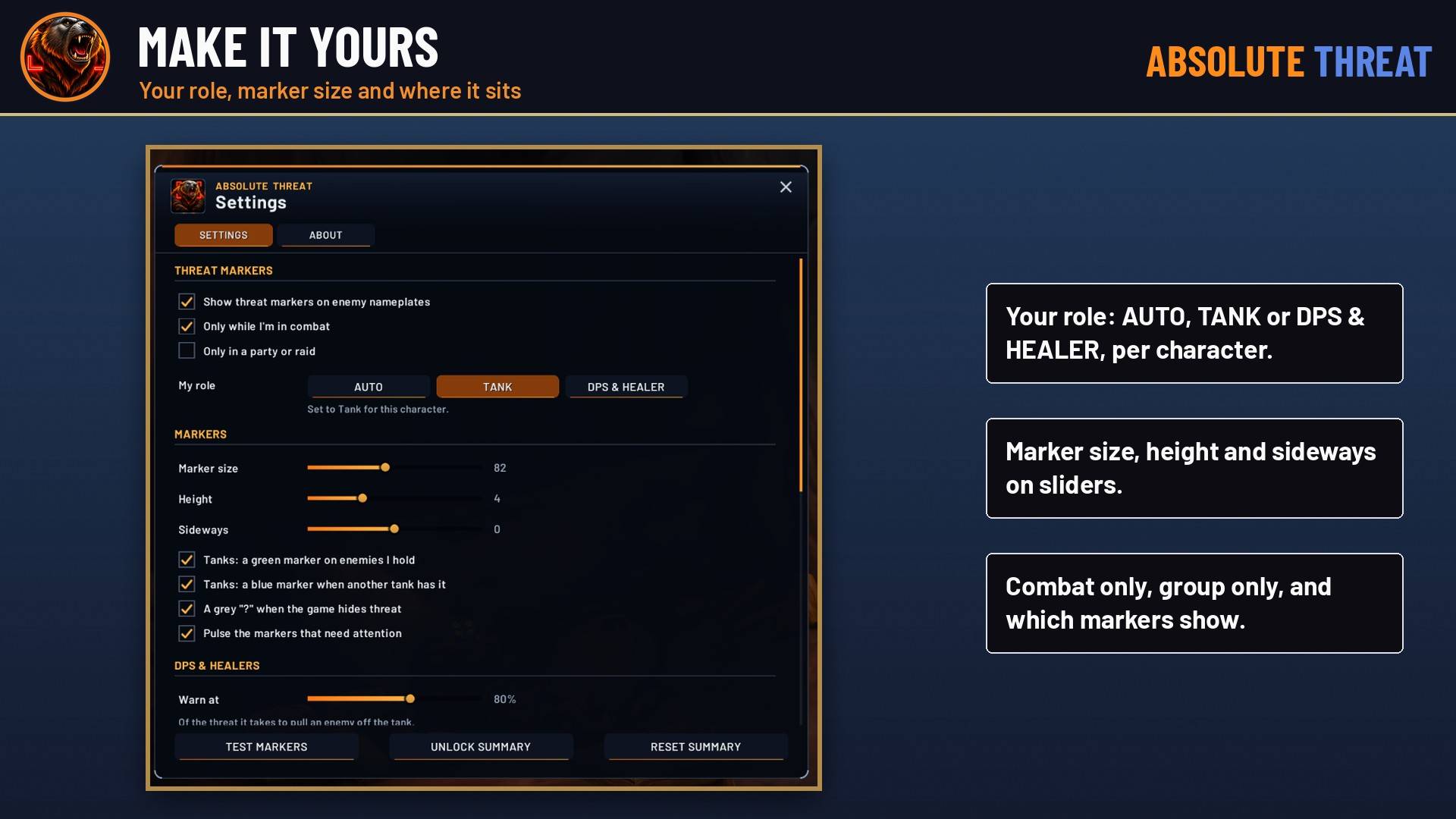
- Your role is picked for you from your group role, your spec, or a tanking stance or form on WoW Forever. You can also set Auto, Tank or DPS & healer per character.
- Markers start at size 82, adjustable from 20 to 160, and you can move them up, down and sideways.
- You can show or hide the Hold, Covered and Unknown markers, and turn off the pulse.
- Markers can be limited to combat or to groups.
- TEST MARKERS shows every marker on the nameplates on screen for 20 seconds, no fight needed.
Commands
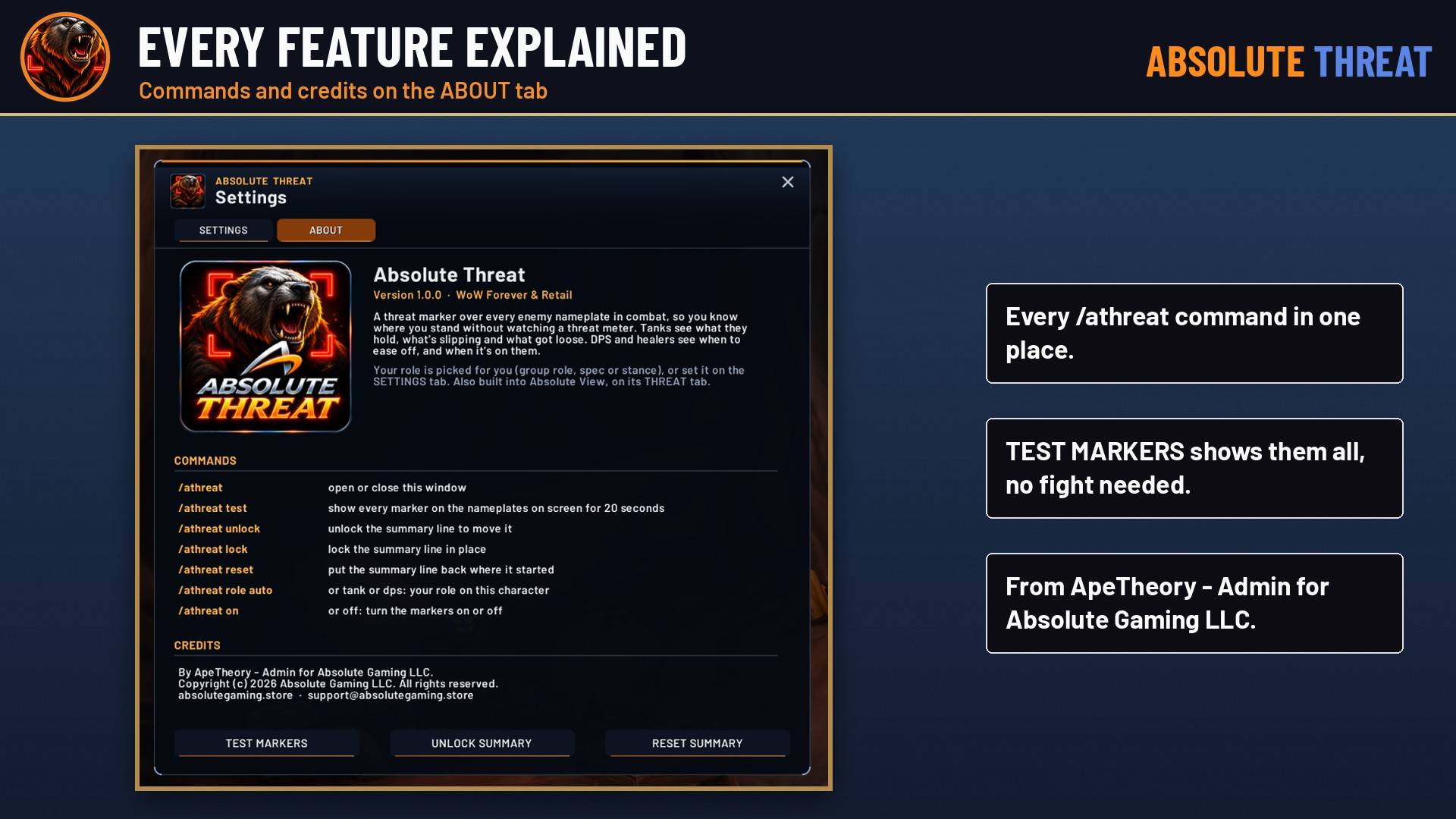
/athreat: settings/athreat test: show every marker for 20 seconds/athreat unlockand/athreat lock: move or lock the summary line/athreat reset: put the summary line back/athreat role auto|tank|dps: set your role/athreat on|off: turn the markers on or off/athreat debug: list every nameplate and what it shows
Notes
- Turn on enemy nameplates (V).
- Works on WoW Forever and Retail.
- Also built into Absolute View on its THREAT tab. If you install both, the separate addon takes over.
By ApeTheory, Admin for Absolute Gaming LLC. © 2026 Absolute Gaming LLC.
Absolute Threat Team