Absolute Professions
- By
Every profession in one window: your book, the ones you haven’t learned and why, ranks, and where to buy every recipe and what it costs.
AbsoluteProfessions_Screenshot_1_Professions.png
AbsoluteProfessions_Screenshot_4_Trainers.png
AbsoluteProfessions_Screenshot_2_Recipes.png
AbsoluteProfessions_Screenshot_5_RouteAndChevron.png
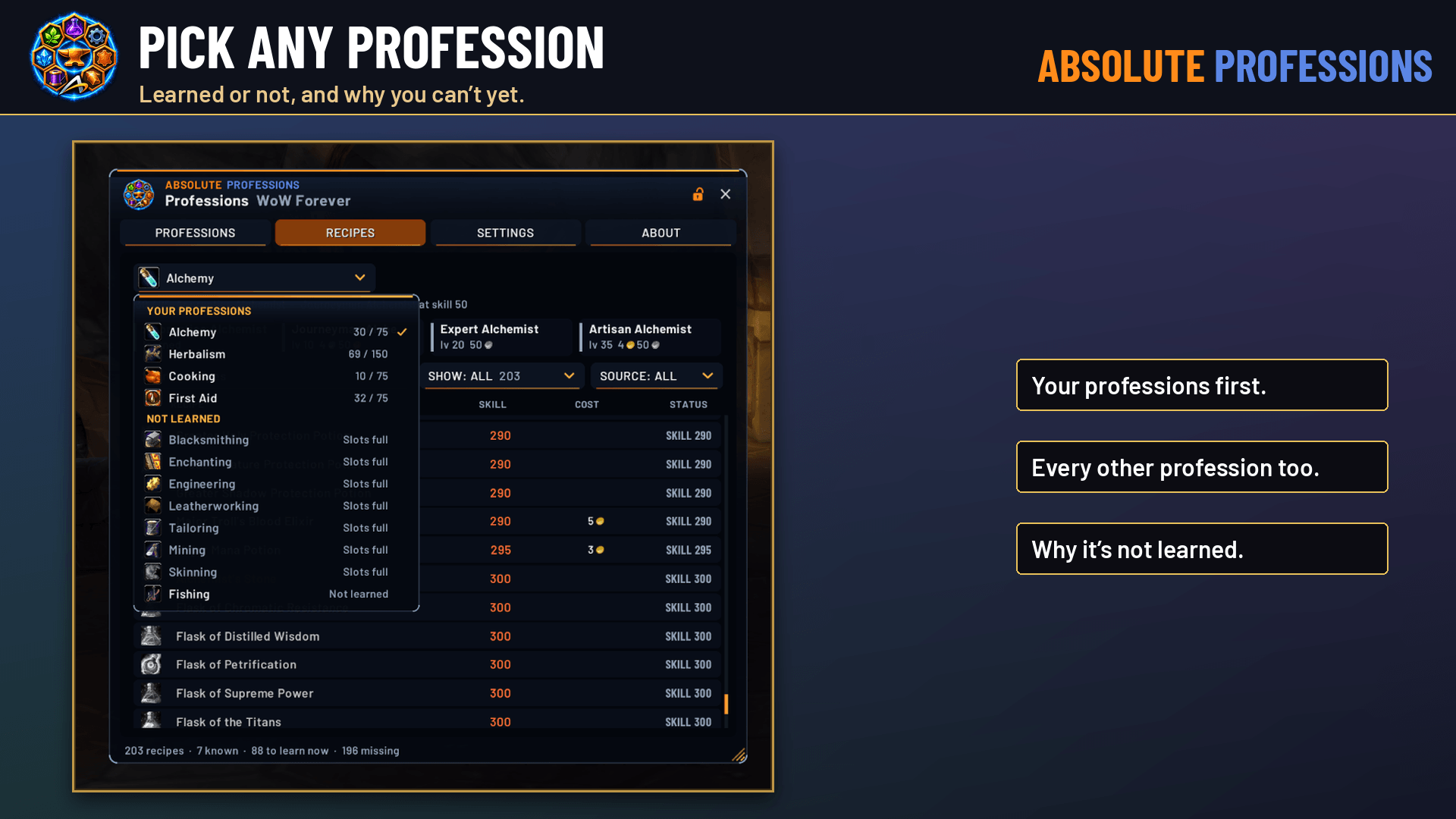
AbsoluteProfessions_Screenshot_3_PickAProfession.png
Description
Absolute Professions replaces the game’s professions window. It shows every profession in one translucent, border-free window, in the navy-and-orange Absolute Gaming style. It works on WoW Forever and Retail.
Your professions book
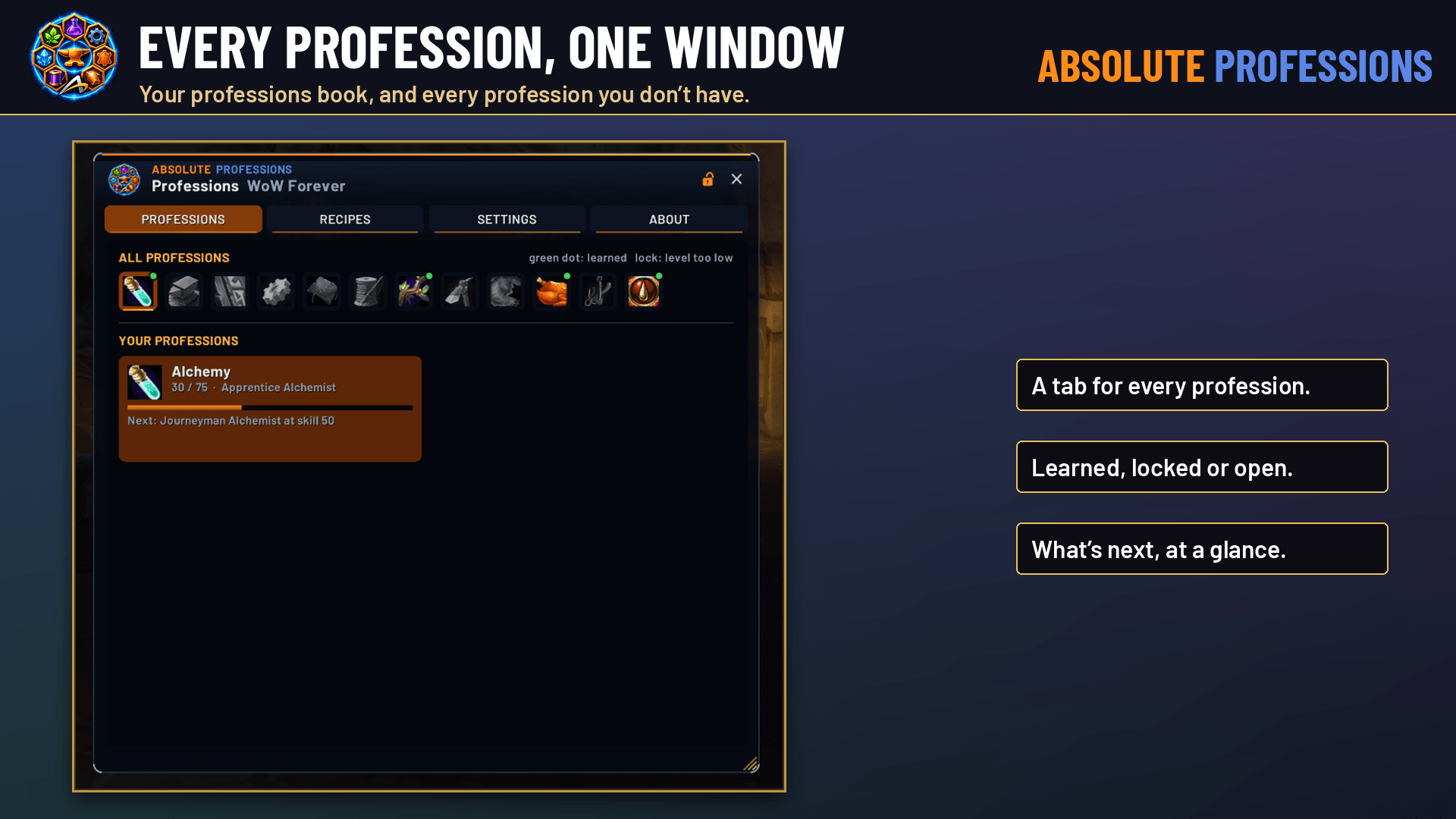
- Shows your learned professions with skill bars, rank, and what’s next: “Journeyman at skill 50”, “Expert at level 20”, or “ready to train”.
- OPEN and profession-spell buttons are on every card, and they’re combat-safe.
- A tab for all 15 professions sits across the top. A green dot means learned and a lock means your level is too low. Every profession you don’t have tells you why: level too low, both primary slots used, or simply not trained yet.
Recipes for any profession, learned or not
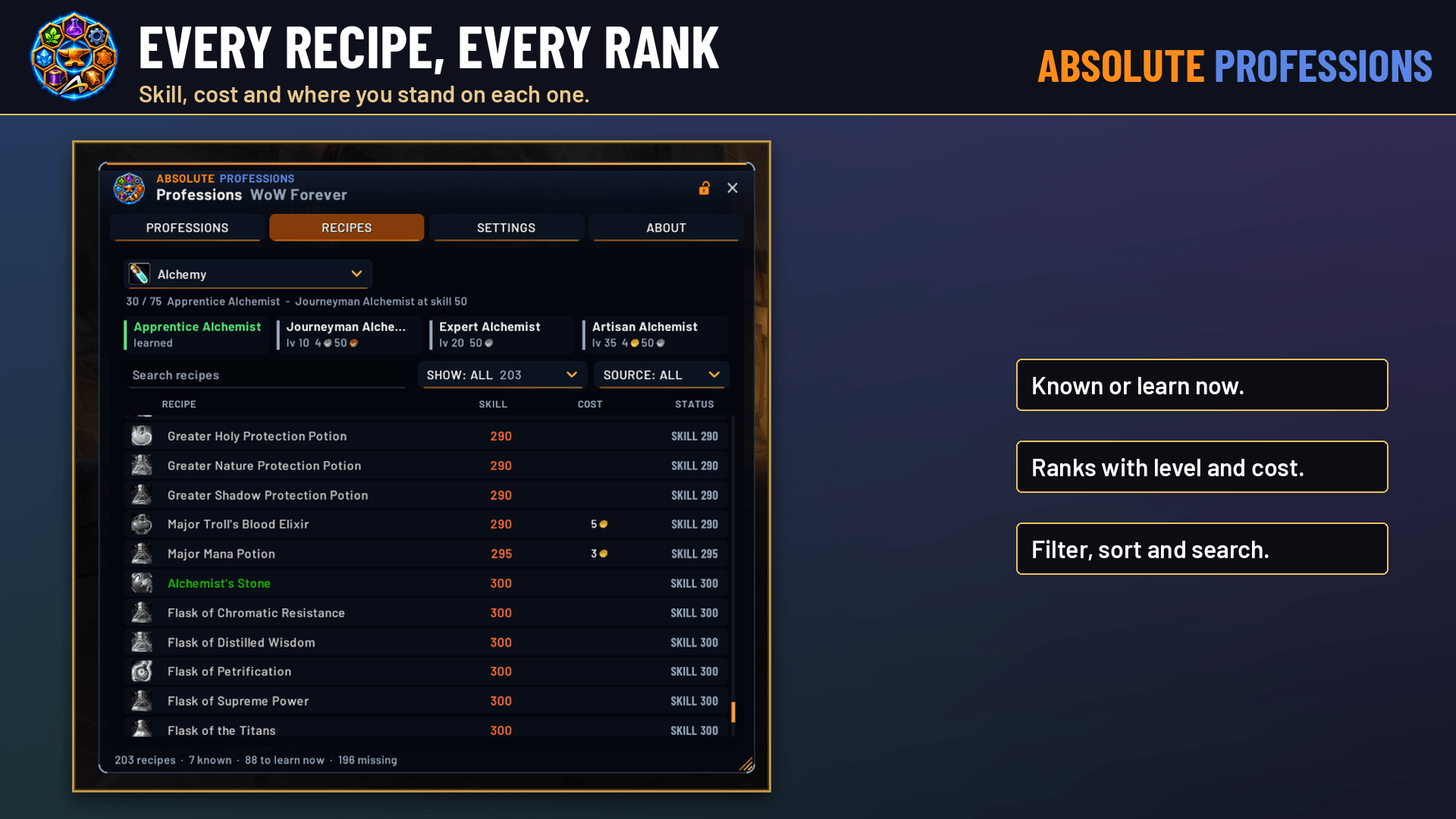
- Pick any profession from the dropdown and see its full recipe list, even before you learn it.
- Each recipe shows its skill, cost and status: KNOWN, LEARN NOW, or what you still need (skill, level, reputation, specialization).
- Rank chips show the level and training cost of every rank: Apprentice, Journeyman, Expert, Artisan.
- Filter by status (all, missing, learn now, known) and by source (trainer, vendor, quest, drop), or search by name.
Where to get it, and what it costs
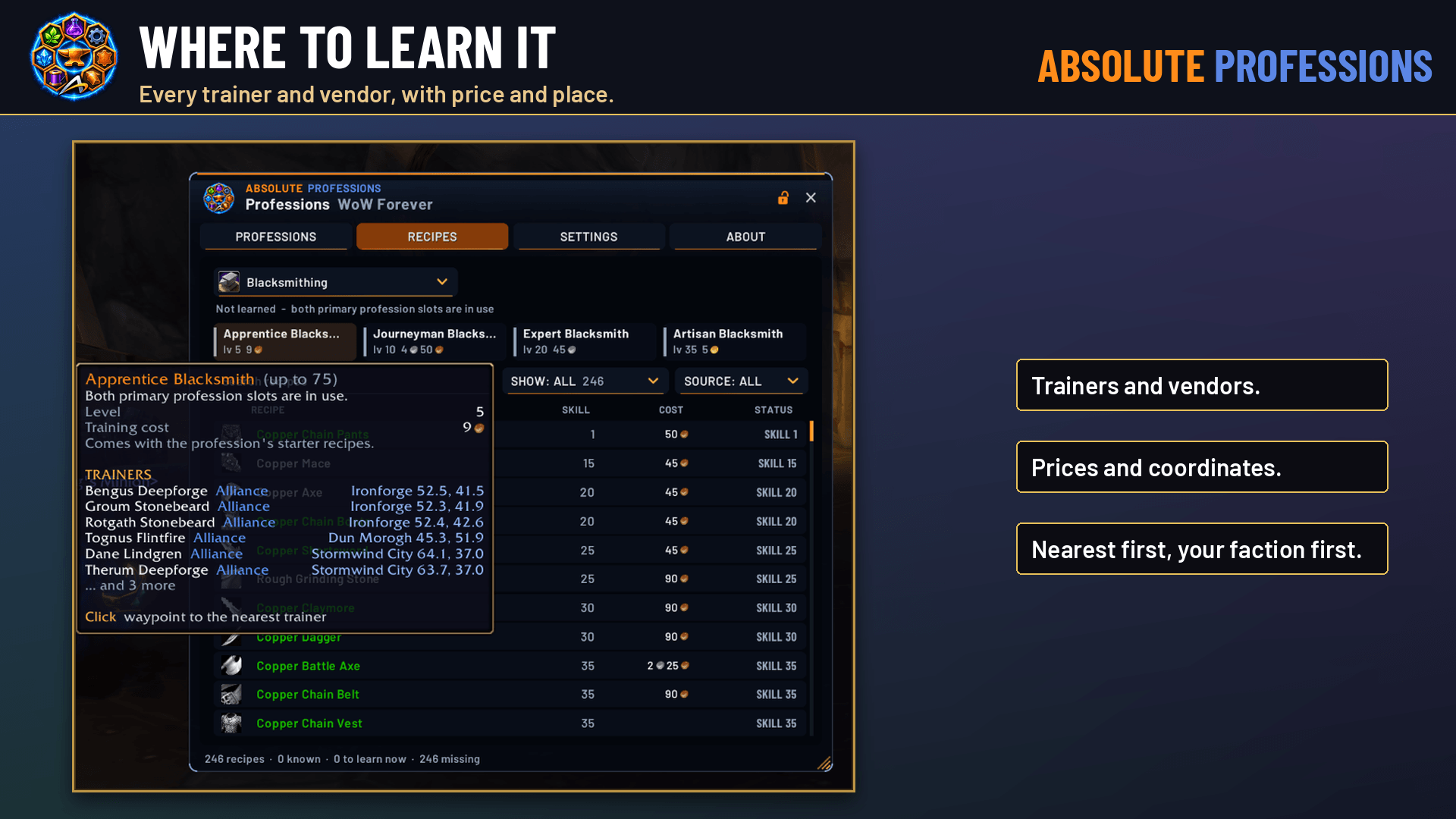
- Hover any recipe to see its reagents and every trainer and vendor that sells it, with prices and zone coordinates. The nearest one is listed first, then the rest of your faction.
- Quests, drops and the game’s own source line are included too.
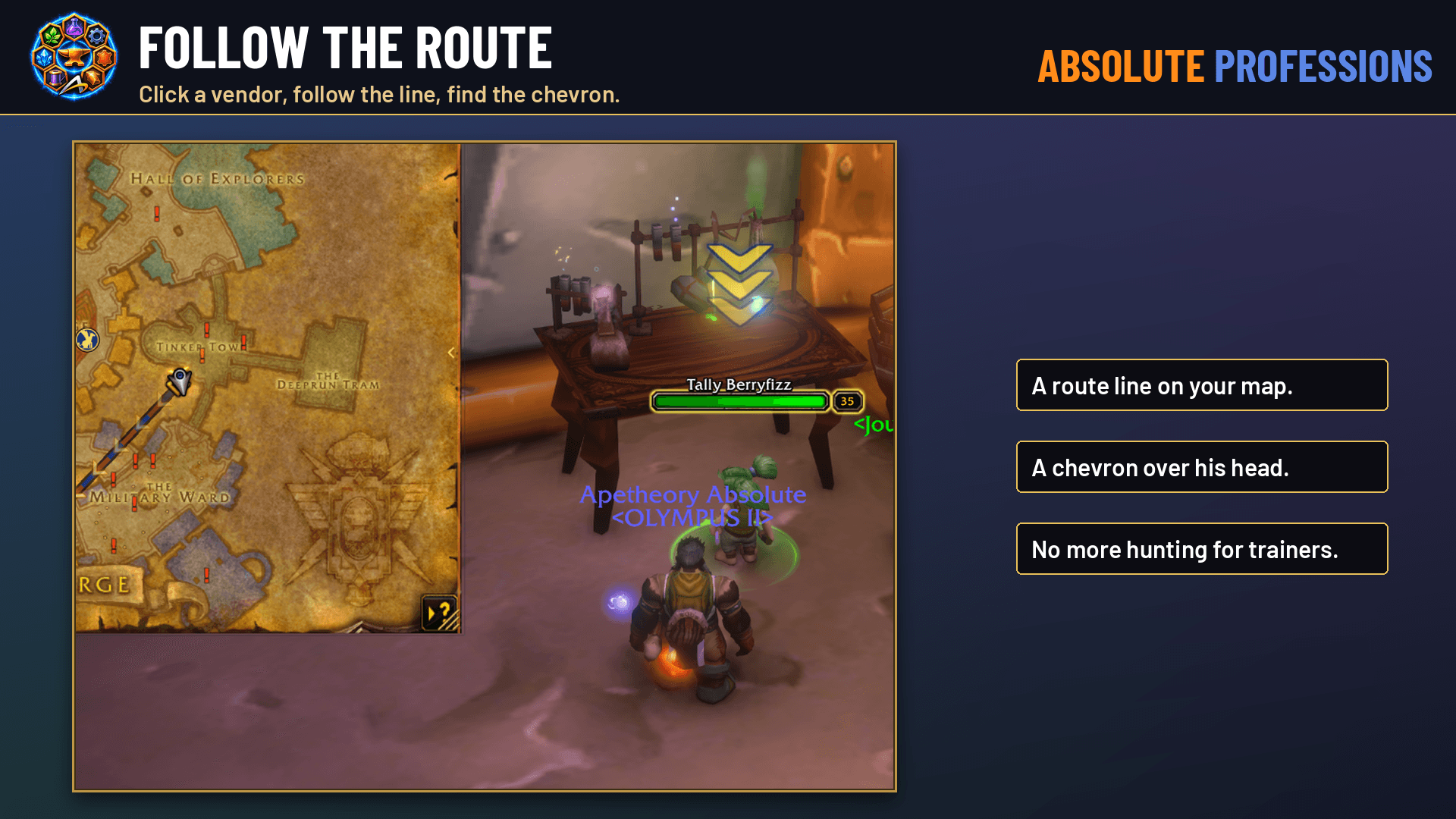
- Click a recipe or rank to mark the nearest seller. The map opens on his zone with an animated yellow-and-blue marker. When you get close, an animated yellow-and-blue chevron appears over his head, so you can’t miss him in a crowded city.
- Shift-click links the recipe in chat.
Current for the client you play
- WoW Forever ships with built-in data for every profession (ranks, trainers, recipes, vendors, prices, reputation, quests and drops).
- Whenever a profession window is open, the addon also reads it straight from the game, so the game’s own information always wins. On Retail, open a profession once and its recipes are saved for every character on your account, alts included.
Make it yours
- Move it anywhere, resize it, and set window and glass opacity separately.
- Lock it in place, and show or hide the minimap button.
- Your Professions key opens Absolute Professions instead of the game’s window. You can turn that off in Settings.
- Settings and About are built into the window, so there are no extra panels.
Also part of Absolute View. If you run Absolute View, Absolute Professions is built in as a module. Install one or the other; if both are present, the standalone takes over.
Commands: /aprof (open/close), /aprof recipes, /aprof settings, /aprof keys, /aprof clear, /aprof lock, /aprof unlock, /aprof reset, /aprof minimap
Free, from Absolute Gaming. Support and every other Absolute addon: https://absolutegaming.store, or email support@absolutegaming.store.
ApeTheory - Admin for Absolute Gaming LLC · © 2026 Absolute Gaming LLC. All rights reserved.
Absolute Professions Team