Absolute LFG
- By
The game’s Group Finder in one clean, translucent window, with a memory: your flags on every listing, a history of every group, and a warning when a player you’d rather avoid shows up.
AbsoluteLFG_Screenshot_1_GroupFinder.png
AbsoluteLFG_Screenshot_2_PvP.png
AbsoluteLFG_Screenshot_3_FindGroup.png
AbsoluteLFG_Screenshot_4_FindGroupPvE.png
AbsoluteLFG_Screenshot_5_MyGroup.png
Description
Absolute LFG
A group finder that remembers who you played with. For World of Warcraft Retail and WoW Forever, one download for both.
Absolute LFG puts group finding into one clean, translucent, border-free window in the Absolute style. Every listing shows your flags, every group you join is saved, and you’re warned when someone you’d rather avoid joins your group or applies to your listing.
One window
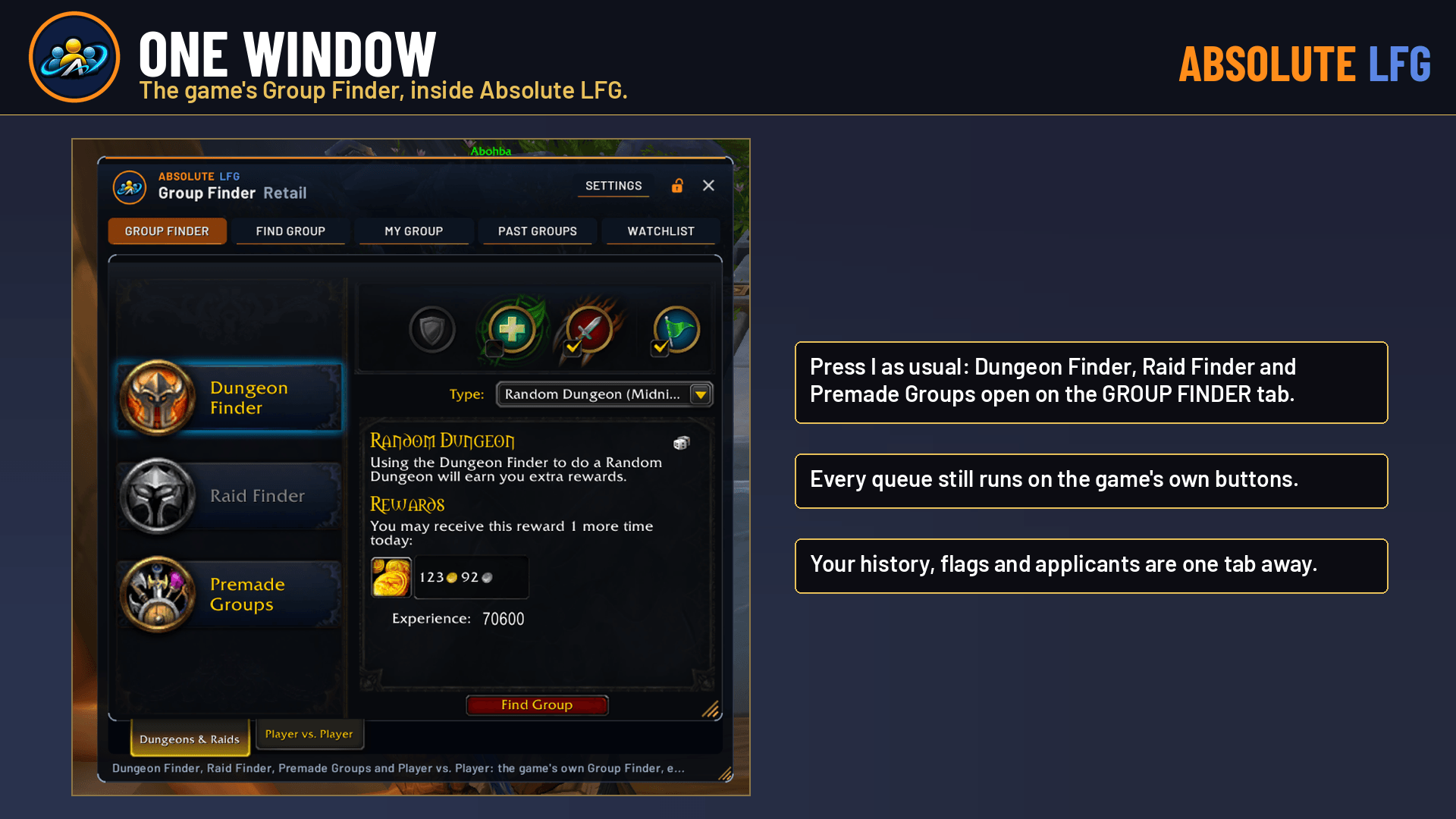
- Retail: press I as usual. The game’s own Dungeon Finder, Raid Finder, Premade Groups and Player vs. Player open inside Absolute LFG, on its GROUP FINDER tab.
- Every queue still runs on the game’s own buttons. Absolute LFG builds around the game’s window instead of changing how it works.
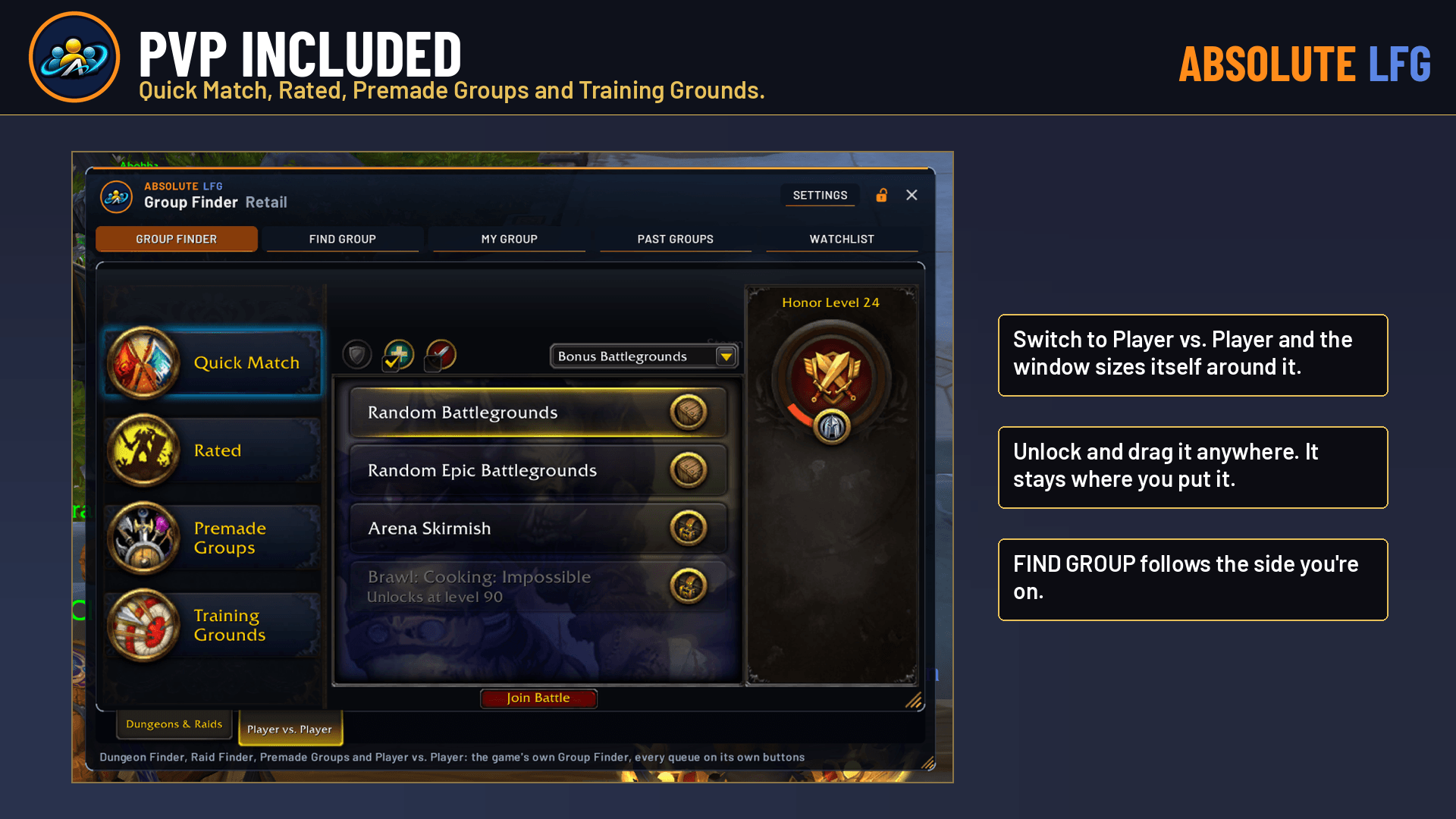
- It sizes itself around each side (Dungeons & Raids or Player vs. Player) and stays where you put it.
- WoW Forever: FIND GROUP is the home tab, with every group finder category the game offers.
Find your group
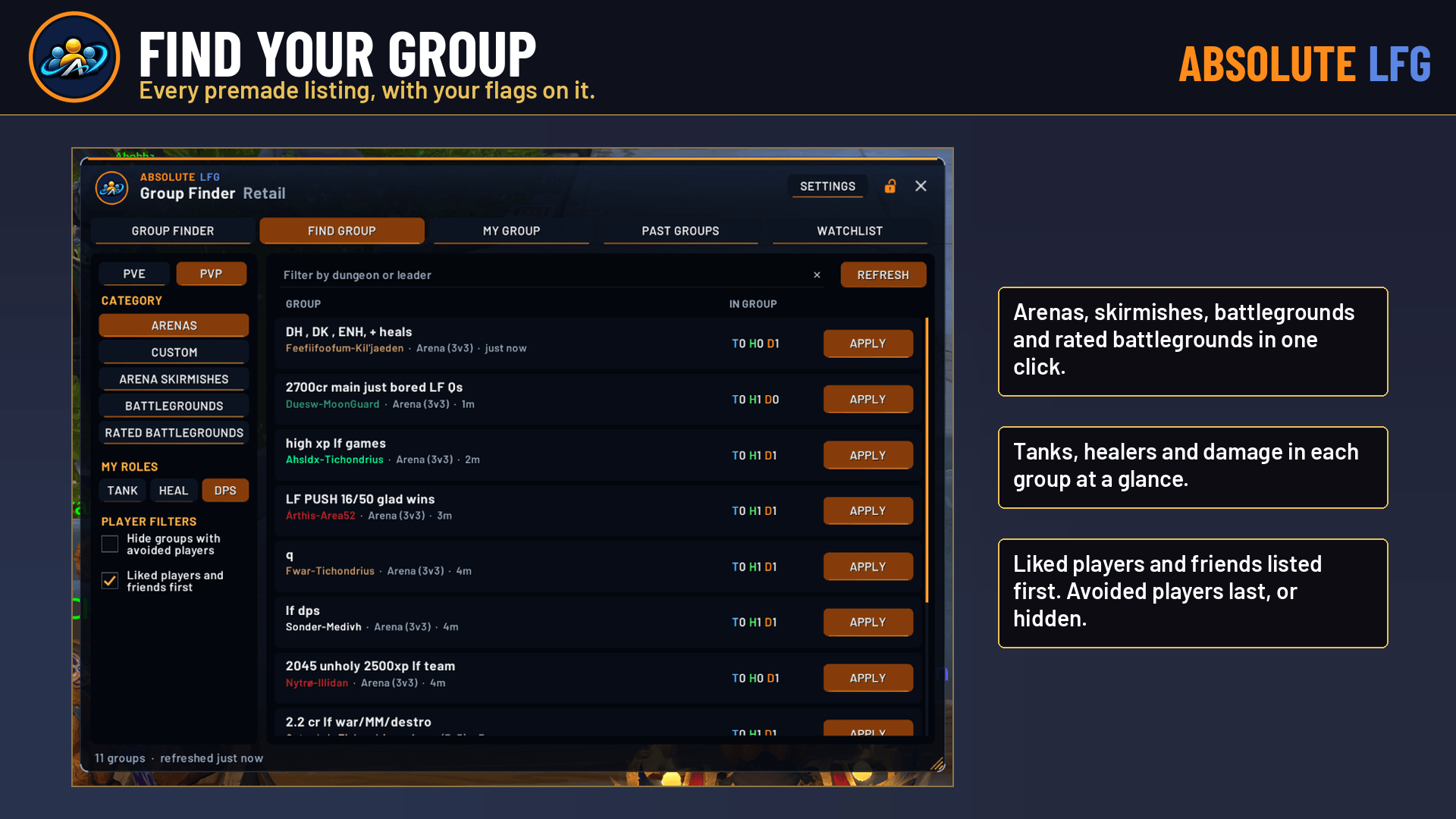
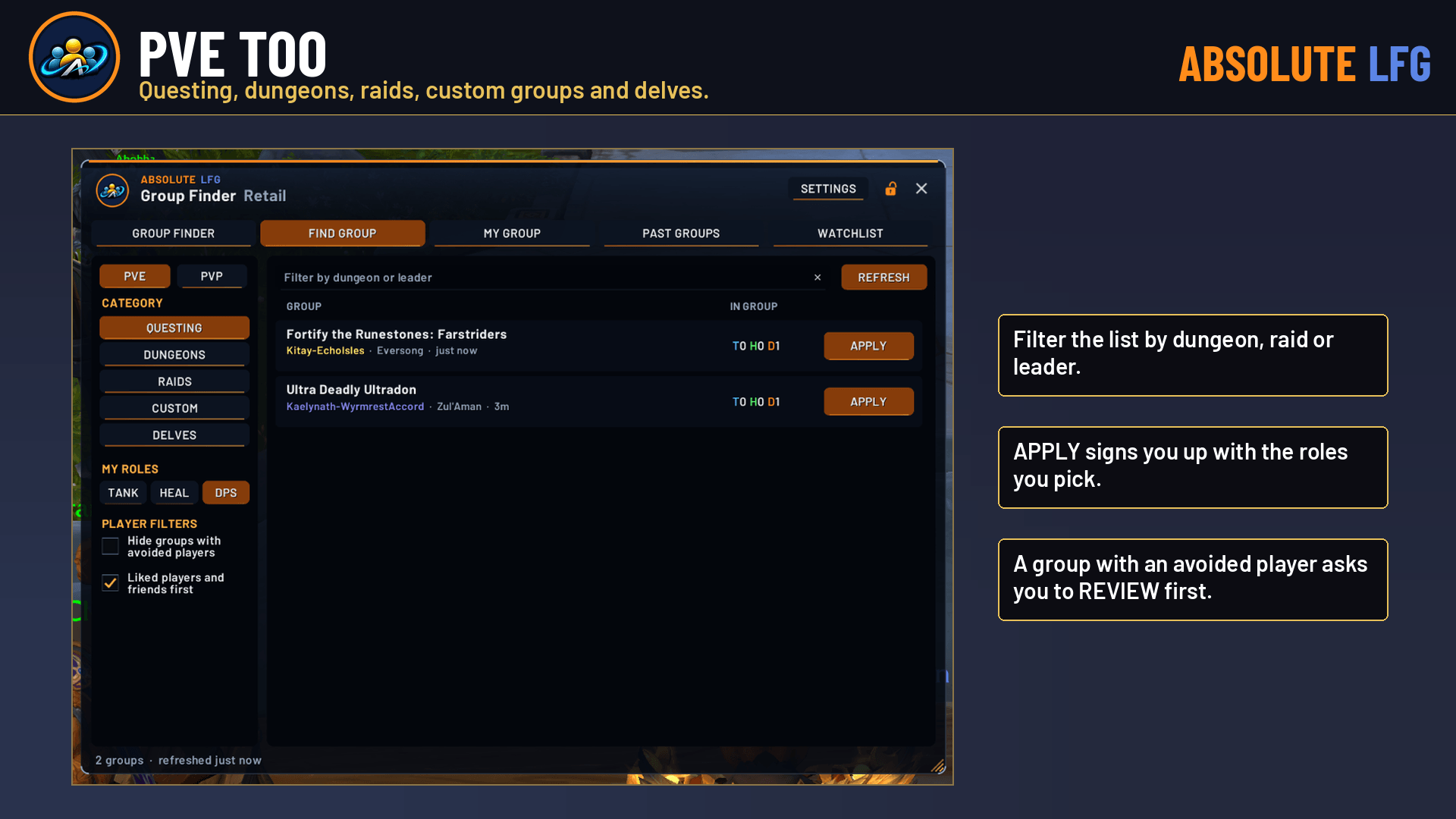
- Every premade category, searched in one click.
- Only groups for your level: groups for dungeons and activities outside your level range are hidden (on by default; untick to see them all).
- Tanks, healers and damage in each group at a glance.
- Groups with liked players, friends or guildmates are listed first. Groups with an avoided player are listed last, or hidden if you choose.
- APPLY signs you up with your roles. On a group with an avoided player it says REVIEW first.
- Filter by dungeon, raid or leader, and hover any group to see its members and your notes on them.
Run your listing
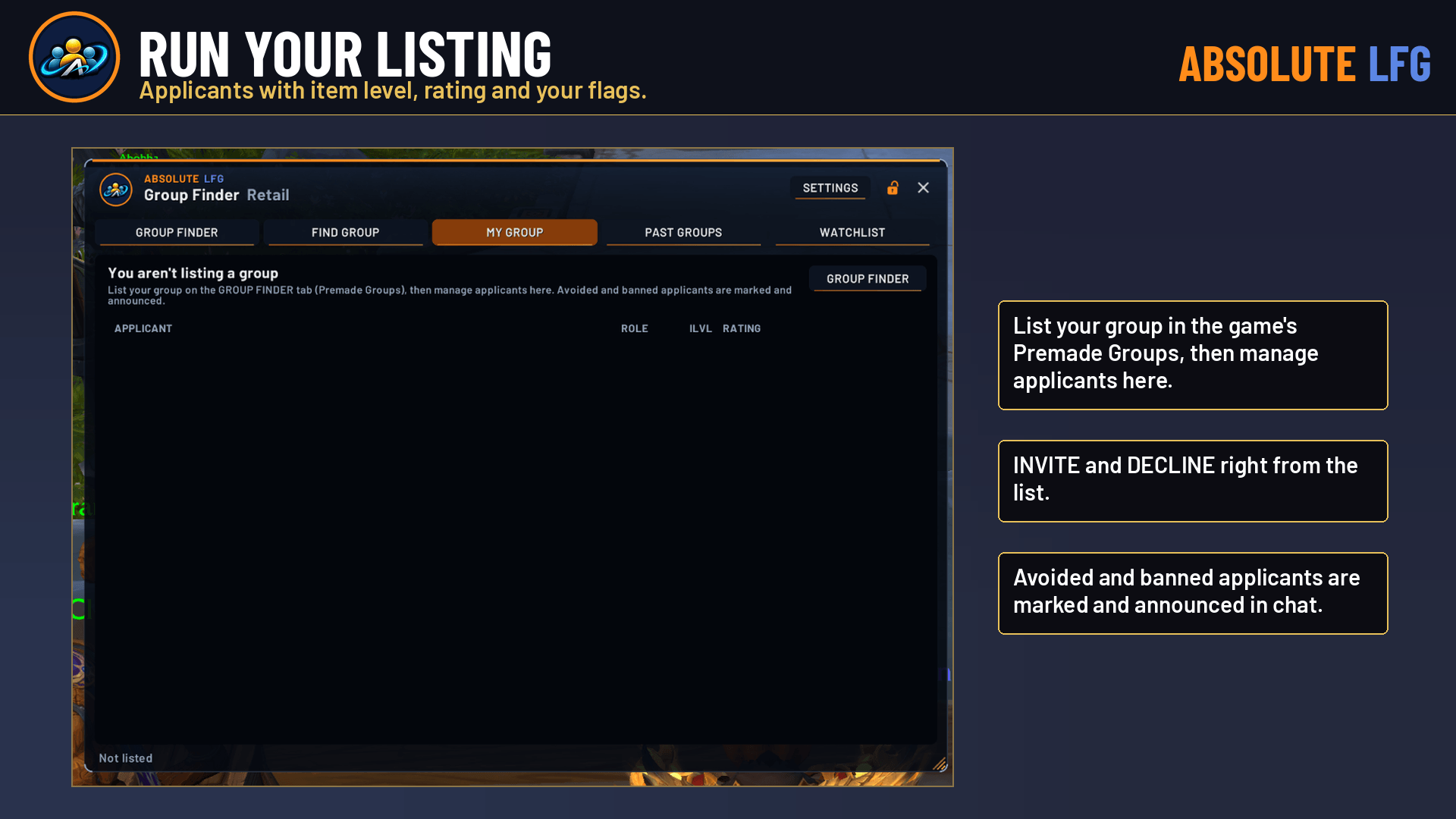
- MY GROUP lists your applicants with item level, rating and your flags.
- INVITE and DECLINE right from the list.
- Avoided and banned applicants are marked and announced in chat once each.
Remember everyone
- PAST GROUPS saves every group you join with everyone in it, how long it lasted and, for Mythic+ keys, whether it was completed.
- Click any player for their card: LIKE, AVOID or BAN them, keep a private note, ADD FRIEND, IGNORE or INVITE.
- BAN also declines that player’s group invites.
- Liked players you keep grouping with are suggested as friends.
- WATCHLIST lists everyone you’ve flagged or written a note on, searchable by name or note.
- Keep 30 days and up to 50 groups, or set your own.
Know who’s coming
- When an avoided or banned player joins your group, an alert shows your note and offers LEAVE GROUP, WARN GROUP or STAY.
- Nothing happens unless you press a button.
- WARN GROUP opens a message you can edit first. Only that text is sent, only when you press SEND, and only once per player per group.
Make it yours
- Move it, resize it from the corner, and set its size, window opacity and glass opacity.
- Lock it in place, use gamepad mode (bigger rows, shoulders switch tabs), and use the minimap button or addon compartment.
- Your flags, notes and history are shared by every character on your account.
Commands
/alfg: open or close (also/abslfgand/absolutelfg)/alfg find,/alfg group,/alfg past,/alfg watch: open that tab/alfg settings,/alfg about/alfg unlock,/alfg lock,/alfg reset,/alfg minimap
WoW Forever
WoW Forever support is new in 0.4.1. If something doesn’t work there, please report it on our Discord with /alfg debug output.
Also in Absolute View
Absolute LFG is also built into Absolute View, the complete Absolute interface. Use one or the other, not both.
Absolute LFG Team