Absolute MiniMap
- By
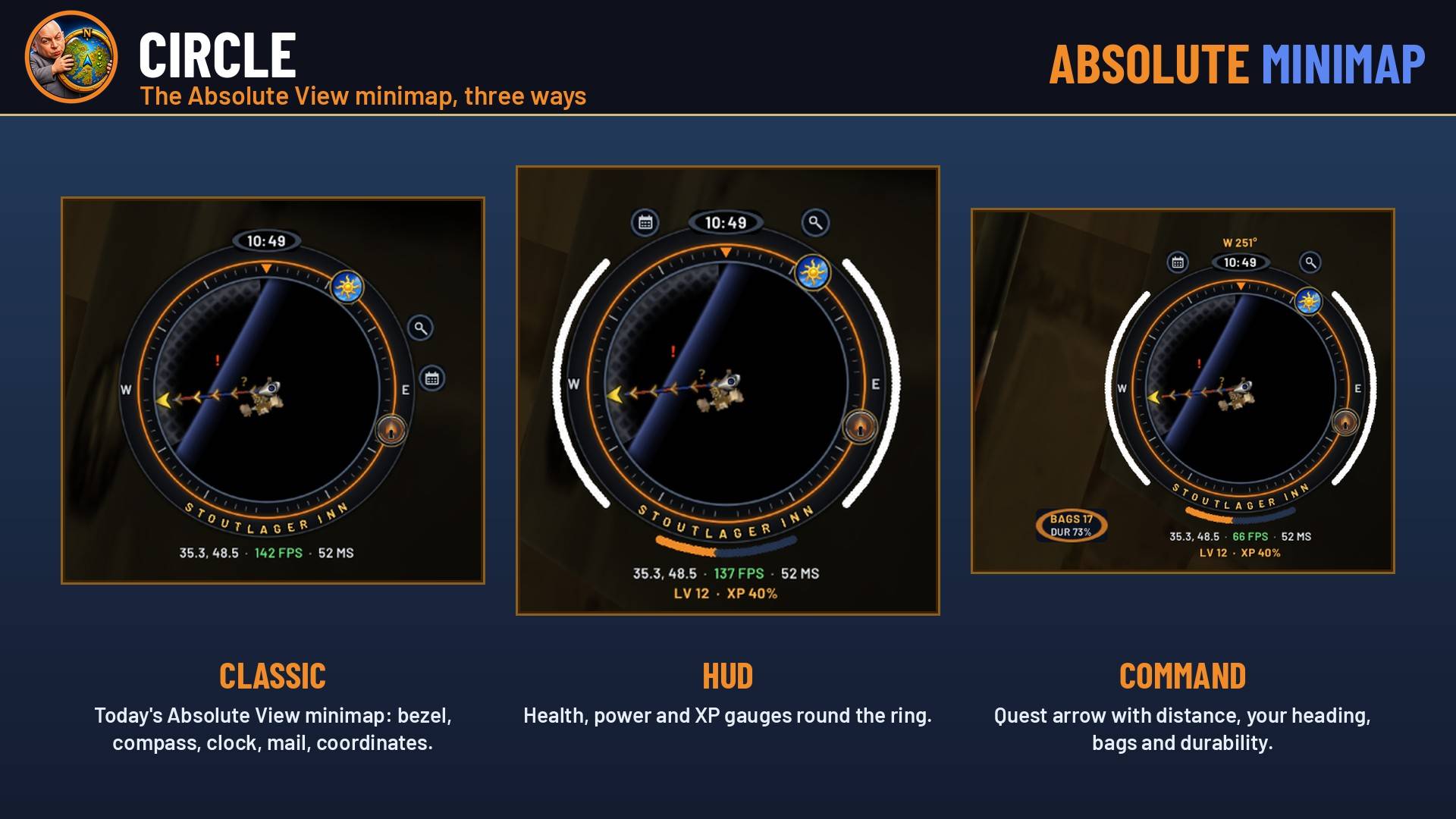
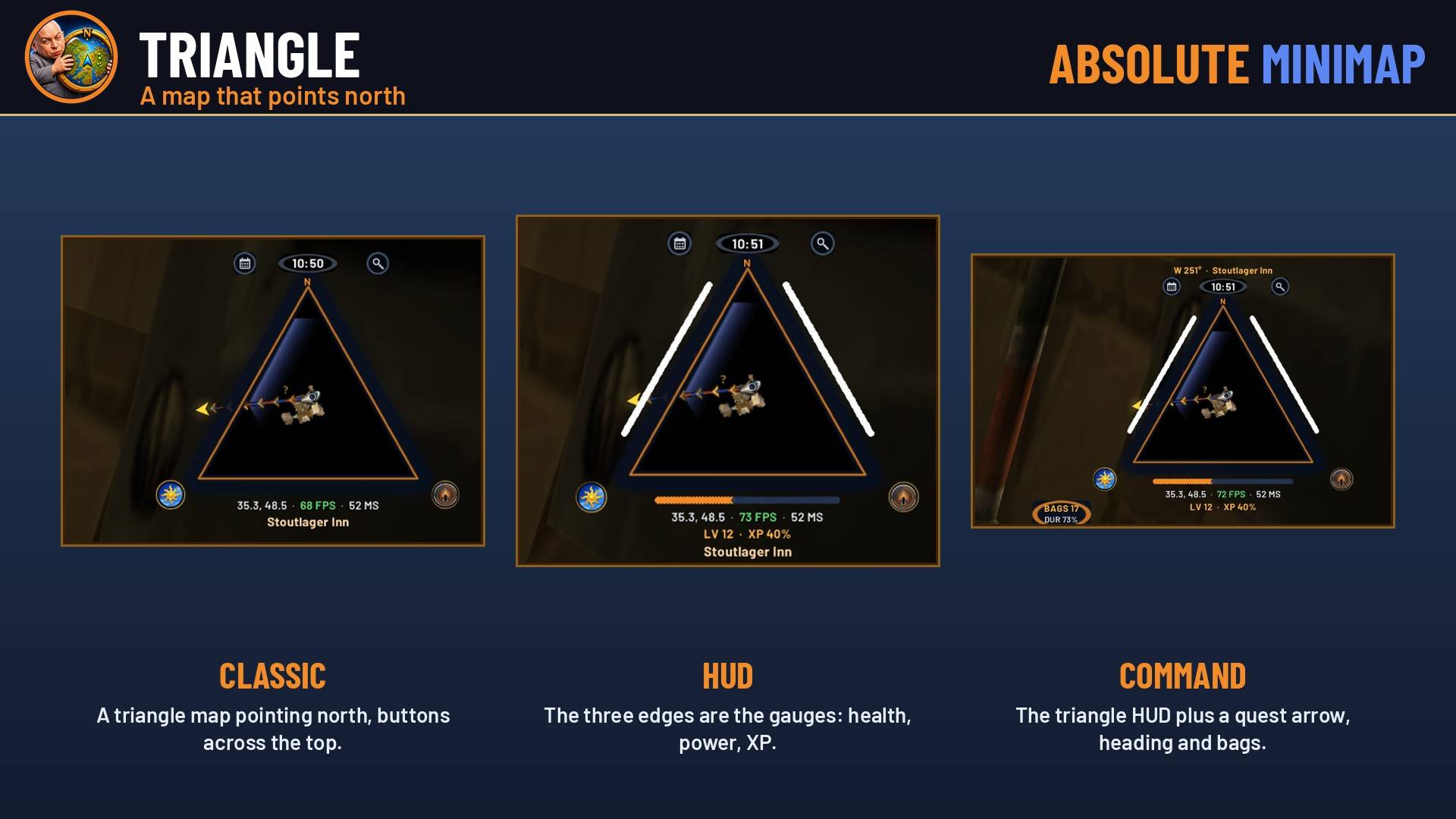
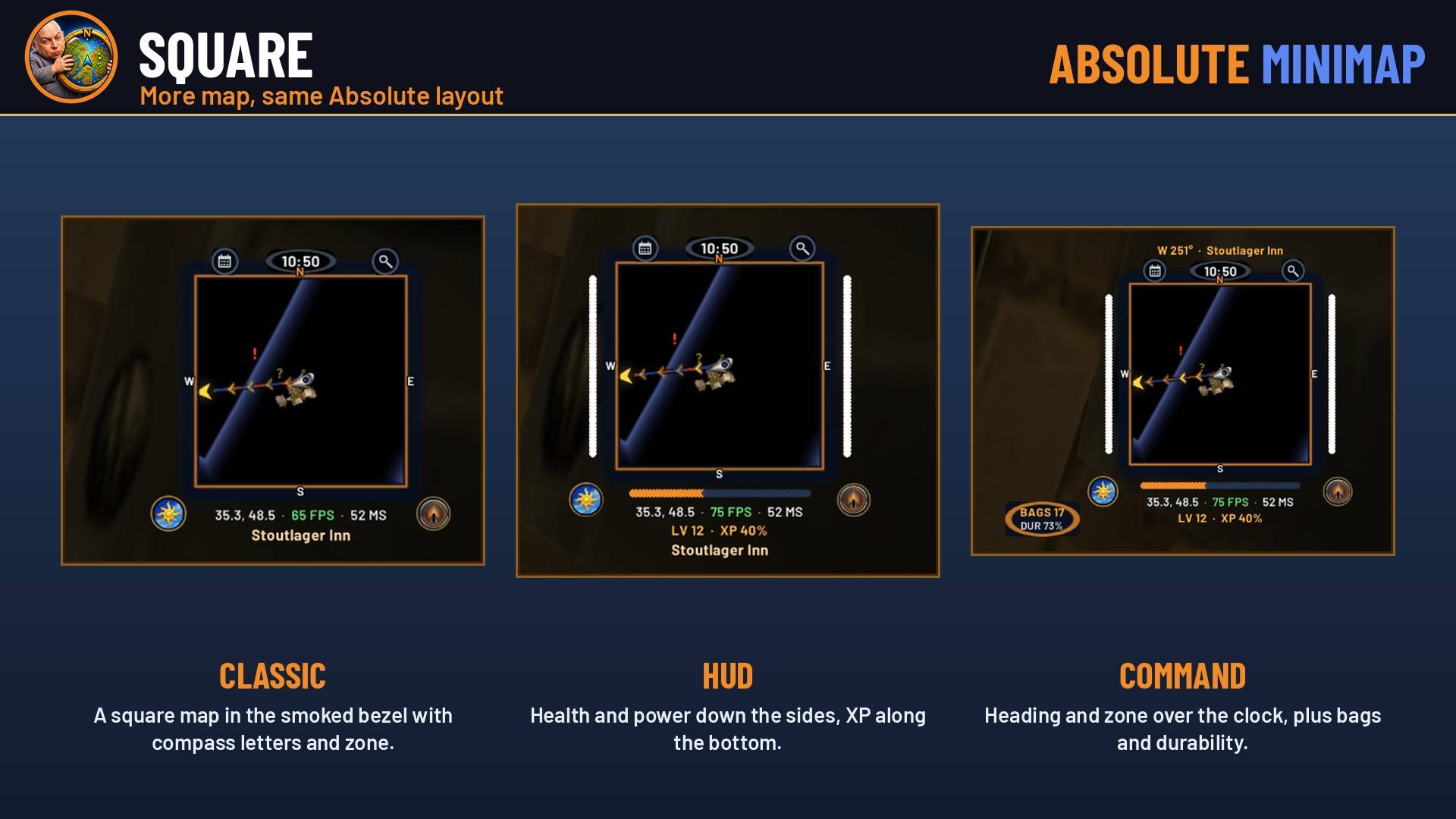
Your minimap in 9 styles: circle, square or triangle, as Classic, HUD (health, power and XP gauges) or Command (quest arrow, heading, bags). Live preview. WoW Forever and Retail.
AbsoluteMiniMap_Screenshot_2_circle.jpg
AbsoluteMiniMap_Screenshot_4_triangle.jpg
AbsoluteMiniMap_Screenshot_3_square.jpg
AbsoluteMiniMap_Screenshot_1_styles.jpg
AbsoluteMiniMap_Screenshot_5_settings.jpg
Description
# Absolute MiniMap
**Your minimap in 9 styles, for WoW Forever and Retail.** Free, from Absolute Gaming.
Pick a shape (circle, square or triangle), then pick how much it shows you:
- **Classic:** the Absolute layout: smoked bezel, compass, clock, mail, coordinates, FPS and latency, the zone name and the Absolute emblem.
- **HUD:** Classic plus gauges built round the map: health on the left, power on the right, XP along the bottom with your level. On the triangle, its three edges are the gauges.
- **Command:** HUD plus an arrow on the edge of the map pointing to your tracked quest or map pin with the distance in yards, your heading over the clock, and bags / durability.
## Features
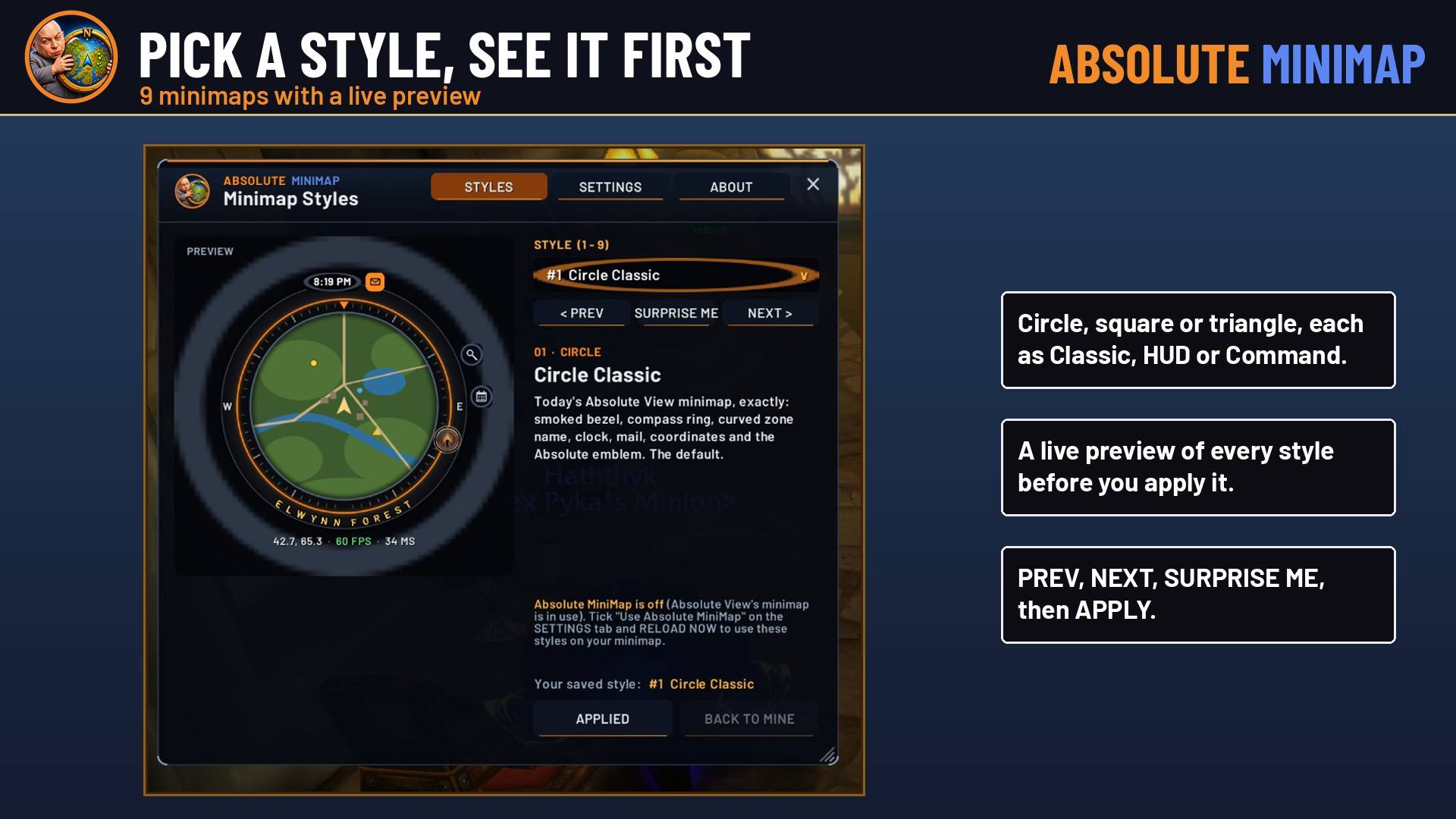
- **Preview before you apply:** a drop-down of all 9 styles with a live preview, PREV / NEXT / SURPRISE ME, then APPLY.
- **The game's buttons stay the game's:** tracking, calendar, mail, the clock, the addon list (behind the Absolute emblem), the difficulty flag and WoW Forever's day / night dial all work as normal.
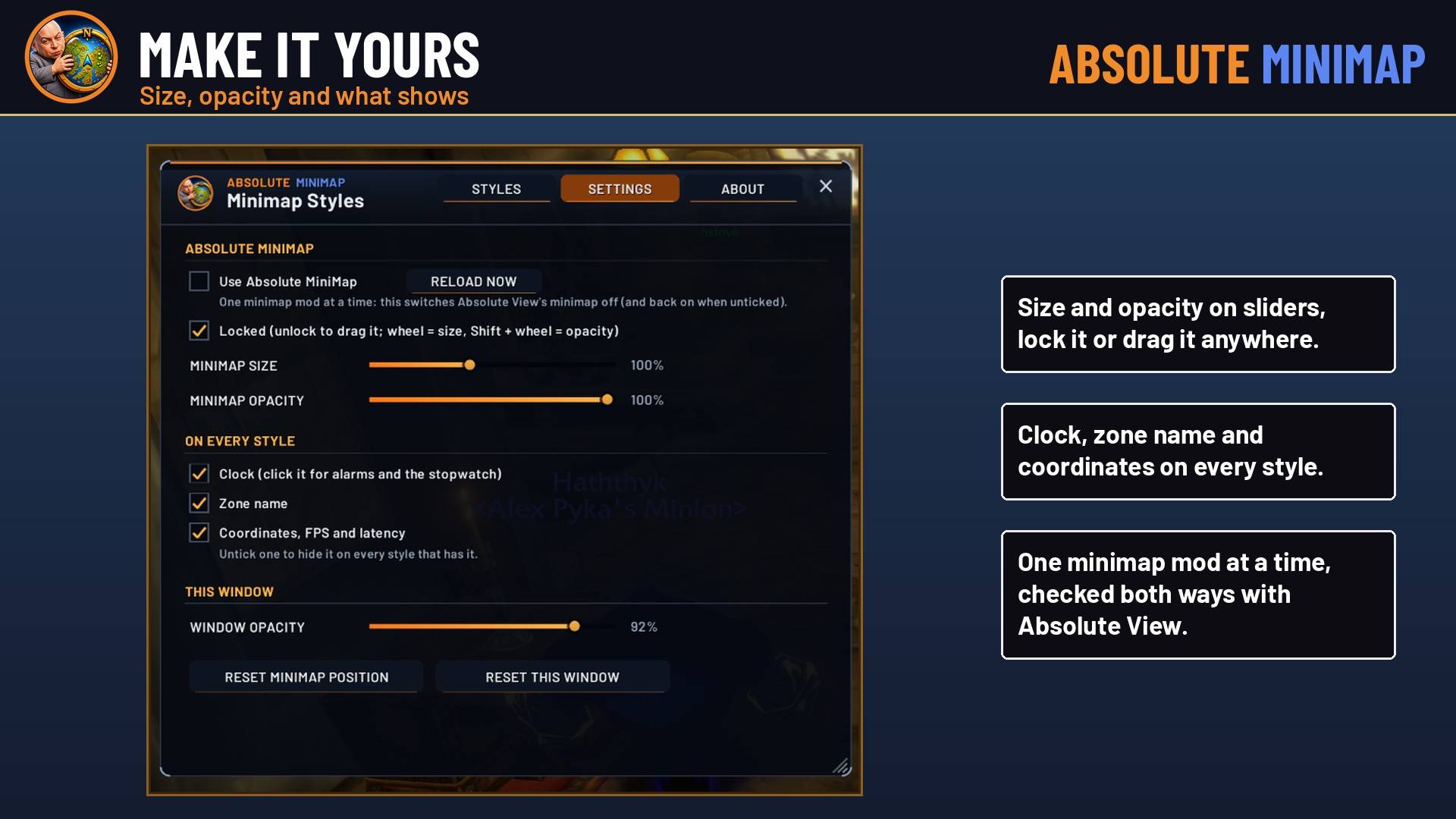
- **Make it yours:** drag it anywhere and lock it, set size and opacity, and turn the clock, zone name and coordinates on or off.
- **Rotate Minimap:** the compass letters and the quest arrow turn with the map.
- **Clean:** navy and orange, no colour washes, and no minimap button. Open it from the addon list or with `/amm`.
- **Works with Absolute View:** built into Absolute View 2.2.1, or install it on its own. Only one minimap mod runs at a time.
## Commands
- `/amm`: open the window
- `/amm style 1-9`: apply a style
- `/amm unlock` / `/amm lock`: move or lock the minimap
- `/amm reset`: default position, size and opacity
Style #1 is the classic Absolute View minimap, so nothing changes until you pick.
**ApeTheory - Admin for Absolute Gaming LLC** · https://absolutegaming.store · support@absolutegaming.store
Absolute MiniMap Team