Abeyta Scrolling Combat
Scrolling combat text built for WoW Forever: labeled hits and DoT ticks, big crits, kill medals, a death recap and awareness alerts for PvP and raids.
Scrolling combat text built from scratch for WoW Forever. See your own damage come off the enemy, see what the players around you are hitting for, chase a combo meter while you quest, and hear your cooldowns called out. One addon, no libraries.
Join the Discord for help, feedback and what's coming next.
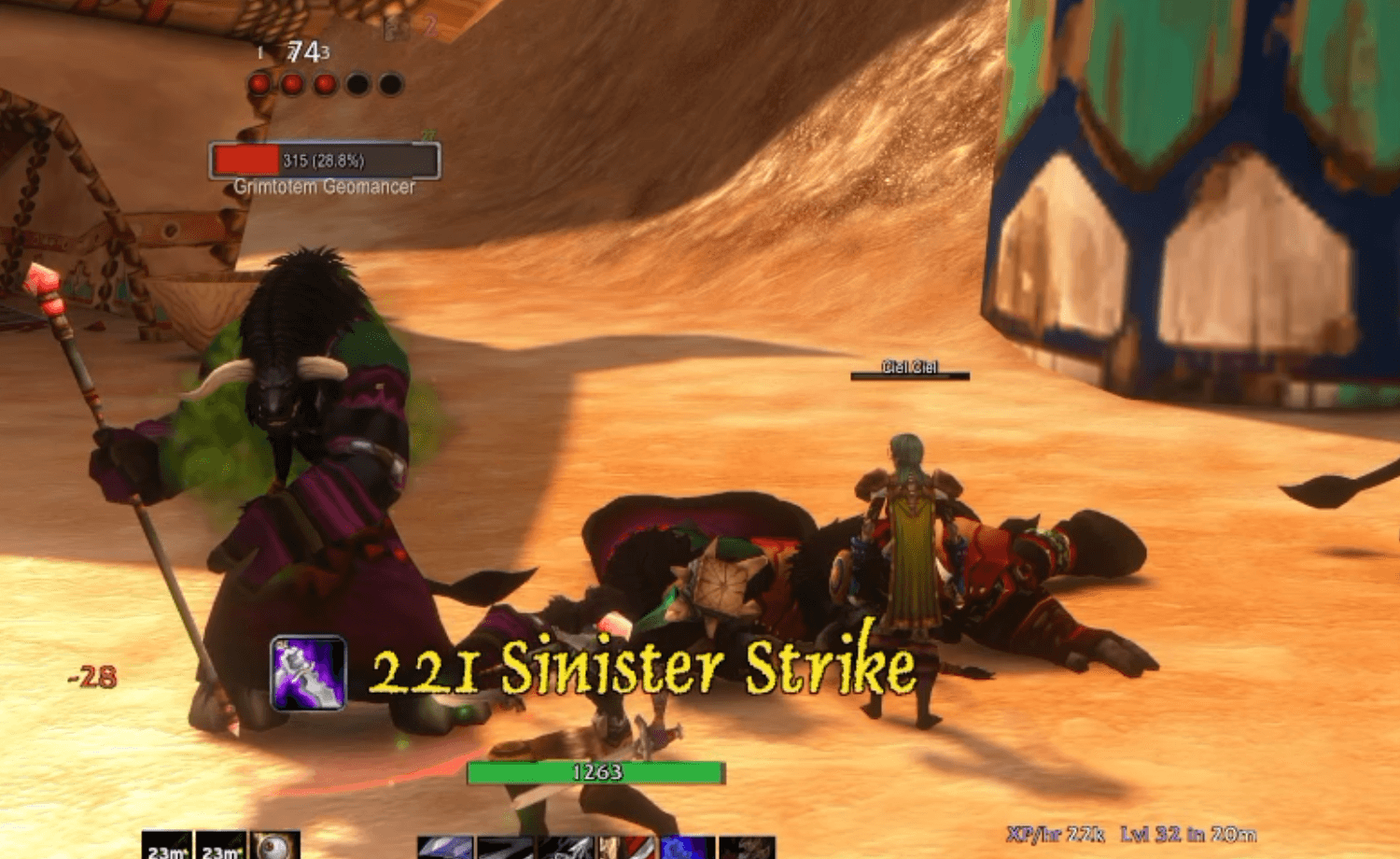
Why it works this way
Long before WoW, I played Final Fantasy online, where your friends' damage floated up right next to your own. I never forgot how good that felt, so I built it here.
ASC shows you what the people around you are hitting for, whether you're grouped with them or just passing by, in their class color, right there in the world. Stop staring at a damage meter. Watch the mobs in front of you and enjoy seeing each other tear them apart.
The best part is the stranger questing next to you who lands a monster crit. You say "whoa, nice crit!" and they go "...how did you know? O_O"
See everyone's damage, not just yours
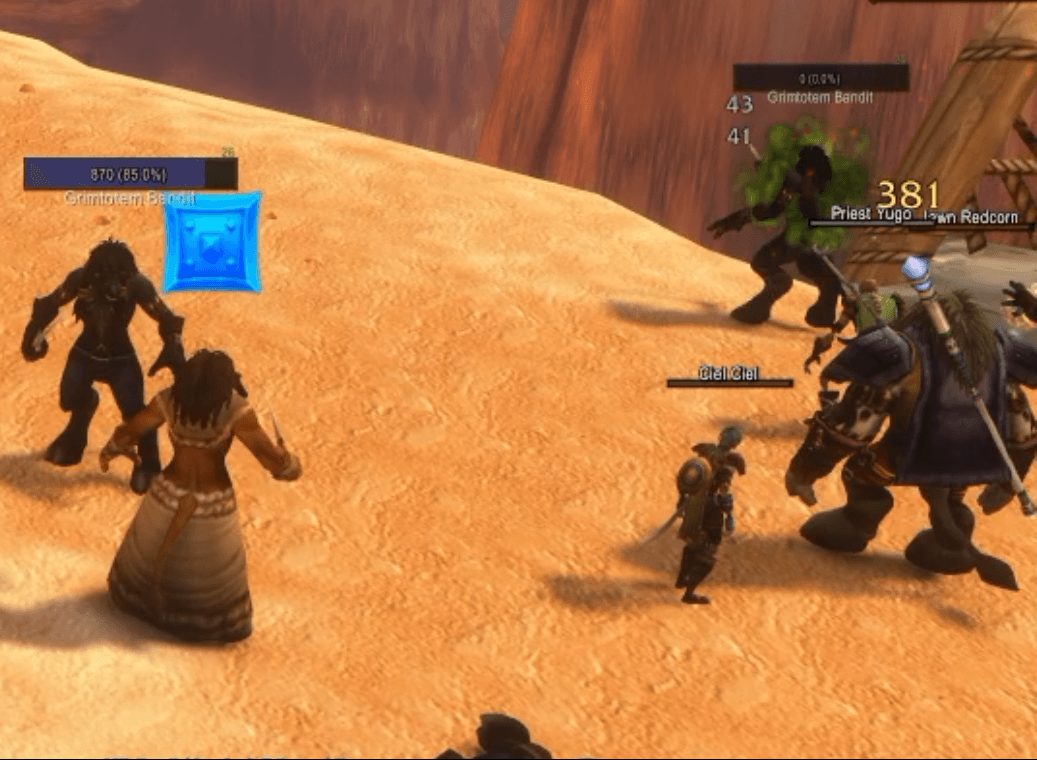
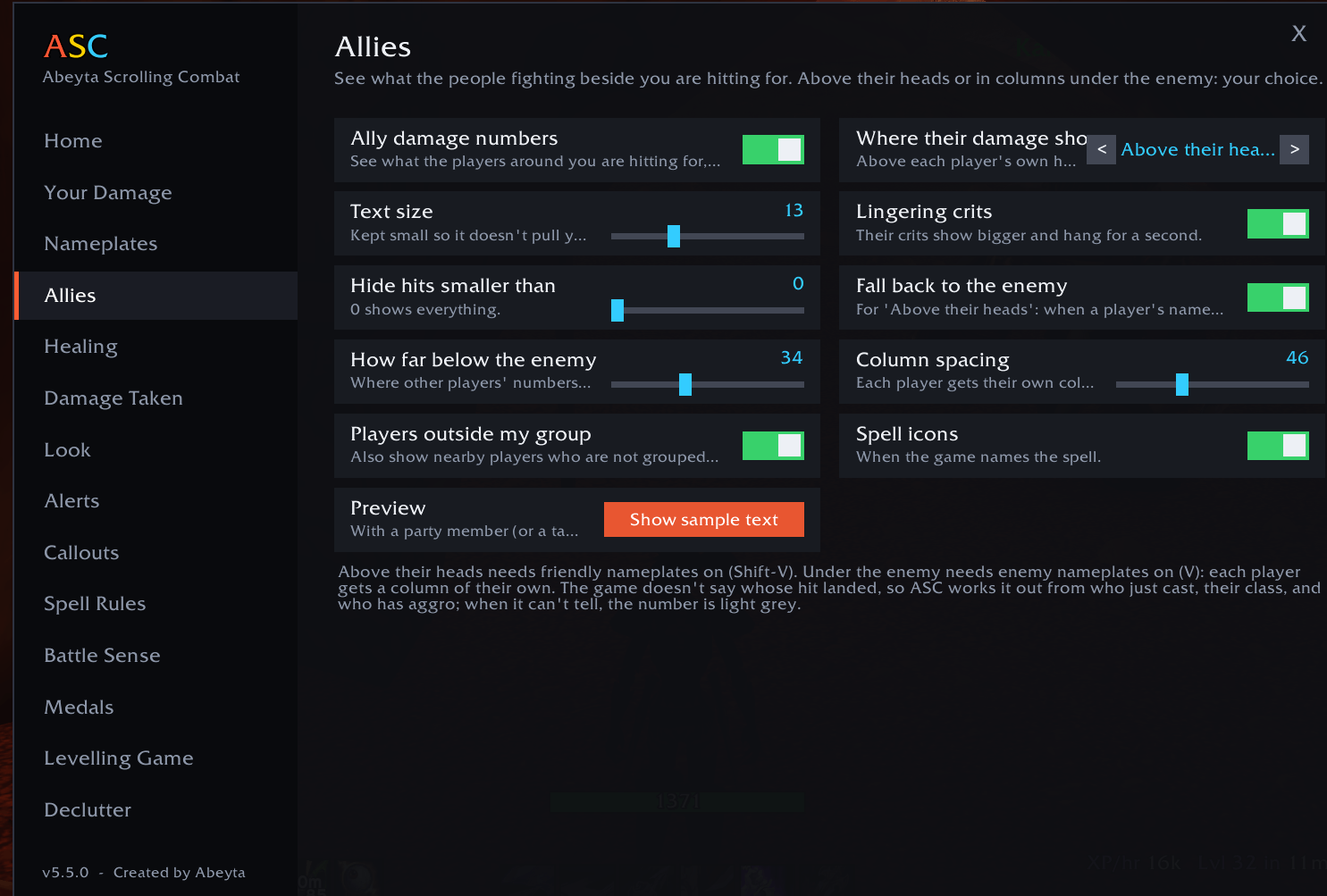
- Your hits float off the enemy they landed on. Other players' hits show above their own heads, or in tidy columns under the enemy: your choice
- Works for players outside your group too: anyone fighting near you
- Colored by class, using the game's own class colors: the same ones you see on raid frames and in chat
- With several players on one enemy, ASC works out whose hit it was from who is attacking, who just used an ability, and the kind of damage. When it can't tell, the number is light grey
- Their crits show bigger and hang for a second, so the big hits stand out
- One switch on the Home page turns it off if you'd rather see only your own
Your damage, on the enemy
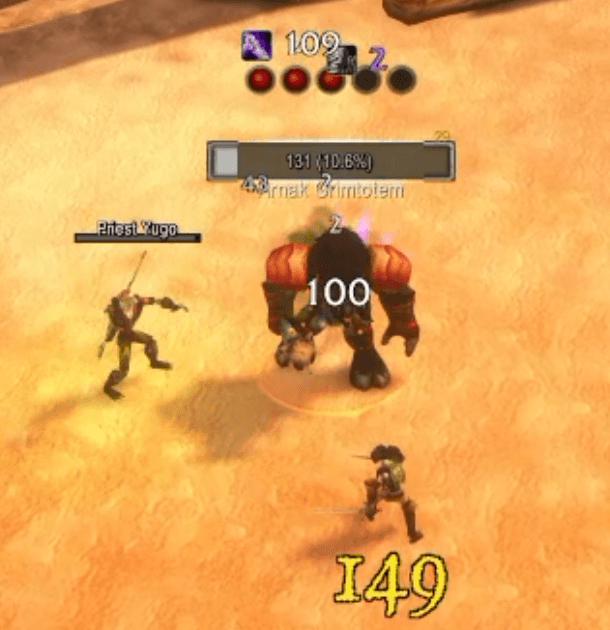
- Seven motions: Fountain, Arc, Diagonal, Rainfall, Spiral, Shake and Straight
- Make your numbers any size you like, as big as Blizzard's own or bigger, with one slider
- ASC hides the game's own damage numbers for you, so you never see doubles
- Big crits slam into their own spot with the spell name, icon, shake and sound
- Every hit, heal and damage-over-time tick labeled with its spell
- Bigger hits look bigger: each hit is sized against your recent average
- Spell Rules: hide any spell or spotlight it, picked from a list of the spells you use. Nothing to type
The combo meter: how high can you get?
- Chain mob kills without a long break and a combo counter climbs on screen, with a timer bar showing how long you have to find the next kill
- The clock only runs out of combat, so a long fight never costs you the chain. AoE classes can stack it fast
- An announcer calls the milestones: On a Roll (5), Mob Mower (10), Relentless (15), Slaughterhouse (20), Unstoppable (25), Exterminator (30), One-Person Army (40), Legendary Grind (50)
- Personal records per character: longest combo, fastest level and most kills in a level, with a NEW RECORD callout when you beat one
For healers: heal mode
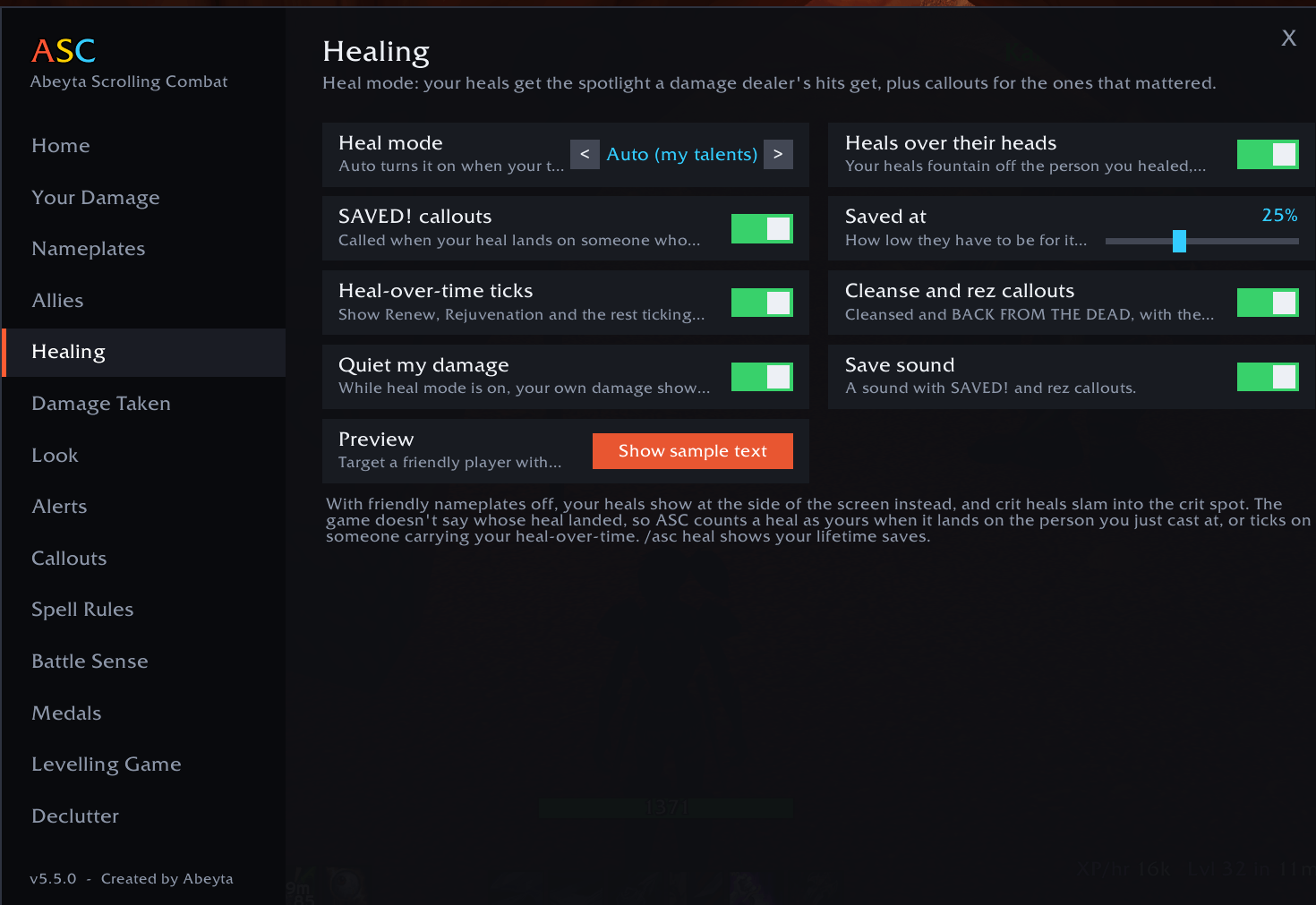
- Your heals fountain off the person you healed, the same way a damage dealer's hits come off a mob, and crit heals hang over their head for a moment
- In dungeons, where the game keeps friendly nameplates away from addons, your heals fountain off that player's healing frame instead (ClickMend, or the default party and raid frames)
- SAVED! is called when your heal lands on someone nearly dead, CLUTCH! when they were under 10%, with a save count after each fight and a personal record to beat
- Heal-over-time ticks, plus Cleansed and BACK FROM THE DEAD callouts
- Turns on by itself when your talents are in a healing tree, or switch it on for any character
Callouts and a built-in health bar
- A voice says "Kidney Shot ready" the moment an ability comes back. Over 200 abilities across every class have their own spoken line
- Choose all cooldowns, only those under a minute, or only the big ones
- FINISH IT when a player, elite or boss drops low, a LOW HEALTH warning, and a small AGGRO! line at your feet that stays out of the way
- A small health bar under your character with your HP number and a "DoTs will kill you" warning. Hover it to drag it, right-click to hide it
Proc Watch: never miss a proc
- A row of glowing icons that lights up the moment a proc or reaction is ready: Riposte after a parry, Overpower after a dodge, execute range, Clearcasting, Nightfall and more, for all nine classes
- It can also tell you when a key ability comes off cooldown, so you press it the moment it's ready
- Off until you switch it on. Every proc and ability has its own on/off switch, and you can add your own by name
- Open /asc and choose Proc Watch, or type /asc procs
For shamans: Maelstrom Weapon bars
- Five bars that fill as your Maelstrom Weapon stacks build, and flare when you hit five
- Keeps counting in combat and carries your stacks from one enemy to the next
- Only appears on shamans. Move it, lock it, resize it, or hide it outside combat
For gatherers: never run past a herb
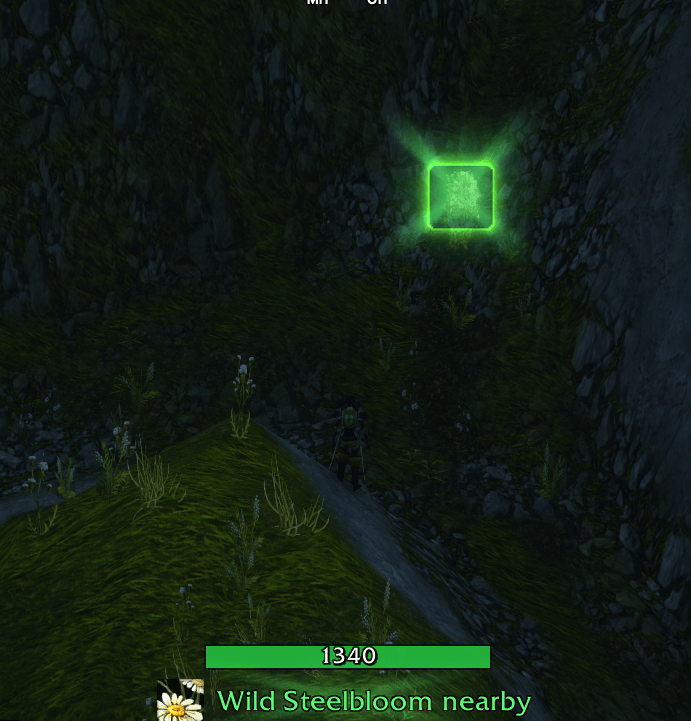
- When a herb or an ore vein is the nearest thing in reach, a glowing banner under your health bar names it: "Wild Steelbloom nearby". No cursor needed
- Sweep your mouse across and the cursor glows green over a herb, orange over an ore vein
- Every part has its own switch on the Gathering page, or type /asc gather
PvP extras
- Kill medals: Double Kill, Triple Kill, Overkill, and sprees like Killing Spree and Running Riot
- Battle Sense: a death recap of the last hits you took, a fight recap, crit chains, control alerts, a battleground feed and team deaths
- Stats panel: killing blows, PvP kills, kill streak and deaths
Simple to set up
- Install it and log in. It works straight away.
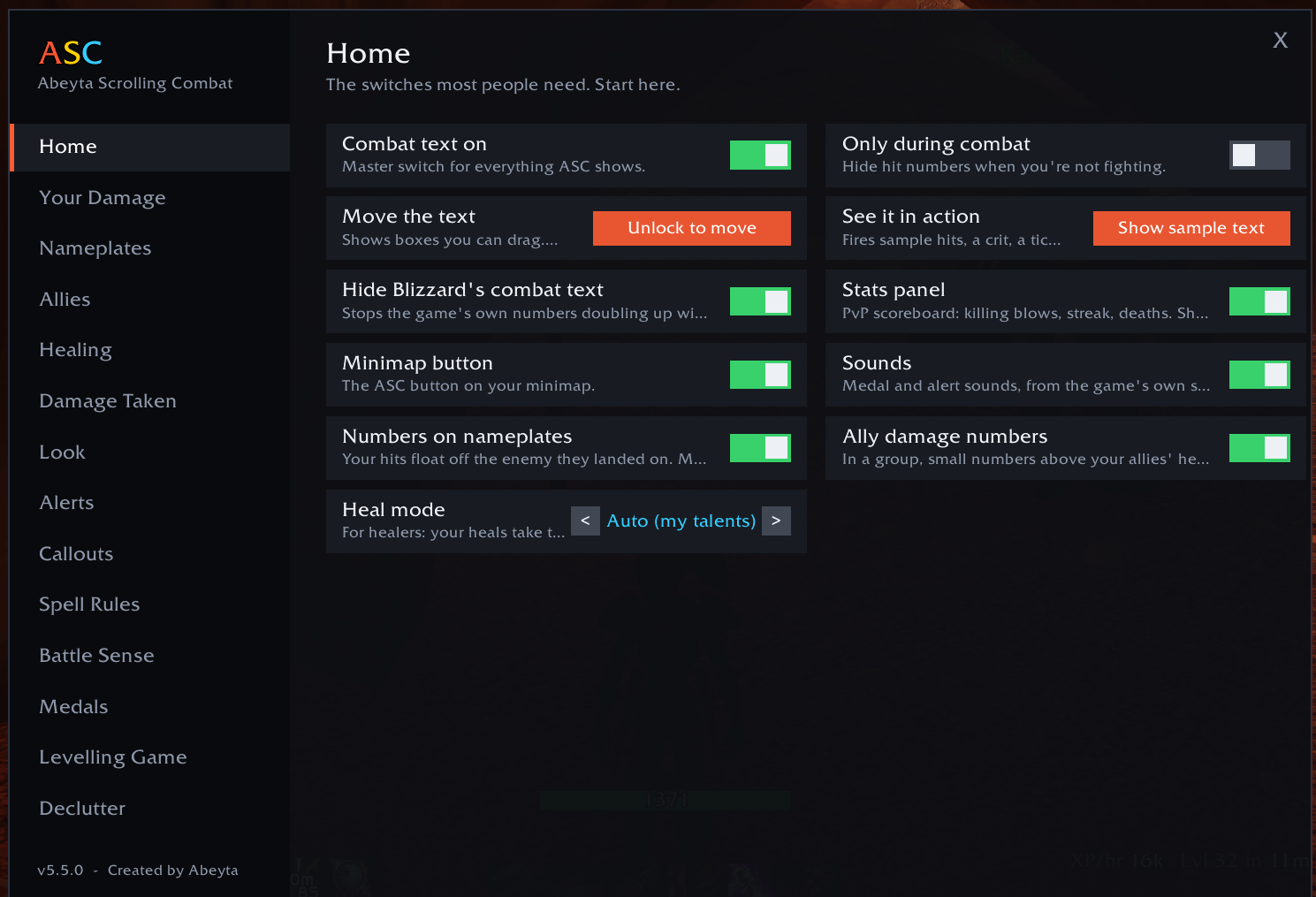
- Type /asc or click the minimap button to open the menu. The Home page has the switches most people need.
- Type /asc move to drag the text areas where you want them, and /asc test to see sample text.
- Turn on enemy nameplates (V) for damage on the enemy, and friendly nameplates (Shift-V) to see other players' numbers above their heads.
Commands
- /asc procs opens Proc Watch (procs on, procs test, procs add Name)
- /asc mael sets up the Maelstrom bars on a shaman (mael test, mael unlock)
- /asc blizzard hide or show for the game's own damage numbers
- /asc opens the menu, /asc move drags the text areas, /asc test shows sample text
- /asc allies and /asc plates turn ally and nameplate numbers on or off, /asc look picks a one-click look
- /asc heal turns heal mode on, off or auto, /asc health shows or hides the health bar
- /asc arcade for the combo meter, /asc records lists your records
- /asc hide, /asc big and /asc show followed by a spell name set spell rules
Good to know
- WoW Forever doesn't give addons the full combat log, and it doesn't say whose hit landed. ASC works out other players' damage from who is fighting what, who just cast, and their class. It gets it right most of the time; when it can't tell the class, the number shows in light grey.
- If an enemy has no nameplate on screen, your number shows at the side instead, so nothing is lost.
- If numbers show twice, turn on "Hide Blizzard's combat text" on the Home page and turn off any other combat text addon.
More from Abeyta
Capped, my PvP addon for WoW Forever, does the rank math for you: exactly how many wins or losses you need this week, an honor bar, and a battleground queue timer that calls "Last chance to enter!". Search for Capped on CurseForge.
I build things outside of WoW too. Right now I'm working on funding Up & Down, my very own chip-and-putt golf course, with our mascot Chip Abeyta leading the charge. It's skill capped, for all you other golfers out there. Go check it out at upanddowngj.com.
Questions, bugs or ideas? Join the Discord or catch me live at twitch.tv/captsaveyaaz.
Created by Abeyta. Not an alpha. Just Abeyta.
Abeyta Scrolling Combat Team