Skeleton pirate - player character mesh replacement
- By
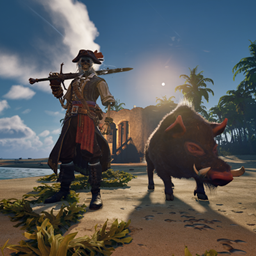
Replaces the player character mesh with a skeleton!
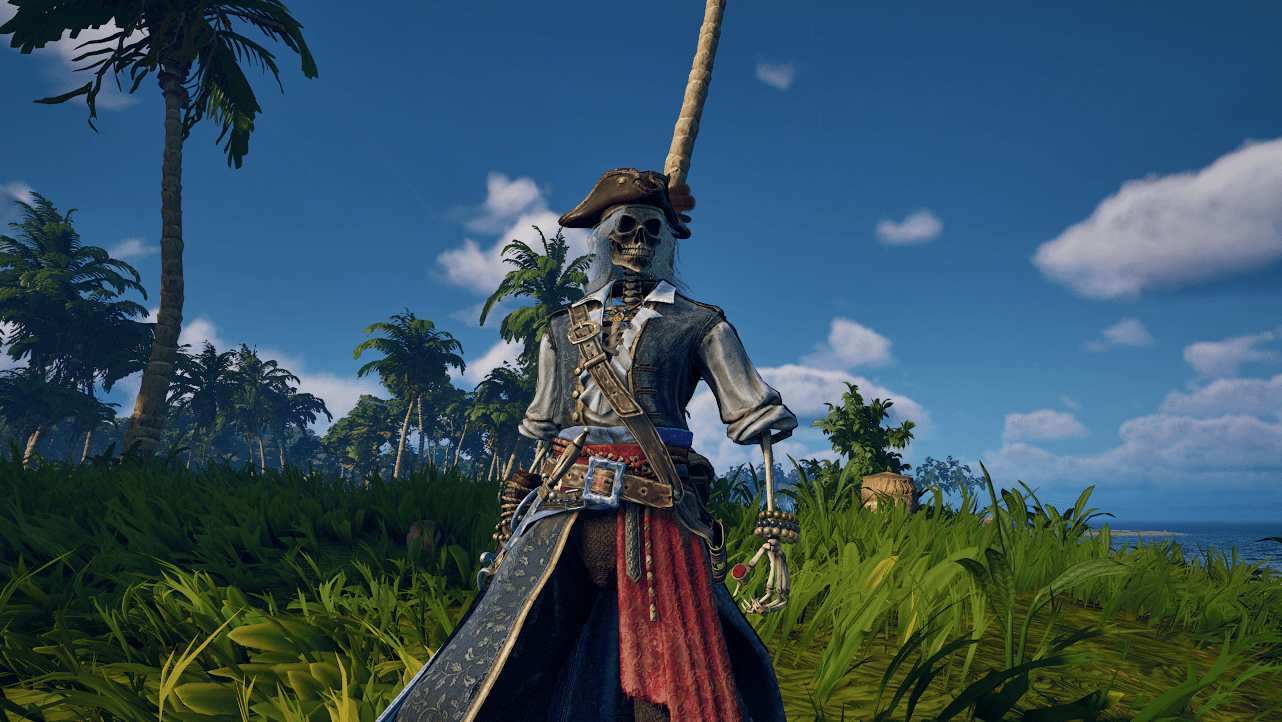
mod
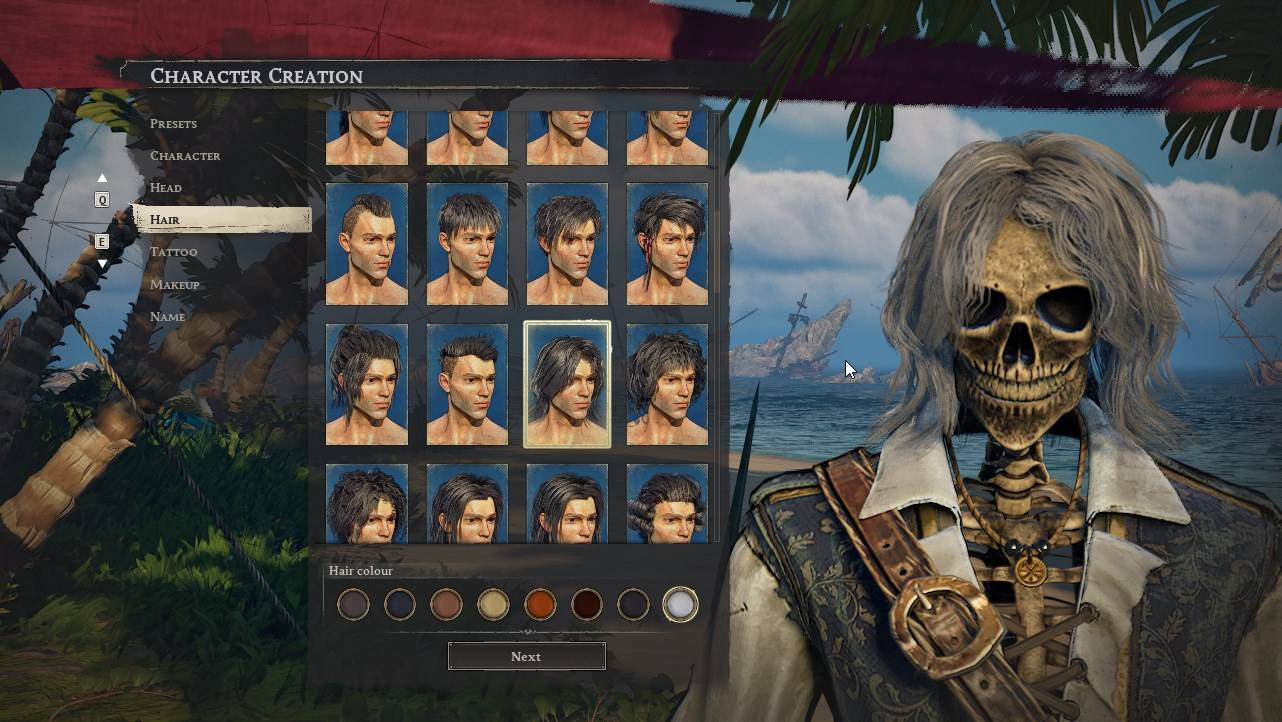
mod
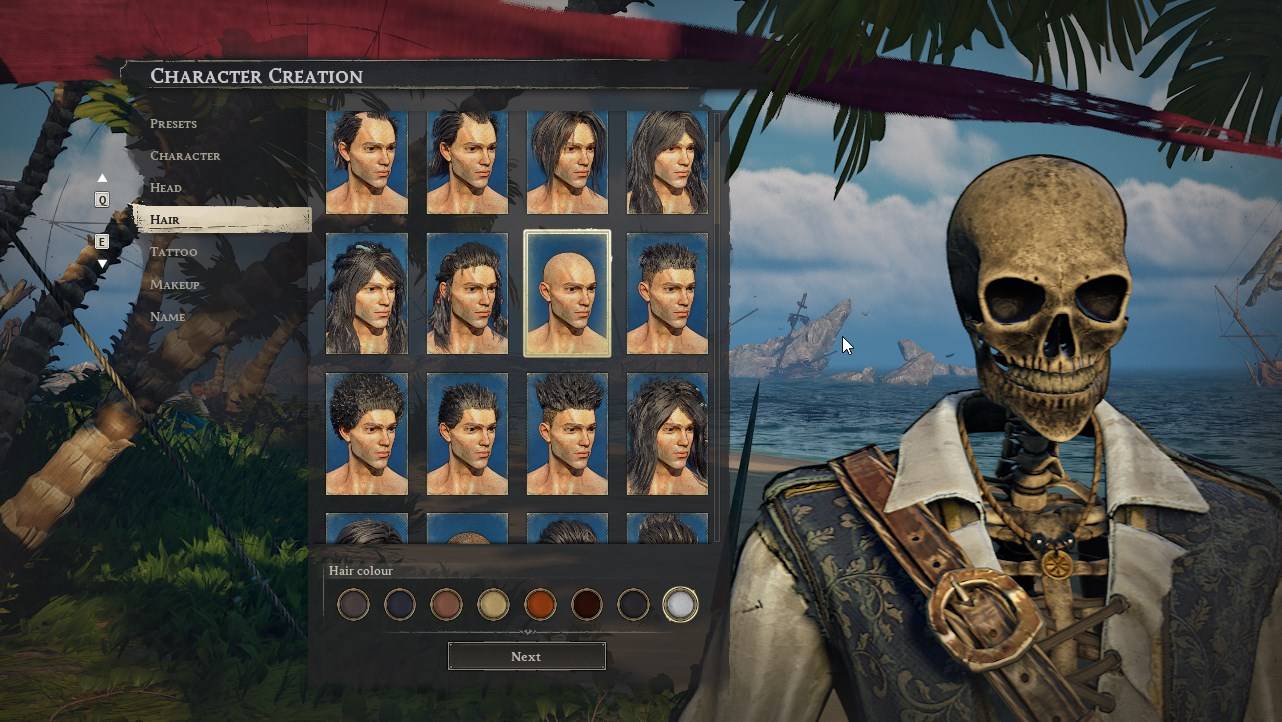
mod
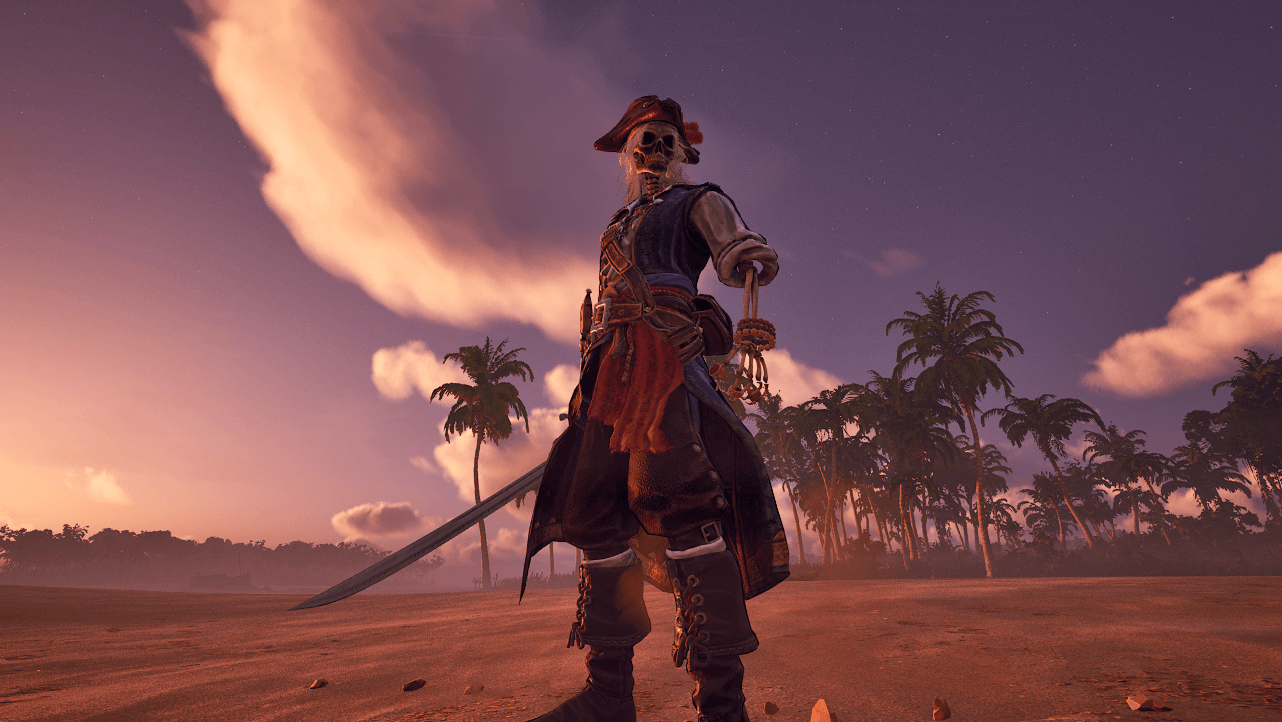
HighresScreenshot00019.png
Description
Replaces the player character mesh with a skeleton!
In order to use the mod you need to either edit your character through the main menu so that it uses the preset that the mod replaces or make a new character with the preset that the mod replaces:

The preset that the mod replaces is the 11th one. After selecting the preset you can further modify the character so that it looks the best it can, this is so that clothes and hair fit properly on the custom mesh but it is entirely optional.
Go to Character->Body Shape and move the slider/pyramid thing all the way to the top:

Go to Head and move all the sliders/pyramids things to the top:

For hair you can select whatever you want, even bald. I really like how some of the long hairstyles look, especially with white color.
For facial hair you probably want to disable them all, they don't look good.
For eyebrows, they look really bad and you can't disable them in the vanilla game but that's why I made an optional addon for the mod "zSkeletonPirateNoEyebrows_P". This addon disables all the male eyebrows so if you ever get bored of the skeleton don't forget to uninstall both the main file and the addon.
For tattoos you want to disable them all because they don't work properly on the skeleton mesh and they make it look bad.
Make-up doesn't affect the mod but I disable them all just in case.
Notes
This is a client sided mod. You don't have to install it on the server. Whoever wants to use/see it has to have it installed.
The mod uses pakchunkID 9837 for zSkeletonPirate_P and pakchunkID 9838 for zSkeletonPirateNoEyebrows_P. This means that these files are incompatible with any other mod that uses the same pakchunkID.
zSkeletonPirateNoEyebrows_P is an addon. The mesh replacement is in zSkeletonPirate_P so don't forget to install it!
It looks like your ship's crew members use the player's meshes from all the presets. That means that some of your crew members will be skeletons! I found two on my ship. This seems to affect enemy NPCs and captured sailor NPCs as well.
Installation for zSkeletonPirate_P
Download the mod and extract its .zip file. Go to where your game is installed and navigate to \R5\Content\Paks. Make a new folder named "~mods" in here if you don't have one already. Drop zSkeletonPirate_P.pak, zSkeletonPirate_P.ucas, zSkeletonPirate_P.utoc from the .zip archive in there.
In the end it should look like this:
\Windrose\R5\Content\Paks\~mods\zSkeletonPirate_P.pak
\Windrose\R5\Content\Paks\~mods\zSkeletonPirate_P.ucas
\Windrose\R5\Content\Paks\~mods\zSkeletonPirate_P.utoc
Installation for zSkeletonPirateNoEyebrows_P
Download the mod and extract its .zip file. Go to where your game is installed and navigate to \R5\Content\Paks. Make a new folder named "~mods" in here if you don't have one already. Drop zSkeletonPirateNoEyebrows_P.pak, zSkeletonPirateNoEyebrows_P.ucas, zSkeletonPirateNoEyebrows_P.utoc from the .zip archive in there.
In the end it should look like this:
\Windrose\R5\Content\Paks\~mods\zSkeletonPirateNoEyebrows_P.pak
\Windrose\R5\Content\Paks\~mods\zSkeletonPirateNoEyebrows_P.ucas
\Windrose\R5\Content\Paks\~mods\zSkeletonPirateNoEyebrows_P.utoc

Credits
The model was created by SDKwarrior and you can find it here: Skeleton Guard (Modular)
Skeleton pirate - player character mesh replacement Team

Owner