Move ship camera with scroll wheel
- By
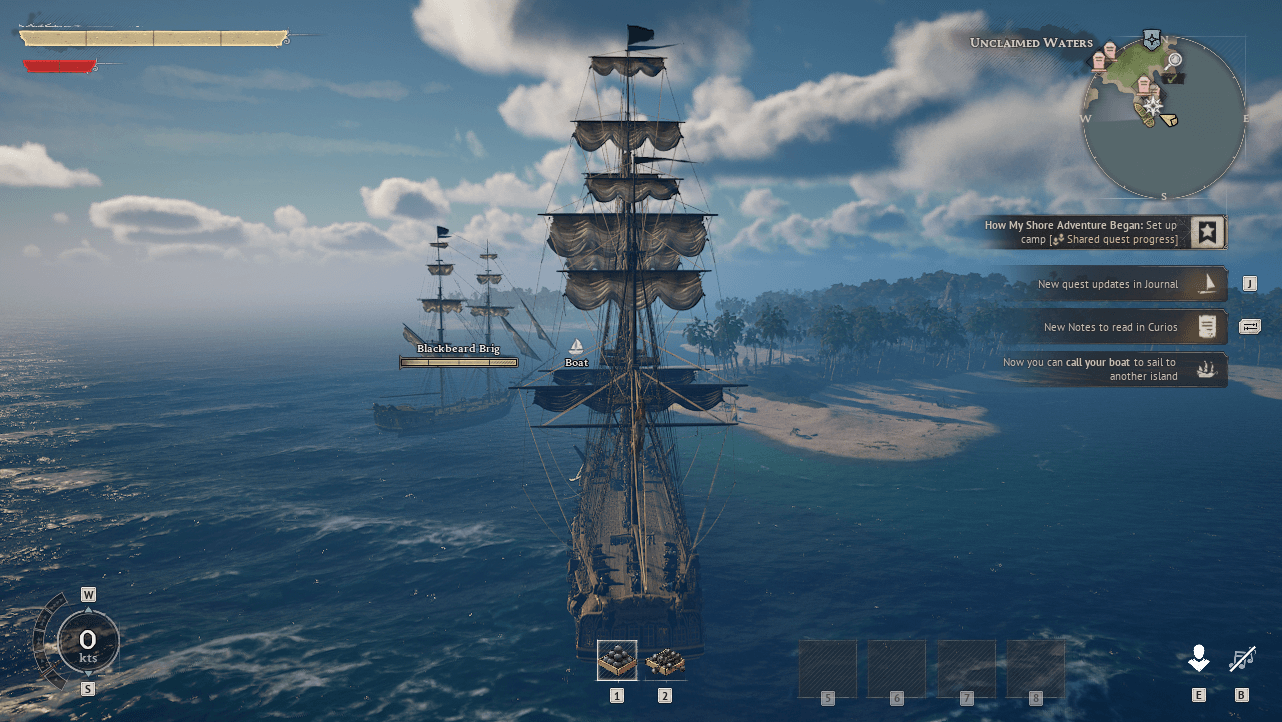
Allows you to move the zoomed out ship camera with the mouse scroll wheel.
mod
Description
Allows you to move the zoomed out ship camera with the mouse scroll wheel.

In the gif I'm using my mod Better ship camera - Assassin's Creed IV style which moves the camera further back, moves it a bit higher and removes any base rotation. It's optional but it improves the base ship camera by a lot!
Customizatizon
Ignore this portion if you don't care about customization.
Navigate to "%LOCALAPPDATA%\R5\Saved\Config\Windows\". Easy way to go there is to paste this in Windows Explorer's address bar and then press enter.
Otherwise the path should be something like this:
C:\Users\*YourUsername*\AppData\Local\R5\Saved\Config\Windows\
(Replace YourUsername with your user's name.)
Once you're there you should see a file named "Engine.ini".
If there's no such file then create one but make sure you're using the correct file extenstion and not Engine.ini.txt.
You could instead copy and paste the GameUserSettings.ini file, rename the copy to Engine.ini/Engine and then delete its contents if you don't know about file extensions.
Open the file with a text editor like Notepad and paste these lines in it:
[/Game/Mods/ScrollWheelShipCamera/ModActor.ModActor_C]
ScrollWheelSteps=250
ScrollWheelSteps affects how fast or slow the scroll wheel moves the camera. Default value is 250. Higher values is faster and lower values is slower.
You can find valid keys to use here: Unreal Engine Fkeys - Pastebin.com
All of them should work theoretically, at least the keyboard and the gamepad keys should work for sure.
Once you're done customizing the keybinds you need to set the file Engine.ini to Read-only otherwise the game is going to overwrite it!
Notes
The mod uses pakchunkID 9842. This means that it is incompatible with any other mod that uses the same pakchunkID.
Installation instructions for UE4SS
Download UE4SS. You can find the download link when you scroll all the way down. The file you should download should look something like "UE4SS_v3.0.1-416-g4a88719.zip". The numbers might change since the experimental version of UE4SS is updated frequently.
To install UE4SS you need to extract its .zip archive and then go to where your game is installed and navigate to this path: \R5\Binaries\Win64. Drop the extracted files here. In the end it should look like this:
\Windrose\R5\Binaries\Win64\dwmapi.dll
\Windrose\R5\Binaries\Win64\ue4ss
Once installed you need to navigate to \Windrose\R5\Binaries\Win64\ue4ss. In here you should find a file named "UE4SS-settings.ini". Open it with a text editor like Notepad and look for these lines:
[EngineVersionOverride]
MajorVersion =
MinorVersion =
; True if the game is built as Debug, Development, or Test.
; Default: false
DebugBuild =
You need to change the lines "MajorVersion =" and "MinorVersion =" so that they look like this:
[EngineVersionOverride]
MajorVersion = 5
MinorVersion = 6
; True if the game is built as Debug, Development, or Test.
; Default: false
DebugBuild =
Installation instructions for the mod
Download the mod and extract its .zip file. Go to where your game is installed and navigate to \R5\Content\Paks. Make a new folder named "LogicMods" in here if you don't have one already. Drop ScrollWheelShipCamera.pak, ScrollWheelShipCamera.ucas, ScrollWheelShipCamera.utoc from the .zip archive in there.
In the end it should look like this:
\Windrose\R5\Content\Paks\LogicMods\ScrollWheelShipCamera.pak
\Windrose\R5\Content\Paks\LogicMods\ScrollWheelShipCamera.ucas
\Windrose\R5\Content\Paks\LogicMods\ScrollWheelShipCamera.utoc
Troubleshooting
If you have any issues with the mod you first need to make sure that ue4ss is running. Navigate to \Windrose\R5\Binaries\Win64\ue4ss and look for a file named "UE4SS.log". If there is no such file and you've already ran the game then that mean that UE4SS was not installed correctly.
If there is, you can open that file with a text editor like Notepad and check for errors. If the mod is installed correctly and UE4SS is loading it then you should see something like this in it:
[2026-04-15 14:11:07.4615263] [Lua] [BPModLoaderMod] Loading mod: CustomAndScrollWheelFOV
[2026-04-15 14:11:07.4660481] [Lua] [BPModLoaderMod] Actor: ModActor_C /Game/Maps/Lobby/R5ClientLobby.R5ClientLobby:PersistentLevel.ModActor_C_2147480638
If not then you probably didn't install the mod correctly.
If you want you can upload the contents of that file on Pastebin.com and then share the pastebin link in a comment explaining your issue.
You can also join the Windrose discord server and look for help in the modding-support channel: Discord

Move ship camera with scroll wheel Team

Owner