Custom fast travel and signal fire building limits
- By
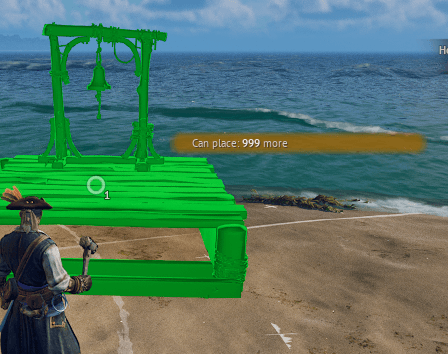
Allows you to place more fast travel and signal fire buildings (10, 30, 50, 100, 999).
modded
Description
Allows you to place more fast travel and signal fire buildings (10, 30, 50, 100, 999).
If you want to use it on multiplayer you need to install it on both the clients and the server.
zCustomFastTravelSignalFireLimits10R5_P
Allows you to build 10 (default) fast travel buildings and 10 signal fire buildings.
zCustomFastTravelSignalFireLimits30R5_P
Allows you to build 30 fast travel buildings and 30 signal fire buildings.
zCustomFastTravelSignalFireLimits50R5_P
Allows you to build 50 fast travel buildings and 50 signal fire buildings.
zCustomFastTravelSignalFireLimits100R5_P
Allows you to build 100 fast travel buildings and 100 signal fire buildings.
zCustomFastTravelSignalFireLimits999R5_P
Allows you to build 999 fast travel buildings and 999 signal fire buildings.
Notes
Only use one variant at a time!
Installation for singleplayer/client
Download the mod and extract its .zip file. Go to where your game is installed and navigate to \R5\Content\Paks. Make a new folder named "~mods" in here if you don't have one already. Drop the pak file from the variant you chose in there.
In the end it should look something like this:
\Windrose\R5\Content\Paks\~mods\zCustomFastTravelBonfireLimits10R5_P.pak
Installation for server
Download the mod and extract its .zip file. Go to where your game is installed and navigate to R5\Builds\WindowsServer\R5\Content\Paks. Make a new folder named "~mods" in here if you don't have one already. Drop the pak file from the variant you chose in there.
In the end it should look something like this:
\Windrose\R5\Builds\WindowsServer\R5\Content\Paks\~mods\zCustomFastTravelBonfireLimits10R5_P.pak

The Custom fast travel and signal fire building limits Team


Owner